For SaaS companies, acquiring new customers is only one part of building a sustainable business. Keeping those customers over the long term is equally important. A company can generate thousands of new signups, but if a significant percentage of users cancel their subscriptions shortly afterward, consistent growth becomes difficult. Customer retention and churn are therefore two of the most important considerations for SaaS businesses. Retention measures a company’s ability to keep customers, while churn represents the customers or recurring revenue lost during a specific period.
Reducing churn is not simply about convincing customers to stay. It requires SaaS businesses to understand why customers leave, deliver value consistently, and create an experience that makes the product useful throughout the customer lifecycle.
Understand Why Customers Churn
The first step toward reducing churn is understanding what causes it.
Customers cancel subscriptions for many different reasons. Some may not understand how to use the product, while others may feel that the software does not provide enough value for its price. Technical problems, poor customer service, missing features, changing business requirements, and budget constraints can also influence cancellation decisions.
Instead of assuming why customers leave, SaaS companies should collect direct feedback.
Exit surveys can ask customers what influenced their decision to cancel. Customer interviews can provide more detailed information, while support tickets and product usage data can reveal recurring problems.
For example, if customers frequently cancel after using only one or two features, the company may need to improve onboarding or help users discover additional functionality.
Understanding the underlying reasons for churn makes it possible to address the problem systematically rather than relying on assumptions.
Create a Strong Customer Onboarding Experience
The first few days or weeks of a customer’s experience can have a significant impact on their perception of a SaaS product.
A complicated onboarding process can leave new users confused before they have experienced the product’s value. A strong onboarding experience should help customers reach an initial meaningful outcome as quickly as possible.
SaaS businesses can use welcome emails, guided product tours, setup checklists, tutorials, documentation, and personalized onboarding sessions to help customers get started.
The onboarding process should focus on outcomes rather than simply explaining every feature.
For example, rather than showing a new customer every function within a project management platform, the onboarding experience could guide them through creating their first project, inviting their team, assigning tasks, and completing a workflow.
Once customers experience a useful result, they have a clearer reason to continue using the product.
Help Customers Discover More Product Value
Customers may subscribe to a SaaS platform because of one particular feature but eventually discover that other features can solve additional problems.
If users only understand a small portion of the product, they may eventually question whether the subscription is worth maintaining.
SaaS companies can encourage broader product adoption through contextual recommendations, educational emails, tutorials, webinars, and in-app guidance.
For example, a customer using software primarily for reporting could eventually benefit from automation, integrations, collaboration tools, or advanced analytics.
The objective should not be to overwhelm customers with feature announcements. Instead, companies should introduce relevant functionality based on the customer’s needs and usage patterns.
When customers consistently discover new ways to benefit from a product, the perceived value of the subscription can increase.
Using Content to Strengthen Customer Relationships
SaaS companies can support customer retention by continuing to educate and engage users after they subscribe. Product tutorials, feature demonstrations, customer success stories, webinars, and helpful video content can show customers how to get more value from the software while keeping the brand connected to their needs.
Video can be particularly useful for explaining complex features in an accessible format, and strategies such as Buy YouTube views can be incorporated into a broader video marketing approach to increase the initial visibility of educational content. When SaaS businesses consistently provide useful information alongside a reliable product experience and responsive support, they can create stronger customer relationships and address potential sources of churn.
Monitor Customer Engagement
Product usage data can provide important signals about customer health.
A customer who regularly logs in, uses important features, adds team members, and completes key workflows may be demonstrating strong engagement. In contrast, a sudden decline in activity could indicate that the customer is encountering problems or no longer sees sufficient value.
SaaS businesses can establish customer health indicators based on factors such as login frequency, feature adoption, support interactions, account activity, and subscription history.
These indicators can help customer success teams identify accounts that may require attention.
Importantly, low engagement does not automatically mean a customer will churn. It is a signal that should encourage further investigation. A customer may simply use the software less frequently because their business needs are seasonal.
Combining behavioral data with direct communication provides a more complete picture.
Provide Responsive and Useful Customer Support
Customer support can directly influence how customers perceive a SaaS company.
Even a well-designed product can create questions or technical problems. When customers cannot get help quickly, frustration can increase and their willingness to continue paying for the service may decline.
SaaS companies should provide clear support channels and make it easy for customers to find answers.
A knowledge base can handle common questions, while email, chat, or dedicated support teams can address more complex problems. Documentation should also be regularly updated as the product changes.
Support teams should look beyond simply closing tickets. Recurring questions may indicate usability problems that should be addressed at the product level.
In this way, customer support can become a source of product insights rather than simply a reactive service function.
Act on Customer Feedback
Customer feedback can reveal opportunities that internal teams may overlook.
Surveys, interviews, reviews, support conversations, feature requests, and user communities can all provide valuable information about the customer experience.
However, collecting feedback without acting on it can have the opposite effect. Customers may become frustrated if they repeatedly explain a problem without seeing meaningful improvements.
SaaS companies should organize feedback into categories and identify recurring themes. Product teams can then determine which improvements align with the largest customer needs and business priorities.
Companies should also communicate meaningful updates to customers. When users see that their feedback contributes to product improvements, they may develop greater confidence in the relationship.
Develop Proactive Churn Prevention
Many SaaS companies only interact with customers after a problem becomes obvious. A proactive approach can identify potential issues earlier.
For example, if a previously active customer stops using a key feature, the customer success team could send a helpful resource or contact the customer to understand what changed.
Similarly, customers approaching renewal could receive relevant information about new features, usage results, training opportunities, or available support.
The goal is not to pressure customers into renewing. It is to make sure they understand the value they are receiving and have access to assistance when necessary.
Proactive customer success can be particularly valuable for high-value accounts where losing a single customer can have a significant financial impact.
Make Pricing and Plans Easy to Understand
Pricing can also influence retention.
Customers may become dissatisfied when they discover unexpected limitations, confusing billing structures, or features locked behind plans they did not initially understand.
SaaS companies should make pricing information transparent and ensure that customers understand what each plan includes.
As customers grow, their requirements may change. Offering logical upgrade paths can make it easier for customers to move into plans that match their needs.
At the same time, businesses should avoid forcing customers into expensive plans simply because they need one additional feature. Flexible pricing can sometimes support stronger long-term relationships.
Build a Customer Success Strategy
Customer support and customer success are related but serve different purposes.
Support generally helps customers resolve specific problems. Customer success focuses more broadly on helping customers achieve their desired outcomes with the product.
A customer success strategy can include onboarding, training, account reviews, product education, usage monitoring, and renewal planning.
For larger SaaS customers, dedicated customer success managers can help organizations integrate the software into their broader workflows.
For smaller customers, automated onboarding and educational resources can provide some of the same benefits at scale.
The right approach depends on the size of the customer base, product complexity, and subscription value.
Track Retention Metrics
Businesses cannot effectively improve retention without measuring it.
SaaS companies can monitor several metrics to understand customer behavior, including customer churn rate, revenue churn, retention rate, customer lifetime value, activation rate, expansion revenue, and renewal rates.
These metrics can be segmented by customer type, acquisition channel, subscription plan, industry, or cohort.
For example, a company may discover that customers acquired through one channel have significantly higher retention than customers acquired through another. This insight could influence future marketing investments.
Similarly, if one pricing tier consistently experiences higher churn, the company can investigate whether customers are receiving enough value from that plan.
The purpose of these metrics is not simply to create reports. They should help teams identify patterns and make better operational decisions.
Turn Retention Into a Company-Wide Priority
Customer retention should not belong exclusively to the customer success department.
Product teams influence retention through usability and functionality. Marketing affects customer expectations before signup. Sales teams influence whether customers are properly matched with the product. Support affects the experience after purchase.
When these teams work together, businesses can create a more consistent customer journey.
For example, sales teams can share common customer objections with product managers, while support teams can identify recurring problems and communicate them to engineering teams.
This creates a feedback loop where customer experiences continuously influence product and business decisions.
Building Retention Through a Consistent Customer Experience
SaaS companies can improve customer retention by making the entire customer experience reliable, useful, and easy to navigate. Clear onboarding, responsive support, regular product improvements, and personalized communication can help customers recognize ongoing value rather than viewing the software as simply another subscription.
Consumer brands such as Saranoni demonstrate how consistency in product quality and customer experience can contribute to stronger relationships with customers. SaaS businesses can apply the same broader principle by understanding customer expectations, addressing recurring frustrations, and continuously improving the experience throughout the customer lifecycle. When customers consistently receive the value they expect, businesses can create stronger relationships while reducing the factors that contribute to churn.
Conclusion
Customer retention is one of the foundations of sustainable SaaS growth. While acquiring new customers will always be important, businesses also need to ensure that existing customers continue receiving meaningful value from their subscriptions.
Reducing churn begins with understanding why customers leave. From there, SaaS companies can improve onboarding, encourage product adoption, monitor engagement, provide responsive support, act on feedback, and develop proactive customer success strategies.
Clear pricing, useful educational resources, and data-driven retention programs can further strengthen customer relationships.
Ultimately, successful retention is not based on a single tactic. It comes from consistently delivering value and building systems that help customers succeed with the product. When SaaS companies make customer outcomes a central part of their strategy, retention becomes more than a metric—it becomes an important component of long-term business growth.
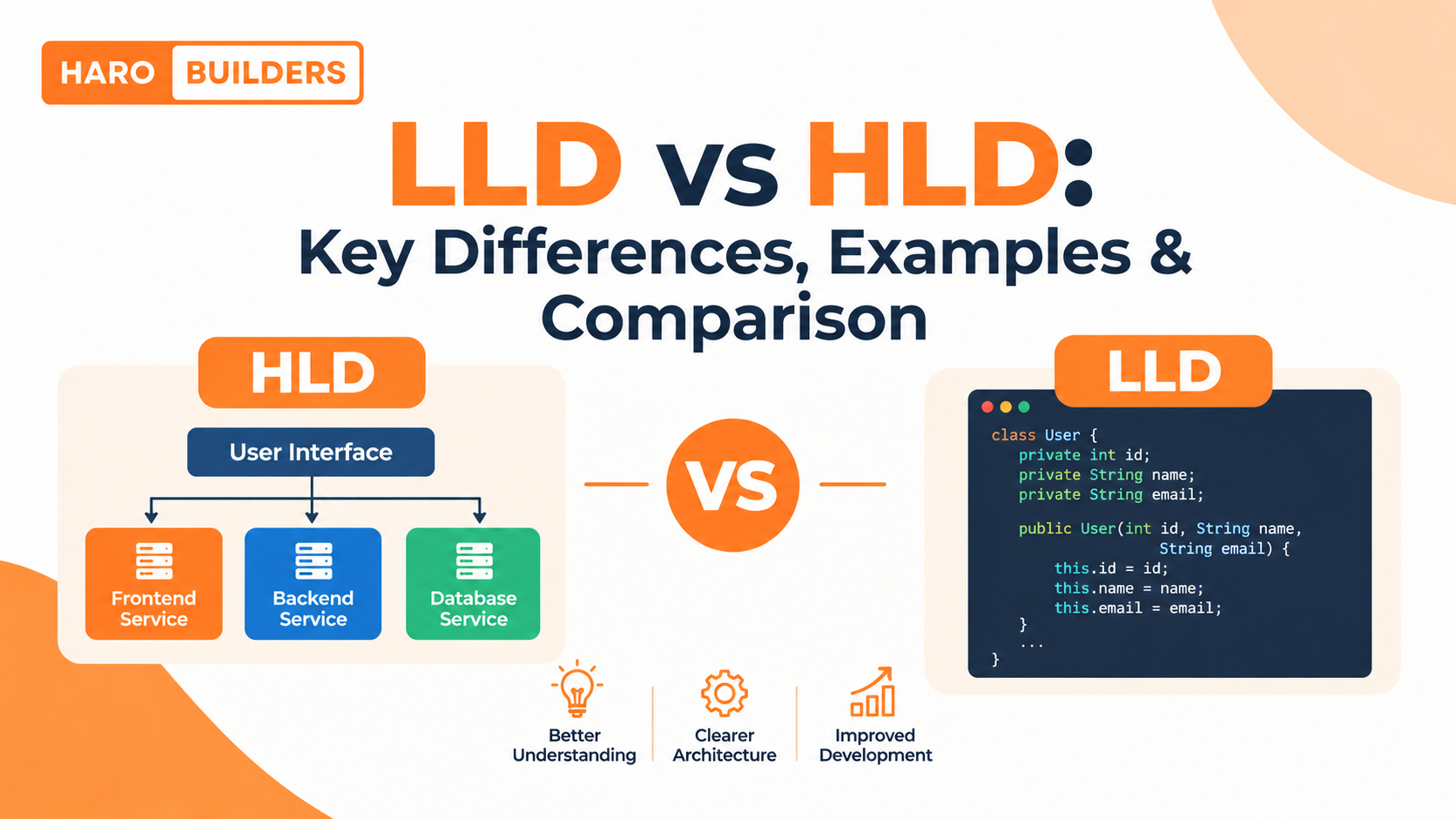
When designing software, High-Level Design (HLD) and Low-Level Design (LLD) answer two different questions.
HLD explains how the major parts of a software system fit together. LLD explains how individual components are structured and how they should behave internally.
They are not competing approaches. HLD provides the architectural direction, while LLD turns individual parts of that architecture into detailed designs that developers can implement.
LLD vs HLD: Quick Answer
The main difference between HLD and LLD is their level of abstraction. HLD focuses on the overall architecture, major components, services, databases, APIs, communication, scalability, and system boundaries. LLD focuses on the internal structure of those components, including classes, interfaces, methods, object relationships, responsibilities, and design patterns.
Aspect
HLD
LLD
Full name
High-Level Design
Low-Level Design
Main focus
Overall system architecture
Detailed component design
Main question
How should the system be structured?
How should a component work internally?
Scope
Entire system or major subsystem
Individual component or module
Abstraction
Higher
Lower
Major concerns
Architecture, scalability, availability
Classes, interfaces, behavior, relationships
Typical artifacts
Architecture diagrams, system flows
Class, sequence, state diagrams
Common users
Architects, senior engineers, engineering teams
Developers and software engineers
Output
Architectural blueprint
Detailed implementation design
Relationship
Provides context for LLD
Turns HLD components into implementable designs
What Is High-Level Design (HLD)?
High-Level Design is the architectural view of a software system.
It describes the major building blocks of an application and the relationships between them without going deeply into individual classes or methods.
For example, an e-commerce application might contain:
Web and mobile clients
API gateway
User service
Product service
Order service
Payment service
Database
Cache
Message queue
External payment provider
An HLD explains how these pieces interact.
A simplified architecture could look like this:
Users
  ↓
Web / Mobile Application
  ↓
API Gateway
  ↓
 ┌──────────────┬──────────────┬──────────────┐
 │ User Service │ Order Service│ Payment      │
 │              │              │ Service      │
 └──────────────┴──────────────┴──────────────┘
          ↓              ↓
       Database       Payment Provider
The goal is not to decide exactly which class will process a payment. The goal is to establish the major system boundaries and communication paths.
What Does HLD Focus On?
Depending on the project, HLD may cover:
System architecture
Major components
Services and modules
APIs and service boundaries
Database architecture
Data flow
External integrations
Authentication and authorization boundaries
Scalability
Availability
Reliability
Caching
Load balancing
Message queues
Deployment architecture
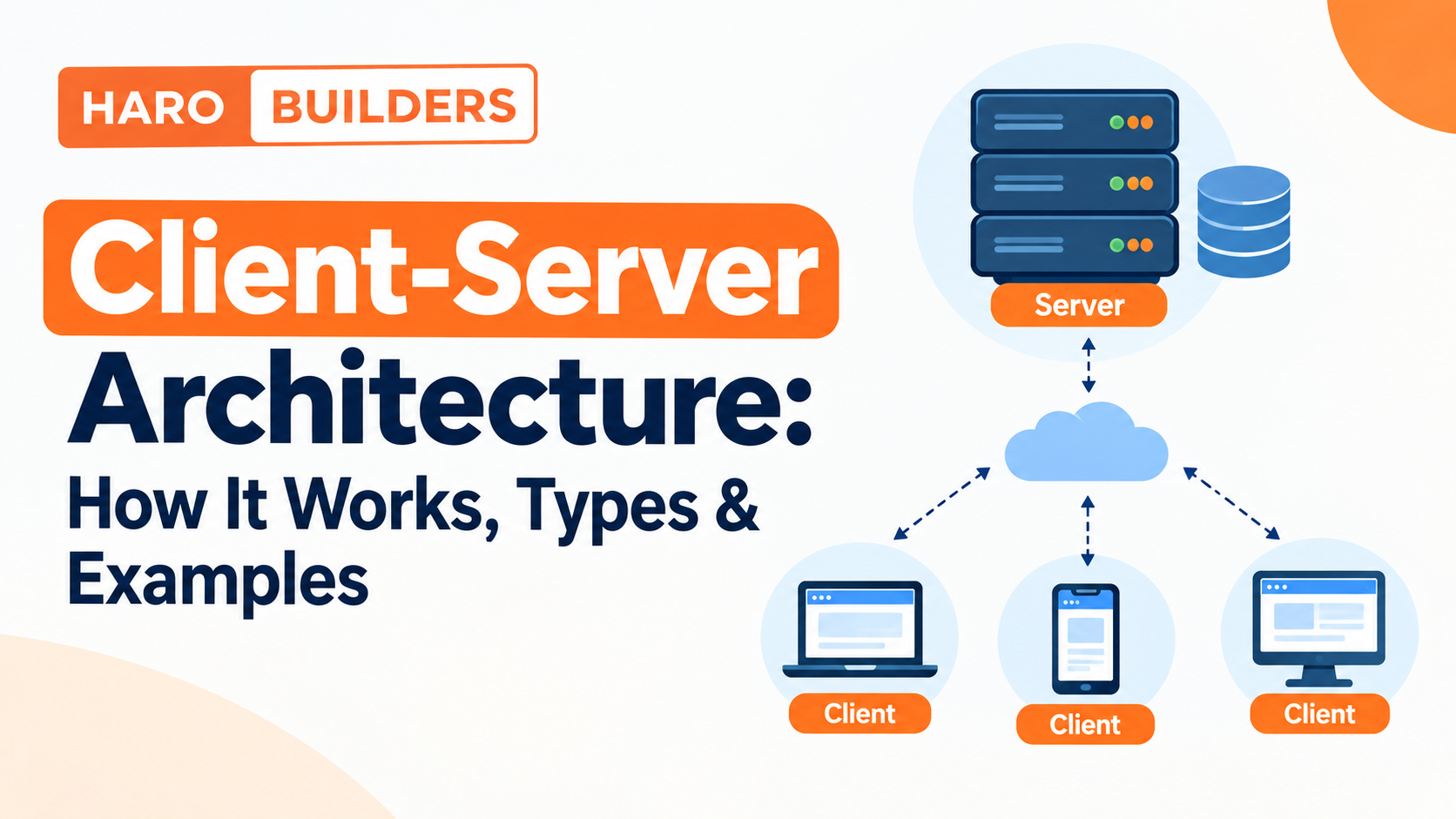
For example, decisions about adding application instances, load balancing, caching, or separating services are generally architectural concerns. HaroBuilder’s existing guide to client-server architecture provides additional context on how clients, servers, application logic, databases, and scaling considerations can fit together.
What Is Low-Level Design (LLD)?
Low-Level Design describes the detailed structure and behavior of software components.
Once HLD identifies a component such as Payment Service, LLD can describe what classes, interfaces, methods, relationships, and responsibilities are needed inside that component.
For a deeper explanation of LLD principles, UML, SOLID, design patterns, and detailed component design, see HaroBuilder’s Low-Level Design guide.
HLD vs LLD: Key Differences
The easiest way to understand the distinction is to compare the decisions made at each level.
Design Area
HLD
LLD
System scope
Entire application or major subsystem
Individual module or component
Architecture
Defines overall architecture
Works within the architecture
Components
Identifies major components
Defines internal component structure
Services
Defines service boundaries
Defines service implementation details
APIs
Defines major interfaces/contracts
Defines detailed request handling
Database
Architectural database choices
Detailed schema or data-access design
Classes
Usually not the main focus
Major focus
Methods
Usually not defined in detail
Frequently defined
Object relationships
Limited
Detailed
Design patterns
Architectural patterns where appropriate
Object-oriented/design patterns
Scalability
Major consideration
Considered within component behavior
Availability
Major system concern
May influence component design
UML
Architecture/component diagrams
Class, sequence, state diagrams
Main output
Architecture blueprint
Detailed design blueprint
The boundary is useful, but it is not always absolute. A decision can be considered HLD or LLD depending on the scope of the system being designed.
HLD vs LLD Example: E-Commerce System
A practical example makes the difference much easier to understand.
Imagine you are designing an online store.
HLD of an E-Commerce Platform
At the HLD level, you might decide that the application needs:
User Service
Product Service
Order Service
Payment Service
Database
Cache
API Gateway
Message queue
The architecture could look like:
Customer
   ↓
Web / Mobile App
   ↓
API Gateway
   ↓
 ┌───────────────┬────────────────┬────────────────┐
 │ Product       │ Order          │ Payment        │
 │ Service       │ Service        │ Service        │
 └───────────────┴────────────────┴────────────────┘
          ↓               ↓
       Database       Payment Provider
At this level, you might ask:
How should requests reach the services?
Should orders and payments be separate services?
Where should product data be stored?
How should the system handle increasing traffic?
Where should caching be used?
Which components communicate synchronously?
Which operations should use asynchronous processing?
The first describes the system boundary. The second describes internal structure.
When Should You Use HLD?
HLD is especially useful when you need to establish the overall architecture before implementation details become the focus.
Typical situations include:
Starting a new application
Designing a large feature
Defining service boundaries
Choosing architectural approaches
Planning integrations
Evaluating scalability
Planning availability
Communicating architecture to a team
Identifying major technical dependencies
For example, if a website is expected to handle rapidly increasing traffic, architectural decisions around load balancing, caching, application instances, and database capacity belong primarily in the HLD discussion.
HaroBuilder’s scalability guide covers these concepts in more detail, including horizontal and vertical scaling, caching, load balancing, database bottlenecks, and performance measurement.
When Should You Use LLD?
LLD becomes particularly useful when the architecture is understood and developers need to work out how specific components should be implemented.
Typical situations include:
Designing classes
Defining interfaces
Planning object relationships
Designing business logic
Handling complex component behavior
Choosing appropriate design patterns
Improving maintainability
Reducing unnecessary coupling
Planning implementation before coding
For example, deciding that an application needs a Payment Service is an architectural decision.
Deciding how PaymentService, PaymentProcessor, CardPayment, and WalletPayment interact is much closer to LLD.
👉HLD vs LLD in System Design Interviews
HLD and LLD are also common areas of software engineering interviews, although interview formats vary between companies and roles.
HLD interview topics
An HLD/system-design discussion may involve:
Requirements
System architecture
Scalability
Availability
Databases
Caching
Load balancing
Message queues
APIs
Bottlenecks
Failure scenarios
Trade-offs
The interviewer may ask you to design a system such as an online marketplace, messaging platform, URL shortener, or social application.
The discussion usually focuses on how the major pieces fit together.
LLD interview topics
An LLD discussion may involve:
OOP
Classes
Interfaces
Encapsulation
Inheritance
Polymorphism
SOLID principles
Design patterns
Relationships
Extensibility
Maintainability
Detailed object interactions
The question may ask you to design a parking lot, notification system, payment system, or another component-oriented problem.
The emphasis is usually more detailed than an HLD discussion.
How to Decide Whether a Detail Belongs in HLD or LLD
A simple rule can help:
If a decision explains how major parts of the system fit together, it is generally HLD. If it explains how an individual component works internally, it is generally LLD.
Consider these examples:
Design Decision
Usually Associated With
Use microservices
HLD
Separate payment into its own service
HLD
Add a message queue
HLD
Use a load balancer
HLD
Define service boundaries
HLD
Define PaymentProcessor interface
LLD
Create CardPayment class
LLD
Define processPayment()
LLD
Define object relationships
LLD
Choose a design pattern for a component
LLD
Define service-to-service API boundary
HLD
Define internal method behavior
LLD
The word “usually” matters. Real engineering projects can place some decisions at different levels depending on scope.
Can HLD and LLD Overlap?
Yes.
HLD and LLD are useful abstractions rather than rigid boxes.
For example, an API can be discussed at multiple levels.
At HLD level:
The Order Service exposes an API for creating orders.
At LLD level:
The order controller validates the request, calls the appropriate service method, handles validation failures, and returns the appropriate response.
Both descriptions are about the same system, but they operate at different levels of detail.
The same principle applies to databases, services, authentication, messaging, and other architectural components.
Common HLD Mistakes
1. Jumping into implementation too early
Starting with classes and methods before understanding the system can make the architecture harder to reason about.
2. Ignoring scalability
An architecture should consider expected workload and likely bottlenecks rather than assuming the initial infrastructure will always be sufficient.
3. Creating unclear service boundaries
Poorly defined responsibilities can lead to unnecessary coupling between components.
4. Ignoring failure scenarios
Distributed components can fail independently. HLD should consider important failure paths where reliability matters.
5. Overengineering
A small application does not necessarily need a highly distributed architecture.
Common LLD Mistakes
1. Creating too many classes
More classes do not automatically mean better design.
2. Forcing design patterns
A design pattern should solve an actual problem rather than being added simply because it is popular.
3. Excessive inheritance
Deep inheritance hierarchies can make software harder to change.
4. Tight coupling
Components that depend too heavily on implementation details can become difficult to test and modify.
5. Giant classes
A class responsible for too many unrelated tasks can become difficult to maintain.
6. Ignoring changing requirements
Good LLD should consider which behavior is likely to change and keep those areas appropriately separated.
HLD vs LLD: Best Practices
HLD best practices
Start with functional and non-functional requirements.
Identify major system components.
Define clear boundaries.
Think about data flow.
Consider scalability and availability.
Identify external dependencies.
Consider failure scenarios.
Avoid unnecessary implementation detail.
Document important architectural trade-offs.
LLD best practices
Define clear responsibilities.
Keep interfaces understandable.
Minimize unnecessary coupling.
Prefer composition where appropriate.
Use design patterns when they solve a real problem.
Consider state and edge cases.
Design for maintainability.
Think about testability.
Avoid unnecessary abstraction.
A strong design is not necessarily the one with the most components, patterns, or diagrams. The design should be appropriate for the requirements.
Frequently Asked Questions
What is the difference between LLD and HLD?
HLD describes the overall architecture and major components of a software system, while LLD describes the detailed structure and behavior of individual components. HLD works at a higher level of abstraction; LLD goes deeper into classes, interfaces, methods, relationships, and implementation details.
Which comes first, HLD or LLD?
HLD generally comes before LLD because the overall architecture provides the context for detailed component design. A typical flow is requirements → HLD → component boundaries → LLD → implementation.
Is LLD part of system design?
Yes. LLD is commonly considered a detailed level of software/system design. It focuses on how individual components are structured and how they behave.
Is HLD the same as system design?
Not exactly. HLD is an important part of system design that focuses on architecture and major system components. System design can include both high-level architectural decisions and more detailed design work.
What is an example of HLD?
For an e-commerce system, deciding to use separate Order, Product, User, and Payment services and defining how those services communicate is an example of HLD.
What is an example of LLD?
Designing the OrderService, Order, OrderItem, and OrderRepository classes and defining their interfaces and relationships is an example of LLD.
What diagrams are used in HLD and LLD?
HLD commonly uses architecture, component, deployment, and data-flow diagrams. LLD commonly uses class, sequence, state, and detailed component diagrams. The exact diagrams depend on the project.
Is LLD only for interviews?
No. LLD is useful in real software development because it helps teams reason about component responsibilities, interfaces, dependencies, behavior, and maintainability before implementation.
What should I learn before LLD?
A useful foundation includes object-oriented programming, classes and objects, interfaces, abstraction, encapsulation, inheritance, polymorphism, SOLID principles, UML, and common design patterns.
What should I learn before HLD?
Useful HLD foundations include system architecture, APIs, databases, networking basics, client-server architecture, scalability, caching, load balancing, distributed systems concepts, and common architectural patterns.
Can HLD and LLD be done together?
They can overlap during an iterative design process, but separating the architectural and detailed-design perspectives often makes complex systems easier to reason about.
Key Takeaways
HLD means High-Level Design.
LLD means Low-Level Design.
HLD focuses on the overall system architecture.
LLD focuses on the detailed design of individual components.
HLD commonly addresses services, databases, APIs, scalability, availability, and system boundaries.
The boundary between HLD and LLD can vary depending on scope.
Neither approach replaces the other.
Good design uses the appropriate level of detail for the problem being solved.
For more software engineering resources and practical technical guides, explore HaroBuilder.
Conclusion
The simplest way to remember the difference is:
HLD asks, “How should the system be structured?” LLD asks, “How should each component work?”
Suppose you are building an e-commerce application. HLD might define the Product Service, Order Service, Payment Service, database, API gateway, and communication between them. LLD then moves inside those components and defines classes, interfaces, methods, relationships, and detailed behavior.
Understanding that relationship makes system design easier to learn and helps prevent two common problems: diving into implementation details before understanding the architecture, or designing an architecture without knowing how its components will actually behave.
The right design is not the one with the most diagrams or the most sophisticated patterns. It is the one that gives the system clear boundaries, appropriate abstractions, maintainable components, and an architecture that matches its actual requirements.
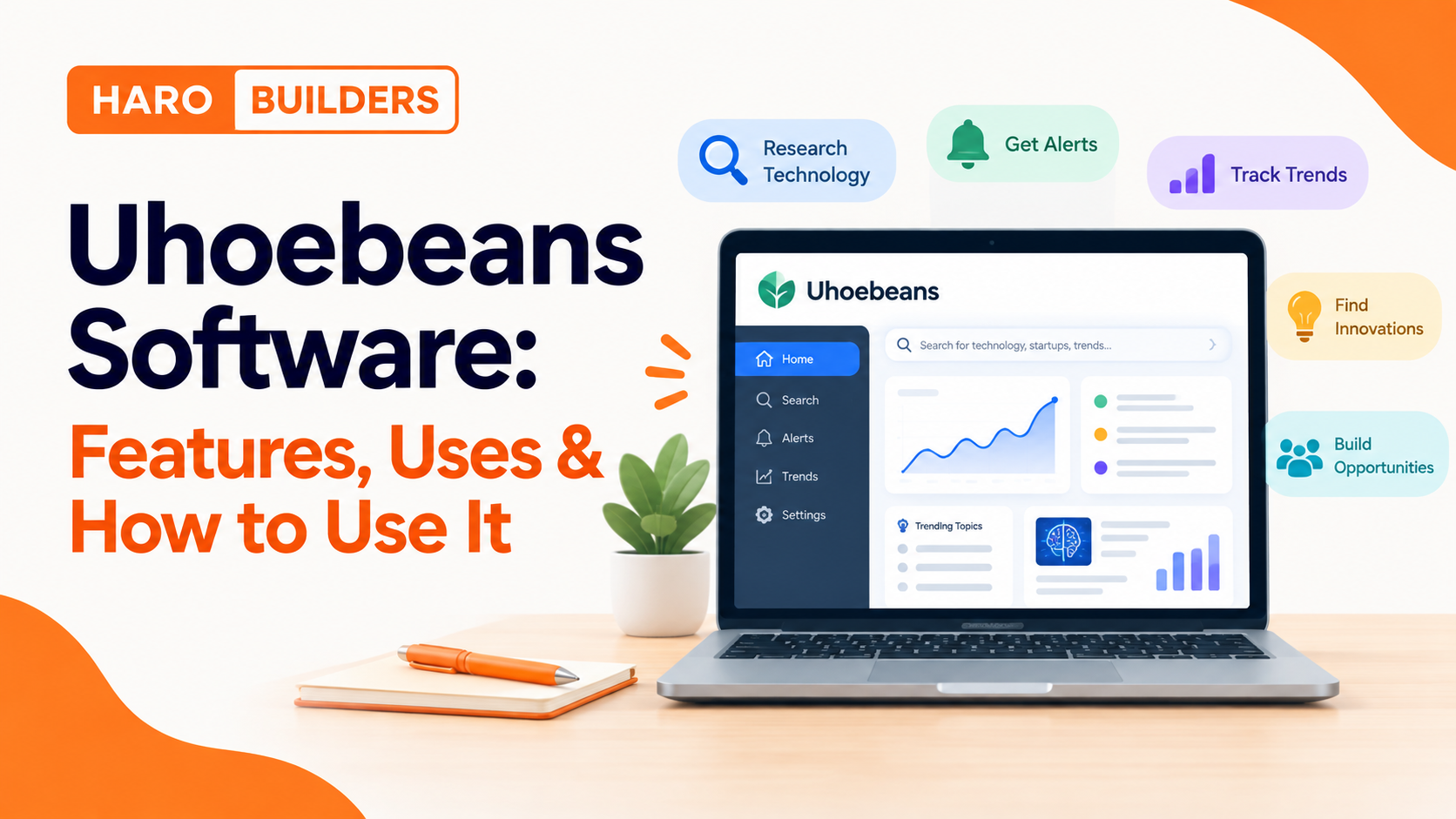
If you are searching for Uhoebeans software, the first thing to understand is that online descriptions are not completely consistent. Uhoebeans.com currently presents itself around technology, startup strategies, innovation, emerging trends, and device-related content, while other pages describe Uhoebeans as a much broader software platform with dashboards, alerts, analytics, integrations, and workflow features.
That difference matters.
Rather than treating every feature mentioned online as confirmed, this guide separates what can be observed from what Uhoebeans claims and what should be verified before you rely on it.
Quick Answer: What Is Uhoebeans Software?
Uhoebeans software is a technology-focused platform or collection of resources associated with innovation research, startup ideas, emerging technology, device trends, and business-oriented information. Uhoebeans.com currently publishes technology and innovation content and provides resources such as its Business Alignment Hub and other technology-focused sections.
Uhoebeans also publishes material describing advanced software capabilities such as innovation alerts, Boolean searches, dashboards, filters, watchlists, and notification schedules. However, not every advanced capability described online has the same level of publicly available documentation, so users should verify important features before depending on them.
What Is Uhoebeans?
Uhoebeans currently positions its website around technology, startup strategies, emerging trends, innovation, and device trends. Its homepage identifies sections for innovation and device trends and publishes articles covering emerging technologies and practical business insights.
This makes Uhoebeans different from a conventional project-management application described only through features such as task boards, calendars, CRM records, and team chat.
The safest way to understand Uhoebeans is to look at the functions and resources that are actually presented publicly rather than assuming that every description found on third-party websites refers to the same product.
Uhoebeans at a glance
Area
What the public information indicates
Technology research
A central theme of Uhoebeans
Innovation
Publicly covered through innovation content
Startup ideas
Presented as part of the platform’s focus
Device trends
Dedicated content area
Business resources
Business-oriented resources are publicly presented
Alerts
Described in Uhoebeans software material
Boolean search
Described in the official how-to material
Advanced analytics
Mentioned in online descriptions; verify availability
Integrations
Reported by some sources; verify current documentation
Pricing
Should be checked directly before making purchasing assumptions
What Can You Use Uhoebeans Software For?
Based on the current public material, the most defensible use cases are related to technology discovery, innovation research, startup ideation, business research, and monitoring emerging trends.
1. Explore Emerging Technology
Uhoebeans can be used as a starting point for discovering technology topics and emerging developments.
Instead of searching randomly, begin with a specific research question:
What technologies are emerging in a particular industry?
Which device categories are changing?
What startup opportunities are appearing?
Which technology concepts deserve further investigation?
This approach turns a broad technology feed into a more focused research workflow.
2. Research Startup Ideas
Startup and entrepreneurship content is one of the themes publicly associated with Uhoebeans. Its homepage specifically highlights startup strategies alongside technology and emerging trends.
A useful workflow is:
Choose an industry.
Identify an emerging problem or technology.
Explore related ideas.
Research the underlying market.
Check whether similar products already exist.
Validate the idea using independent sources.
Decide whether the idea deserves deeper research.
Uhoebeans should be treated as a starting point for discovery rather than the only source used to validate a business opportunity.
3. Monitor Device Trends
Uhoebeans has a dedicated device-trend focus, making emerging gadgets and smart devices another relevant research area.
For example, someone researching wearable technology could use a focused workflow:
Device category → emerging products → underlying technology → companies → market evidence → further research
The important step is not simply finding an interesting device. It is determining whether the development is actually meaningful.
4. Explore Business Alignment
The Uhoebeans site currently references a Business Alignment Hub, which supports its broader business-research positioning.
A business user could use this type of resource to organize research around:
business opportunities
technology trends
potential ideas
emerging markets
strategic questions
Important business decisions should still be supported by independent market, financial, regulatory, or technical evidence.
5. Track Innovation Signals
Uhoebeans’ own software guide describes innovation alerts and filtering as part of its workflow. It recommends narrowing searches with Boolean operators such as AND, OR, and NOT and controlling notification frequency according to the importance of each information stream.
This can be useful when the objective is to monitor a narrow topic instead of consuming every available update.
Uhoebeans Software Features
The available material describes several categories of functionality. They should not all be treated as equally verified.
Technology and Innovation Research
Technology and innovation are clearly central themes of the Uhoebeans website. Its public content focuses on emerging technologies, innovation trends, startup strategies, and devices.
Boolean Search
The official how-to article specifically describes using Boolean operators such as:
AND — require multiple concepts
OR — include alternatives
NOT — exclude unwanted results
For example:
"emerging devices" AND (consumer OR retail) NOT enterprise
The purpose is to reduce irrelevant results and create a more focused information stream.
Custom Alerts
Uhoebeans describes customizable innovation alerts designed around specific topics rather than broad notifications.
The practical principle is simple:
More alerts do not automatically mean better research.
A smaller number of highly relevant alerts can be easier to monitor than a large volume of unrelated notifications.
Notification Scheduling
The official how-to material discusses different notification cadences, including real-time alerts for high-priority topics and daily or weekly summaries for lower-priority areas.
This suggests a useful information-management strategy:
Priority
Suggested approach
Critical topic
Frequent monitoring
Important topic
Daily digest
Background topic
Weekly summary
Low-value topic
Disable or remove
The exact options available to a user should be confirmed inside the current product interface.
Dashboards, Watchlists and Advanced Analytics
Some Uhoebeans material describes dashboards, watchlists, analytics, filters and other advanced capabilities.
However, this is where caution becomes important.
Different websites currently describe Uhoebeans in substantially different ways. Some portray it as a productivity or project-management application, while Uhoebeans’ own current website is strongly oriented toward technology, innovation, startups and device trends.
Therefore, do not assume that every feature appearing in a third-party article is available in the same Uhoebeans product you are using.
Verified Information vs. Reported Features
This distinction is one of the most important parts of researching Uhoebeans software.
Capability
Current evidence level
Technology-focused content
Publicly observable
Innovation content
Publicly observable
Startup strategies
Publicly observable
Device trends
Publicly observable
Business Alignment Hub
Publicly presented
Boolean search instructions
Described by Uhoebeans
Innovation alerts
Described by Uhoebeans
Notification scheduling
Described by Uhoebeans
Advanced dashboards
Described in software material; verify current access
Watchlists
Described in online material; verify
APIs/webhooks
Reported in some descriptions; verify documentation
Third-party integrations
Reported by some sources; verify before relying on them
Project-management functionality
Inconsistent third-party descriptions; verify
This approach is more reliable than copying the longest feature list from another website.
A feature appearing on several pages is not automatically independently verified. If multiple websites repeat the same wording, they may be drawing from the same underlying source.
For another HaroBuilder example of an evidence-first approach to unfamiliar software, see the guide to Zenvekeypo4 software, which separates observable information from unsupported or conflicting descriptions.
How to Use Uhoebeans Software Step by Step
If you are new to Uhoebeans, start with a specific research objective instead of trying to explore every available feature.
Step 1: Define Your Goal
Choose one clear objective.
For example:
Find emerging technology
Research startup ideas
Monitor device trends
Explore an industry
Investigate an innovation
Research a business opportunity
A narrow goal makes the information easier to evaluate.
Step 2: Start With One Topic
Avoid monitoring everything at once.
Suppose you want to research wearable technology.
Instead of following every technology category, begin with:
Wearable technology → health devices → emerging products
You can expand the research later.
Step 3: Use Specific Search Terms
Broad searches usually generate more noise.
Instead of:
technology
try:
wearable health devices
or:
consumer wearable sensors
Then narrow further with Boolean operators if the available search interface supports them.
Step 4: Create Focused Alerts
If alerts are available for your account, create them around the information you genuinely need.
For example:
"wearable sensors" AND health
You could then exclude an irrelevant category if the system supports NOT operators.
The objective is not to collect the maximum number of alerts.
It is to create a useful signal-to-noise ratio.
Step 5: Review the Results
When a new technology or idea appears, ask:
What is it?
Who developed it?
When was it introduced?
What problem does it solve?
Is there evidence that it exists?
Is it commercially available?
Who are the competitors?
What independent sources discuss it?
Step 6: Verify Important Information
This is especially important for business and investment-related decisions.
If Uhoebeans identifies an interesting technology, follow the trail to primary evidence such as:
company documentation
manufacturer information
research papers
patents
regulatory information
technical documentation
official product pages
Do not treat an alert or article as proof by itself.
Step 7: Record Useful Findings
Create a simple research record:
Field
Example
Topic
Wearable sensors
Company
Company name
Technology
Sensor technology
Source
Original source
Date
Publication date
Evidence
Product/research documentation
Opportunity
Potential market
Next action
Competitor research
This makes the research more useful than simply reading headlines.
Practical Ways to Use Uhoebeans
For Technology Research
Use Uhoebeans to identify areas worth investigating, then move to primary sources for technical verification.
For Startup Research
Use emerging technologies and market problems as starting points for idea generation.
Find emerging technology, products, ideas or trends.
Filter
Remove information that does not match the business objective.
Verify
Check the original source.
Compare
Look at competitors, alternatives and market evidence.
Document
Keep the useful information in a structured format.
Decide
Determine whether the topic deserves additional research.
This approach also makes it easier to audit why a particular business decision was made.
For broader software concepts, HaroBuilder’s guide to application servers provides useful background when you need to understand how software applications can communicate with other services.
What to Verify Before Relying on Advanced Uhoebeans Features
Before using Uhoebeans for an important workflow, check the following:
1. Product identity
Confirm exactly which Uhoebeans product or service you are using.
2. Current documentation
Look for current first-party instructions rather than relying solely on third-party articles.
3. Supported features
Confirm that the feature you need is actually available to your account.
4. Integrations
If an article mentions Slack, Trello, APIs, webhooks or another integration, verify that the integration is currently documented.
5. Data handling
Understand what information you are providing and how it is handled before uploading sensitive business data.
6. Pricing
Check the current pricing directly rather than relying on an old article.
7. Accuracy
Treat automated or aggregated information as a research input that may require independent verification.
8. Update status
Software and websites change. A feature described in an older article may not work the same way today.
Common Mistakes When Using Uhoebeans Software
Mistake 1: Tracking Too Many Topics
Following dozens of unrelated industries creates noise.
Start with one or two important research areas.
Mistake 2: Treating Alerts as Conclusions
An alert tells you that something deserves attention.
It does not automatically prove that the underlying claim is accurate or commercially important.
Mistake 3: Trusting Repeated Claims
Ten websites repeating the same feature list do not necessarily represent ten independent confirmations.
Look for primary evidence.
Mistake 4: Confusing Content With Product Functionality
A website can publish an article about a technology without that technology being a built-in product feature.
Always distinguish between:
content about a topic
and
functionality provided by the software.
Mistake 5: Making Business Decisions From One Source
Use Uhoebeans as part of a broader research process.
Confirm important information through original sources.
Mistake 6: Ignoring Freshness
Technology changes quickly. Check publication dates and current product documentation before relying on older information.
Uhoebeans Software vs. Traditional Technology Research
Uhoebeans can be useful as a discovery layer, but it should not necessarily replace every other research method.
Research approach
Best use
Uhoebeans
Discovering topics and potential signals
Search engines
Finding broader information
Company websites
Verifying products and business claims
Research papers
Verifying technical or scientific information
Patents
Investigating documented inventions
Regulatory sources
Checking regulated claims
Industry reports
Understanding markets
Technical documentation
Confirming software functionality
The strongest workflow combines several sources instead of depending entirely on one platform.
Is Uhoebeans Software Legitimate?
There is not enough consistent public information to make a blanket judgment about every product or capability described under the Uhoebeans name.
What can be established is that uhoebeans.com exists and currently publishes technology, innovation, startup and device-related material.
At the same time, the online descriptions of Uhoebeans software are inconsistent. Some sources describe a broad productivity or project-management application, while the first-party website currently emphasizes technology intelligence, startup strategies and emerging trends.
The practical response is verification:
Identify the exact product.
Check the first-party source.
Confirm the feature.
Check current documentation.
Verify important claims independently.
That is more useful than accepting or rejecting the name based only on search results.
Is Uhoebeans Software Free?
Pricing should be checked against the current first-party information before making a purchasing decision.
Third-party pages may publish pricing figures, but prices can change and repeated figures are not sufficient evidence of current pricing.
If pricing is important to your decision, verify:
free availability
trial period
subscription plans
feature restrictions
usage limits
business plans
cancellation terms
Do not rely on an old blog post for a current price.
Frequently Asked Questions
What is Uhoebeans software?
Uhoebeans software refers to the technology and innovation-focused platform associated with Uhoebeans.com and its software-related material. Its current public website focuses on technology, startup strategies, innovation, emerging trends and device information.
How does Uhoebeans software work?
The publicly described workflow involves discovering technology or innovation information, filtering it around specific interests, monitoring relevant signals and using the resulting information for further research. Uhoebeans’ own how-to material describes Boolean searches and notification scheduling.
How do you use Uhoebeans software?
Start with one research goal, select a narrow topic, use focused searches or filters, configure relevant alerts if available, review the results and independently verify important information.
What are Uhoebeans software features?
Public Uhoebeans material discusses technology research, innovation alerts, Boolean filtering and notification controls. Other online descriptions mention additional advanced features, but their current availability should be verified.
Is Uhoebeans software good for beginners?
It can be approached by beginners if they start with one simple research goal rather than attempting to configure every available feature immediately.
Can businesses use Uhoebeans?
The Uhoebeans website explicitly presents startup and business-oriented resources, including a Business Alignment Hub. Businesses should independently verify important market, financial and technical information before making decisions.
Does Uhoebeans provide alerts?
Uhoebeans’ own software guide describes innovation alerts and different notification schedules. The exact alert functionality available to a particular user should be confirmed in the current product interface.
Should I trust every Uhoebeans feature mentioned online?
No. Online descriptions are inconsistent. Separate publicly observable features from claims that require additional documentation or verification.
Can Uhoebeans replace independent research?
It should not automatically be treated as a replacement for primary sources. Use it as one part of a broader discovery and verification process.
Uhoebeans Software: A Simple Verification Checklist
Before relying on a Uhoebeans feature, ask:
Is the feature documented by a first-party source?
Can I access it in the current product?
Is the documentation current?
Is the developer or provider clearly identified?
Is pricing clearly documented?
Are integrations officially supported?
Is there documentation for important technical claims?
Can important information be verified independently?
Am I treating an article as evidence when it is actually just commentary?
Am I giving sensitive business information to a service without checking its data practices?
If several answers are unclear, investigate further before building an important workflow around the feature.
Uhoebeans software is associated with technology, innovation, startup strategies and emerging trends.
Uhoebeans.com currently presents technology and device-trend resources publicly.
Its own software material describes Boolean search, innovation alerts and notification controls.
Online descriptions of advanced Uhoebeans functionality are not completely consistent.
Repeated claims from multiple websites should not automatically be treated as independent verification.
Start with one clear research objective rather than monitoring everything.
Use focused searches and alerts to reduce information overload.
Verify important technology, business and product claims through primary sources.
Treat Uhoebeans as part of a research workflow rather than automatically as the sole source of truth.
Check current documentation before relying on advanced features, integrations or pricing.
Conclusion
The best way to approach Uhoebeans software is with a focused, evidence-based workflow.
Start with a specific question. Explore the relevant technology or innovation information. Narrow the results with focused searches or alerts where available. Then verify important findings using primary sources before turning them into business, technical or investment decisions.
The biggest mistake is not failing to use every feature. It is assuming that every feature described online necessarily belongs to the same documented product.
If you want more practical technology and software guides, explore HaroBuilder for additional resources.
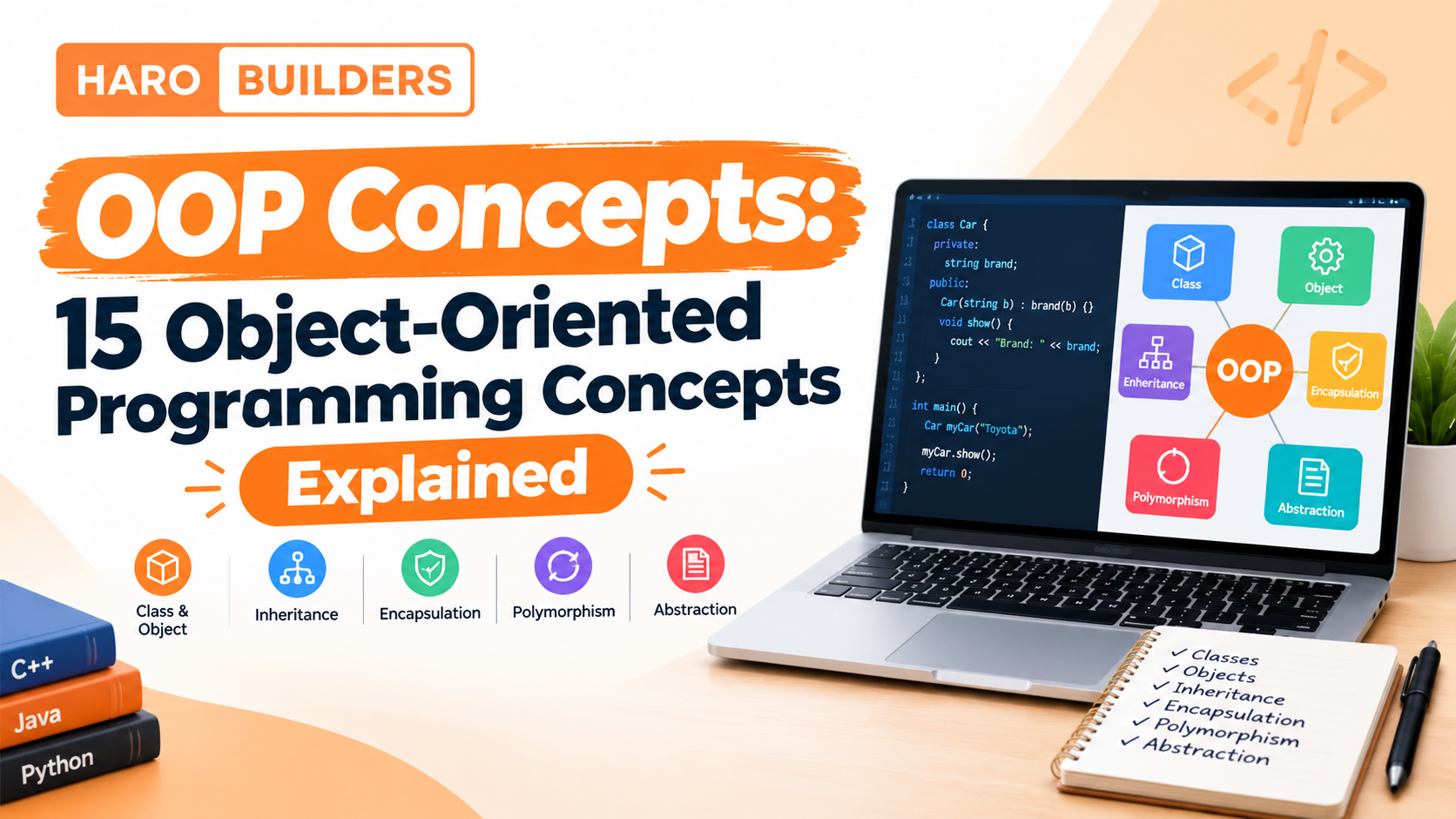
Object-oriented programming (OOP) is a programming paradigm that organizes software around objects, classes, data, and behavior. Instead of structuring a program only as a sequence of procedures, OOP groups related state and behavior into reusable components.
The most important OOP concepts include classes, objects, encapsulation, abstraction, inheritance, polymorphism, constructors, interfaces, abstract classes, association, aggregation, composition, dependency, method overloading, and method overriding.
Understanding these concepts helps developers write software that is easier to organize, maintain, extend, and reason about.
For developers moving from OOP fundamentals toward software architecture and detailed component design, [HaroBuilder’s Low-Level Design guide] provides a useful next step because LLD builds on concepts such as classes, objects, interfaces, relationships, encapsulation, abstraction, inheritance, and polymorphism.
Quick Answer: What Are OOP Concepts?
OOP concepts are the core ideas used to design software around objects and their interactions. The four commonly recognized pillars of OOP are encapsulation, abstraction, inheritance, and polymorphism. Other important concepts include classes, objects, constructors, interfaces, abstract classes, and relationships such as association, aggregation, composition, and dependency.
There is no universal official list containing exactly 15 OOP concepts. The 15 concepts in this guide provide a practical learning framework that combines foundational OOP ideas with commonly used object relationships and programming techniques.
OOP Concepts at a Glance
#
OOP Concept
Simple Meaning
1
Class
A blueprint or definition for objects
2
Object
An instance of a class
3
Encapsulation
Controlling access to internal state and behavior
4
Abstraction
Hiding unnecessary implementation details
5
Inheritance
Creating a class based on another class
6
Polymorphism
Allowing different implementations through a common interface or abstraction
7
Constructor
Initializes an object when it is created
8
Interface
Defines a contract that implementations can follow
9
Abstract Class
A partially implemented base class that can define common behavior
10
Association
A general relationship between objects
11
Aggregation
A whole-part relationship with relatively independent lifecycles
12
Composition
A strong whole-part relationship
13
Dependency
A relationship where one component relies on another
14
Method Overloading
Multiple methods with the same name but different parameters where supported
15
Method Overriding
A subclass provides a new implementation of inherited behavior
What Is Object-Oriented Programming?
Object-oriented programming is a programming approach that models software using objects that contain data and behavior.
For example, an online store might contain objects representing:
Customers
Products
Shopping carts
Orders
Payments
Shipping addresses
A Customer object might contain information such as a name and email address, along with behavior related to managing the customer’s account.
A simplified model could look like this:
Customer
├── name
├── email
└── updateProfile()
The goal isn’t simply to turn every noun into a class. Good OOP design assigns clear responsibilities to components and defines how those components interact.
How Does OOP Work?
A typical object-oriented application can be understood as a collection of interacting objects.
Class
  ↓
Object
  ↓
State + Behavior
  ↓
Interaction with other objects
  ↓
Application behavior
A class defines what an object can contain and do. Objects are created from those definitions and communicate with other objects to perform the application’s work.
Why Is OOP Used?
OOP can help developers organize larger software systems by separating responsibilities into understandable components.
Common benefits include:
Modularity
Encapsulation
Reusability
Maintainability
Extensibility
Testability
Clear separation of responsibilities
OOP is not automatically the best approach for every programming problem. The appropriate programming model depends on the requirements, language, system architecture, and complexity of the application.
1. Classes
A class is a definition or blueprint that describes the data and behavior associated with objects.
For example:
Class: Car

Attributes:
- brand
- model
- speed

Methods:
- start()
- accelerate()
- brake()
The class describes what a car object can contain and do.
A class does not necessarily represent one physical car. It defines the structure from which individual objects can be created.
Why Are Classes Important?
Classes help group related:
Data
Methods
Rules
Responsibilities
A well-designed class generally has a focused purpose.
For example, an Order class might manage order-related state and behavior. It should not automatically become responsible for unrelated concerns such as email delivery, user authentication, analytics, and database administration.
2. Objects
An object is a concrete instance of a class.
If Car is a class, individual cars can be objects:
Car class
   ↓
Car object 1 → Toyota, Corolla
Car object 2 → Honda, Civic
Car object 3 → Ford, Mustang
Each object can have its own state while sharing the structure and behavior defined by the class.
Class vs Object
Class
Object
Definition or blueprint
Concrete instance
Describes structure
Contains actual state
Defines possible behavior
Performs behavior
Can be used to create objects
Exists during program execution
A simple analogy is:
Class = blueprint
Object = building created from the blueprint
The analogy is useful for beginners, although actual programming languages have additional details around memory, inheritance, constructors, and object lifecycle.
3. Encapsulation
Encapsulation means keeping an object’s internal state and the operations that control it together while controlling how other code accesses that state.
Instead of allowing unrelated code to change the balance arbitrarily, the class can expose controlled operations.
The exact mechanism depends on the programming language. Some languages provide explicit access modifiers such as private, protected, and public, while others use different conventions or mechanisms.
Why Does Encapsulation Matter?
Encapsulation can:
Protect internal state
Reduce unintended changes
Define clear interfaces
Keep business rules close to the data they govern
Reduce unnecessary coupling
For example, a BankAccount can ensure that withdrawals follow the rules defined by the application instead of allowing arbitrary code to manipulate the balance directly.
4. Abstraction
Abstraction means exposing the important behavior of a component while hiding implementation details that the caller does not need to know.
Consider a payment system.
A caller may only need:
processPayment()
The payment component may internally handle:
Validation
Provider communication
Authentication
Transaction processing
Error handling
The caller does not necessarily need to understand every internal step.
Abstraction vs Encapsulation
These concepts are related but not identical.
Abstraction
Encapsulation
Focuses on what a component exposes
Focuses on how state and behavior are contained/protected
Hides unnecessary implementation details
Controls access to internal state and behavior
Simplifies usage
Helps protect and organize implementation
Often expressed through interfaces and abstractions
Often implemented through classes, access control and controlled methods
A simple way to remember the difference:
Abstraction asks: “What does the user need to know?”
Encapsulation asks: “How do we control what is exposed or changed?”
5. Inheritance
Inheritance allows one class to derive characteristics or behavior from another class.
For example:
Vehicle
   ↓
  Car
A Car may inherit general vehicle behavior while adding or changing behavior specific to cars.
Inheritance is often associated with an is-a relationship.
Car is a Vehicle
Dog is an Animal
Manager is an Employee
Benefits of Inheritance
Inheritance can provide:
Code reuse
Shared behavior
A hierarchical model
Polymorphic behavior
When Can Inheritance Become a Problem?
Inheritance can create strong coupling between parent and child classes.
If developers use inheritance simply because two classes share some code, the resulting hierarchy can become difficult to change.
For this reason, developers often consider composition when designing reusable components.
6. Polymorphism
Polymorphism allows different implementations to be used through a common abstraction or interface.
Consider:
PaymentMethod
      ↓
 ┌────┼──────────┐
Card  Bank     Wallet
A payment processor can work with the general PaymentMethod abstraction while each implementation handles its own behavior.
Conceptually:
paymentMethod.process()
could produce different behavior depending on the actual object.
Why Is Polymorphism Useful?
It can allow software to:
Work with abstractions
Replace implementations
Reduce conditional logic
Support extensibility
Separate high-level behavior from implementation details
Polymorphism is particularly important in object-oriented design because it allows code to depend on a contract rather than a specific implementation.
7. Constructors
A constructor is a mechanism used by many object-oriented languages to initialize an object when it is created.
For example:
User
- name
- email

constructor(name, email)
When a new user object is created, the constructor can establish its initial state.
What Do Constructors Commonly Do?
They may:
Initialize attributes
Validate initial values
Establish required dependencies
Prepare an object’s initial state
Constructor behavior varies between programming languages, so the exact syntax and rules differ between Java, C++, Python, and other languages.
8. Interfaces
An interface generally defines a contract that implementing classes agree to follow.
The rest of the application can depend on the NotificationSender abstraction instead of being tightly coupled to one notification mechanism.
Why Use Interfaces?
Interfaces can be useful when:
Multiple implementations are expected
A stable contract is needed
Components should depend on abstractions
Implementation details may change
Testing requires interchangeable components
The exact meaning and capabilities of an interface depend on the programming language.
9. Abstract Classes
An abstract class is a class intended to serve as a base for other classes and may contain both implemented behavior and abstract operations that subclasses must provide.
An abstract class can provide common behavior while leaving certain behavior to subclasses.
Interface vs Abstract Class
Interface
Abstract Class
Primarily defines a contract
Can define a shared base
Useful for interchangeable implementations
Useful for related classes sharing behavior
Implementation rules depend on language
Can contain implemented and abstract behavior
Often supports multiple contracts
Often represents a common base type
The exact distinction varies by language, so the implementation should always be understood in the context of Java, Python, C++, or the language being used.
10. Association
Association is a general relationship between two objects or classes.
For example:
Customer → Order
A customer can have a relationship with one or more orders.
Association does not automatically imply ownership.
The objects can have independent lifecycles.
Example
Doctor ↔ Patient
Teacher ↔ Student
Customer ↔ Order
The precise implementation depends on the application’s requirements.
Association is a broad relationship, while aggregation and composition describe more specific whole-part relationships.
11. Aggregation
Aggregation represents a whole-part relationship where the contained objects can exist independently of the containing object.
For example:
Team
 ↓
Players
A player can exist even if a particular team is dissolved.
The important idea is that the relationship does not necessarily control the lifecycle of the contained object.
Aggregation vs Association
Association is a broad relationship.
Aggregation communicates a stronger whole-part relationship.
Association:
Customer ↔ Order

Aggregation:
Team → Player
The exact distinction can be implementation-dependent, but the ownership/lifecycle concept is the key idea.
12. Composition
Composition is a strong whole-part relationship in which the containing object controls or strongly owns the lifecycle of its component.
A common conceptual example is:
Order
 ↓
OrderItem
An OrderItem is closely tied to the order it belongs to.
Composition can be represented conceptually as:
Order
 ├── OrderItem
 ├── OrderItem
 └── OrderItem
Aggregation vs Composition
Aggregation
Composition
Weaker ownership relationship
Stronger ownership relationship
Parts can generally exist independently
Parts are strongly tied to the whole
Lifecycle is relatively independent
Lifecycle is closely connected
Example: Team → Player
Example: Order → OrderItem
These distinctions matter when designing class relationships and object lifecycles.
13. Dependency
A dependency exists when one component relies on another to perform some operation.
For example:
OrderService
     ↓
PaymentGateway
OrderService may depend on PaymentGateway to process payments.
A dependency does not necessarily mean ownership.
It can simply mean that one component needs another component’s functionality.
If one class depends directly on dozens of concrete implementations, changing one implementation may require changes across the application.
Using appropriate abstractions can sometimes reduce this coupling.
This concept becomes particularly important in Low-Level Design, where developers reason about interfaces, responsibilities, dependencies, and relationships between components.
14. Method Overloading
Method overloading generally means defining multiple methods with the same name but different parameter lists, where the programming language supports this feature.
The programming language determines which version is selected based on the method signature and invocation.
Why Use Overloading?
Overloading can make related operations easier to express when they naturally share the same conceptual name but accept different inputs.
However, not every programming language implements traditional method overloading in the same way. For example, Python commonly handles similar situations through default arguments, *args, or other techniques rather than Java-style compile-time method overloading.
15. Method Overriding
Method overriding occurs when a subclass provides its own implementation of a method inherited from a parent class, subject to the rules of the programming language.
For example:
Animal
└── makeSound()

Dog
└── makeSound()

Cat
└── makeSound()
Both Dog and Cat can provide their own implementation of makeSound().
Overriding is closely associated with runtime polymorphism in languages that support dynamic dispatch.
The Four Pillars of OOP
The four concepts most commonly described as the pillars of object-oriented programming are:
Encapsulation
Abstraction
Inheritance
Polymorphism
Pillar
Main Idea
Simple Example
Encapsulation
Control access to internal state
BankAccount.withdraw()
Abstraction
Hide unnecessary implementation details
processPayment()
Inheritance
Extend an existing class
Car from Vehicle
Polymorphism
Different implementations through a common abstraction
Different PaymentMethod implementations
These four should not be confused with the broader list of OOP concepts.
For example, classes and objects are foundational OOP building blocks, while association and composition describe relationships between objects.
OOP vs Procedural Programming
OOP and procedural programming organize programs differently.
Area
OOP
Procedural Programming
Main organization
Objects/classes
Procedures/functions
Primary focus
State + behavior
Sequence of operations
Data handling
Often associated with objects
Often passed between functions
Reuse
Classes, composition, inheritance, abstractions
Functions/modules
Modeling
Objects and relationships
Procedures and data flow
Best fit
Many systems with interacting entities
Many algorithmic or procedure-focused problems
This does not mean one paradigm is universally better.
A simple script may not need a complex object hierarchy, while a large application with many interacting entities may benefit from object-oriented design.
Class Relationships in OOP
Understanding relationships is just as important as memorizing definitions.
The main relationships discussed in this guide can be summarized as:
Association
    ↓
General relationship

Aggregation
    ↓
Whole-part relationship
    ↓
Independent lifecycle

Composition
    ↓
Whole-part relationship
    ↓
Strong lifecycle ownership

Inheritance
    ↓
Is-a relationship

Dependency
    ↓
Uses/requires another component
Association vs Aggregation vs Composition
Relationship
Main Idea
Ownership
Example
Association
Objects are related
Not implied
Customer ↔ Order
Aggregation
Whole contains parts
Relatively weak
Team → Player
Composition
Whole strongly owns parts
Strong
Order → OrderItem
These distinctions become particularly important in detailed object-oriented design.
Encapsulation vs Abstraction
This is one of the most common areas of confusion for beginners.
Encapsulation
Abstraction
Controls access to state/behavior
Hides unnecessary implementation complexity
Protects internal details
Simplifies the interface presented to users
Often uses classes and access control
Often uses interfaces or abstract types
Focuses on containment and controlled access
Focuses on essential behavior
Easy way to remember
Encapsulation = control what can be accessed or changed.
Abstraction = expose what matters and hide how it works.
They frequently work together.
Inheritance vs Composition
Inheritance represents an is-a relationship.
Composition represents a has-a or whole-part relationship.
For example:
Inheritance:

Car
 ↓
Vehicle

Car is a Vehicle
Composition:
Car
 ↓
Engine

Car has an Engine
When Should You Consider Composition?
Composition can be preferable when:
Behavior needs to change independently
You want to avoid rigid class hierarchies
Components should be replaceable
Reuse does not represent a genuine is-a relationship
Inheritance can still be appropriate when the relationship is conceptually strong and the subclass genuinely represents a specialized form of the parent abstraction.
There is no universal rule that composition must always replace inheritance.
OOP Concepts in Java, Python, and C++
The underlying concepts appear across many object-oriented languages, but the implementation differs.
Concept
Java
Python
C++
Classes
Yes
Yes
Yes
Objects
Yes
Yes
Yes
Inheritance
Yes
Yes
Yes
Polymorphism
Yes
Yes
Yes
Encapsulation
Access modifiers and class design
Conventions and language mechanisms
Access specifiers and class design
Interfaces
Explicit interface construct
Often protocols/ABCs or duck typing
Commonly modeled through abstract classes/pure virtual functions
Constructors
Constructors
__init__ commonly initializes instances
Constructors
The important lesson is that OOP is a set of design concepts, not a single syntax shared identically by every language.
Real-World OOP Example: Online Shopping System
An online shopping application provides a useful way to connect multiple OOP concepts.
Possible entities include:
Customer
Product
Cart
Order
OrderItem
Payment
PaymentMethod
Class and Object
Customer can be a class.
A particular registered customer can be an object created from that class.
Encapsulation
An Order can control how its status changes:
Order
├── status
├── place()
├── cancel()
└── ship()
Instead of allowing unrelated code to change the status without rules, the class can control valid state transitions.
Inheritance
Different payment methods could share a common abstraction:
The checkout process can work with the general payment abstraction while each payment method implements its own processing behavior.
Composition
An order can contain order items:
Order
├── OrderItem
├── OrderItem
└── OrderItem
The order and its items have a strong whole-part relationship.
Dependency
An OrderService might depend on a PaymentGateway to process a transaction.
This single example demonstrates why OOP concepts are interconnected rather than isolated definitions.
Benefits of OOP
OOP can provide several practical benefits when the design fits the problem.
Modularity
Related behavior can be grouped into understandable components.
Encapsulation
Internal state can be controlled rather than exposed indiscriminately.
Reusability
Well-designed components can sometimes be reused in multiple parts of an application.
Maintainability
Clear responsibilities can make code easier to understand and modify.
Extensibility
Abstractions and polymorphism can make certain changes easier to localize.
Testability
Well-separated components can provide clearer boundaries for testing.
These benefits are not automatic. Poor object-oriented design can create excessive coupling, unnecessary abstractions, large class hierarchies, or difficult-to-maintain code.
Common OOP Mistakes
1. Using Inheritance Only for Code Reuse
Two classes sharing code does not automatically mean one should inherit from the other.
2. Confusing Encapsulation With Abstraction
They are related but solve different design problems.
3. Creating Too Many Classes
A large number of tiny classes can make a system harder to understand if the abstractions do not provide real value.
4. Creating Giant Classes
A single class responsible for authentication, payments, notifications, reporting, and database operations can become difficult to maintain.
5. Overusing Interfaces
Interfaces are useful when they provide meaningful contracts or interchangeable implementations. Creating an interface for every class can add unnecessary complexity.
LLD goes beyond simply knowing OOP definitions. It asks developers to decide:
Which class should own a responsibility?
Which components should depend on each other?
Where should an abstraction be introduced?
Should a relationship use inheritance or composition?
Which behavior is likely to change?
How can unnecessary coupling be reduced?
That makes OOP knowledge an important foundation for developers learning detailed software design.
OOP Interview Questions
If you’re preparing for an OOP or LLD interview, practice explaining these questions in simple language:
1. What is object-oriented programming?
Explain OOP in one or two sentences and give a simple example.
2. What are the four pillars of OOP?
Know encapsulation, abstraction, inheritance, and polymorphism.
3. What is the difference between a class and an object?
A class defines structure and behavior; an object is an instance of that class.
4. What is encapsulation?
Explain controlled access to internal state and behavior.
5. What is abstraction?
Explain exposing essential behavior while hiding unnecessary implementation details.
6. What is inheritance?
Explain how one class can derive from another.
7. What is polymorphism?
Explain how different implementations can be used through a common abstraction.
8. What is the difference between aggregation and composition?
Focus on ownership and lifecycle.
9. When should you use composition instead of inheritance?
Discuss the difference between has-a and is-a relationships and consider coupling.
10. What is an interface?
Explain it as a contract that implementations can follow.
11. What is method overriding?
Explain how a subclass can provide a different implementation of inherited behavior.
12. What is method overloading?
Explain multiple methods with the same conceptual name but different parameters where the language supports it.
Frequently Asked Questions About OOP
What are the main OOP concepts?
The main OOP concepts include classes, objects, encapsulation, abstraction, inheritance, and polymorphism. Broader OOP design also includes constructors, interfaces, abstract classes, association, aggregation, composition, dependency, method overloading, and method overriding.
What are the four pillars of OOP?
The four commonly recognized pillars are encapsulation, abstraction, inheritance, and polymorphism.
What are the 15 OOP concepts?
A practical 15-concept framework includes classes, objects, encapsulation, abstraction, inheritance, polymorphism, constructors, interfaces, abstract classes, association, aggregation, composition, dependency, method overloading, and method overriding.
This is an educational framework rather than a universally standardized list of exactly 15 concepts.
What is object-oriented programming?
Object-oriented programming is a programming paradigm that organizes software around objects containing data and behavior and the interactions between those objects.
What is encapsulation in OOP?
Encapsulation keeps related data and behavior together while controlling how other parts of a program access or modify the object’s internal state.
What is inheritance in OOP?
Inheritance allows a class to derive characteristics or behavior from another class, often representing an is-a relationship.
What is polymorphism in OOP?
Polymorphism allows different implementations to be used through a shared interface or abstraction, allowing software to work with general types rather than depending on one concrete implementation.
What is abstraction in OOP?
Abstraction exposes the important behavior of a component while hiding implementation details that users of that component do not need to understand.
What is the difference between a class and an object?
A class defines the structure and behavior that objects can have. An object is a concrete instance created from that class.
What are the benefits of OOP?
OOP can support modularity, encapsulation, code reuse, maintainability, extensibility, and clearer separation of responsibilities when applied appropriately.
Why is OOP important?
OOP provides a way to model complex software as interacting components with defined responsibilities, state, and behavior. This can make large codebases easier to organize and maintain when the paradigm fits the problem.
How does object-oriented programming work?
OOP works by defining classes and creating objects from them. Objects maintain state, expose behavior through methods, and interact with other objects to perform application operations.
Key Takeaways
OOP organizes software around objects, data, behavior, and relationships.
Classes define the structure and behavior that objects can have.
Objects are instances of classes.
Encapsulation controls access to internal state and behavior.
If you searched for GDTJ45 Builder Software, you may have found many pages describing it as a development or application-building platform. The problem is that those descriptions are inconsistent, and a reliable public product identity is difficult to establish.
Current searches do not provide a consistently verifiable official developer, authoritative product documentation, confirmed technical specifications, or a trustworthy public download source. Several recent investigations have reached the same general conclusion, while other websites continue to describe GDTJ45 as if it were an established software product.
That distinction matters.
A software name appearing on many websites does not, by itself, prove that a real publicly available application exists.
This guide explains what can currently be established about GDTJ45 Builder Software, which features are only reported online, how builder software generally works, what to check before downloading unfamiliar software, and why unsupported installation instructions should be treated carefully.
Quick Answer: What Is GDTJ45 Builder Software?
GDTJ45 Builder Software is an ambiguously documented software name that online articles describe as a builder or development tool, but its public identity and technical specifications have not been independently established through reliable primary documentation.
Some pages describe capabilities such as visual project building, code editing, templates, automation, customization and deployment. However, these descriptions are not consistently backed by an identifiable official product manual, repository, release history or verified technical documentation.
For that reason, it is safer to describe these capabilities as reported features, not confirmed features.
Is GDTJ45 Builder Software a Real Product?
This is the most important question surrounding the keyword.
A genuine publicly distributed software product normally leaves several verifiable signals, such as:
An identifiable developer or organization
An official website
Product documentation
Release information
Version history
A legitimate download or installation method
Licensing information
Technical support
A source repository when applicable
Independent user or industry references
Current research has not established a sufficiently consistent public record containing these signals for GDTJ45 Builder Software. BusinessComputingWorld reports that searches across several common software and developer sources did not establish a verified GDTJ45 product. Other recent articles have independently reported similar gaps.
That does not prove that nobody has ever used the name GDTJ45 internally.
A private, experimental, proprietary, or unpublished project could use almost any identifier.
The more precise conclusion is:
GDTJ45 Builder Software has not been sufficiently verified as a publicly documented software product.
What Can Be Verified?
Detail
Current status
Public product identity
Not sufficiently verified
Official developer
Not clearly established
Official documentation
Not clearly established
Public source repository
Not sufficiently verified
Official download source
Not established
Exact system requirements
Not established
Licensing information
Not established
Reported builder functionality
Described by third-party pages
Reported code-editing capabilities
Described by third-party pages
Reported automation features
Described by third-party pages
This distinction should remain throughout any discussion of GDTJ45.
Why Are So Many Websites Describing GDTJ45?
The unusual thing about this keyword is that search results contain many pages discussing the same name while providing little consistent primary-source information.
Some pages describe GDTJ45 as:
A visual builder
A software development platform
An application builder
A coding environment
A project management tool
A workflow automation platform
These descriptions do not consistently agree.
For example, one page may describe visual development and code editing while another focuses on project management or deployment. Grammarship similarly notes that online descriptions vary and that independent verification of an official developer, documentation and repository is limited.
This creates a common information problem:
Repeated descriptions can look like evidence even when the underlying sources are not independent.
If several websites repeat the same statement without linking to primary documentation, the number of repetitions does not make the statement independently verified.
What Features Are Reported for GDTJ45 Builder Software?
Online descriptions commonly associate GDTJ45 with several capabilities.
Because the underlying product documentation has not been sufficiently verified, these should be treated as reported capabilities, not confirmed specifications.
Visual Project Building
Some descriptions characterize GDTJ45 as a visual builder that allows users to assemble projects or application components without manually creating every part from scratch.
This concept is common across legitimate low-code, no-code and visual development platforms.
It should not, however, be assumed that GDTJ45 provides those capabilities unless authoritative documentation confirms them.
Code Editing
Several pages associate GDTJ45 with code development or editing.
That could theoretically mean anything from embedded code editing to configuration-file modification or a complete development environment.
No sufficiently authoritative documentation currently establishes the exact implementation.
For comparison, readers interested in the difference between software architecture and implementation can explore HaroBuilder’s guide to client-server architecture, which explains how application responsibilities can be separated across different layers.
Templates and Components
Some descriptions mention reusable templates, modules or components.
These are common characteristics of builder platforms because reusable components can reduce repetitive development work.
Again, there is insufficient primary documentation to establish exactly how GDTJ45 supposedly implements them.
Workflow Automation
Automation is another capability frequently associated with the name.
A genuine builder platform could theoretically automate tasks such as:
Project generation
Build processes
Testing
Deployment
Repetitive configuration
File generation
But these should not be presented as confirmed GDTJ45 functionality without product documentation.
Customization
Online descriptions also mention customization.
In a genuine builder environment, customization might include:
Layout settings
Components
Themes
Configuration
Code
Project structure
Integrations
The exact customization model for GDTJ45 remains unclear.
Deployment
Some pages associate the software with application deployment.
In real development environments, deployment can involve:
Building the application
Running tests
Packaging the application
Configuring the target environment
Deploying files or containers
Monitoring the application
For background on the backend environment in which applications can run, see HaroBuilder’s guide to what an application server does.
Reported vs. Verified Features
Reported capability
Independently verified for GDTJ45?
Visual building
No
Drag-and-drop development
No
Code editing
No
Templates
No
Automation
No
Collaboration
No
Debugging
No
Deployment
No
Multi-project management
No
Specific programming-language support
No
The table is intentionally conservative.
Unknown is better than fabricated.
How Would GDTJ45 Builder Software Work?
Because a verified technical workflow for GDTJ45 has not been established, it would be misleading to provide a supposedly official step-by-step workflow.
Instead, it is useful to understand how a typical builder or application-development platform works.
A user typically starts by creating a new project.
The platform may establish:
Project files
Configuration
Dependencies
Source directories
Build settings
2. Add Components
Builder platforms often provide reusable components or modules.
For example, an application might contain:
User interface
Authentication
Database connection
API layer
Business logic
Reporting
Notifications
3. Configure the Project
The developer then defines settings such as:
Environment variables
Database connections
API endpoints
User permissions
Build configuration
4. Add Code or Logic
Depending on the platform, developers may write code, configure visual workflows, or use both.
A typical application can be structured around:
User Interface → Application/API Layer → Business Logic → Database
For a deeper explanation of application architecture, HaroBuilder’s Oxzep7 software development guide discusses common application structures and explains how UI, application logic, databases and supporting services can interact.
5. Test the Application
Testing can include:
Functional testing
Integration testing
Unit testing
Security checks
Performance testing
User-interface testing
6. Build and Deploy
After testing, a development platform may build or package the application and deploy it to a target environment.
The exact process depends on the technology stack.
This general workflow should not be interpreted as a confirmed GDTJ45 workflow.
GDTJ45 Builder Software Installation and Requirements
One of the biggest problems with existing GDTJ45 articles is that they sometimes provide installation-style guidance without establishing an authoritative installer or technical specification.
That is risky.
Is There a Verified Installation Method?
A reliable installation guide normally requires at least:
Official download location
Supported operating systems
Version number
System requirements
Installation package
Publisher identity
Release notes
Installation documentation
Current searches have not established these details reliably for GDTJ45 Builder Software. Recent pages investigating the term similarly report that they could not establish a verified official installation source.
Therefore, you should not assume that an installer found through an unrelated website is an official GDTJ45 installer.
Are System Requirements Confirmed?
No reliable GDTJ45-specific requirements have been sufficiently established.
That means specifications such as:
Required RAM
CPU requirements
Supported Windows versions
macOS compatibility
Linux support
Storage requirements
GPU requirements
Required frameworks
should not be invented.
If a website provides exact requirements without a primary source, treat them as unverified.
Is GDTJ45 Builder Software Safe to Download?
The safest answer is:
Do not download an unfamiliar GDTJ45 installer simply because a webpage calls it “official.”
The main risk is not the name itself.
The risk comes from an unknown file being distributed under an uncertain software identity.
Before installing unfamiliar software, check:
1. The Publisher
Look for a clearly identified developer or organization.
2. The Original Download Source
Prefer the developer’s verified website or official repository.
3. Digital Signature
On supported operating systems, check whether the executable has a valid publisher signature.
4. Version Information
A legitimate release should normally identify its version.
5. License
Look for clear licensing information.
6. Security Scanning
Scan unfamiliar downloads before execution.
7. File Integrity
If the publisher provides a checksum, compare the downloaded file with the published checksum.
HaroBuilder’s guide to what checksums are and how they work provides useful background on using checksums to detect certain changes to downloaded or transmitted data.
8. Avoid Unnecessary Administrator Access
Do not grant administrator privileges to an unknown installer unless you have established why those permissions are required.
GDTJ45 Builder Software Problems and Troubleshooting
Search results also contain pages targeting queries such as “GDTJ45 Builder does not work.”
However, troubleshooting a specific error requires a verified product.
If there is no established official application, there is no reliable way to assume that a particular error message, installation failure or configuration instruction belongs to GDTJ45.
If You Found GDTJ45 in an Error or File
The situation is different if you actually encountered the term on your own computer.
In that case, first determine:
Where the term appeared
Which application displayed it
What file contained it
Which process generated it
Whether it is a filename, package name, internal identifier or product name
Where the associated file came from
A string such as GDTJ45 could theoretically be an internal identifier rather than the name of a public application.
If an Alleged Installer Fails
Do not immediately search for a second installer from another unknown site.
Instead:
Verify the source
Check the publisher
Check the file signature
Check the version
Scan the file
Determine whether the file is actually associated with the claimed product
If the product itself cannot be established, downloading additional copies is unlikely to solve the underlying problem.
GDTJ45 Builder Software Benefits and Limitations
Reported Potential Benefits
If the descriptions found online were accurate, a builder platform of the type described could potentially offer:
Faster project setup
Reusable components
Visual development
Centralized configuration
Automated workflows
Reduced repetitive work
Easier project management
These are potential benefits of the described software category, not verified benefits of GDTJ45 specifically.
Current Limitations
The most significant limitation is the lack of reliable product documentation.
Other unresolved areas include:
Developer identity
Official product website
Documentation
Version history
Licensing
System requirements
Supported operating systems
Download method
Technical architecture
Independent reviews
Public support channels
That makes it difficult to evaluate GDTJ45 in the same way you would evaluate an established development platform.
GDTJ45 Builder Software Alternatives
Rather than selecting a specific product as a direct “GDTJ45 alternative,” it is better to identify the capability you actually need.
Visual Website Building
If your goal is primarily visual website creation, look for established website-building platforms with:
Official documentation
Transparent pricing
Public support
Established user communities
Clear export/deployment options
Low-Code Application Development
If you need to build applications with less traditional coding, investigate established low-code platforms.
Look for:
Database integrations
Authentication
API support
Workflow automation
Deployment options
Permission controls
Traditional Software Development
If you need maximum control over source code, a conventional IDE or development environment may be more appropriate.
Evaluate:
Language support
Debugging
Version control
Package management
Testing
Build systems
Deployment workflows
Open-Source Development
If source-code access is important, verify:
Repository ownership
License
Commit history
Releases
Documentation
Contribution activity
Do not assume a project is open source merely because its source code is visible somewhere online.
How to Verify Any Unfamiliar Software Tool
The GDTJ45 situation provides a useful general lesson.
Use this checklist before installing unfamiliar software.
Software Verification Checklist
Identify the exact product name
Find the official developer
Find the official website
Locate official documentation
Check for release history
Check the version number
Find the official download source
Verify the publisher
Check digital signatures
Look for a legitimate repository
Review the license
Check independent references
Scan downloaded files
Compare published checksums when available
Avoid suspicious mirrors
Do not grant unnecessary permissions
Keep a backup before modifying important files
This approach is more reliable than deciding that software is legitimate because several blogs describe it.
Frequently Asked Questions
Is GDTJ45 Builder Software real?
Its public identity remains uncertain. Current searches have not established a sufficiently reliable official developer, documentation set, repository or download source. Some websites describe it as a builder platform, while other investigations report that the product cannot be independently verified.
What is GDTJ45 Builder used for?
Online descriptions associate GDTJ45 with software development, application building, visual project creation, code editing and automation. These capabilities have not been sufficiently verified through authoritative product documentation.
How does GDTJ45 Builder work?
There is no verified technical workflow that can safely be presented as the official GDTJ45 process. The online descriptions resemble common builder-platform workflows involving project creation, components, configuration, testing and deployment.
Does GDTJ45 have an official website?
Current research has not established a consistently verifiable official product website that provides authoritative technical documentation and a legitimate download source. A domain using the GDTJ45 name exists, but its existence alone does not establish that it is the official software vendor or product documentation source.
Can I download GDTJ45 Builder Software?
There is currently no sufficiently verified official download source that should be treated as authoritative. Avoid downloading an executable simply because an unrelated website labels it as GDTJ45.
Is GDTJ45 Builder open source?
There is no verified public repository and license combination that establishes GDTJ45 Builder as an open-source project.
What are the GDTJ45 Builder system requirements?
Reliable GDTJ45-specific system requirements have not been established. Claims about RAM, CPU, operating-system compatibility or storage should therefore be treated as unverified unless supported by authoritative documentation.
What features does GDTJ45 Builder have?
Online descriptions report features such as visual building, code editing, templates, automation and customization. However, these features have not been independently established as official GDTJ45 specifications.
Why does GDTJ45 Builder not work?
If you downloaded a file claiming to be GDTJ45 Builder and it does not work, first verify that the file actually comes from an authentic product source. A failed installer or incompatible program cannot be reliably diagnosed as a GDTJ45-specific problem when the public product identity itself is uncertain.
Is GDTJ45 Builder safe?
The name alone does not establish whether a particular file is safe. Treat any unfamiliar GDTJ45 download cautiously and verify its publisher, source, signature, version, licensing and security status before execution.
Key Takeaways
GDTJ45 Builder Software is currently an ambiguously documented software name.
Online articles describe it as a builder or development platform, but those descriptions are inconsistent.
A reliable public developer, technical documentation and verified download source have not been sufficiently established.
Reported features should not be treated as confirmed specifications.
Exact system requirements should not be invented.
Do not download an unfamiliar installer simply because a page calls it official.
Verify publisher identity, source, licensing, signatures and checksums.
If you encountered GDTJ45 inside an application, file or error message, investigate the context rather than assuming it is a standalone software product.
A repeated claim across multiple websites is not automatically independent evidence.
Final Thoughts
The most useful way to understand GDTJ45 Builder Software is to separate what appears in online descriptions from what can actually be verified.
Some websites describe GDTJ45 as a development or builder platform with visual tools, code editing, automation and deployment capabilities. Other investigations have been unable to establish a consistent public product identity, official documentation, verified repository or legitimate download source.
That uncertainty should not be filled with invented specifications.
If you encounter a GDTJ45 installer, repository, package or documentation page, verify the developer and source first. If the evidence connects the software to a legitimate organization and provides authoritative technical documentation, those primary materials should take priority over generic articles.
For now, the safest conclusion is straightforward:
GDTJ45 Builder Software should be treated as an unverified software name unless its developer, documentation, source and distribution method can be independently established.
Modern software rarely performs only one task at a time. A web server may handle multiple requests, an application may download data while remaining responsive, and a database may process many operations from different users.
That is where concurrency becomes important.
Concurrency is the ability to structure a program so multiple tasks can make progress during overlapping periods. Those tasks do not necessarily execute at the exact same moment. A system can switch between tasks, allow one task to wait while another runs, or execute tasks simultaneously when suitable hardware and runtime support are available.
This guide explains what concurrency means, how it works, how it differs from parallelism, multithreading, and asynchronous programming, and why concepts such as race conditions, deadlocks, locks, and synchronization matter.
Quick Answer: What Is Concurrency in Programming?
Concurrency in programming is the ability to manage multiple tasks whose execution overlaps in time. A concurrent system can switch between tasks, let waiting tasks pause, and coordinate several independent activities without requiring every task to execute simultaneously.
For example, a web application can begin processing one user’s database request while another request is waiting for a network response. The application can use that waiting time to make progress on other work.
Concurrency is not the same as parallelism: concurrency is primarily about structuring and coordinating multiple activities, while parallelism means executing multiple computations at the same time.
What Does Concurrency Mean in Programming?
Imagine a developer has three tasks:
Download a file.
Query a database.
Process user input.
A purely sequential program might handle them one after another:
Download → Database Query → User Input
If downloading takes several seconds because the network is slow, the program may spend much of that time waiting.
A concurrent design can allow the application to make progress on other work while one task is waiting:
Download ──────── waiting ───────── done
Database    ─────── processing ─── done
User Input  ── active ── active ── active
The exact implementation depends on the programming language, operating system, runtime, and application architecture.
The important idea is overlapping progress, not necessarily simultaneous execution.
On a single CPU core, the operating system or runtime can switch between tasks. On a multicore system, some concurrent tasks may also execute in parallel.
How Does Concurrency Work?
A concurrent program generally involves several related pieces.
1. Work Is Divided Into Tasks
The application identifies independent pieces of work.
For example, an e-commerce application might need to:
validate a user’s request
retrieve product information
check inventory
contact a payment service
send a notification
Some of these operations may be independent or may spend time waiting for external resources.
2. Tasks Are Scheduled
The system needs a way to determine which task should run.
Scheduling may be handled by an operating system, language runtime, framework, event loop, executor, or another concurrency mechanism.
Some systems use preemptive scheduling, where the operating system can interrupt running work. Other models allow tasks to yield voluntarily.
3. Tasks May Be Interleaved
On a single execution core, the system can switch between tasks:
Task A → Task A → Task B → Task B → Task A → Task C
The tasks are making progress during overlapping periods even though the processor is not literally executing all of them at the same instant.
4. Tasks Can Wait
Waiting is one of the reasons concurrency is especially useful for I/O-heavy applications.
A task might be waiting for:
a database response
a network request
a file operation
user input
another service
a message from another component
Instead of leaving the entire application idle, the system can work on another task.
5. Tasks May Need Coordination
Concurrency becomes more complicated when multiple tasks access the same resource.
For example, two threads might attempt to update the same account balance or modify the same shared data structure.
Without appropriate coordination, the result can depend on timing.
That is where synchronization mechanisms become important.
Concurrency vs. Parallelism
Concurrency and parallelism are closely related, but they describe different ideas.
Feature
Concurrency
Parallelism
Core idea
Multiple tasks make overlapping progress
Multiple computations execute simultaneously
Requires multiple CPU cores?
No
Physical simultaneous execution generally requires multiple execution resources
Main focus
Coordination and structure
Simultaneous execution
Single-core system
Possible
Not simultaneous
Multicore system
Can also run in parallel
Yes
Example
Handling several waiting network requests
Processing separate calculations on different CPU cores
A useful mental model is:
Concurrency = dealing with multiple things
Parallelism = doing multiple things simultaneously
A concurrent program may therefore run sequentially at certain moments, interleave tasks on one core, or execute independent work in parallel on multiple cores.
Concurrency vs. Multithreading
Multithreading is one way to implement concurrency; concurrency itself is the broader concept.
A thread is an execution path inside a process. Multiple threads in the same process generally share resources such as memory and open files, which makes communication convenient but also creates synchronization challenges.
For example:
Process
│
├── Thread A
├── Thread B
└── Thread C
The threads can perform different tasks concurrently.
However, concurrent software does not have to rely exclusively on traditional threads. Other approaches include processes, asynchronous tasks, event loops, message passing, worker pools, and language-specific concurrency models.
So:
Concurrency is the goal or structure.
Multithreading is one implementation technique.
Concurrency vs. Asynchronous Programming
Asynchronous programming is another concept that often gets confused with concurrency.
An asynchronous operation can start work and allow the program to continue instead of blocking until that operation finishes.
For example:
Start API request
        ↓
Do other work
        ↓
API response arrives
        ↓
Process response
This can create concurrent progress, particularly when operations spend time waiting for external resources.
But asynchronous programming and concurrency are not perfect synonyms.
Concurrency describes overlapping activities. Asynchronous programming describes a way of structuring operations so that work can continue without waiting synchronously for completion.
Modern programming environments provide different approaches. Python, for example, provides threading, multiprocessing and asynchronous execution tools, with the appropriate approach depending partly on whether work is CPU-bound or I/O-bound.
Processes vs. Threads in Concurrent Programming
Processes and threads are two important execution units.
Feature
Process
Thread
Memory
Usually isolated from other processes
Shares process resources
Communication
Often requires explicit inter-process mechanisms
Shared memory can make communication easier
Resource overhead
Generally higher
Generally lower
Isolation
Stronger
Weaker
Shared-state risk
Lower across process boundaries
Higher
Typical use
Independent workloads or stronger isolation
Concurrent tasks within an application
Every process contains at least one thread, while a process can contain multiple threads. Threads share resources belonging to their process, which can make communication efficient but requires careful management of shared state.
This distinction becomes especially useful when designing software that needs to handle many concurrent operations.
Benefits of Concurrency
Concurrency can provide several practical advantages, but the benefit depends on the workload and implementation.
Better Responsiveness
A user interface can remain responsive while background work is occurring.
For example, an application can process a file in the background while still responding to keyboard and mouse events.
Java’s concurrency documentation uses similar examples: applications may need to handle network data, playback, display updates, and user interaction without making the entire interface unresponsive.
Better Use of Waiting Time
A program can start another useful operation while one task is waiting for I/O.
This is particularly relevant to applications that communicate with databases, APIs, files, or remote services.
Higher Throughput for Suitable Workloads
A server handling many independent requests can often make better use of available resources when requests can progress concurrently.
This is one reason concurrency is important in web applications and other server-side systems.
For example, HaroBuilder’s guide to client-server architecture explains how servers receive and process requests from multiple clients.
Support for Complex Applications
Modern applications frequently need to coordinate:
user interactions
network communication
background jobs
database operations
notifications
external APIs
scheduled tasks
Concurrency provides programming models for managing these activities.
Common Concurrency Problems
Concurrency also introduces problems that do not usually appear in simple sequential programs.
Race Conditions
A race condition occurs when the result depends on the timing or ordering of concurrent operations.
Consider a shared counter:
counter = 10

Task A reads 10
Task B reads 10

Task A writes 11
Task B writes 11
If both tasks were supposed to increment the counter, the expected result might be 12, but the actual result could be 11.
The problem is not simply that two tasks exist. The problem is that their operations interact with shared state without adequate coordination.
Race conditions are a fundamental concurrency issue discussed in both operating-system and programming-language materials.
Deadlocks
A deadlock occurs when concurrent tasks become permanently blocked because each is waiting for a resource held by another.
A simple example:
Thread A:
Lock 1 → waits for Lock 2

Thread B:
Lock 2 → waits for Lock 1
Neither thread can continue.
Careful lock ordering, timeouts, resource design, and reducing unnecessary shared state can help prevent deadlocks.
Starvation
Starvation occurs when a task repeatedly fails to receive the resources or execution time it needs because other work continually gets priority.
Livelock
In a livelock, tasks remain active and respond to one another but fail to make useful progress.
Non-Deterministic Behavior
Concurrent programs can behave differently depending on timing and scheduling.
That can make bugs difficult to reproduce.
A program may work correctly during one test and fail under another timing pattern.
What Is Synchronization in Concurrency?
Synchronization is the coordination of concurrent tasks so shared resources and operations are handled safely.
Common synchronization mechanisms include:
locks
mutexes
semaphores
condition variables
atomic operations
barriers
A critical section is a portion of code where access to shared state needs controlled coordination.
A mutex or lock can provide mutual exclusion so that only an appropriate task enters a protected section at a time.
A semaphore can be used when a limited number of tasks should access a resource concurrently.
OpenStax describes locks, mutexes, semaphores, condition variables and critical sections as important mechanisms for coordinating concurrent activities and protecting shared resources.
What Is a Critical Section?
A critical section is code that accesses shared state and therefore requires controlled execution.
For example:
Acquire lock
     ↓
Read shared data
     ↓
Update shared data
     ↓
Release lock
The purpose is not to make the entire program sequential.
Instead, only the part that requires protection should be controlled.
Overusing synchronization can itself reduce concurrency and introduce unnecessary waiting.
What Are Atomic Operations?
An atomic operation is treated as a single indivisible action from the perspective of other concurrent operations.
For example, a simple-looking operation such as:
counter = counter + 1
may actually involve multiple lower-level steps.
Another task can potentially interact with the same value between those steps.
Atomic operations are designed for situations where an operation needs to occur without another concurrent operation observing an unsafe intermediate state.
Real-World Examples of Concurrency
Concurrency appears in many everyday systems.
Web Servers
A web server may receive requests from many users around the same time.
Requests may involve:
database queries
authentication
API calls
file access
business logic
Handling these requests concurrently can prevent one slow operation from unnecessarily blocking unrelated work.
This connects naturally with application server architecture, where backend systems process requests and communicate with databases and other services.
Databases
Databases routinely deal with operations from multiple clients.
They need mechanisms for managing concurrent access while preserving data consistency.
Mobile and Desktop Applications
A mobile application might:
respond to user input
download data
update its interface
process notifications
perform background work
These activities can overlap.
Background Workers
An application might place tasks into a queue and have worker processes or threads handle them concurrently.
This pattern is common for:
sending emails
generating reports
processing images
importing data
running scheduled jobs
APIs and Distributed Systems
A modern application may communicate with several services at once.
For example:
Application
   ├── Payment API
   ├── User Service
   ├── Inventory Service
   └── Notification Service
The application may need to coordinate these operations while handling failures and timeouts.
For API-related design, HaroBuilder’s guide to idempotency is a useful related resource because repeated or concurrent requests can create problems when operations are not designed carefully.
Concurrency for I/O-Bound vs. CPU-Bound Work
One of the most useful practical distinctions is whether a workload is I/O-bound or CPU-bound.
I/O-Bound Work
An I/O-bound task spends significant time waiting for external resources.
Examples include:
network requests
database queries
file operations
API calls
Concurrency can be particularly useful here because one task can make progress while another is waiting.
CPU-Bound Work
A CPU-bound task spends most of its time performing computation.
Examples include:
image processing
large mathematical calculations
compression
certain simulations
computational algorithms
For CPU-heavy workloads, parallel execution may be more important than simply creating more concurrent tasks.
The correct strategy depends on the language runtime, hardware and workload. Python’s documentation, for example, explicitly distinguishes concurrency tools based partly on CPU-bound versus I/O-bound work.
How Concurrency Relates to Scalability
Concurrency and scalability are related, but they are not the same thing.
Concurrency concerns how multiple activities are handled.
Scalability concerns how a system continues to handle increasing workload as demand grows.
A system may support concurrent requests but still fail to scale because of:
database bottlenecks
limited CPU
insufficient memory
connection limits
lock contention
slow external services
inefficient algorithms
HaroBuilder’s guide to scalability explains how techniques such as horizontal scaling, load balancing, caching, queues and database strategies can help systems handle growing workloads.
The key lesson is:
More concurrency does not automatically mean better performance.
A concurrent design still needs appropriate resource management.
When Should You Use Concurrency?
Concurrency is worth considering when multiple activities can make useful progress independently or when tasks spend significant time waiting.
Situation
Possible approach
Many network requests
Async or controlled concurrency
Database-heavy application
Concurrent request handling
Background jobs
Worker pools or task queues
CPU-heavy independent calculations
Parallel execution
Shared mutable state
Synchronization or redesign
Simple sequential workflow
Keep it sequential
High request volume
Concurrent server architecture
The last point matters.
Do not add concurrency simply because the word sounds like an optimization.
Concurrent systems are harder to reason about. If a task is naturally sequential and performance is already acceptable, a simple sequential design may be the better engineering choice.
Common Concurrency Mistakes
1. Confusing Concurrency With Parallelism
A concurrent program does not automatically execute everything simultaneously.
2. Assuming More Threads Means More Speed
More threads can create scheduling, memory, synchronization, and communication overhead.
3. Sharing Too Much Mutable State
The more shared state a system has, the more coordination may be required.
4. Ignoring Race Conditions
If multiple tasks can access the same state, determine whether their operations are safe.
5. Holding Locks Too Long
Long critical sections can reduce concurrency and increase waiting.
6. Creating Unlimited Tasks
An application that launches an unbounded number of concurrent operations can overwhelm CPU, memory, databases, APIs, or other resources.
7. Ignoring Timeouts and Cancellation
External operations can fail or take much longer than expected. Concurrent systems need ways to stop or abandon work when appropriate.
8. Adding Concurrency to Simple Code
Concurrency increases complexity. It should solve a real problem rather than become an unnecessary architectural layer.
Concurrency in Software Design
Concurrency is not only an implementation detail.
It can influence how software components are designed.
When designing a system, developers should consider:
Which tasks can run independently?
Which resources are shared?
Which operations must be ordered?
Where can tasks wait?
How are failures handled?
How are tasks cancelled?
What happens when workload increases?
Which data needs synchronization?
Can shared state be reduced?
These questions fit naturally into low-level software design.
The restaurant does not finish every customer’s entire process before starting the next one.
Different activities overlap.
That does not mean every activity happens at exactly the same moment.
This is a useful way to understand concurrency:
Multiple independent activities are organized so the overall system can make progress efficiently.
If several cooks actually prepare different meals at the same time, that adds an element of parallelism.
The distinction is subtle but important.
Frequently Asked Questions
What is concurrency in programming?
Concurrency is the ability to organize multiple tasks so their execution or progress overlaps in time. Tasks may be interleaved on one execution core or run simultaneously on multiple execution resources.
What is concurrency in computer science?
Concurrency is a way of structuring and coordinating multiple independently executing activities. It appears in operating systems, applications, databases, servers, distributed systems, and programming languages.
How does concurrency work?
A system divides work into tasks and uses scheduling, threads, processes, asynchronous operations, event loops, or other mechanisms to coordinate their progress. Tasks may alternate, wait for resources, communicate, or execute simultaneously when the environment allows it.
What is an example of concurrency?
A web server handling several user requests is a common example. While one request waits for a database response, the server can continue processing other requests.
What is the difference between concurrency and parallelism?
Concurrency means multiple tasks can make overlapping progress. Parallelism means multiple computations execute simultaneously. A concurrent system can exist on a single CPU core, while simultaneous parallel execution requires multiple execution resources.
Is concurrency the same as multithreading?
No. Multithreading is one technique for implementing concurrent software. Concurrency is the broader concept and can also be implemented using processes, asynchronous operations, event loops, message passing, and other models.
Is asynchronous programming the same as concurrency?
No. Asynchronous programming is a programming model that allows work to continue without synchronously waiting for an operation to finish. It can be used to build concurrent systems, but the terms describe different concepts.
What are the benefits of concurrency?
Potential benefits include better responsiveness, improved utilization of waiting time, higher throughput for suitable workloads, and the ability to manage many independent activities.
What are common concurrency problems?
Common problems include race conditions, deadlocks, starvation, livelocks, synchronization errors, excessive resource usage, and difficult-to-reproduce timing-dependent bugs.
What is a race condition?
A race condition occurs when the result of concurrent operations depends on their timing or ordering, especially when multiple tasks access shared state without sufficient coordination.
What is a deadlock?
A deadlock occurs when concurrent tasks become stuck waiting for resources held by one another, preventing the involved tasks from continuing.
Does concurrency always make programs faster?
No. Concurrency can improve responsiveness or throughput for appropriate workloads, but it can also introduce overhead, contention, synchronization costs, and additional complexity. More concurrency is not automatically better.
Key Takeaways
Concurrency means managing multiple activities whose progress overlaps in time.
Concurrency does not require multiple CPU cores.
Parallelism means simultaneous execution, while concurrency is a broader organizational concept.
Multithreading is one way to implement concurrency.
Asynchronous programming can support concurrent workloads but is not synonymous with concurrency.
Threads share process resources, which makes communication easier but increases shared-state risks.
Race conditions and deadlocks are major concurrency problems.
Locks, mutexes, semaphores, atomic operations, and other synchronization tools help coordinate concurrent work.
I/O-bound workloads can benefit significantly from controlled concurrency.
CPU-bound workloads may benefit more from parallel execution when the problem can be divided effectively.
Concurrency should be introduced because it solves a real problem, not simply because it is technically possible.
Conclusion
Concurrency is one of the foundations of modern software development.
It allows applications to manage multiple activities without requiring every operation to finish before another can begin. That can improve responsiveness, resource utilization, and throughput when the workload and architecture are appropriate.
The most important distinction to remember is simple:
Concurrency is about dealing with multiple activities. Parallelism is about doing multiple computations simultaneously.
Once that distinction is clear, concepts such as threads, processes, asynchronous programming, synchronization, race conditions, and deadlocks become much easier to understand.
Concurrency also connects directly to larger software-engineering concerns such as application architecture, scalability, API design, and low-level design. For more practical software and technology resources, explore HaroBuilder.
If you are searching for a Dowsstrike2045 Python update, the first step is not installing a new Python version or running an unfamiliar command. You should first verify exactly what software, package, repository, or release the update refers to.
There is currently a lot of conflicting information online about Dowsstrike2045. Some pages describe it as Python-based software or a framework, while others provide specific installation and version claims without identifying a clearly verifiable official release source. That makes source verification especially important.
Quick Answer: Is There an Official Dowsstrike2045 Python Update?
There is no clearly verifiable public release record that establishes a specific official Dowsstrike2045 Python update as the definitive latest version. Before updating, verify the original project, publisher, repository, package name, version number, changelog, and supported Python versions. Do not treat an unfamiliar download page or third-party command as an official update without evidence.
That distinction matters because updating Python, updating a Python package, and updating an application built with Python are three different things.
What Does “Dowsstrike2045 Python Update” Mean?
The phrase can refer to several different types of updates.
Update type
What changes?
Example
Python runtime update
The Python interpreter changes
Python 3.x → newer Python 3.x
Package update
A Python library changes
package-name version upgrade
Dependency update
Supporting packages change
Updating packages listed in a requirements file
Source-code update
The application’s code changes
New commit or release
Application update
The complete software changes
New software release
Configuration update
Settings or environment variables change
New configuration requirements
These changes are related, but they are not interchangeable.
For example, installing a newer Python interpreter does not automatically mean that Dowsstrike2045 itself has been updated.
Likewise, running pip install --upgrade does not prove that you have installed an official Dowsstrike2045 release. The exact package name and source must first be established.
Why You Should Verify a Dowsstrike2045 Update First
Software updates normally have an identifiable trail.
A legitimate project may provide some combination of:
Official publisher or maintainer
Project website
Source repository
Release page
Version number
Changelog
Installation documentation
Supported Python versions
Dependency requirements
Package registry information
Integrity or release information
When these details are missing, it becomes difficult to determine whether a download is actually an update.
This is particularly important with niche or obscure software names. Search results can repeat claims from one another, making an unsupported statement appear authoritative simply because several websites say the same thing.
Repeated information is not necessarily verified information.
How to Verify a Dowsstrike2045 Python Update
Before changing your environment, work through this verification process.
1. Identify the original project
Find the source that originally created or maintained the software.
Look for:
Organization or developer name
Official documentation
Repository
Release history
Installation instructions
If you cannot establish who maintains the project, pause before installing anything.
2. Verify the exact package or project name
Python software can involve multiple names:
Project name
Package name
Import name
Repository name
Application name
They are not necessarily identical.
Do not assume that a package with a similar name belongs to the project you are researching.
3. Check the version
A legitimate release should normally have a specific version identifier.
Record your current environment before changing it.
For example:
python --version
You can also check:
python -m pip --version
On systems where python points to a different executable, you may need to use:
python3 --version
4. Look for a changelog
A useful changelog should explain what changed.
Look for information about:
New features
Bug fixes
Security fixes
Breaking changes
Dependency changes
Python compatibility
Migration requirements
A page that simply says an update is “faster and more secure” without identifying the release or documenting the changes provides weak evidence.
5. Check compatibility
Before updating, determine:
Supported Python versions
Operating-system requirements
Required dependencies
Package versions
Hardware requirements, if applicable
Configuration changes
Python’s official packaging documentation explains the importance of managing packages and environments appropriately. Python Packaging User Guide
Python Update vs Dowsstrike2045 Software Update
This is one of the most important distinctions in the entire topic.
Suppose a project runs on Python.
You might have:
Python interpreter
↓
Dowsstrike2045 application
↓
Third-party dependencies
↓
Your configuration and data
Updating one layer does not necessarily update the others.
Example
Imagine a project currently uses:
Python 3.x
Dowsstrike2045 project
Dependency A
Dependency B
Dependency C
You install a newer Python release.
Now you have:
New Python version
Dowsstrike2045 project
Dependency A
Dependency B
Dependency C
The interpreter changed, but the application and dependencies may not have changed.
The opposite can also happen: the project may receive a new source-code release while remaining compatible with the same Python version.
This is why the phrase “Dowsstrike2045 Python update” needs to be interpreted carefully.
How to Check Your Current Python Version
Before performing an update, establish exactly what environment you are using.
Run:
python --version
or:
python3 --version
Then check pip:
python -m pip --version
You can also inspect the installed packages:
python -m pip list
For a more complete record of installed packages:
python -m pip freeze
Save that output before making significant changes.
It gives you a useful reference if you need to reproduce or troubleshoot the environment later.
How to Prepare Before a Dowsstrike2045 Python Update
Don’t immediately upgrade a working environment.
Use a preparation checklist first.
Step 1: Identify the source
Confirm where the proposed update originates.
Step 2: Record the current environment
Save:
Python version
pip version
Installed packages
Configuration
Project version
Step 3: Back up important files
Keep a copy of important source code, configuration and data before making substantial changes.
Step 4: Review compatibility
Check whether the proposed release supports your Python version and operating system.
Step 5: Review dependencies
Look for packages that could be affected by the update.
Step 6: Create an isolated environment
Python’s venv module provides a standard way to create an isolated environment.
For example:
python -m venv .venv
Activate it according to your operating system before installing or testing packages.
Step 7: Test before replacing the working environment
If possible, test the update separately first.
That gives you a safer way to determine whether the application still works.
How to Update Dowsstrike2045 Python Safely
There is an important limitation here:
Do not run a Dowsstrike2045 installation command simply because a third-party article provides one.
If the official package name and distribution source cannot be verified, an exact installation command could point you toward the wrong software.
Instead, use this process.
Step 1: Verify the project
Identify the original project or publisher.
Step 2: Verify the release
Confirm that the proposed version actually belongs to that project.
Step 3: Read the release notes
Check for:
Python version changes
Dependency changes
Breaking changes
Configuration changes
Migration instructions
Step 4: Create a test environment
Use a virtual environment rather than immediately changing your main installation.
Step 5: Install using the documented method
Follow the installation instructions supplied by the verified project.
Avoid copying commands from unrelated blogs when the primary documentation is available.
Step 6: Test the application
Check:
Does it start?
Do imports work?
Do expected commands work?
Do existing features behave correctly?
Are there new warnings or errors?
Step 7: Keep the old environment available
Do not immediately delete your previous environment.
If the update causes problems, a rollback may be much easier.
Python Dependencies After an Update
A Python application rarely exists in isolation.
It may depend on multiple external packages.
For example:
Dowsstrike2045
    ↓
Python
    ↓
Package A
    ↓
Package B
    ↓
Package C
Changing Python or one package can affect another part of the environment.
Common problems include:
Incompatible package versions
Removed functions
Changed APIs
Build failures
Missing modules
Unsupported Python versions
Conflicting dependencies
This is why dependency management should be part of the update process rather than an afterthought.
For project-specific dependencies, files such as requirements.txt or pyproject.toml may describe what the application expects. The exact setup depends on how the project was developed.
What Python Version Does Dowsstrike2045 Require?
An exact Python requirement should not be presented as fact unless it can be verified from the original project’s documentation, package metadata, or another authoritative source.
This is an important distinction because third-party pages may publish a specific Python version without showing where that requirement came from.
Before installing, look for authoritative evidence such as:
Project documentation
Release notes
Package metadata
Installation instructions
Repository configuration
Official dependency files
If no reliable requirement is available, don’t manufacture one.
Can You Update Python Without Reinstalling Dowsstrike2045?
Sometimes, but it depends on how Dowsstrike2045 is distributed and how its environment was configured.
A Python runtime can be updated independently from a Python application’s source code in some setups.
However, a newer Python version can cause compatibility problems if:
A dependency doesn’t support it
A compiled package needs rebuilding
The application depends on an older Python API
The project’s environment is tied to a specific interpreter
Configuration paths change
For that reason, treat a Python upgrade as an environment change rather than assuming it is automatically equivalent to a software update.
How to Check Python Compatibility Before Updating
Use a simple compatibility checklist.
Check
Question
Python
Does the project support this Python version?
Dependencies
Do required packages support it?
OS
Is your operating system supported?
Architecture
Is your Python build compatible with the software?
Build tools
Are required tools available?
Configuration
Will environment variables or paths change?
Testing
Can you test before replacing the current environment?
Rollback
Can you return to the previous working state?
This process is much safer than assuming that the newest Python version is automatically the correct version.
Common Dowsstrike2045 Python Update Problems
If an update has already caused problems, the error message is usually more useful than the software name alone.
Problem
Possible Cause
First Check
ModuleNotFoundError
Missing package or wrong environment
Active Python environment
ImportError
Package/API incompatibility
Installed package versions
Installation failure
Build or dependency issue
Full installation error
No matching distribution
Version/platform incompatibility
Python and OS versions
Application won’t start
Configuration or dependency issue
Startup error
Command not found
PATH/environment problem
Python executable path
Unexpected behavior
Version mismatch
Project and dependency versions
Do not immediately reinstall everything.
First capture the exact error.
If you’re dealing specifically with Dowsstrike2045 runtime or installation errors, HaroBuilder already has a dedicated Dowsstrike2045 Python errors and fixes guide, which is a better next step than repeatedly reinstalling packages.
When You Should Stop an Update
There are situations where the safest update is no update yet.
Stop and investigate if:
The publisher cannot be identified.
The download comes from an unfamiliar source.
The package name cannot be verified.
The version has no documented release history.
The installation command is unexplained.
The instructions require disabling security controls.
The software asks for unnecessary administrator privileges.
The download contains an unexpected executable.
The documentation conflicts across sources.
There is no clear rollback method.
A technically complicated installation isn’t automatically malicious, but lack of provenance should make you more cautious.
How to Troubleshoot a Failed Python Update
If the update has already broken your environment, avoid making several changes at once.
Use this sequence:
1. Capture the exact error
Save the complete traceback or terminal output.
2. Check the active interpreter
Run:
python --version
Then:
python -m pip --version
Make sure pip belongs to the Python interpreter you think you are using.
3. Check installed packages
Run:
python -m pip list
Compare the environment with your previous record.
4. Check dependency compatibility
Identify which package introduced the failure.
5. Reproduce the problem in isolation
A fresh virtual environment can help determine whether the problem is with the project itself or your existing environment.
6. Roll back if necessary
If the old environment still works, preserve it while investigating the new configuration.
I know exactly what Dowsstrike2045 project I am updating.
I verified the publisher or original source.
I verified the exact package/project name.
I found a documented version or release.
I checked the changelog.
I checked supported Python versions.
I checked dependencies.
I recorded my current Python version.
I recorded my installed packages.
I backed up important files.
I created an isolated test environment.
I used the project’s documented installation method.
I tested the updated environment.
I kept a rollback option.
I did not execute an unexplained command from an unverified source.
Frequently Asked Questions
What is the Dowsstrike2045 Python update?
The phrase generally refers to an update involving Dowsstrike2045 and its Python environment, software package, source code or dependencies. However, a specific official Dowsstrike2045 release should not be assumed without verifying the project’s original source, version and release documentation.
Is there an official Dowsstrike2045 Python update?
A specific official public update cannot be treated as verified unless there is reliable primary evidence identifying the project, release and publisher. Third-party articles alone are not sufficient evidence of an official release.
What is the latest Dowsstrike2045 version?
Do not rely on an isolated “latest version” number from an article. Verify the version against the project’s original repository, documentation, package metadata or release history.
How do I update Dowsstrike2045 Python?
First identify the legitimate project and its documented update method. Then check Python and dependency compatibility, create a backup and isolated test environment, apply the verified update, and test it before replacing your working setup.
Can I update Python without reinstalling Dowsstrike2045?
Possibly. Python, the application code and its dependencies can be separate components. However, changing the interpreter can introduce compatibility issues, so test the application before removing the existing environment.
What Python version does Dowsstrike2045 require?
An exact version should only be stated when it is supported by reliable project documentation or package metadata. Avoid relying on unsupported version claims from third-party articles.
Why is Dowsstrike2045 Python not working after an update?
Possible causes include dependency incompatibility, a changed Python interpreter, a missing package, an incorrect virtual environment, configuration changes or an incompatible application version. Start with the exact error message and verify which Python interpreter and packages are active.
How do I fix Dowsstrike2045 Python update errors?
Check the Python version, pip environment, installed packages and exact traceback first. Test the project in an isolated environment and compare it with the previously working configuration. Avoid repeatedly reinstalling packages without identifying the underlying conflict.
Is Dowsstrike2045 Python safe to download?
Safety depends on the actual source and software being downloaded. Verify the publisher, repository, package identity, release history and installation instructions before executing unfamiliar software or commands.
Should I run an unknown Dowsstrike2045 installation command?
No. An installation command should be traceable to a trustworthy project source and should have a clear explanation of what it installs and where it comes from.
Key Takeaways
Dowsstrike2045 Python Update is a niche topic with conflicting information online.
Do not assume that a third-party article’s “latest version” claim is official.
Updating Python is different from updating a Python package or application.
Verify the publisher, project, version, changelog and compatibility requirements first.
Record your current environment before making changes.
Use a virtual environment when testing updates.
Review dependencies before changing Python versions.
Keep a rollback path available.
If an update breaks the environment, investigate the exact error instead of repeatedly reinstalling everything.
Evidence should come before installation instructions.
For more practical technology, software and SEO resources, explore HaroBuilder.
Before most Australian customers call a business or place an order, they look it up online. They check the website, compare services, and look for signs that the business is reliable. In many cases, the decision to trust a company is made before anyone speaks to a staff member.
That first impression depends on the information people find. An old phone number, an offer that expired in 2025, or a service page that never explains what’s included can create doubt quickly. Customers rarely complain about it. They simply move on to a competitor whose information feels more dependable.
Accurate, clear, and useful online information is one of the most practical ways to build credibility. It shows customers that a business is organised and transparent. It also gives people a reason to return, especially when a website offers practical resources rather than promotional claims alone.
How Australian Businesses Can Build Trust Through Better Online Information
1. Keep Your Business Information Accurate:
Accuracy is the foundation of online trust. If a visitor spots one mistake, they may start questioning everything else on your website.
Keep your business name, phone number, email, address, opening hours, and service details updated on every page, including footers and booking forms. Review key pages whenever something changes, such as new pricing or a move to new premises. Many businesses find the end of the financial year on 30 June a good time for a full content check.
Remove outdated offers, statistics, and claims. A “limited-time deal” from last year, or a page quoting an old tax rate, suggests nobody is maintaining the site.
Consistency matters too. Your website, Google Business Profile, social media, and directory listings should all show the same details. If a tax agent lists different hours on different platforms, clients are left guessing which one is correct.
2. Explain Your Products and Services Clearly:
Visitors want to understand what you offer without effort. Describe your products and services in plain, specific terms. Instead of promising “complete financial solutions,” explain what the service includes, who it suits, and what the customer receives.
Avoid excessive marketing language. Words like “best” and “leading” appear on so many websites that readers skip past them, and heavy promotion can make a business seem less honest.
Where relevant, explain pricing, processes, requirements, and limitations. A bookkeeping firm, for example, might outline the records a client needs before a tax return can be prepared, such as their tax file number and business income statements, and explain when the return is ready to lodge. It might also clarify whether it supports clients carrying on a business or individuals only.
Use clear headings and short paragraphs so readers, often on mobile, can scan the page easily.
3. Provide Helpful Financial Information:
Financial content is among the most searched information online, so relevant explanations can position your business as a trusted source. Explain how employment income, investment income, and dividend earnings are taxed, using plain language.
It helps to explain that a deduction reduces taxable income, while tax offsets reduce tax payable directly. Clarify that the marginal tax rate applies only to the last dollar earned, and that Australian resident individuals generally pay no tax up to the tax-free threshold. Note that published rates don’t include the Medicare levy, usually a levy of 2%.
Businesses can make financial information more useful by combining clear explanations with practical resources. For example, readers researching income tax can use an Income Tax Calculator to estimate their tax position while learning about the factors that can affect their calculation. Providing resources like these can make business websites more useful without relying entirely on promotional content.
4. Support Claims With Reliable Sources:
When making factual claims about Australian tax, link to the Australian Taxation Office. The ATO publishes current rates, rules on what is deductible, fringe benefits tax guidance, and instructions for completing an Australian tax return.
Use government and established industry sources for regulations, and state which income year a figure applies to. Australian income tax rules change often. From 1 July 2026, the lowest resident tax rate is scheduled to fall from 16% to 15%.
Avoid presenting assumptions as facts. Whether an expense is tax deductible, how fringe benefits affect a return, or when someone without private health insurance may face the Medicare levy surcharge depends on individual circumstances.
Explain when information is general rather than professional advice. Every taxpayer’s tax liability differs, particularly when super contributions or a tax deduction are involved, so encourage readers to check their situation before they pay tax.
5. Show When Information Was Published or Updated:
Dates help readers judge whether information is still reliable. Add a publication date to articles, guides, and resources where timing matters, and show an updated date when you make substantial changes rather than minor edits.
This is especially important for content that changes annually. Australia has what is called a progressive tax system, where higher income earners pay a higher rate on each additional portion of income. Because thresholds and income tax rates can change from one year to the next, a page that covers Australian tax should state which year ending 30 June it refers to.
Pay the same attention to pricing, regulatory, and financial pages. A reader estimating the amount of tax they owe, or checking whether a time limit applies to amending a tax assessment, needs to know the information reflects current rules, not last year’s.
6. Be Transparent About Your Business:
People trust businesses they can identify. Explain who operates the business, including relevant qualifications, registrations, and experience. An About page with real names and a clear business history is far more convincing than vague claims.
Provide clear contact and support details, and state important terms, conditions, and limitations upfront. A bookkeeping service, for instance, should say whether it can lodge a tax return on a client’s behalf or whether clients will need to lodge through a registered agent. If you want readers to use a tax agent like your in-house team for personalised tax help, say so plainly and explain what the service includes.
Avoid exaggerated claims, such as guaranteed results from tax authorities, that cannot be supported. Finally, explain what happens after someone gets in touch, whether that means a call-back, a quote, or a checklist. Individuals and families feel more confident when they know the next step.
7. Create Content Around Real Customer Questions:
The most useful content often starts with the questions customers already ask. Check emails, enquiry forms, phone calls, and reviews to find recurring themes, then build articles and FAQs around them.
Answer each question directly. If people regularly ask how to maximise their tax refund, explain the basics clearly rather than steering straight to a sales pitch. You might cover why expenses reimbursed by your employer can’t be claimed, whether income protection insurance premiums are deductible, or how private hospital cover relates to the Medicare levy surcharge. Readers also want to know which offsets they may be entitled to and what records to keep before they lodge their tax return.
Link related resources so visitors can keep researching. An article about claiming deductions against salary and wages, for example, could link to a guide on work-related expenses and a relevant calculator.
8. Make Important Information Easy to Find:
Even accurate information loses value if visitors can’t find it. Organise content into logical categories, such as individual tax, business tax, and superannuation, so readers can move straight to the area that matters to them.
Use descriptive headings and internal links. A heading like “What happens if you haven’t had enough tax paid through the year?” is far more helpful than “Other information.” It tells readers exactly where to look if they’re worried about owing additional tax.
Place key resources where people can reach them easily. A guide to completing an income tax return, or an explainer on how pay as you go withholding works, shouldn’t sit three menus deep.
Test your website on mobile devices, since many people research on their phones. Avoid unnecessary clicks, pop-ups, and hidden sections, especially on pages explaining how and when people pay income tax.
9. Keep Your Online Profiles Consistent:
Customers often see your business on several platforms before visiting your website. Check your Google Business Profile, social media pages, online directories, and industry websites to make sure the details match.
Keep contact information and business descriptions consistent. If your accounting practice specialises in complex returns, say so everywhere. A firm that regularly helps a partner in a partnership or a beneficiary of a trust, where special rules apply to how income is reported, should describe that service the same way on every profile.
Update your listings after major business changes, such as a new address, new services, or a change of ownership. Many businesses update their website but forget directory profiles they created years ago.
Where possible, remove or correct outdated listings. A duplicate profile with an old phone number can send potential clients to a dead end and make your business look unreliable.
10. Review and Improve Your Online Information Regularly:
A website is never finished. Schedule regular content reviews, such as each quarter.
Older articles deserve special attention. A guide explaining that Australian residents must declare foreign income, and may claim a foreign income tax offset for withholding tax paid overseas, should be checked against current rules. The same applies to content explaining that discounts on shares acquired under an employee share scheme are generally included in assessable income, or that a partner’s share of the partnership’s net income forms part of the taxpayer’s assessable income.
Correct errors promptly and note major corrections.
Monitor customer questions to spot gaps. If readers keep asking what happens when their income exceeds a threshold, or whether the amount of income derived from a side business or certain income earned overseas affects their total income, that’s a sign you need new content. Treat your website as an ongoing resource, not a one-time project.
Conclusion
Online trust isn’t built through bold slogans or constant promotion. It develops over time through information that is accurate, transparent, and genuinely useful. When customers can see who runs a business, understand what it offers, and rely on the details it publishes, they feel more comfortable taking the next step.
Businesses don’t need excessive promotional content to prove their credibility. Clear service pages, honest limitations, dated articles, and well-sourced explanations often say far more about a business than marketing claims ever could.
The most effective approach is to review your website regularly and treat it as a resource for your audience. Offer practical tools, guides, and answers that help individuals and families understand topics that affect them, from everyday purchasing decisions to the tax obligations every Australian faces. When a website genuinely helps visitors, trust usually follows.
Client-server architecture is a computing model in which a client requests data, services, or resources from a server, and the server processes the request and returns a response over a network. The client is usually the application or device used to access a service, while the server provides the requested resource or performs the required processing.
This model is used in websites, email systems, online banking, enterprise applications, database systems, file sharing, SaaS platforms, and many other networked applications. A client can communicate with one or several servers, and a server can handle requests from many clients.
In simple terms: the client asks for something, the server handles the request, and the server sends the result back.
Client-server architecture is a network and software architecture in which responsibilities are divided between clients and servers.
A client initiates a request for a service or resource. The server receives that request, performs the required processing, accesses resources such as databases or files when necessary, and sends a response.
For example, when you open a website, your web browser acts as the client. It communicates with server-side infrastructure to request the resources needed to display the page.
The important point is that “client” and “server” describe roles, not necessarily specific physical computers. A single machine can perform different roles in different situations, and modern applications can contain multiple servers, services, databases, caches, and load balancers.
Client-Server Architecture at a Glance
Component
Main role
Client
Initiates requests and presents or uses responses
Server
Provides services, processes requests, or manages resources
Network
Carries communication between components
Protocol
Defines how communication takes place
Database
Stores and retrieves application data
Application server
Executes application or business logic
Web server
Handles web requests and related content/proxy functions
API
Provides a structured way for software components to communicate
The exact architecture depends on the application. A simple system might have one client and one server, while a larger application can contain several specialized services.
How Does Client-Server Architecture Work?
Most client-server systems follow a request-and-response pattern.
1. The Client Sends a Request
The process begins when a user or another application needs a service.
Examples include:
Opening a webpage
Logging into an account
Requesting customer information
Sending an email
Downloading a file
Checking an order
Submitting an online form
The client creates a request containing the information required by the server.
2. The Request Travels Through a Network
The request is transmitted through a network using the communication protocols required by the system.
For an internet-based web application, the request may pass through several components before reaching the application that ultimately handles it.
A private company network can also use the same client-server model without relying on the public Internet.
3. The Server Receives the Request
The server receives the request and determines what needs to happen.
Depending on the application, it may:
Authenticate the user
Check permissions
Validate submitted information
Execute business logic
Query a database
Retrieve a file
Call another API
Process data
Return an error if the request cannot be completed
4. The Server Processes the Request
The server performs the work required to satisfy the request.
For example, an online shopping application might receive a request for product information. The application could query its database, check inventory, apply business rules, and prepare the required response.
5. The Server Sends a Response
After processing the request, the server returns a response.
The response might contain:
HTML
JSON
XML
Database results
A file
An authentication result
An error message
Another type of application data
6. The Client Uses the Response
The client receives the response and uses it appropriately.
A browser may render HTML and display a webpage. A mobile application may convert JSON data into a product screen. A desktop application may display information returned from a database server.
Simple request-response model
User action → Client → Request → Server → Processing → Response → Client → User
This request-and-response relationship is one of the defining characteristics of client-server computing.
Client-Server Architecture Example: Opening a Website
Consider what happens when someone opens an online store.
A simplified architecture might look like this:
Browser → Web Server/Proxy → Application Server → Database
The browser is the client. The web or proxy layer receives and routes the request. The application layer applies business logic, and the database provides stored information.
A simplified process could be:
The user enters a website address.
The browser initiates a request.
Network services help locate the destination.
Web infrastructure receives the request.
Application logic determines what information is needed.
The application retrieves data from the database.
The application prepares the response.
The response travels back toward the browser.
The browser displays the result.
In a modern application, these responsibilities may be distributed across multiple machines or services rather than a single physical server.
What Are the Main Component s of Client-Server Architecture?
Client
The client is the requesting side of the system.
Common clients include:
Web browsers
Mobile applications
Desktop applications
Email applications
Database tools
IoT applications
Other backend services
A client usually handles some combination of user interaction, presentation, local processing, and request generation.
Server
👉A server provides a service or resource to clients.
A server can:
Process requests
Run application logic
Store data
Authenticate users
Manage files
Provide APIs
Handle network services
A server does not have to mean one physical computer.
Network
The network provides the communication path between the client and server.
It might be:
A local area network
Corporate network
Private cloud network
Wide-area network
Public Internet
Therefore, client-server architecture does not require the public Internet.
Protocol
Protocols define how components communicate.
Depending on the system, protocols can include HTTP, HTTPS, TCP/IP, SMTP, FTP, database protocols, or application-specific protocols.
Database
Many client-server applications rely on databases to store information such as:
Users
Products
Orders
Customer records
Transactions
Content
Application settings
The application does not necessarily expose the database directly to the client. In a three-tier architecture, the application layer commonly sits between the client and data layer.
Web Server vs Application Server vs Database Server
These terms are related but describe different responsibilities.
An application server is a software role rather than necessarily a dedicated physical machine. It can run on physical infrastructure, a virtual machine, a cloud instance, or a containerized environment.
What Are the Types of Client-Server Architecture?
Client-server systems can be organized into different tiers depending on where presentation, business logic, and data responsibilities are located.
1-Tier Architecture
In a one-tier architecture, the user interface, application logic, and data may operate within the same environment.
For example:
User Interface + Application Logic + Data
This model is common in standalone applications and simpler systems.
Strictly speaking, a one-tier application is not the classic networked client-server arrangement because the major responsibilities may reside within the same environment.
2-Tier Architecture
Two-tier architecture separates the client from a server.
A common structure is:
Client → Database Server
The client may handle:
User interface
Some application logic
Request generation
The server generally handles:
Database operations
Data storage
Data retrieval
Two-tier architecture can be straightforward to build, but large deployments can become difficult to maintain if many clients contain significant application logic.
3-Tier Architecture
Three-tier architecture separates the application into three logical tiers:
Presentation tier
Application/business logic tier
Data tier
A simplified model is:
Client → Application Server → Database
The presentation tier handles interaction with the user. The application tier processes business rules, while the data tier manages application data.
IBM describes the three tiers as presentation, application, and data tiers and notes that separating these responsibilities can allow individual tiers to be developed, maintained, and scaled independently.
For more information about how application servers fit into this structure, see HaroBuilder’s application server guide.
N-Tier or Multi-Tier Architecture
N-tier architecture extends the layered approach by separating additional responsibilities.
A larger system might include:
Client → Web Layer → Application Layer → Authentication Service → Cache → Database → External APIs
The advantage is that different responsibilities can be isolated and managed independently.
The trade-off is complexity.
More components mean more:
Network communication
Monitoring
Deployment requirements
Failure points
Security boundaries
Operational decisions
Three-tier architecture and n-tier architecture are therefore not simply “more servers.” They describe how application responsibilities are divided into logical or physical tiers.
Client-Server Architecture Diagram
A basic client-server model looks like this:
Client ↓ Network ↓ Server ↓ Database / Resources
A modern web application can be more complex:
Browser / Mobile App ↓ Web Server / Reverse Proxy ↓ Application Server ↓ Database / Cache / External APIs
The important concept is the separation of responsibilities rather than the number of physical machines.
Logical tiers also do not always correspond one-to-one with physical servers. Multiple tiers can run on one machine in a small deployment, while larger systems can distribute them across several machines.
What Technologies Support Client-Server Communication?
HTTP and HTTPS
Web browsers and web applications commonly use HTTP or HTTPS to exchange requests and responses.
HTTPS adds encrypted transport through TLS, helping protect information while it travels between communicating endpoints.
DNS
DNS helps applications locate network destinations using domain names rather than requiring users to remember IP addresses.
TCP/IP
TCP/IP provides core networking protocols used by many client-server systems.
APIs
APIs provide defined interfaces through which software components can request data or services.
For example:
Mobile App → API → Application → Database
The mobile application does not necessarily need direct access to the database.
Real-World Examples of Client-Server Architecture
Example
Client
Server-side component
Website
Web browser
Web/application infrastructure
Email
Email application
Mail server
Online banking
Browser/mobile app
Application and database services
E-commerce
Browser/mobile app
Web, application and database services
Database application
Business application
Database server
File sharing
File client
File server
SaaS application
Browser/mobile app
Cloud application services
Enterprise software
Desktop/web client
Application and database infrastructure
The exact architecture varies by product. Modern systems frequently use several backend services rather than a single server.
What Are the Advantages of Client-Server Architecture?
1. Centralized Data Management
Important information can be managed through centralized server infrastructure.
This can simplify:
Data policies
Access control
Backups
Data management
Administration
2. Resource Sharing
Multiple clients can access shared:
Databases
Files
Applications
Storage
Authentication services
Other resources
3. Centralized Access Control
Authentication and authorization can be managed centrally.
That makes it possible to establish consistent policies across multiple clients.
4. Easier Administration
Important services can often be managed from the server side rather than individually configuring every client.
5. Centralized Backup
Organizations can build backup procedures around centrally managed application and database resources.
However, centralization does not automatically guarantee successful disaster recovery. Backups still need appropriate retention, testing, redundancy, and recovery procedures.
6. Support for Multiple Clients
A server can provide services to many clients at the same time, subject to the application’s capacity and architecture.
7. Centralized Business Logic
Important application rules can reside on the server side instead of being duplicated across every client.
8. Potential for Scalability
Server infrastructure can be expanded as demand increases through additional resources, additional instances, caching, load balancing, or other techniques.
What Are the Disadvantages of Client-Server Architecture?
1. Server Dependency
If a critical server becomes unavailable, clients may lose access to important services.
2. Network Dependency
Network problems can result in:
Slow responses
Timeouts
Failed requests
Interrupted sessions
Unavailable services
3. Server Bottlenecks
A server can become overloaded when request volume exceeds its available resources.
Possible bottlenecks include:
CPU
Memory
Database performance
Storage
Network bandwidth
Application code
Concurrent connections
If the problem is server overload or service availability, HaroBuilder’s guide to HTTP 503 Service Unavailable errors provides additional context.
4. Infrastructure Costs
Client-server environments can require:
Servers
Storage
Networking
Security controls
Monitoring
Backups
Maintenance
Skilled administration
Cloud services change how these resources are provisioned, but they do not eliminate operational requirements.
5. Greater Administrative Complexity
Larger systems require careful management of servers, databases, applications, security, monitoring, backups, and deployments.
6. Centralized Security Risk
Centralized systems may contain valuable data and services in a relatively concentrated infrastructure.
A security failure can therefore have significant consequences.
7. Availability Risks
A poorly designed architecture can contain a critical component whose failure affects many users.
Redundancy, failover, replication, monitoring, and load balancing can reduce this risk.
Client-Server Architecture Pros and Cons
Advantages
Disadvantages
Centralized data management
Server dependency
Shared resources
Network dependency
Centralized access control
Potential bottlenecks
Easier administration
Infrastructure costs
Centralized backups
Greater operational complexity
Supports multiple clients
Centralized security risks
Can scale with infrastructure
Availability challenges
Centralized business logic
Requires technical administration
The right choice depends on the application’s workload, security requirements, availability expectations, budget, and operating environment.
Is Client-Server Architecture Secure?
Client-server architecture can support strong security controls, but the architecture itself does not automatically make a system secure.
Important controls include:
Authentication
Authentication verifies who a user or system is.
Examples include:
Passwords
Security tokens
Certificates
Multi-factor authentication
Authorization
Authorization determines what an authenticated entity is allowed to do.
For example, an employee might be allowed to view a record while an administrator can create, modify, or delete it.
Authentication and authorization are separate concepts. OWASP specifically distinguishes identity verification from determining whether a requested action is permitted.
Encryption
Encryption can protect data while it travels between systems and, depending on the implementation, while data is stored.
Access Control
Access-control policies restrict users or services from accessing resources they do not need.
Monitoring
Logs and monitoring can help identify suspicious behavior, errors, availability problems, and operational issues.
Security therefore depends on implementation, configuration, maintenance, and operational practices.
How Does Client-Server Architecture Affect Performance?
Performance depends on the entire request path rather than the server alone.
Important factors include:
Network latency
Server CPU
Memory
Database performance
Storage
Application code
Number of concurrent users
API response time
Caching
Load distribution
For example, adding more application servers will not necessarily solve a problem if the database is already the bottleneck.
Useful performance techniques include:
Caching
Database optimization
Connection pooling
Load balancing
Code optimization
Faster storage
Query optimization
Performance monitoring
The correct solution depends on the actual bottleneck.
Is Client-Server Architecture Scalable?
Yes. Client-server architecture can scale, but scalability depends on the design and deployment.
A small system might start with one server. As demand increases, the organization can add resources or additional server instances.
Vertical Scaling
Vertical scaling means increasing the resources of an existing machine.
Examples:
More CPU
More RAM
More storage
Horizontal Scaling
Horizontal scaling means adding additional machines or service instances.
For example:
Users → Load Balancer → Server A ** → Server B** ** → Server C**
Horizontal scaling can improve capacity and redundancy, but it also introduces challenges involving distributed state, networking, monitoring, and data consistency.
For a deeper explanation of scaling strategies, see HaroBuilder’s guide to scalability. That guide also covers load balancing, caching, database bottlenecks, horizontal scaling, and performance measurement.
Client-Server vs Peer-to-Peer Architecture
These architectures organize responsibilities differently.
Factor
Client-Server
Peer-to-Peer
Control
Generally centralized
More distributed
Main service provider
Dedicated server infrastructure
Participating peers
Resource management
Often centralized
More distributed
Administration
Centralized management
More decentralized
Server dependency
Usually higher
Often lower
Scaling
Add server capacity or instances
Depends on peer participation
Security management
Can be centrally controlled
More distributed
Typical use
Websites, enterprise systems, databases
Peer-based resource sharing
Neither model is automatically appropriate for every application. The architecture should follow the requirements of the system.
When Should You Use Client-Server Architecture?
Client-server architecture is a strong architectural fit when an application needs centralized services, shared resources, or controlled access.
It can make sense when you need:
Centralized data
Multiple users
Shared databases
Centralized authentication
Centralized business logic
Controlled access
Shared files or resources
Centralized administration
Server-side processing
Consistent application rules
For example, an enterprise application used by many employees may benefit from centralizing important business data and application services rather than maintaining independent copies on every employee’s computer.
When Might Client-Server Architecture Be a Poor Fit?
It may not be appropriate when:
The application is completely standalone
Centralized services provide little benefit
Reliable network communication is unavailable
The requirements favor decentralized operation
Infrastructure and administration costs outweigh the benefits
Architecture should be selected according to the application’s actual requirements rather than simply because a particular pattern is common.
Common Misconceptions About Client-Server Architecture
“There is only one server.”
Not necessarily.
A client-server application can use multiple application servers, databases, caches, load balancers, and other services.
“The client does no processing.”
Incorrect.
Clients can handle presentation, validation, local processing, state management, and other tasks.
“The server must be a physical computer.”
Not necessarily.
A server can describe a software role running on physical hardware, a virtual machine, container, cloud instance, or managed platform.
“Client-server architecture requires the Internet.”
No.
A client and server need a communication network, but that network can be local, private, enterprise-based, or public.
“Centralized means automatically secure.”
No.
Centralization can make some security controls easier to administer, but vulnerabilities can still exist.
“Client-server architecture cannot scale.”
Incorrect.
Client-server systems can scale vertically or horizontally when designed appropriately.
“Three-tier architecture and client-server architecture are identical.”
Not exactly.
Client-server describes the relationship between requesting and providing components. Three-tier architecture describes a particular separation of presentation, application, and data responsibilities.
Client-Server Architecture Best Practices
When designing or evaluating a client-server system:
Define clear responsibilities between clients and servers.
Secure communication between components.
Use authentication and authorization appropriately.
Avoid unnecessary direct database access from clients.
Monitor the actual system bottlenecks.
Design for failure where availability matters.
Use caching where repeated data access justifies it.
Use load balancing when multiple service instances are required.
Keep sensitive data and business rules appropriately protected.
Plan backups and recovery procedures.
Measure performance before adding infrastructure.
Choose architecture complexity according to actual requirements.
A scalable architecture is not simply one with more servers. Adding infrastructure without identifying the real bottleneck can increase complexity without solving the underlying problem. HaroBuilder’s scalability guide discusses this distinction in greater detail.
Frequently Asked Questions
What is client-server architecture?
Client-server architecture is a computing model where a client requests services or resources from a server over a network. The server processes the request and returns a response.
How does client-server architecture work?
A client sends a request, the server receives and processes it, the server may access databases or other resources, and then it sends a response back to the client.
What are the main components of client-server architecture?
The main components are clients, servers, a communication network, communication protocols, and backend resources such as databases or file systems.
What are the types of client-server architecture?
Common architectural arrangements include one-tier, two-tier, three-tier, and n-tier or multi-tier architectures.
What is two-tier client-server architecture?
Two-tier architecture commonly separates the client from a server, such as a desktop application communicating directly with a database server.
What is three-tier architecture?
Three-tier architecture separates presentation, application/business logic, and data responsibilities into three logical tiers.
What is an example of client-server architecture?
A website is a common example. A browser acts as the client while web and application infrastructure processes requests and provides the required response.
What are the advantages of client-server architecture?
Advantages include centralized data management, resource sharing, centralized access control, easier administration, support for multiple clients, and the ability to scale server infrastructure.
What are the disadvantages of client-server architecture?
Common disadvantages include server dependency, network dependency, infrastructure costs, potential bottlenecks, operational complexity, and availability risks.
Is client-server architecture scalable?
Yes. A client-server system can scale vertically by increasing resources on existing infrastructure or horizontally by adding additional servers or service instances.
Is client-server architecture secure?
It can be secure when implemented correctly, but security depends on authentication, authorization, encryption, access control, patching, monitoring, configuration, and other controls.
Does client-server architecture require the Internet?
No. Client-server communication only requires a network connection between the relevant components. That network can be local, private, enterprise-based, or public.
What is the difference between client-server and peer-to-peer architecture?
Client-server architecture generally uses dedicated server infrastructure to provide services to clients, while peer-to-peer systems allow participating devices to provide services or resources to each other.
What is the difference between a web server and an application server?
A web server primarily handles web-facing requests and resources, while an application server provides an environment for application or business logic. In larger systems, both can work together.
Key Takeaways
Client-server architecture divides responsibilities between requesting clients and service-providing servers.
The basic pattern is request → processing → response.
A server does not have to mean one physical machine.
Two-tier, three-tier, and n-tier architectures divide responsibilities in different ways.
Modern applications can use web servers, application servers, databases, caches, APIs, and load balancers together.
Client-server architecture can provide centralized data, resource sharing, access control, and administration.
Its challenges include server dependency, network dependency, bottlenecks, infrastructure costs, and operational complexity.
Security depends on implementation rather than the architecture label.
Client-server systems can scale vertically or horizontally.
The appropriate architecture depends on workload, security, availability, budget, and system requirements.
Conclusion
Client-server architecture remains a fundamental model for building networked applications and services. Its basic idea is simple: a client requests something, a server provides or processes it, and the result is returned to the client.
The implementation can be much more sophisticated than the traditional image of one computer talking to another. Modern systems can distribute responsibilities across web servers, application servers, databases, caches, APIs, load balancers, and redundant infrastructure.
The best architecture is therefore not determined by the number of servers or tiers alone. It should be based on what the application needs to accomplish, how many users it must support, how sensitive its data is, how much availability is required, and how much operational complexity the organization can manage.
If you searched for Zenvekeypo4 software because you saw the name in an error, browser message, application list, file, or online search result, you may have noticed a problem: different websites describe Zenvekeypo4 in very different ways.
Some pages associate the name with productivity or workflow software. Others connect it with security, key management, battery-related software, or an unidentified application. That makes a normal software review difficult because there is no consistent product specification that can safely be treated as authoritative.
The safest approach is therefore to identify the source of the Zenvekeypo4 reference before assuming what it is.
Zenvekeypo4 software is best treated as an inconsistently documented software-related name rather than a clearly established mainstream application with one verified developer, feature set, version history, and official distribution channel.
A Zenvekeypo4-branded website exists and publishes software-related information, while third-party websites describe the name in conflicting ways. Current public evidence is not strong enough to combine those descriptions into one definitive product profile.
That does not prove that every file, application, or message containing the name is malicious. It means you should investigate the specific context before installing, deleting, or trusting anything associated with it.
What Can Actually Be Verified About Zenvekeypo4?
The first distinction to make is between a name appearing online and a verified software product.
A conventional software product normally leaves a recognizable trail:
Named developer or company
Official product information
Version numbers
Release history
Installation instructions
System requirements
Technical documentation
Support information
Consistent product descriptions
A trustworthy distribution channel
The public information currently associated with Zenvekeypo4 does not establish all of these details consistently. Some recent articles specifically note the lack of a clearly established developer, standardized documentation, release history, and verified product specifications.
Why are online descriptions different?
Different websites currently associate Zenvekeypo4 with very different categories.
Description found online
Confidence
General software information / troubleshooting
Relatively observable
Productivity or workflow software
Third-party claim
Security or key-management software
Third-party claim
Battery-management software
Third-party claim
System-performance utility
Third-party claim
Potentially unwanted software
Safety interpretation, not established identity
The problem is not simply that information is limited. The descriptions can be too different to combine into one reliable feature list.
For example, calling the same product a workflow platform and a battery-management application would imply completely different users, hardware requirements, features, and technical architecture.
That is why repeating every description you find would create a misleading article.
Is Zenvekeypo4 Software Legitimate?
There is not enough verified public information to give the name a blanket “legitimate” or “fake” classification.
A better question is:
Can the specific Zenvekeypo4 file, application, website, or message you encountered be verified?
Use these checks:
Verification signal
What to check
Developer
Is a real company or developer identified?
Official source
Is there a clearly attributable first-party website?
Documentation
Are technical details available?
Version history
Are releases or updates documented?
Publisher
Does the installed file identify a publisher?
Digital signature
Is the file properly signed?
Download source
Did the file come from a trusted source?
Security scan
Does reputable security software detect it?
Permissions
Does the application request reasonable permissions?
Support
Is there a legitimate support channel?
A digital signature can provide useful information about the publisher and whether signed content has been altered, although a valid signature is not by itself a complete safety guarantee. Microsoft’s documentation explains that a digital signature can identify the publisher and provide integrity-related assurances when the certificate and signature are valid.
Repeated claims are not independent verification
Finding ten websites saying “Zenvekeypo4 is productivity software” does not necessarily mean ten independent sources have confirmed the product.
If those pages repeat the same unsupported description, they may simply be copying or reworking the same original claim.
For unfamiliar software, source quality matters more than the number of webpages repeating the claim.
Is Zenvekeypo4 Software Safe?
The name Zenvekeypo4 alone is not enough to determine whether a file is safe.
An unfamiliar name could refer to:
A legitimate internal application
A niche utility
A project or product identifier
A file generated by another application
A browser-related reference
A configuration or log identifier
An unwanted application
A misleading download page
A suspicious executable
The risk depends on what you actually encountered.
Treat these situations differently
A name appearing in a technical log is not automatically dangerous.
A name attached to an unknown executable deserves closer inspection.
A browser pop-up telling you to download a “Zenvekeypo4 fix” deserves substantially more caution.
A file that your security software detects should be handled according to the security product’s findings rather than an article’s assumptions.
Is Zenvekeypo4 a Virus or Malware?
There is currently no sound basis for saying that every occurrence of the name Zenvekeypo4 is malware.
Likewise, the absence of a confirmed product identity does not establish that every related file is safe.
Look at evidence such as:
File location
Publisher
Digital signature
Security detections
Installation source
File behavior
Network activity
Browser behavior
Installation date
Associated application
User permissions requested
If an unfamiliar file is involved, Windows Security can be used to scan files and folders, while Microsoft also provides its Safety Scanner for manually triggered malware checks.
The practical rule is simple:
Do not diagnose malware from the name alone. Diagnose the file, source, behavior, and security evidence.
Why Is Zenvekeypo4 Appearing on My Computer?
The location where you encountered the term can completely change its meaning.
1. It appears in the installed-app list
If you see Zenvekeypo4 listed as an installed application, first check:
Installation date
Publisher
Installed location
Version
Uninstaller
Other applications installed around the same time
Windows provides built-in mechanisms for managing installed applications, including inventory, updates, and uninstall operations.
Do not immediately delete program files manually.
2. It appears as an EXE or other file
Find out:
Exact filename
File extension
File location
Publisher
Digital signature
Creation/modification date
Parent application
Security scan result
The file’s location can provide useful context.
An executable inside a recognizable application’s installation directory is different from an executable sitting in an unexpected temporary or download directory.
Location alone is not proof of safety or malware, but it is valuable evidence.
3. It appears in Task Manager
If Zenvekeypo4 appears as a running process:
Do not assume the process is malicious.
Right-click the process and investigate its file location.
Identify the publisher.
Check whether the process belongs to an installed application.
Note when it starts.
Check whether the process reappears after restart.
The process name is only one piece of evidence.
4. It appears in a browser pop-up
This scenario requires additional caution.
A webpage can display almost any text it wants. Seeing “Zenvekeypo4,” “Windows warning,” or another technical-looking term in a browser notification does not prove that Windows itself generated the warning.
Be especially careful if a pop-up:
Says your computer is urgently infected
Tells you to call a phone number
Requests remote access
Requests payment
Tells you to disable security software
Tells you to install an unknown repair program
Uses aggressive countdowns or threats
In such cases, investigate the website and browser notification rather than assuming the named software is installed on your computer.
5. It appears in an error message
Save the complete error message before trying to fix it.
The surrounding text matters.
For example:
Zenvekeypo4 failed
is much less useful than:
Application XYZ could not load module Zenvekeypo4.dll because ...
The second message gives you the application, component, and potential failure context.
How to Identify an Unknown Zenvekeypo4 File
Use a controlled verification process.
Step 1: Record the exact name
Write down the complete filename, including its extension.
For example:
example.exe
is not the same evidence as simply:
Zenvekeypo4
Step 2: Check its location
Find where the file is stored.
Ask:
Which folder contains it?
What other files are nearby?
Which application installed the folder?
Does the path make sense?
Step 3: Check publisher information
Open the file’s properties and look for available publisher or signature information.
A recognizable publisher provides more context than an anonymous executable.
Step 4: Check the digital signature
If a signature exists, examine the signer and whether the signature is valid.
Do not treat a signature as an absolute guarantee. It is one verification signal among several.
Step 5: Scan the file
Use your installed security software or a trusted security scanning process.
Do not disable antivirus protection simply because an unfamiliar website tells you to.
Step 6: Check when it appeared
Look at recent software installations, downloads, updates, or system changes.
This can help connect the file to its actual source.
Step 7: Identify the parent application
If another application launched the file, investigate that application.
This can be more useful than searching for the strange filename by itself.
What Does a Zenvekeypo4 Code Issue Mean?
A string containing “Zenvekeypo4” is not automatically a universal error code.
It could potentially be:
An internal identifier
Error label
Build identifier
Session identifier
Configuration value
Log entry
Transaction reference
Filename
Project identifier
Application-specific code
Without the surrounding message, it is difficult to determine which one applies.
That is why searching only the isolated string can produce confusing results.
If the term appears in code or a technical log, preserve the surrounding lines. The application name, error type, timestamp, module name, and preceding/following messages can be more useful than the unusual string itself.
How to Troubleshoot a Zenvekeypo4 Software Problem
If you are searching for a Zenvekeypo4 software fix, do not begin by downloading a random “repair tool.”
Use this sequence instead.
1. Capture the complete error
Take a screenshot or copy the complete text.
Record:
Error message
Error code
Application name
Time of occurrence
Operating system
What you were doing when it happened
2. Identify the actual application
Ask:
Which program generated this message?
If the answer is unknown, identify the parent process or application before changing anything.
3. Reproduce the problem
Determine whether the problem happens:
Once
Every time
After startup
After opening a specific application
After a recent update
After installing another program
Reproducibility makes troubleshooting much easier.
4. Check recent changes
Think about what changed immediately before the problem appeared:
New application
Windows update
Driver update
Browser extension
Security software
Download
Configuration change
5. Verify dependencies
If the message belongs to a known application, check that application’s official documentation for required components and supported versions.
Do not install random DLL files simply because a search result tells you that one is missing.
6. Check security software
Run an appropriate security scan if the source of the software is unclear.
7. Repair or reinstall the actual application
If a legitimate application is confirmed and its installation appears damaged, use the application’s official repair or reinstall process.
Do not reinstall an unidentified program merely because a webpage claims that it is the solution.
8. Remove suspicious software carefully
If you establish that an unknown application is unwanted, use the normal operating-system removal process where possible. Microsoft documents application-management and uninstall mechanisms for Windows.
9. Recheck after removal
Restart the computer and confirm whether:
The message disappeared
The process returned
Browser notifications stopped
The application reappeared
Security warnings remain
Should You Download Zenvekeypo4 Software?
Do not download an unknown Zenvekeypo4 installer simply because a webpage tells you to.
Before downloading any software with this name, verify:
Who publishes it?
Is the publisher identifiable?
Is the download hosted by the publisher?
Is there reliable documentation?
Is the version clearly identified?
Are system requirements documented?
Is the installer digitally signed?
Does your security software flag it?
Does the software have a legitimate reason to be installed?
Can you independently verify the source?
Be particularly cautious with pages offering:
“Zenvekeypo4 fix”
“Zenvekeypo4 crack”
“Zenvekeypo4 DLL”
“Zenvekeypo4 activation”
“Zenvekeypo4 antivirus”
“Zenvekeypo4 repair tool”
A technical-looking download page is not proof that its software is legitimate.
Common Mistakes When Investigating Zenvekeypo4
Assuming the first search result is authoritative
Search rankings do not automatically establish technical authority.
Treating repeated claims as proof
Multiple websites can repeat the same unsupported description.
Assuming an unknown name means malware
An unfamiliar identifier deserves investigation, but the name itself is not sufficient evidence.
Assuming an unknown name is safe
The opposite mistake is just as problematic.
Downloading a “fix” immediately
A questionable fix can introduce a bigger problem than the original error.
Disabling antivirus protection
Do not weaken security controls just to make an unknown installer run.
Deleting files blindly
Removing the wrong executable or library can break legitimate software or the operating system.
Confusing an identifier with an error
A strange alphanumeric string may be a log value, build identifier, or application-specific reference rather than a universal error code.
Zenvekeypo4 Software Verification Checklist
Before installing, deleting, or troubleshooting anything associated with Zenvekeypo4, check:
Where did the name appear?
What application generated it?
What is the exact filename?
Where is the file located?
Who is the publisher?
Is there a valid digital signature?
When did the file or application appear?
Was it intentionally installed?
Does security software detect it?
Is there a trustworthy source for the software?
Is official documentation available?
Does the claimed software purpose match what you actually encountered?
Are you being pressured to download a “fix”?
Can the problem be explained by another installed application?
If several answers are unclear, stop before installing additional software.
These resources cover related concepts such as unfamiliar software, installation, troubleshooting, source availability, and file-integrity verification.
Frequently Asked Questions
What is Zenvekeypo4 software?
Zenvekeypo4 is best described as an inconsistently documented software-related name. Current online sources do not establish one universally accepted product identity, feature set, developer, and distribution channel.
Is Zenvekeypo4 software legitimate?
Its exact status cannot be established from the name alone. Verify the specific developer, source, file, publisher, documentation, and security information associated with the version you encountered.
Is Zenvekeypo4 software safe?
There is not enough evidence to give every occurrence of the name a blanket safety verdict. An individual file should be evaluated using its source, publisher, signature, behavior, and security detections.
Is Zenvekeypo4 malware?
The name itself does not prove malware. If a specific file is detected by reputable security software, investigate that detection and the file’s source rather than relying on generic webpages about the name.
Why is Zenvekeypo4 appearing on my computer?
It could be an installed application, process, filename, log identifier, browser message, downloaded file, or another software-related reference. The exact location and surrounding information are needed to determine what it represents.
How do I fix a Zenvekeypo4 software problem?
First identify the application or file producing the message. Capture the complete error, check recent changes, verify the source, inspect the relevant file or application, and use official troubleshooting procedures. Avoid downloading an unknown “Zenvekeypo4 fixer.”
Should I download Zenvekeypo4 software?
Only consider downloading software when you can verify the developer, source, documentation, publisher, and security characteristics. Avoid random installers or download pages that cannot establish their connection to a legitimate software publisher.
Does Zenvekeypo4 have an official website?
A website using the Zenvekeypo4 name exists, but the existence of a branded website does not by itself establish that it is the official developer or distributor of a conventional downloadable software product. Current public descriptions remain inconsistent.
What is a Zenvekeypo4 code issue?
It may refer to an application-specific error, identifier, log value, or another technical string. The complete message and the application producing it are necessary to interpret it accurately.
How can I identify a Zenvekeypo4 file?
Check the exact filename, location, publisher, digital signature, installation date, associated application, and security scan results. Do not rely on the filename alone.
Key Takeaways
Zenvekeypo4 does not currently have one consistently documented public identity.
Different websites describe the name in substantially different ways.
A name appearing on several websites does not automatically establish a verified software product.
The name alone does not prove malware.
The name alone does not prove safety either.
Investigate the actual file, application, website, process, or message where the term appeared.
Check publisher, location, signature, source, permissions, and security detections.
Do not download random “Zenvekeypo4 fixes” or installers.
Preserve the complete error message when troubleshooting.
When the evidence is uncertain, label it as uncertain instead of turning speculation into a technical fact.
Conclusion
The most useful way to approach Zenvekeypo4 software is not to force an uncertain name into a single software category.
Current online descriptions conflict, and the available public material does not establish one definitive product specification that can safely be used to describe every occurrence of the term.
If you encountered Zenvekeypo4 on your computer, focus on the evidence around it: where it appeared, which application produced it, where the file is located, who published it, whether it is signed, what security software reports, and what happened immediately before it appeared.
That approach is more reliable than downloading an unknown fix or assuming that an unfamiliar name automatically means malware.
For more practical technology, software, and troubleshooting resources, explore HaroBuilder.