
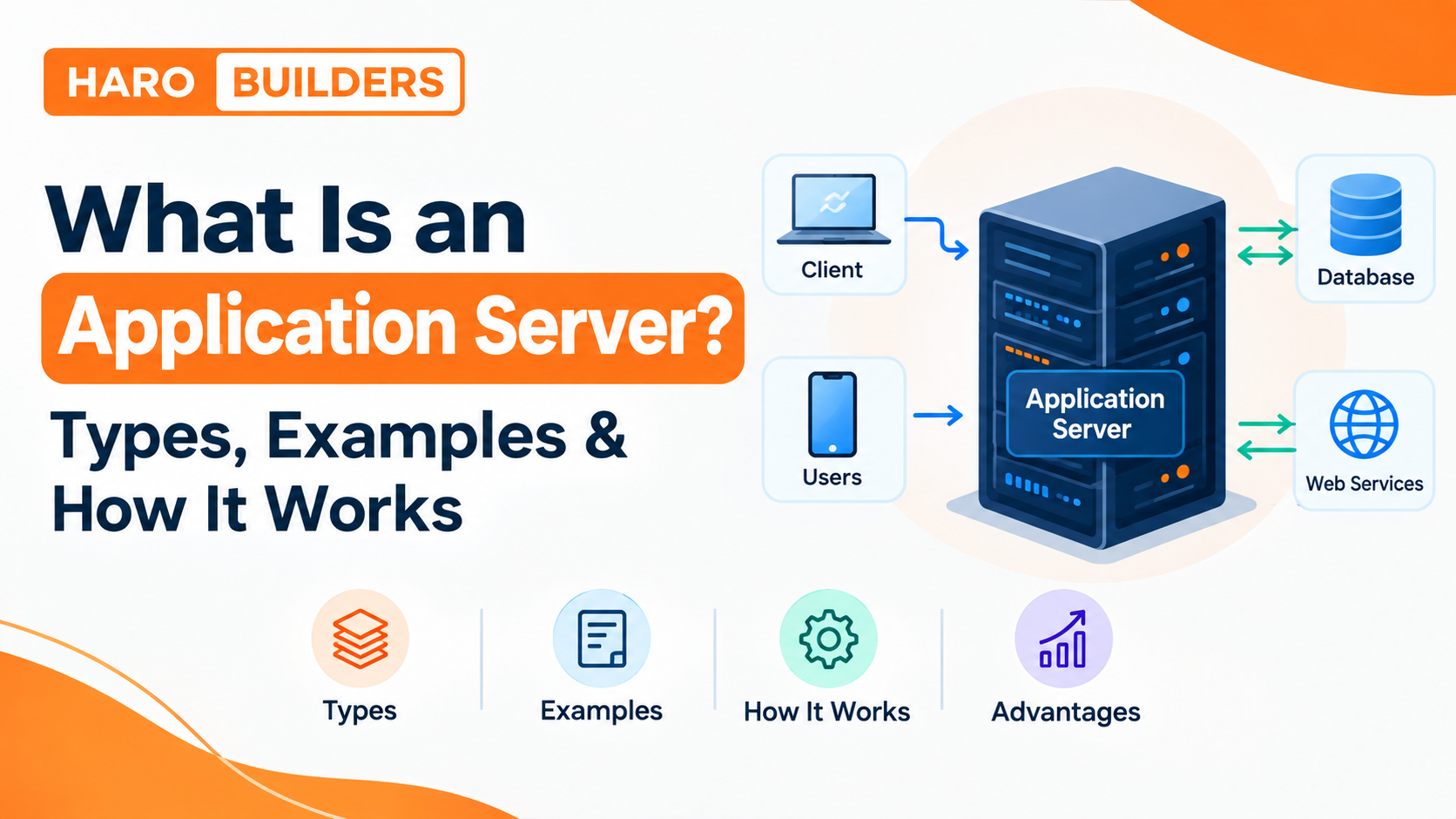
When you open an online store, submit a form, log in to a dashboard, or use a business application, something has to process your request, apply the application’s rules, communicate with databases and other services, and return a result. An application server provides the software environment and services that make much of this server-side processing possible.
In simple terms, an application server runs application logic and helps manage things such as requests, sessions, transactions, security, database connections, and application resources.
Quick Answer: What Is an Application Server?
An application server is software that provides a runtime environment for server-side applications and manages services needed to run them. It can process application requests, execute business logic, manage sessions and transactions, connect to databases and APIs, and support security, scalability, and application deployment.
A simplified architecture looks like this:
Client → Web Server/Proxy → Application Server → Database or External Services → Application Server → Client
The exact architecture depends on the application and technology stack.
What Does an Application Server Do?
An application server sits between users or client applications and the backend resources they need.
Its responsibilities can include:
- Executing server-side application code
- Processing incoming requests
- Running business logic
- Managing user sessions
- Connecting applications to databases
- Managing transactions
- Handling authentication and authorization
- Connecting with APIs and external services
- Managing application resources
- Supporting application deployment
- Providing monitoring and logging
- Helping applications scale across multiple instances
For example, imagine an online shopping application.
When a customer clicks Place Order, the application server may need to:
- Identify the logged-in customer.
- Check the shopping cart.
- Verify product availability.
- Calculate prices and taxes.
- Process business rules.
- Communicate with a payment service.
- Save order information to a database.
- Return the result to the customer.
The application server isn’t necessarily responsible for every one of these tasks itself. Instead, it provides the runtime and services through which the application’s code can coordinate these operations.
Application Server Meaning
The term application server can mean slightly different things depending on the technology being discussed.
In the traditional enterprise sense, an application server is a platform that provides a managed environment for applications and supplies services such as transactions, security, session management, resource management, and application deployment.
In modern development, similar responsibilities can also be provided by application runtimes, containers, managed cloud platforms, and other backend infrastructure.
That’s why it’s useful to think about an application server by what it does, rather than assuming every technology with “server” in its name is the same type of product.
Is an Application Server a Physical Server?
Not necessarily.
An application server is primarily a software role or software platform. That software can run on:
- A physical server
- A virtual machine
- A cloud instance
- A container
- A managed application platform
The underlying machine supplies computing resources, while the application-server software provides the environment and services needed by the application.
This distinction matters because people often use the word “server” to describe both the physical infrastructure and the software running on it.
How Does an Application Server Work?
The easiest way to understand an application server is to follow a typical request.
1. The client sends a request
A user might open a website, submit a form, request account information, or place an order.
The request can come from:
- A web browser
- Mobile application
- Desktop application
- Another backend service
- An API client
2. A web server or proxy may receive the request
In many architectures, a web server, reverse proxy, API gateway, or load balancer sits in front of the application layer.
It can route the request to the appropriate application instance.
3. The application server processes the request
The application runtime executes the relevant server-side code.
This is where application-specific logic can be applied.
For example:
“Is this customer allowed to perform this action?”
or:
“Does this product have enough inventory?”
4. The application communicates with backend resources
The application may need information from:
- A relational database
- NoSQL database
- Payment service
- Authentication provider
- Internal API
- External API
- File storage
- Cache
5. The application server processes the result
The application combines the required information and applies the appropriate business rules.
6. A response is returned
The resulting response can then travel back through the web/proxy layer to the client.
Simple request flow
User → Web/Proxy Layer → Application Server → Database/API → Application Server → Web/Proxy → User
This model is closely related to the broader client-server architecture explained in HaroBuilder’s client-server architecture guide.
Application Server Architecture
Application servers are commonly discussed within three-tier or N-tier architectures.
Three-Tier Architecture
A basic three-tier application separates the system into three logical layers.
| Tier | Main responsibility | Example |
|---|---|---|
| Presentation tier | User interface | Website or mobile interface |
| Application tier | Business/application logic | Application server |
| Data tier | Data storage and retrieval | Database server |
The flow can look like:
Presentation → Application → Data
The application tier is where many of the application’s rules and processing occur.
Why separate these tiers?
Separating responsibilities can make a system easier to:
- Maintain
- Scale
- Secure
- Test
- Update
- Monitor
It also means developers can change one layer without necessarily redesigning the entire application.
Logical Tiers vs Physical Servers
A three-tier architecture does not necessarily mean you need exactly three physical machines.
For example, a small application might run several components on one server.
A larger system could have:
- Multiple web servers
- Multiple application-server instances
- Separate database infrastructure
- Load balancers
- Caching systems
- External services
So, logical architecture and physical deployment are not always the same thing.
Key Application Server Components
Different application-server technologies provide different features, but common components and services include the following.
| Component | What it does |
|---|---|
| Runtime environment | Provides the environment where application code executes |
| Request processing | Handles incoming application requests |
| Session management | Maintains information associated with user sessions |
| Connection pooling | Reuses connections to backend resources |
| Transaction management | Helps coordinate operations that need transactional consistency |
| Security services | Supports authentication and authorization |
| Resource management | Controls application and server resources |
| Deployment services | Helps install and manage applications |
| Monitoring and logging | Tracks application behavior and problems |
| Clustering | Allows multiple application instances to work together |
| Load balancing | Distributes traffic among available instances |
| API integration | Allows applications to communicate with other systems |
Not every application server provides every capability in exactly the same way.
Types of Application Servers
There isn’t one universal list of application-server types because the term is used across different technology ecosystems.
A more useful modern classification is based on the application platform.
1. Java/Jakarta EE Application Servers
Enterprise Java applications can use application servers that implement Jakarta EE specifications and provide services for enterprise application development.
Examples include:
- WildFly
- Oracle WebLogic Server
- IBM WebSphere
- Payara
These environments can provide services related to transactions, security, persistence, messaging, deployment, and other enterprise requirements.
2. Java Servlet Containers
Apache Tomcat is a well-known example.
Tomcat is widely used for Java web applications and provides a servlet container and related web application runtime capabilities.
However, it is worth making an important distinction:
Not every Java web runtime provides the same capabilities as a full Jakarta EE application server.
Calling every Java server an identical “application server” can therefore create confusion.
3. .NET Application Environments
Microsoft’s ecosystem provides application hosting environments for applications built with technologies such as ASP.NET.
IIS, for example, is Microsoft’s web server for Windows and can host web applications while working with the broader .NET ecosystem.
The exact architecture depends on the application and hosting model.
4. Node.js Application Runtimes
👉Node.js provides a server-side JavaScript runtime that can be used to build APIs, web applications, and backend services.
Node.js applications often use additional frameworks and libraries for routing, middleware, authentication, and other functionality.
This is somewhat different from the traditional enterprise definition of an application server, so the terminology should be used carefully.
5. Cloud and Container-Based Application Platforms
Modern applications may run inside containers or managed cloud environments rather than on a traditional standalone application-server installation.
In these environments, application-server responsibilities can be distributed across:
- Application runtimes
- Containers
- Service meshes
- API gateways
- Managed platforms
- Orchestration systems
- Cloud services
This is one reason the traditional application-server model has evolved rather than disappeared.
Application Server Examples
Here are several commonly encountered technologies and where they fit.
| Application/server technology | Ecosystem | Typical role |
|---|---|---|
| Apache Tomcat | Java | Servlet/web application runtime |
| WildFly | Jakarta EE | Enterprise Java applications |
| Oracle WebLogic Server | Enterprise Java | Enterprise application deployments |
| IBM WebSphere | Enterprise Java | Enterprise application environments |
| Payara | Jakarta EE | Enterprise Java and cloud-oriented deployments |
| IIS | Microsoft | Windows web/application hosting |
| Node.js | JavaScript | Server-side application runtime |
The important point is not simply memorizing product names.
You should understand what role the technology performs in the application’s architecture.
What Are Application Servers Used For?
Application servers are useful when an application needs more than simply delivering static files.
Common use cases include:
E-commerce applications
An online store may need to manage:
- Accounts
- Product inventory
- Shopping carts
- Orders
- Payments
- Discounts
- Shipping rules
The application layer coordinates these operations.
Banking applications
Banking systems can involve complex business rules, authentication, transaction processing, account operations, and integrations with other systems.
SaaS applications
Software-as-a-Service platforms often need centralized backend processing for:
- User accounts
- Permissions
- Billing
- Data processing
- APIs
- Business rules
Enterprise applications
Large organizations may use application platforms for systems involving multiple departments, workflows, databases, and integrations.
APIs
Application runtimes can process API requests, validate inputs, apply business rules, communicate with databases, and return structured responses.
Mobile application backends
A mobile app usually does not directly connect to a production database for every operation.
Instead, it can communicate with backend APIs that handle authentication, business rules and data access.
Application Server vs Web Server
This is one of the most common points of confusion.
A web server primarily handles HTTP traffic and web delivery, while an application server or application runtime provides an environment for executing application logic and associated backend services.
However, modern web architectures blur the boundary somewhat because web servers can reverse-proxy requests, serve dynamic content through integrations, and perform other tasks.
Web Server vs Application Server
| Feature | Web Server | Application Server |
|---|---|---|
| Primary role | Web/HTTP request handling and content delivery | Application execution and backend processing |
| Static content | Common responsibility | Not usually its main purpose |
| Business logic | Limited/directly integrated functionality | Core responsibility |
| Database interaction | Often through another application layer | Common |
| Session management | Can support it through integrations | Common application capability |
| Transactions | Not its primary role | Common in enterprise environments |
| APIs | Can proxy or serve them | Commonly executes API logic |
| Load balancing | Can participate | Can operate in clustered environments |
| Examples | Nginx, Apache HTTP Server | WildFly, WebLogic, WebSphere |
| Typical position | Often near the front of the architecture | Usually behind the web/proxy layer |
Do web servers and application servers compete?
Usually, no.
They often work together.
A common architecture is:
Client → Web Server/Reverse Proxy → Application Server → Database
The web layer can handle HTTP-facing tasks while the application layer handles application processing.
Application Server vs Database Server
These two server roles are also different.
Application server
Responsible primarily for:
- Running application code
- Executing business logic
- Processing requests
- Managing application workflows
Database server
Responsible primarily for:
- Storing data
- Retrieving data
- Updating records
- Managing database operations
- Enforcing database-level rules and controls
A typical request could therefore look like:
User → Application → Database → Application → User
The application server determines what the application should do, while the database server handles persistent data storage and retrieval.
Advantages of Application Servers
1. Centralized application processing
Application logic can be managed in a controlled server-side environment.
2. Scalability
Applications can be deployed across multiple instances as traffic grows.
3. Better resource management
Features such as connection pooling can help applications use backend resources more efficiently.
4. Security support
Application platforms can provide or integrate with authentication, authorization, encryption and other security mechanisms.
For the broader network-security side of infrastructure, HaroBuilder’s guide to types of firewalls in computer networks provides useful additional context.
5. Transaction management
Applications that perform multiple related operations can use transaction-management capabilities where supported.
6. Session management
Applications can maintain information associated with users across multiple requests.
7. Easier deployment
Managed application environments can simplify deploying and maintaining backend applications.
8. Integration
Application platforms can connect applications with databases, APIs, messaging systems and other backend services.
Disadvantages and Limitations of Application Servers
Application servers are not automatically the right solution for every website.
1. Added complexity
A sophisticated application environment requires configuration, monitoring and maintenance.
2. Resource consumption
Application runtimes can require meaningful CPU, memory and storage resources.
3. Administration requirements
Enterprise application environments may require specialized knowledge.
4. Potential infrastructure costs
Running multiple instances, load balancers, databases and supporting services can increase infrastructure costs.
5. Overkill for simple websites
A small static website may not need a dedicated application-server architecture.
The right architecture depends on the application’s requirements rather than the desire to use a particular technology.
Do You Need an Application Server?
There is no universal yes-or-no answer.
You may benefit from an application-server layer if your application has:
- Complex business rules
- User authentication
- Multiple concurrent users
- Database-driven functionality
- API integrations
- Transaction processing
- Personalized dashboards
- Enterprise workflows
- Multiple backend services
- Significant scaling requirements
You may not need a dedicated application-server setup if you have:
- A mostly static website
- Very simple backend requirements
- A managed platform that already provides the necessary runtime
- A serverless architecture where traditional application-server infrastructure is abstracted away
The important question is:
What backend capabilities does the application actually require?
Application Servers in Cloud Computing
Cloud computing has changed how application-server infrastructure is deployed.
Instead of installing application software on a single physical machine, organizations can deploy applications using:
- Virtual machines
- Containers
- Managed application platforms
- Kubernetes-based environments
- Auto-scaling infrastructure
- Cloud load balancers
- Managed databases
This can make it easier to add or remove application instances as demand changes.
For example:
Users → Load Balancer → Application Instance 1
** → Application Instance 2**
** → Application Instance 3**
All three instances may connect to shared backend services.
How Application Servers Handle High Traffic
A single application instance may eventually become a bottleneck.
Organizations can address this with techniques such as:
Horizontal scaling
Run multiple application instances instead of relying on one server.
Load balancing
Distribute incoming requests across available instances.
Connection pooling
Reuse backend connections instead of constantly opening new ones.
Caching
Store frequently requested information temporarily to reduce unnecessary processing.
Clustering
Coordinate multiple application instances where the platform supports clustering.
Monitoring
Track application performance, errors, resource consumption and availability.
When application infrastructure becomes overloaded or unavailable, users can encounter HTTP errors such as 503 Service Unavailable. HaroBuilder’s guide to HTTP 503 errors explains that error from a practical troubleshooting perspective.
Application Server Security
Security is another major consideration in application architecture.
An application server may participate in:
- Authentication
- Authorization
- Session security
- Secure communication
- Input validation
- Access control
- Secure database connections
- API authentication
Authentication vs authorization
These terms are often confused.
Authentication asks:
Who are you?
Authorization asks:
What are you allowed to do?
For example, an employee may successfully authenticate but still be unauthorized to access an administrator-only function.
Application security also depends on the surrounding infrastructure. Firewalls, network segmentation, secure coding practices, identity systems and database controls all contribute to the overall security model.
Common Application Server Mistakes
Mistake 1: Thinking an application server is always a physical machine
An application server is primarily a software/runtime role.
Mistake 2: Treating a web server and application server as identical
They can work together, but their primary responsibilities differ.
Mistake 3: Assuming every Java server is a full enterprise application server
Different Java technologies provide different capabilities.
Mistake 4: Assuming every website needs an application server
Simple sites may require much less infrastructure.
Mistake 5: Ignoring scalability
An architecture that works for 100 users may require changes when traffic reaches much higher levels.
Mistake 6: Ignoring security
Authentication, authorization, secure communication and access controls should be considered from the beginning.
Mistake 7: Choosing technology before defining requirements
The correct application platform depends on factors such as:
- Programming language
- Application complexity
- Traffic
- Team expertise
- Deployment model
- Security requirements
- Integration requirements
- Budget
- Scalability requirements
Application Server Checklist
Before choosing or designing an application-server architecture, consider:
- What language is the application built with?
- Does it need a managed runtime?
- How complex is the business logic?
- Which databases must it connect to?
- Does it require transactions?
- Does it need user sessions?
- What authentication system will it use?
- How much traffic is expected?
- Does it need horizontal scaling?
- Will it run in the cloud?
- Will containers be used?
- What monitoring is required?
- What security controls are needed?
- What APIs and external services must be integrated?
- How will deployments be managed?
This prevents the common mistake of choosing a server platform simply because it is popular.
Key Takeaways
- An application server provides a runtime environment for server-side applications.
- It commonly executes business logic and processes application requests.
- It can manage sessions, transactions, security, resources and backend connections.
- Application servers commonly sit between the web/client layer and backend resources.
- A web server and application server often work together rather than replacing one another.
- A database server primarily stores and manages data, while an application server primarily executes application logic.
- Modern cloud and container architectures have changed how traditional application-server capabilities are deployed.
- Not every website needs a dedicated application-server setup.
- The right architecture depends on application requirements, technology stack, scale and operational needs.
Frequently Asked Questions
What is an application server in simple words?
An application server is software that runs the backend logic of an application and provides services needed to process requests, manage application resources, communicate with databases and support functions such as sessions, security and transactions.
What does an application server do?
It can execute application code, process requests, run business logic, manage sessions, connect to databases and APIs, handle transactions, support security and help applications scale.
How does an application server work?
A client sends a request, which may pass through a web server or proxy. The application server executes the relevant application logic, communicates with databases or other services when needed, creates a result, and returns the response to the client.
What are examples of application servers?
Examples include WildFly, Oracle WebLogic Server, IBM WebSphere, Payara and Apache Tomcat. Their capabilities differ, so they should not all be treated as identical application-server platforms.
What are the main types of application servers?
Application-server environments can be grouped by technology ecosystem, including Java/Jakarta EE servers, Java servlet containers, .NET hosting environments, Node.js runtimes and cloud/container-based application platforms.
What is the difference between a web server and an application server?
A web server primarily handles HTTP traffic and content delivery, while an application server provides an environment for running application logic and backend services. They frequently operate together in modern architectures.
What is the difference between an application server and a database server?
An application server runs application logic and processes requests. A database server primarily stores, retrieves and manages persistent data.
Is Apache Tomcat an application server?
Tomcat is widely used as a Java servlet container and web application runtime. It is often called an application server in casual usage, but it does not provide the same complete set of Jakarta EE capabilities as every full enterprise application-server platform.
Does every website need an application server?
No. A simple static website may only need web hosting or a web server. More complex applications with business logic, authentication, databases and backend services may require an application runtime or application-server architecture.
Where are application servers used?
They can be used in e-commerce, banking, SaaS, enterprise systems, APIs, customer portals, mobile backends and other applications that require server-side processing.
Can an application server run in the cloud?
Yes. Application-server software and application runtimes can run on cloud virtual machines, containers and managed application platforms. Cloud architectures can also distribute traditional application-server responsibilities across multiple services.
Why is an application server important?
It provides a structured environment for running application logic and coordinating backend services. For larger applications, this can help with security, scalability, resource management, deployment and integration.
Final Takeaway
An application server is best understood as the application-processing layer between clients and backend resources. It runs application logic, manages important runtime services and coordinates communication with databases, APIs and other systems.
👉For a small website, a traditional application-server setup may be unnecessary. For complex, database-driven or enterprise applications, the application layer can become a central part of the architecture.
For more technology explanations and practical guides, explore HaroBuilder’s resources.


💬 Comments 0
No comments yet. Be the first to share your thoughts! 💬
✍️ Leave a Comment