
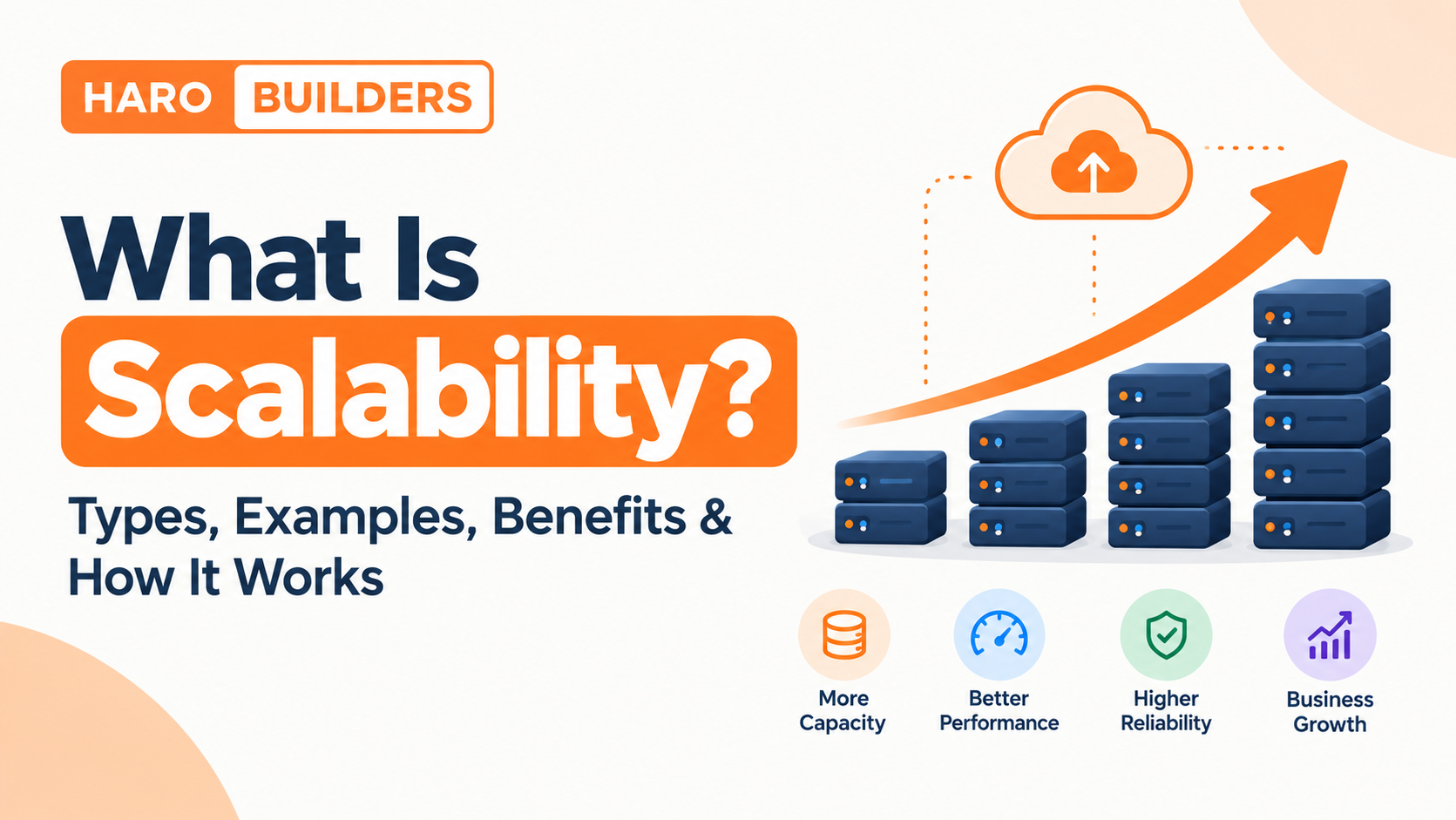
A software system is scalable when it can handle a larger workload without requiring a complete redesign every time demand grows. That workload might mean more users, requests, transactions, data, or concurrent connections.
In software engineering, scalability is usually achieved through techniques such as vertical scaling, horizontal scaling, load balancing, caching, database replication, partitioning, queues, and cloud-based resource management.
The important part is not simply adding more hardware. A scalable system identifies its bottlenecks, increases capacity where needed, and continues to provide acceptable performance as workload changes.
Quick Answer: What Is Scalability?
Scalability is the ability of a system to handle increasing workload by adding or adjusting resources while continuing to meet its performance and reliability requirements. In software, scalability can involve supporting more users, requests, transactions, or data through techniques such as vertical scaling, horizontal scaling, caching, load balancing, database replication, and partitioning.
A scalable system does not necessarily have unlimited capacity. Every architecture has constraints. The goal is to make growth predictable, manageable, and technically practical.
How Does Scalability Work?
A useful way to understand scalability is to think of it as a repeating engineering cycle:
Workload increases → bottleneck appears → bottleneck is measured → appropriate resources or architecture are added → system is tested → performance is measured again
For example, imagine a web application running on one server.
At first, the server handles 1,000 requests per minute comfortably. As traffic grows, CPU usage increases. Eventually, response times become too high.
The solution might be:
- Upgrade the server’s CPU and memory.
- Measure performance again.
- If one server is still the limitation, add additional application instances.
- Use a load balancer to distribute requests.
- Move frequently requested data into a cache.
- Optimize database queries if the database becomes the next bottleneck.
- Continue monitoring the system as demand grows.
This is why scalability is more than “buy a bigger server.” The limiting component determines the next scaling decision.
Microsoft’s architecture guidance similarly notes that scalability can be limited by bottlenecks and synchronization points, and recommends observing real workload metrics rather than scaling blindly.
Why Is Scalability Important?
Scalability matters because successful software often has to handle changing demand.
A small application might initially serve a few hundred users. Later, it may need to support thousands or millions of users, larger databases, more API requests, or more complex workloads.
Good scalability can help an organization:
- Support user growth
- Handle traffic spikes
- Reduce capacity-related failures
- Maintain acceptable response times
- Expand infrastructure gradually
- Improve resource utilization
- Support new geographic markets
- Reduce the need for emergency infrastructure changes
- Prepare for future workloads
Scalability is particularly important for websites, SaaS platforms, APIs, e-commerce applications, financial systems, databases, and distributed applications.
What Can a System Scale?
Scalability is not limited to the number of users.
| What Scales | Example |
|---|---|
| Users | Supporting more concurrent users |
| Requests | Handling more requests per second |
| Transactions | Processing more orders or payments |
| Data | Managing larger datasets |
| Storage | Supporting more files or records |
| Compute | Adding CPU or memory capacity |
| Network | Handling higher traffic volume |
| Geographic reach | Serving users across additional regions |
| Services | Adding more application instances |
| Background jobs | Processing more queued tasks |
This distinction matters because a system can scale successfully in one dimension while failing in another.
For example, an application may handle more web requests but still fail because its database cannot process the additional queries.
Types of Scalability
The two most common forms of scalability are vertical scaling and horizontal scaling.
A third approach, sometimes called diagonal scaling, combines elements of both.
1. Vertical Scalability
Vertical scaling, also called scaling up, means increasing the capacity of an existing resource.
For a server, this could mean adding:
- CPU
- RAM
- Storage
- Network capacity
For example:
Before: 4 CPU cores + 16 GB RAM
After: 16 CPU cores + 64 GB RAM
The application may continue running on the same logical server while the underlying capacity increases.
Advantages of vertical scaling
- Relatively simple
- Often requires fewer architectural changes
- Can be useful for smaller systems
- Easier to manage in some environments
- Can provide substantial capacity increases quickly
Limitations
Vertical scaling has a physical or service-level ceiling. A server cannot be upgraded indefinitely.
It can also create a dependency on a particular machine or resource. Depending on the technology and implementation, increasing capacity may require downtime or a restart.
Microsoft’s cloud guidance describes vertical scaling as increasing the capacity of an existing resource, while horizontal scaling adds instances.
2. Horizontal Scalability
Horizontal scaling, also called scaling out, means adding more instances or machines rather than making one machine increasingly powerful.
For example:
Before:
Server 1
After:
Server 1 + Server 2 + Server 3 + Server 4
A load balancer can distribute incoming requests among those servers.
AWS describes horizontally scalable systems as systems that increase capacity by adding computers, while vertically scalable systems increase resources within one computer.
Advantages of horizontal scaling
- Can support large workloads
- Additional capacity can be added incrementally
- Can distribute workloads across multiple machines
- Can improve resilience when designed with redundancy
- Works well with many cloud architectures
Challenges
Horizontal scaling introduces architectural complexity.
Applications may need to deal with:
- Shared state
- Session management
- Data consistency
- Network communication
- Service discovery
- Load balancing
- Distributed monitoring
- Failure between components
This is why simply adding more servers does not automatically make an application scalable.
3. Diagonal Scalability
Diagonal scaling combines vertical and horizontal approaches.
For example, an organization might:
- Upgrade an existing server.
- Add multiple application instances.
- Add more database capacity.
- Introduce caching.
- Use load balancing.
This can be useful because different parts of a system may have different scaling requirements.
Horizontal vs Vertical Scaling
| Factor | Vertical Scaling | Horizontal Scaling |
|---|---|---|
| Basic approach | Add capacity to one resource | Add more instances |
| Also called | Scale up | Scale out |
| Architectural complexity | Usually lower | Usually higher |
| Hardware ceiling | Yes | Can be much higher |
| Load balancing | Usually not required | Often important |
| Distributed state | Less relevant | Important |
| Redundancy potential | Limited by design | Often stronger |
| Typical use | Smaller or simpler workloads | Large/distributed workloads |
| Cloud compatibility | Supported | Widely used |
| Scaling direction | Bigger machine | More machines |
Neither approach is universally better.
The correct choice depends on the workload, architecture, database, cost, availability requirements, and operational constraints.
Scalability in Software Engineering
Software scalability describes how effectively an application or software system can handle increasing workload.
A scalable application should not require an entirely new architecture every time its user base grows.
Important software scalability considerations include:
- Application architecture
- Database architecture
- API design
- Caching
- Load balancing
- Session management
- Background processing
- Storage
- Network capacity
- Monitoring
- Fault tolerance
A useful example is a three-tier application:
Client → Application Server → Database
As traffic grows, the application layer may be scaled horizontally while the database requires a completely different strategy.
For readers learning how clients, application servers, and databases interact, HaroBuilder’s guide to client-server architecture provides useful architectural context. The guide also explains how client-server systems can use additional servers, caching, load balancing, and other techniques as demand increases.
How to Build a Scalable Software System
There is no single scalability technique that works for every application. A practical approach is to identify the bottleneck first and then choose the appropriate solution.
1. Design Stateless Application Services
A horizontally scaled application works better when individual application instances do not depend on local session state.
For example, if a user logs in and their session exists only on Server A, sending the next request to Server B could create problems.
A common solution is to store session or application state in a shared system rather than relying on one application instance.
Microsoft specifically recommends avoiding assumptions about instance affinity and designing horizontally scalable services to be stateless where appropriate.
2. Use Load Balancing
A load balancer distributes incoming requests across available application instances.
Instead of:
Users → One Server
a scalable architecture might use:
Users → Load Balancer → Server A
** → Server B**
** → Server C**
Load balancing can prevent one application server from receiving all requests while others remain underused.
3. Use Caching
Caching stores frequently needed information closer to where it can be retrieved quickly.
For example, instead of querying a database every time a user requests the same popular article, an application can serve the result from a cache when appropriate.
Caching can reduce:
- Database queries
- Repeated computation
- Response time
- Application workload
But caching introduces its own problems, particularly around invalidation and stale data.
The right caching strategy depends on what information can safely be cached and how frequently it changes.
4. Optimize Database Queries
A database can become the bottleneck even when application servers have plenty of spare CPU capacity.
Common database scalability techniques include:
- Query optimization
- Indexing
- Connection pooling
- Read replicas
- Caching
- Partitioning
- Sharding
- Appropriate storage
- Archiving old data
Do not scale the application layer indefinitely while ignoring a database that is already overloaded.
5. Use Read Replicas Where Appropriate
If an application performs many more reads than writes, read replicas can help distribute read workloads.
A simplified architecture might look like:
- Application → Primary Database
- Application → Read Replica 1
- Application → Read Replica 2
The exact architecture depends on the database technology and consistency requirements.
Replication is not a universal solution. Applications still need to account for replication delay and write/read behavior.
6. Partition or Shard Large Datasets
Database partitioning divides data into smaller logical or physical portions.
Sharding is a form of horizontal partitioning where different subsets of data are placed across separate data stores or nodes.
Microsoft’s Well-Architected guidance describes horizontal partitioning, or sharding, as distributing subsets of a database across different data stores and recommends designing partitioning around actual data-access patterns.
Sharding can provide significant scalability benefits, but it also introduces complexity.
Problems can include:
- Choosing a shard key
- Rebalancing data
- Cross-shard queries
- Data consistency
- Operational complexity
Sharding should therefore usually come after simpler bottlenecks have been understood.
7. Move Slow Work to Background Queues
Not every operation needs to finish during the user’s request.
For example, sending thousands of emails does not necessarily need to happen while a user waits for a webpage response.
Instead:
User Request → Queue → Background Worker → Email Service
The application can accept the task and process it asynchronously.
Queues are useful for workloads such as:
- Email processing
- Image processing
- Report generation
- Notifications
- Data processing
- Import/export jobs
This can help separate user-facing response time from heavy background work.
8. Monitor the System
You cannot manage scalability effectively without measurement.
Useful metrics include:
- CPU utilization
- Memory utilization
- Throughput
- Requests per second
- Concurrent users
- Response time
- p95 latency
- p99 latency
- Error rate
- Queue length
- Database latency
- Storage utilization
- Network throughput
Microsoft recommends using live usage metrics and monitoring to make scaling decisions rather than relying only on assumptions.
Scalability in Cloud Computing
Cloud computing makes it easier to add or remove resources, but using cloud infrastructure does not automatically make an application scalable.
Cloud scalability is the ability to adjust resources to meet changing workload requirements.
Google Cloud describes cloud scalability as the ability to increase or decrease resources such as computing power, storage, and network bandwidth as demand changes.
Cloud platforms commonly support:
- Virtual machines
- Containers
- Managed databases
- Load balancers
- Auto scaling
- Managed storage
- Serverless computing
- Distributed services
The architecture still matters.
A poorly designed application can remain difficult to scale even when it runs entirely in the cloud.
Scalability vs Elasticity
These terms are related but not identical.
| Scalability | Elasticity |
|---|---|
| Ability to handle increasing workload | Ability to dynamically adjust resources |
| Often associated with planned growth | Often associated with changing demand |
| Can involve architectural design | Often involves automation |
| May require capacity planning | Can respond automatically |
| Focuses on growth capability | Focuses on dynamic adjustment |
Google Cloud describes scalability as the ability to handle increasing workload by adding resources over time, while elasticity focuses on automatically adapting resources to changing demand.
Example
Suppose an online store expects traffic to increase significantly during a holiday sale.
Planning additional infrastructure for that growth is scalability.
Automatically adding instances when traffic suddenly rises and removing them after traffic falls is elasticity.
A cloud system can be both scalable and elastic.
Scalability vs Performance
Scalability and performance are closely related, but they answer different questions.
Performance asks:
How well does the system perform under a particular workload?
Scalability asks:
How well does the system continue handling larger workloads as demand and resources increase?
For example, an application may respond in 100 milliseconds for 1,000 users but slow to 5 seconds at 100,000 users.
The application may have good performance at the smaller workload but poor scalability.
A system can also have high scalability but poor baseline performance.
That is why both characteristics should be measured separately.
Scalability vs Availability
Availability means a system remains accessible and operational when users need it.
Scalability means the system can handle increasing workload.
They are related but different.
For example:
- A system can be highly available but difficult to scale.
- A system can scale horizontally but still experience outages because of another failure.
- Redundancy can support both scalability and availability, but the concepts should not be treated as identical.
Microsoft notes that scalability can contribute to maintaining availability during peak loads, particularly when systems can add capacity quickly enough to handle changing demand.
How Do You Measure Scalability?
A useful scalability test compares workload growth against system resources and performance.
Important metrics
| Metric | What It Tells You |
|---|---|
| Throughput | How much work the system completes |
| Requests/sec | Request-handling capacity |
| Concurrent users | Simultaneous workload |
| Latency | How long requests take |
| p95 latency | Typical upper-end response experience |
| p99 latency | More extreme response times |
| Error rate | Failed requests |
| CPU utilization | Compute pressure |
| Memory utilization | Memory pressure |
| Queue length | Backlog of asynchronous work |
| Database latency | Data-layer bottleneck |
| Cost per workload | Economic efficiency |
Microsoft’s scalability guidance defines scalability in terms of throughput gained relative to resource increases and emphasizes identifying bottlenecks that limit proportional growth.
Common Scalability Bottlenecks
A scalable architecture begins with identifying what is actually limiting the system.
CPU bottleneck
The application is performing more computation than available processors can handle.
Possible solutions:
- Optimize expensive operations
- Increase CPU capacity
- Add application instances
- Move heavy processing to workers
Memory bottleneck
The system runs short of RAM or spends too much time managing memory.
Possible solutions:
- Reduce memory consumption
- Fix memory leaks
- Increase RAM
- Add instances
- Improve caching strategy
Database bottleneck
The database cannot handle the workload efficiently.
Possible solutions:
- Optimize queries
- Add indexes
- Cache frequent reads
- Add replicas
- Partition data
- Improve database resources
Network bottleneck
The network cannot transfer data quickly enough.
Possible solutions can include:
- Reduce unnecessary data transfer
- Compress responses
- Use CDNs where appropriate
- Increase network capacity
- Move processing closer to users
Application bottleneck
Poorly optimized code can become the limiting factor.
Possible causes include:
- Inefficient algorithms
- Excessive database queries
- Blocking operations
- Poor concurrency handling
- Unnecessary computation
The correct solution depends on measurement rather than assumption.
Real-World Scalability Examples
E-Commerce Website
An online store may experience normal traffic during the week and extremely high traffic during a major sale.
A scalable architecture might use:
Users → CDN/load balancer → application instances → cache/database layer
The application layer can scale horizontally while caching reduces repeated database work.
SaaS Application
A SaaS platform may need to support hundreds or thousands of organizations.
Scalability concerns can include:
- Tenant isolation
- Database capacity
- API traffic
- Background processing
- Storage
- Authentication
- Monitoring
As the customer base grows, different parts of the platform may require different scaling strategies.
API Platform
An API may receive requests from mobile applications, websites, integrations, and third-party clients.
Scaling considerations include:
- Requests per second
- Authentication
- Rate limits
- Load balancing
- Caching
- Database capacity
- Queue processing
- Observability
Content Website
A content-heavy website may experience sudden traffic increases after a page receives attention from social media or search.
Caching, CDNs, optimized databases, efficient hosting, and appropriate capacity planning can help the site absorb traffic spikes.
HaroBuilder’s existing guide to HTTP 503 Service Unavailable errors is relevant here because it discusses server overload, resource limitations, caching, database optimization, and load balancing as factors involved in availability problems.
Benefits of Scalability
A scalable system can provide several practical benefits.
1. Supports growth
The system can accommodate more users and workload.
2. Reduces capacity-related failures
Additional resources can help prevent overloaded components from becoming service failures.
3. Improves planning
Teams can make capacity decisions based on expected demand.
4. Supports business expansion
A scalable technical foundation can support new users, regions, products, or services.
5. Can improve infrastructure efficiency
Resources can be allocated according to actual workload rather than relying entirely on oversized infrastructure.
6. Creates architectural flexibility
Well-designed systems can add capacity without replacing every component.
Common Scalability Challenges
Scalability introduces trade-offs.
1. Complexity
Distributed systems are harder to design, test, monitor, and debug than simple single-server systems.
2. Data consistency
Multiple services or database nodes can create consistency challenges.
3. Cost
Additional infrastructure costs money.
Scaling without measurement can result in unnecessary spending.
4. State management
Applications must handle sessions and shared state carefully when requests can reach different instances.
5. Database limitations
The application layer may scale horizontally while the database remains a bottleneck.
6. Monitoring complexity
More servers and services create more metrics and logs.
7. Network dependency
Distributed components communicate over networks, introducing latency and potential failures.
8. Operational complexity
Large-scale systems require stronger deployment, monitoring, testing, backup, and incident-response processes.
Best Practices for Scalability
Use this checklist when designing or reviewing a scalable application:
- Identify the expected workload.
- Measure current performance.
- Find the actual bottleneck.
- Scale the limiting component first.
- Design application services to support horizontal scaling when appropriate.
- Avoid unnecessary instance-specific state.
- Use load balancing where needed.
- Cache frequently accessed data where appropriate.
- Optimize database queries.
- Separate slow background work from user-facing requests.
- Monitor performance continuously.
- Test with realistic workloads.
- Plan for both scale-out and scale-in where relevant.
- Consider failure scenarios.
- Monitor infrastructure costs.
- Avoid premature architectural complexity.
Microsoft’s autoscaling guidance also emphasizes that simply adding resources does not guarantee better performance; the application must be designed to use those additional resources effectively.
Common Scalability Mistakes
Mistake 1: Adding servers without finding the bottleneck
If the database is overloaded, adding application servers may increase database traffic instead of solving the problem.
Mistake 2: Ignoring the database
Application scalability is only useful if the data layer can support the resulting workload.
Mistake 3: Keeping sessions tied to one server
This can create problems when requests move between instances.
Mistake 4: Scaling without monitoring
Without measurements, teams may not know whether scaling actually improved the system.
Mistake 5: Confusing scalability with performance
A fast system at a small workload is not necessarily scalable.
Mistake 6: Designing for extreme scale too early
A small application does not necessarily need a complex distributed architecture from day one.
Mistake 7: Ignoring cost
A technically scalable architecture can still be financially inefficient.
Mistake 8: Treating cloud infrastructure as an automatic scalability solution
Cloud platforms provide powerful scaling capabilities, but the application architecture still determines how effectively those capabilities can be used.
A Practical Scalability Checklist
Before calling an application scalable, ask:
Workload
- What is the current workload?
- What workload is expected in the future?
- Which dimensions are growing?
Architecture
- Can application instances scale horizontally?
- Is unnecessary state stored locally?
- Can components scale independently?
Database
- Is the database the bottleneck?
- Are queries optimized?
- Is caching appropriate?
- Would replication or partitioning help?
Infrastructure
- Is there enough compute capacity?
- Is network capacity sufficient?
- Can resources be added automatically where appropriate?
Performance
- What are the current latency and throughput?
- What happens during peak load?
- What happens when a component fails?
Operations
- Is monitoring in place?
- Are alerts configured?
- Has load testing been performed?
- Can the system scale down as well as scale up?
Cost
- How much does additional capacity cost?
- Are resources being used efficiently?
- Is autoscaling appropriate?
Frequently Asked Questions
What is scalability?
Scalability is a system’s ability to handle increasing workload by adding or adjusting resources while continuing to meet required performance and reliability levels.
Why is scalability important?
Scalability allows software systems to accommodate growing users, requests, transactions, data, or other workloads without requiring a complete redesign every time demand increases.
What are the types of scalability?
The most common types are vertical scaling, which increases the capacity of an existing resource, and horizontal scaling, which adds more instances or machines. Diagonal scaling combines both approaches.
What is scalability in software engineering?
Software scalability is the ability of software and its architecture to handle increasing workloads effectively. It can involve application servers, databases, APIs, caching, queues, load balancing, storage, and infrastructure.
What is scalability in cloud computing?
Cloud scalability is the ability to increase or decrease cloud resources as workload requirements change. Common approaches include vertical scaling, horizontal scaling, and automated scaling.
What is horizontal scalability?
Horizontal scalability means increasing capacity by adding more instances or machines rather than continuously increasing the capacity of one machine.
What is vertical scalability?
Vertical scalability means increasing the capacity of an existing resource, such as adding CPU, memory, storage, or network capacity to a server.
What is the difference between scalability and performance?
Performance describes how efficiently a system handles a particular workload. Scalability describes how well the system continues handling larger workloads as demand and resources increase.
What is the difference between scalability and elasticity?
Scalability focuses on the ability to support increasing workload. Elasticity focuses on dynamically adjusting resources as demand changes, often automatically in cloud environments.
How do you improve scalability?
Start by measuring the workload and identifying the bottleneck. Depending on the problem, solutions may include vertical or horizontal scaling, caching, load balancing, database optimization, replication, partitioning, asynchronous processing, and autoscaling.
What are common scalability challenges?
Common challenges include database bottlenecks, distributed state, data consistency, network latency, infrastructure cost, monitoring complexity, architectural complexity, and inefficient application code.
What is an example of a scalable system?
A web application that uses multiple stateless application instances behind a load balancer, a cache for frequently requested data, and a database architecture designed for growing workloads is an example of a scalable system.
Key Takeaways
- Scalability means handling increasing workload without unacceptable degradation.
- Vertical scaling adds capacity to an existing resource.
- Horizontal scaling adds more instances or machines.
- Scalable architecture begins with identifying bottlenecks.
- Load balancing can distribute traffic across application instances.
- Caching can reduce repeated work.
- Database architecture often becomes a critical scalability constraint.
- Queues can move heavy processing away from user-facing requests.
- Cloud platforms make resource scaling easier but do not automatically make an application scalable.
- Scalability and performance are related but different.
- Elasticity focuses on dynamically adjusting resources as demand changes.
- Good scalability requires measurement, testing, monitoring, and appropriate architecture.
Conclusion
Scalability is ultimately about preparing a system to handle more work without allowing growth to become a constant source of outages, unacceptable latency, or uncontrolled infrastructure costs.
The most useful way to approach scalability is not to ask:
“How can I add more servers?”
Instead, ask:
“What is limiting the system right now, and what is the simplest reliable way to increase that capacity?”
Sometimes the answer is more CPU or memory. Sometimes it is additional application instances behind a load balancer. In other cases, the real problem is a database query, cache design, network bottleneck, synchronous workload, or poorly managed application state.
As systems grow, scalability becomes an ongoing engineering process:
Measure → identify the bottleneck → scale the right component → test → monitor → repeat.
For more practical technology and SEO resources, you can also explore HaroBuilder and its growing collection of technical guides.


💬 Comments 0
No comments yet. Be the first to share your thoughts! 💬
✍️ Leave a Comment