Author: Abdul Moeed

  • What is the Standard Credit Card Size?

    What is the Standard Credit Card Size?

    Credit Card Size

    Ever wondered why your credit card fits perfectly in every machine? Credit card size follows a global standard. This ensures that cards issued by any bank or credit union work seamlessly worldwide. According to the ISO standard, credit cards have precise dimensions. The thickness remains consistent, whether for plastic or metal credit cards.

    These specifications ensure compatibility with ATMs and card readers globally. This article provides a complete guide on the standard dimensions of credit cards. Learn why all cards are the same size and how these standards emerged.

    Credit Card Size

    Standard Measurements:

    Standard Credit Card Size
    • Credit cards have dimensions of 85.6 mm by 53.98 mm.
    • These measurements also translate to 3.370 inches by 2.125 inches.
    • Both credit cards and debit cards adhere to these standard measurements.
    • Identification cards often follow the same size for uniformity.

    Global Standard:

    • The International Organization for Standardization (ISO) sets the global standard.
    • According to ISO/IEC 7810, the standard size is 85.60 mm by 53.98 mm.
    • This standard size ensures compatibility with card readers and ATMs globally.
    • Bank cards, including those from Bank of America, comply with these standards.
    • Both plastic and metal cards follow these international dimensions.

    Thickness of a Credit Card

    Typical Thickness:

    Credit cards typically have a thickness of 0.76 mm, which equals 0.03 inches. This standard thickness allows for compatibility with card readers and ATMs. Most credit and debit cards follow this specification to ensure seamless use. The International Organization for Standardization (ISO) sets these dimensions to maintain uniformity across different types of cards.

    Variations in Thickness:

    Some cards, like metal cards, can be thicker than the standard 0.76 mm. These variations in thickness cater to specific market demands and user preferences. Metal cards often provide a premium feel and additional durability. However, despite being thicker, they must still fit in standard card readers and ATMs.

    Standard Credit Card Features

    • The standard dimensions of a credit card ensure its universal compatibility with card machines.
    • Typical credit card thickness is 0.76 mm, allowing it to fit into any card reader.
    • The front of the card contains the card number, cardholder’s name, and expiration date.
    • The back of the card includes the card verification value (CVV) for security purposes.
    • Cards are made from durable plastic or metal for enhanced durability and longevity.
    • Every credit card must adhere to ISO standard specifications.
    • Metal credit cards offer a premium feel and added weight compared to plastic cards.
    • Rewards cards provide incentives such as cashback, points, or miles for purchases.
    • Platinum cards often come with higher credit limits and exclusive benefits.

    Credit Card Issuers

    Credit card issuers include banks and credit unions, providing various card options tailored to consumer needs. Major issuers like Visa, Mastercard, and American Express dominate the market, offering a range of card features and benefits. Since the first credit card was issued, the industry has evolved, introducing metal credit cards and enhanced security measures. Banks and credit unions issue cards that adhere to global standards for size and thickness, ensuring they fit into any payment terminal.

    Credit vs Debit Cards

    Credit Card Offers

    Credit card offers vary widely, catering to different spending habits and financial needs. Rewards cards provide cashback, points, or travel miles for purchases, while charge cards require full payment each month without a set credit limit. Platinum cards offer premium features like higher limits and exclusive benefits. When evaluating card offers, consider the annual fees, interest rates, and rewards programs to find the best fit for your financial goals.

    Conclusion

    The standardized global dimensions for credit card size are 85.60 mm x 53.98 mm, with a thickness of 0.76 mm. These dimensions ensure compatibility with ATMs and card machines worldwide. Credit card companies must adhere to these international standards to maintain uniformity and functionality. Since the first credit card was issued, the industry has seen innovations like metal credit cards, which follow the same size standards. Whether it’s a plastic or metal card, the dimensions remain consistent to fit into any card reader. Do you think these standards improve the user experience with credit cards?

    FAQs

    1. Do metal credit cards have the same dimensions as plastic ones?

    Yes, metal cards follow the same size standards as plastic cards.

    2. Why is the size of a credit card important?

    It ensures the card fits into ATMs and card readers universally.

    3. Can debit cards have different sizes than credit cards?

    No, debit cards follow the same standard dimensions as credit cards.

    4. What is the importance of the credit card thickness?

    The thickness ensures the card works smoothly in card machines.

    5. Who sets the standards for credit card sizes?

    The ISO (International Organization for Standardization) sets these standards.

  • Top 10 Best SEO Software for Small Business

    Top 10 Best SEO Software for Small Business

    best seo software for small business

    Small business owners often struggle to improve their online presence and search engine rankings. Research shows that effective SEO strategies are crucial for attracting search traffic and enhancing online visibility. Many SEO tools available offer features like keyword research, on-page SEO optimization, and SEO audits. The best SEO software for small business can significantly boost a website’s performance and search engine results. This article provides a comprehensive guide to the top 10 best SEO software for small businesses. These tools will help improve SEO efforts and achieve better search engine rankings. Read on for detailed insights and recommendations.

    Importance of SEO Software

    SEO software plays a crucial role in enhancing the online presence of small businesses, especially when integrated with social media strategies to amplify reach and engagement. Utilizing the best SEO tools for small businesses, small business owners can improve search engine optimization effectively. Keyword research tools help identify the most relevant keywords, ensuring content aligns with search volume trends. Free tools like Google Keyword Planner offer valuable insights without any cost, aiding in developing effective SEO strategies.

    Conducting an SEO audit with specialized software identifies areas for improvement, optimizing the overall search results. Tools available for free SEO solutions make it accessible for businesses with limited budgets. Enhancing online visibility through these tools increases search traffic, driving more potential customers to the website.

    Employing a free SEO tool provides cost-effective means to boost search engine rankings. Ultimately, leveraging these tools contributes significantly to maintaining a strong online presence and achieving better search engine results.

    Benefits of Using SEO Tool for Small Business

    • Improved Online Presence: Boosts search engine rankings, leading to better visibility.
    • Keyword Research: Identifies high-impact keywords to target for organic search success.
    • Local SEO Optimization: Enhances local search results, making businesses more visible to nearby customers.
    • SEO Audit Capabilities: Assists in identifying and fixing technical SEO issues.
    • Analysis Tools: Provides detailed insights into search engine performance and user behavior.
    • Cost-Effective Solutions: Free tools and free versions make it affordable for small businesses.
    • Enhanced Search Engine Rankings: Increases chances of appearing on the first page of search results.
    • Comprehensive SEO Strategies: Supports the development of effective SEO strategies tailored to business needs.
    • Google Business Profile Integration: Optimizes business profiles for better local search results.
    • Search Traffic Monitoring: Tracks and analyzes search traffic to understand visitor patterns and improve content.

    10 Best SEO Software for Small Business

    1. Ahrefs:

    Ahrefs stands out as one of the best SEO software for small business, providing comprehensive SEO features. Its powerful SEO tools help improve a small business’s website’s SEO performance significantly. With tools for keyword research, on-page SEO analysis, and SEO audit, Ahrefs caters to all SEO needs. Website owners can benefit from detailed backlink analysis, which is crucial for effective SEO. Ahrefs also offers tools to help monitor search engine results pages (SERPs), ensuring continuous improvement. For those new to SEO, Ahrefs provides user-friendly features and guides. Ultimately, Ahrefs is a top SEO software choice for small businesses.

    2. SEMrush:

    SEMrush ranks among the best SEO software for small business, offering an all-in-one SEO platform. It provides tools for keyword research, SEO audit, and on-page SEO optimization. SEMrush’s SEO features include competitive analysis, allowing small business owners to track competitors’ SEO strategies. This tool helps improve SEO efforts by identifying new opportunities. SEMrush also includes tools to help with SEO optimization for local and global search. Its comprehensive SEO tools are available in both free and paid versions, making it accessible for various budgets. SEMrush is essential for website owners aiming to grow their business through effective SEO.

    3. Google Analytics

    Google Analytics is a vital SEO tool for small businesses, offering detailed insights into website performance. It allows website owners to monitor traffic sources, user behavior, and conversion rates. These insights help in refining SEO strategies and improving search engine optimization. By using Google Analytics, businesses can track the effectiveness of their SEO efforts. This free tool is highly recommended for both new and experienced SEO professionals. Google Analytics integrates seamlessly with other SEO tools like Google Search Console, providing a holistic view of SEO performance. Its robust features make it indispensable for small businesses seeking to enhance their online presence.

    4. Google Search Console

    Google Search Console is essential for small businesses, providing valuable insights into website health and performance. It helps in identifying and fixing SEO problems, ensuring optimal search engine optimization. This tool allows small business owners to monitor search engine results pages (SERPs) and track keyword rankings. Google Search Console offers tools for keyword research and on-page SEO improvements. Website owners can use it to submit sitemaps and monitor indexing status. It’s a free tool that complements other SEO tools, enhancing overall SEO efforts. Google Search Console is a must-have for maintaining an effective SEO strategy and improving online visibility.

    5. Moz Pro

    Moz Pro is among the best SEO software for small businesses, offering a range of tools for comprehensive SEO management. It includes keyword research tools, site audits, and on-page optimization features. Moz Pro helps small business owners identify and fix common SEO issues, improving website performance. The tool’s keyword research capabilities assist in finding high-value keywords. Moz Pro also offers backlink analysis and rank tracking, crucial for effective SEO strategies. Available in both free and paid versions, Moz Pro caters to various business needs. It’s an excellent choice for website owners aiming to enhance their online business through robust SEO practices.

    6. Screaming Frog SEO Spider

    Screaming Frog SEO Spider is a powerful SEO audit tool, ideal for small businesses seeking thorough site analysis. It helps in identifying technical SEO issues that can impact search engine rankings. The tool offers comprehensive SEO features, including URL crawling, broken link checking, and duplicate content analysis. Screaming Frog SEO Spider is used by SEO professionals to ensure optimal website performance. This tool helps in improving on-page SEO by providing detailed reports on various site elements. It’s available in both free and paid versions, making it accessible for every small business. For effective SEO, Screaming Frog SEO Spider is highly recommended.

    7. Ubersuggest:

    Ubersuggest is a versatile SEO tool that helps small businesses enhance their online presence. It offers keyword research tools, SEO audit features, and backlink analysis. Ubersuggest is useful for website owners looking to improve their search engine optimization. The tool provides insights into search volume and competition for targeted keywords. Ubersuggest’s free tool options make it accessible for small businesses with limited budgets. It also includes tools for on-page SEO and competitive analysis. For those new to SEO, Ubersuggest offers easy-to-understand reports and recommendations. Ubersuggest is a valuable addition to any small business’s SEO toolkit.

    8. Serpstat:

    Serpstat is an all-in-one SEO tool that offers comprehensive features for small businesses. It includes tools for keyword research, site audits, and rank tracking. Serpstat helps small business owners optimize their websites for better search engine rankings. The tool provides insights into search engine results pages (SERPs) and competitor analysis. Serpstat’s free and paid options make it suitable for various budgets. It also offers SEO plugin support for WordPress SEO, enhancing usability. Website owners can use Serpstat to improve their SEO strategies and achieve better online visibility. Serpstat is one of the best SEO tools available for small businesses.

    9. KWFinder:

    KWFinder is a specialized keyword research tool that helps small businesses find relevant keywords for their SEO strategies. It offers insights into search volume, keyword difficulty, and competitive analysis. KWFinder is particularly useful for small business owners looking to improve their SEO performance. The tool helps in identifying long-tail keywords that can drive targeted traffic. KWFinder’s user-friendly interface makes it easy to use, even for those new to SEO. It also provides tools for analyzing search results and identifying keyword opportunities. KWFinder is an excellent choice for small businesses seeking to enhance their online visibility through effective keyword research.

    10. Yoast SEO:

    Yoast SEO is a popular SEO plugin for WordPress, offering essential tools for on-page optimization. It helps small businesses improve their website’s SEO through easy-to-use features. Yoast SEO provides real-time analysis of content, ensuring it meets best SEO practices. The plugin helps in optimizing meta tags, URLs, and content readability. Yoast SEO is widely used by website owners to enhance their online presence. It includes tools for keyword optimization and SEO audit, ensuring comprehensive SEO management. Yoast SEO is available in both free and paid versions, catering to various business needs. It’s an indispensable tool for effective SEO on WordPress sites.

    Conclusion

    Choosing the best SEO software for small business can greatly impact online success. Effective SEO tools can enhance search engine optimization, boost search traffic, and improve overall SEO performance. Investing in the right tools can promote your business and achieve better search results. Have you found an SEO tool that works best for your business?

  • WiFi 6 vs WiFi 7: What are the Main Differences?

    WiFi 6 vs WiFi 7: What are the Main Differences?

    wifi 6 vs wifi 7

    Tired of sluggish internet speeds and buffering issues? WiFi technology has advanced rapidly, but with WiFi 6, WiFi 6E, and WiFi 7 on the horizon, choosing the right upgrade can be daunting. WiFi 7 promises significantly faster speeds and lower latency. This offers an appealing solution to modern connectivity needs. Studies show that WiFi 7 can double the bandwidth, enhancing overall performance. To understand these advancements better, it’s crucial to compare WiFi 6 vs WiFi 7. This article provides a detailed guide on the main differences, helping you make an informed decision.

    Evolution of WiFi Standards

    The evolution of WiFi standards has been remarkable since its inception. Who created WiFi? This question often arises when discussing WiFi’s progress. The IEEE developed WiFi in 1997, setting the foundation for advancements like WiFi 4, WiFi 6, and WiFi 6E. The upcoming WiFi 7 promises even greater enhancements. Read our article “Who Created WiFi?” to learn more about it.

    From WiFi 5 to WiFi 6:

    WiFi 5 brought significant improvements over its predecessor, enhancing speed and efficiency. WiFi 6 builds on this, offering faster speeds and reduced latency. It operates on both the 2.4 GHz and 5 GHz bands, ensuring better performance in congested environments. WiFi 6 also introduces OFDMA technology, improving efficiency by allowing multiple devices to communicate simultaneously. These advancements make WiFi 6 ideal for modern households with numerous connected devices.

    From WiFi 6 to WiFi 6E:

    WiFi 6E extends the capabilities of WiFi 6 by introducing the 6 GHz band. This addition provides more channels, reducing congestion and improving performance. WiFi 6E offers faster speeds and lower latency, making it suitable for high-bandwidth applications. The 6 GHz band supports up to 14 additional 80 MHz channels and seven additional 160 MHz channels, enhancing overall network capacity. This upgrade ensures a more reliable connection in dense environments.

    From WiFi 6 to WiFi 7:

    WiFi 7 promises to be a major upgrade, with significant enhancements in speed, latency, and efficiency. It leverages the 6 GHz band introduced with WiFi 6E, while also improving utilization of the 2.4 GHz and 5 GHz bands. WiFi 7 routers will offer maximum speeds that far surpass previous standards, making them ideal for demanding applications. The increased frequency band usage and advanced technologies will ensure a robust home WiFi experience.

    WiFi 6 vs WiFi 7: Key Differences

    Performance and Speed:

    WiFi 7 offers significantly higher speeds compared to WiFi 6. WiFi 7 can be up to twice as fast as WiFi 6, ensuring quicker data transfers and smoother streaming experiences. The new standard increases the overall bandwidth, making it much faster than WiFi 6. With WiFi 7, devices will experience less interference and higher performance, particularly in congested environments.

    Latency and Efficiency:

    WiFi 7 promises to reduce latency more effectively than WiFi 6. Lower latency means more responsive connections, crucial for activities like online gaming and video conferencing. WiFi 7 doubles the efficiency by utilizing advanced techniques, ensuring minimal delay in data transmission. This upgrade makes WiFi 7 ideal for applications requiring real-time data processing.

    Frequency Bands and Channels:

    WiFi 7 introduces wider frequency bands, including the 6 GHz band, compared to WiFi 6, which primarily uses the 2.4 GHz and 5 GHz bands. This expansion allows WiFi 7 to support more channels, reducing congestion and improving overall network performance. WiFi 7’s ability to operate on multiple bands simultaneously ensures better connectivity and less interference.

    Device Compatibility and Support:

    WiFi 7 will support a wide range of new devices, offering backward compatibility with WiFi 6 and WiFi 6E. This ensures that users can upgrade to a WiFi 7 router without replacing all their current devices. Support for the latest WiFi standards will enable smoother transitions and better overall performance for all connected devices.

    Router Technology:

    WiFi 7 routers will come with advanced features not found in WiFi 6 routers. These routers will support MU-MIMO and OFDMA technologies, allowing multiple devices to connect simultaneously without compromising performance. The new WiFi 7 standard promises better coverage and reliability, making it ideal for whole-home WiFi setups. Future WiFi 7 routers will offer more robust and faster connections for all users.

    Potential Developments in WiFi 7

    • WiFi 7 promises significantly faster speeds and lower latency than WiFi 6.
    • It will support 6 GHz frequency band, enhancing data transfer rates.
    • WiFi 7 is expected to double the bandwidth, improving overall network efficiency.
    • Advanced MU-MIMO technology will allow better performance with multiple devices.
    • WiFi 7 devices will offer enhanced support for whole-home WiFi systems.
    • Compatibility with current WiFi standards ensures a smooth transition to WiFi 7.
    • WiFi 7 routers will feature upgraded capabilities for improved connectivity.
    • WiFi 7 will take advantage of advanced technologies to support new, demanding applications.

    Is It Worth Upgrading to a Wi-Fi 7 Router?

    Wi-Fi 7 routers will offer significant improvements over current Wi-Fi 6 and 6E standards. Wi-Fi 7 promises much faster speeds, doubling the bandwidth, which will greatly benefit data-intensive applications. Additionally, Wi-Fi 7 will support more devices simultaneously without compromising performance, making it ideal for smart homes.

    Benefits of Upgrading to Wi-Fi 7:

    • Enhanced Speed: Wi-Fi 7 increases data transfer rates, making it faster than previous generations.
    • Better Device Support: Wi-Fi 7 can handle more devices, which is crucial for modern households.
    • Improved Efficiency: Wi-Fi 7’s advanced technology will reduce latency and enhance overall network performance.

    Conclusion

    WiFi 6 vs WiFi 7 showcases significant advancements in speed, efficiency, and connectivity. WiFi 6 introduced improved latency and MU-MIMO support, enhancing overall performance. While WiFi 7 promises even faster speeds, utilizing the 6 GHz frequency band and doubling bandwidth. It also supports more devices simultaneously, making it ideal for modern homes. With WiFi 7 on the horizon, the future of wireless connectivity looks promising. Have you considered upgrading to WiFi 6, or will you wait for WiFi 7?

    Want to know the difference between WiFi vs Internet? Read our article

    FAQs

    1. What are the benefits of WiFi 7?

    WiFi 7 promises faster speeds, better performance, and improved connectivity for multiple devices.

    2. Should I wait for WiFi 7 to upgrade my router?

    If you want the latest technology and future-proofing, waiting for WiFi 7 may be beneficial.

    3. How does WiFi 6 handle multiple devices?

    WiFi 6 uses MU-MIMO technology to improve performance with multiple devices.

    4. What is the 6 GHz frequency band?

    The 6 GHz band is a new frequency range supported by WiFi 6E and WiFi 7 for faster data transfers.

    5. Is WiFi 7 suitable for whole-home WiFi systems?

    Yes, WiFi 7 devices will enhance support for whole-home WiFi, offering better coverage and speed.

  • What is Lifecycle Marketing?

    What is Lifecycle Marketing?

    what is lifecycle marketing

    Struggling to retain customers despite numerous marketing efforts? Research shows that acquiring new customers costs five times more than retaining existing ones. A well-planned lifecycle marketing strategy addresses this issue by engaging customers at every stage of their journey.

    Lifecycle marketing involves using targeted techniques to guide customers from initial awareness to long-term loyalty. This approach requires understanding customer profiles and implementing effective marketing techniques.

    By managing each stage of the customer journey, businesses can enhance customer satisfaction and increase lifetime value. This article provides a comprehensive guide to mastering lifecycle marketing and achieving a successful lifecycle.

    Importance of Lifecycle Marketing

    Lifecycle marketing maximizes customer engagement by addressing each stage of the customer journey. This approach helps acquire new customers, retain loyal customers, and increase customer lifetime value. Effective marketing strategies include personalized marketing and marketing automation. By tailoring marketing messages to different stages, marketing efforts become more relevant and impactful. Utilizing customer data ensures that campaigns are well-targeted, enhancing the overall customer experience.

    Stages of Lifecycle Marketing

    lifecycle marketing stages

    1. Initial Contact:

    Initial contact marks the beginning of the customer lifecycle. Potential customers become aware of your brand through various marketing channels. An effective marketing campaign introduces the brand and provides valuable information. Personalize initial interactions to capture attention and build interest. Utilizing email marketing can nurture potential customers and guide them through the sales funnel. This stage sets the foundation for future customer engagement and retention. As emails are the foundation of this process make sure to create a DKIM record and craft the perfect subject lines to reach your prospect and avoid spam triggers.

    2. Engagement and Nurturing:

    Engagement and nurturing involve deepening the relationship with potential customers. Provide relevant content through email marketing and personalized marketing messages. Use marketing automation to deliver timely, personalized communications. Focus on enhancing the customer experience by offering valuable insights and addressing their needs. Effective customer engagement strategies build trust and move customers further down the funnel. This stage is crucial for converting potential customers into loyal customers.

    3. Conversion:

    Conversion is the stage where potential customers become paying customers. Tailored marketing strategies, including personalized offers and promotions, encourage purchases. Analyze customer data to identify the best marketing approach for closing sales. Use marketing automation to send targeted messages at optimal times. A successful conversion strategy increases customer lifetime value and boosts overall sales. Ensuring a seamless purchasing process enhances the customer experience and encourages repeat business.

    4. Retention and Loyalty:

    Retention and loyalty focus on maintaining long-term relationships with customers. Implement loyalty programs to reward repeat purchases and encourage customer retention. Use content marketing to keep customers engaged and informed. Personalized marketing efforts ensure that customers feel valued and understood. Analyze customer data to refine marketing strategies and improve customer lifetime value. Retaining loyal customers reduces acquisition costs and increases profitability.

    Customer Lifecycle Marketing Strategies

    Personalization Techniques:

    Personalized marketing enhances the customer experience by tailoring messages to individual needs. For instance, using customer data to send targeted email marketing campaigns can boost engagement. A potential customer who frequently browses fitness products might receive personalized recommendations and exclusive discounts. By personalizing content, businesses can increase customer engagement and retention, making the marketing approach more effective. Moreover, they can use a LinkedIn scraper to collect any relevant data about their prospects and take their personalization efforts one step further. Personalization helps convert potential customers into loyal customers by addressing their specific preferences and enhancing the customer journey through each lifecycle stage. For businesses aiming to optimize their data strategies, Data Warehousing Consulting can play a crucial role in supporting personalized marketing initiatives.

    Segmentation Methods:

    Segmentation divides the customer base into groups based on common characteristics. This strategy allows marketing efforts to target specific segments with relevant messages. For example, a marketing team can segment customers by purchase history, sending different marketing messages to new customers versus loyal customers. By personalizing campaigns for each segment, customer retention and engagement can be significantly improved. Segmenting potential customers by demographics or behavior enables more precise and effective marketing strategies, enhancing the overall customer experience.

    Automation Tools:

    Marketing automation tools streamline marketing campaigns, ensuring consistent and timely communication. Tools like email marketing platforms can automate customer engagement across different stages of the lifecycle. For example, a business can set up automated welcome emails for new customers and loyalty program updates for repeat buyers. Automation reduces manual effort and ensures that marketing messages are delivered at optimal times, increasing the effectiveness of campaigns. Using automation, businesses can maintain regular contact with customers, enhancing their lifetime value and engagement throughout the funnel.

    Content Marketing Approaches:

    Content marketing plays a crucial role in customer lifecycle marketing by providing valuable information at each stage. For example, creating blog posts, videos, and infographics tailored to different stages of the customer journey can attract and retain customers. A potential customer researching products might find a detailed blog post helpful, while a loyal customer could benefit from advanced tips shared in a newsletter. Effective content marketing strategies can increase customer retention by continuously providing value, thereby enhancing the customer experience and supporting the overall marketing campaign.

    Lifecycle Marketing Campaigns

    Email Marketing:

    Lifecycle email marketing involves creating targeted campaigns that address different stages of the customer lifecycle. Effective email marketing focuses on customer acquisition, engagement, and retention. Personalized content and automated workflows ensure messages are timely and relevant.

    These strategies help build long-term customer relationships and enhance customer satisfaction. By addressing various stages in the customer journey, email marketing campaigns increase customer lifetime value and loyalty.

    Social Media:

    Social media plays a crucial role in customer lifecycle marketing campaigns. Engaging content tailored to different stages of the customer lifecycle can boost brand awareness and customer loyalty. Social media platforms provide an opportunity for real-time interaction and customer feedback, which is essential for improving customer satisfaction. Using a logo maker can help businesses create visually appealing brand elements for their social media profiles.

    Effective social media strategies help in understanding customer behavior, fostering repeat customers, and building long-term customer relationships.

    Multi-channel:

    Multi-channel lifecycle marketing campaigns integrate various marketing techniques across different platforms. This approach ensures a consistent message reaches customers at different lifecycle stages. Combining email, social media, launch events, and other channels enhances customer relationship management and increases customer engagement.

    Multi-channel strategies are effective in targeting the ideal customer profile and ensuring customer satisfaction across the customer journey. These campaigns contribute to successful customer lifecycle marketing by addressing the overall customer experience.

    Best Practices in Lifecycle Marketing

    • Segment customers effectively to tailor marketing efforts to specific groups, increasing relevance and engagement.
    • Personalize communication to address individual customer needs, enhancing the customer experience.
    • Utilize automation tools to streamline processes and ensure timely interactions with customers.
    • Analyze customer data regularly to understand behaviors and adjust strategies accordingly.
    • Integrate customer feedback into marketing plans to improve services and meet customer expectations.
    • Focus on customer retention strategies to maintain long-term relationships and reduce churn.
    • Develop a comprehensive content strategy that addresses different lifecycle stages, providing valuable information.
    • Implement multi-channel campaigns to reach customers through their preferred communication platforms.
    • Monitor key metrics such as conversion rates and customer lifetime value to measure success.
    • Continuously improve marketing strategies based on data insights and industry trends.

    Benefits of Customer Lifecycle Marketing

    • Improves customer retention by engaging customers at each stage, ensuring they stay loyal to the brand.
    • Increases customer lifetime value through personalized and targeted marketing efforts.
    • Enhances customer satisfaction by providing relevant and timely information, and fostering positive relationships.
    • Drives higher conversion rates by nurturing leads effectively through the marketing funnel.
    • Boosts customer loyalty by consistently delivering value and addressing customer needs.
    • Streamlines marketing efforts through segmentation and automation, saving time and resources.
    • Provides better customer insights through data analysis, helping to refine marketing strategies.
    • Encourages repeat purchases by maintaining engagement and offering personalized promotions.
    • Supports long-term customer relationships by understanding and responding to customer behavior.
    • Increases overall marketing effectiveness by targeting the right message to the right audience at the right time.
    • Facilitates customer acquisition by creating compelling marketing campaigns tailored to ideal customer profiles.
    • Optimizes customer experience across various touchpoints, leading to positive word-of-mouth and brand advocacy.

    Role of a Lifecycle Marketing Manager

    • Develop and implement lifecycle marketing strategies to engage customers at different stages.
    • Analyze customer data to identify trends and improve marketing efforts.
    • Collaborate with other teams to ensure a cohesive customer experience.
    • Monitor campaign performance and adjust tactics for better results.
    • Manage marketing automation tools to streamline communication.

    Digital Marketing vs Lifecycle Marketing

    Digital MarketingLifecycle Marketing
    Focuses on broad online presenceFocuses on individual customer journeys
    Utilizes various digital platformsTailors communication to lifecycle stages
    Aims to attract new customersAims to retain and engage existing customers
    Emphasizes brand awarenessEmphasizes personalized engagement
    Measures success by traffic and leadsMeasures success by retention and loyalty
    Involves broad audience targetingInvolves segmented and targeted strategies

    Conclusion

    Lifecycle marketing focuses on understanding the customer journey and engaging them at every stage. Effective lifecycle marketing requires a well-planned strategy, utilizing various marketing techniques. This approach aims to increase customer loyalty and satisfaction. By analyzing customer profiles and behaviors, marketers can create targeted campaigns. These efforts help manage the entire customer journey effectively. Successful lifecycle marketing involves continuous improvement and adaptation. Implementing a robust lifecycle marketing plan ensures better customer relationship management and higher retention rates.

    How do you plan to use lifecycle marketing to enhance your customer relationships?

    FAQs

    1. How does lifecycle marketing benefit businesses?

    It improves customer retention and enhances overall customer satisfaction.

    2. How do you create a lifecycle marketing plan?

    Identify customer stages, set goals, and develop tailored marketing tactics.

    3. Why is understanding the customer lifecycle important?

    It allows businesses to provide relevant and timely interactions.

    4. How does digital marketing integrate with lifecycle marketing?

    Digital channels support targeted communications throughout the customer journey.

    5. How can lifecycle email marketing improve customer engagement?

    By sending targeted messages based on customer behavior and preferences.

  • 10 Most Profitable Dropshipping Business Ideas in 2024

    10 Most Profitable Dropshipping Business Ideas in 2024

    dropshipping business ideas

    Starting a business can be challenging. Finding the right niche for a profitable dropshipping business adds complexity. Selecting a niche can significantly impact your success. Smart home products, fitness equipment, and eco-friendly items are trending. These niches offer lucrative opportunities in 2024. A well-thought-out business plan is crucial. This guide provides an overview of the top 10 profitable dropshipping business ideas for 2024.

    Learn about the best dropshipping products, suppliers, and business strategies. Read on to find your perfect dropshipping niche and start your profitable business today.

    10 Dropshipping Business Ideas

    1. Home Decor:

    Home decor items provide a profitable dropshipping business model. This niche attracts a broad target audience seeking stylish and functional pieces for their homes, by offering a range of products, from wall art to furniture like sofas, an online store can cater to diverse tastes. Partnering with reliable dropshipping suppliers ensures a seamless process. High profit margins can be achieved by sourcing unique and high-quality decor items. To start a dropshipping business in this category, focus on trends and customer preferences to create a successful dropshipping store.

    2. Smart Home Products:

    Smart home products represent one of the best dropshipping business ideas for 2024. The growing demand for home automation and security solutions makes this niche highly profitable. Products like smart lights, security cameras, and home assistants appeal to tech-savvy consumers. By selecting reliable dropshipping suppliers, an online business can offer the latest gadgets. A well-curated selection of smart home products can drive significant profit margins. To build a successful dropshipping store, market to a target audience interested in enhancing their home’s functionality and security.

    3. Eco-Friendly Products:

    Eco-friendly products offer a profitable dropshipping business opportunity. As consumers become more environmentally conscious, the demand for sustainable products increases. Items like reusable bags, bamboo toothbrushes, and eco-friendly cleaning supplies can attract a dedicated customer base. To start a dropshipping business in this niche, find suppliers committed to sustainability. Highlighting the environmental benefits of your products can boost sales. A focus on eco-friendly products can lead to a successful and profitable dropshipping business, appealing to a growing market segment.

    4. Fitness and Wellness:

    Fitness and wellness products present a highly profitable dropshipping business model. The ongoing focus on health and well-being drives demand for items like yoga mats, resistance bands, and wellness supplements. Partnering with reputable dropshipping suppliers ensures a steady supply of popular products. By targeting fitness enthusiasts and health-conscious individuals, an online store can achieve significant profit margins. To create a successful dropshipping business in this niche, keep up with the latest trends and continually update your product offerings.

    5. Pet Supplies:

    Pet supplies remain one of the best dropshipping business ideas. People constantly seek high-quality products for their furry friends, making this a profitable business model. Items like pet food, toys, and grooming tools are always in demand. Collaborating with reliable dropshipping suppliers can help maintain a diverse inventory. By targeting a broad audience of pet lovers, a dropshipping store can achieve substantial profit margins. Focus on quality and customer satisfaction to build a successful dropshipping business in the pet supplies niche.

    6. Beauty and Skincare:

    A dropshipping business focusing on beauty and skincare products can be highly profitable. The market includes a wide range of items such as facial cleansers, moisturizers, makeup, and serums. High demand exists for both organic and premium beauty products. Selecting reputable suppliers or manufacturers offering dropshipping services ensures quality products. Key benefits include low startup costs and a vast potential customer base. Utilizing platforms like Shopify for your dropshipping store can streamline operations. Including trending products can attract more customers, leading to increased sales and success in your dropshipping venture.

    7. Tech Accessories:

    Tech accessories present a lucrative dropshipping opportunity due to constant demand and innovation. Products like phone cases, charging cables, and smart home devices remain popular. The dropshipping business model allows for a low-risk entry into this market. Collaborating with suppliers offering dropshipping services ensures a diverse product range. Key benefits include minimal inventory management and a broad target audience. Utilizing major dropshipping platforms simplifies the process of setting up your store. Successful dropshipping in this niche requires staying updated with the latest tech trends to attract tech-savvy customers.

    8. Fashion and Apparel:

    Starting a dropshipping business in fashion and apparel can be highly rewarding. This niche includes clothing, accessories, and footwear for various demographics. Utilizing Shopify dropshipping can simplify store management and marketing. Collaborating with reliable dropshipping suppliers ensures a steady supply of trendy and high-quality products. The key to success lies in identifying a profitable niche within the fashion industry. Benefits include low startup costs and the ability to quickly adapt to fashion trends. Effective marketing and a user-friendly online store can attract a large customer base, ensuring sustained growth.

    9. Kitchen and Dining:

    A dropshipping business centered on kitchen and dining products offers great potential. Items such as cookware, utensils, and dining sets are always in demand. Finding suppliers offering dropshipping services ensures a consistent supply of quality products. Key benefits include low overhead costs and a wide range of potential customers. Utilizing dropshipping platforms helps in setting up an efficient online store. Focusing on high-quality and innovative kitchen products can attract a dedicated customer base. Regularly updating your product catalog to include new and trending items ensures ongoing interest and sales.

    10. Baby Products:

    Dropshipping baby products can be a very profitable business model due to constant demand. This niche includes items like baby clothing, toys, and accessories. Collaborating with suppliers offering dropshipping services guarantees a steady supply of high-quality products. Key benefits include low startup costs and a loyal customer base of parents and caregivers. Utilizing platforms like Shopify can streamline the process of setting up and managing your store. Focusing on safety and quality can attract more customers, leading to increased sales and a successful dropshipping business in the baby product niche.

    How to Start a Dropshipping Business?

    Starting a dropshipping business involves several essential steps. First, choose a profitable niche for your dropshipping business. Consider dropshipping niches like smart home products, fitness equipment, or eco-friendly items. Next, research and find reliable suppliers or manufacturers offering dropshipping services. Platforms like Shopify can help you set up a dropshipping store easily.

    • Select a profitable niche.
    • Research and find reliable suppliers.
    • Set up your store on platforms like Shopify.

    Create a business plan outlining your goals, target market, and marketing strategies. Find the right dropshipping supplier to ensure product quality and timely delivery. Market your store through social media, SEO, and paid advertising to attract customers. Monitor your business performance and adjust your strategies as needed.

    Starting a dropshipping business can be a low-risk business model with the potential for high profitability. Success in your dropshipping venture depends on thorough research, planning, and execution.

    Conclusion

    In 2024, dropshipping business ideas offer numerous profitable opportunities. Success in dropshipping depends on choosing the right niche and suppliers. Consider dropshipping niches such as home decor, smart home products, and eco-friendly items. Setting up a Shopify dropshipping store and crafting a solid business plan can help grow your business.

    Finding reliable dropshipping suppliers ensures high-quality products and customer satisfaction. Dropshipping is a profitable business model that offers low-risk and high-reward opportunities. Have you identified the best dropshipping business ideas for your venture in 2024?

    FAQs

    1. Is Shopify good for dropshipping?

    Yes, Shopify is a popular platform for dropshipping businesses due to its ease of use and integration options.

    2. What are the benefits of a dropshipping business?

    Low risk, no inventory management, and flexibility in product selection are key benefits.

    3. How to market a dropshipping business?

    Use social media, SEO, and paid ads to attract customers to your online store.

    4. What is a low-risk business model in dropshipping?

    Dropshipping itself is a low-risk model as it requires minimal upfront investment.

    5. How do you find reliable dropshipping suppliers?

    Use platforms like AliExpress, Oberlo, and SaleHoo to find reputable suppliers.

  • WiFi vs Internet: What’s the Difference?

    WiFi vs Internet: What’s the Difference?

    wifi vs internet

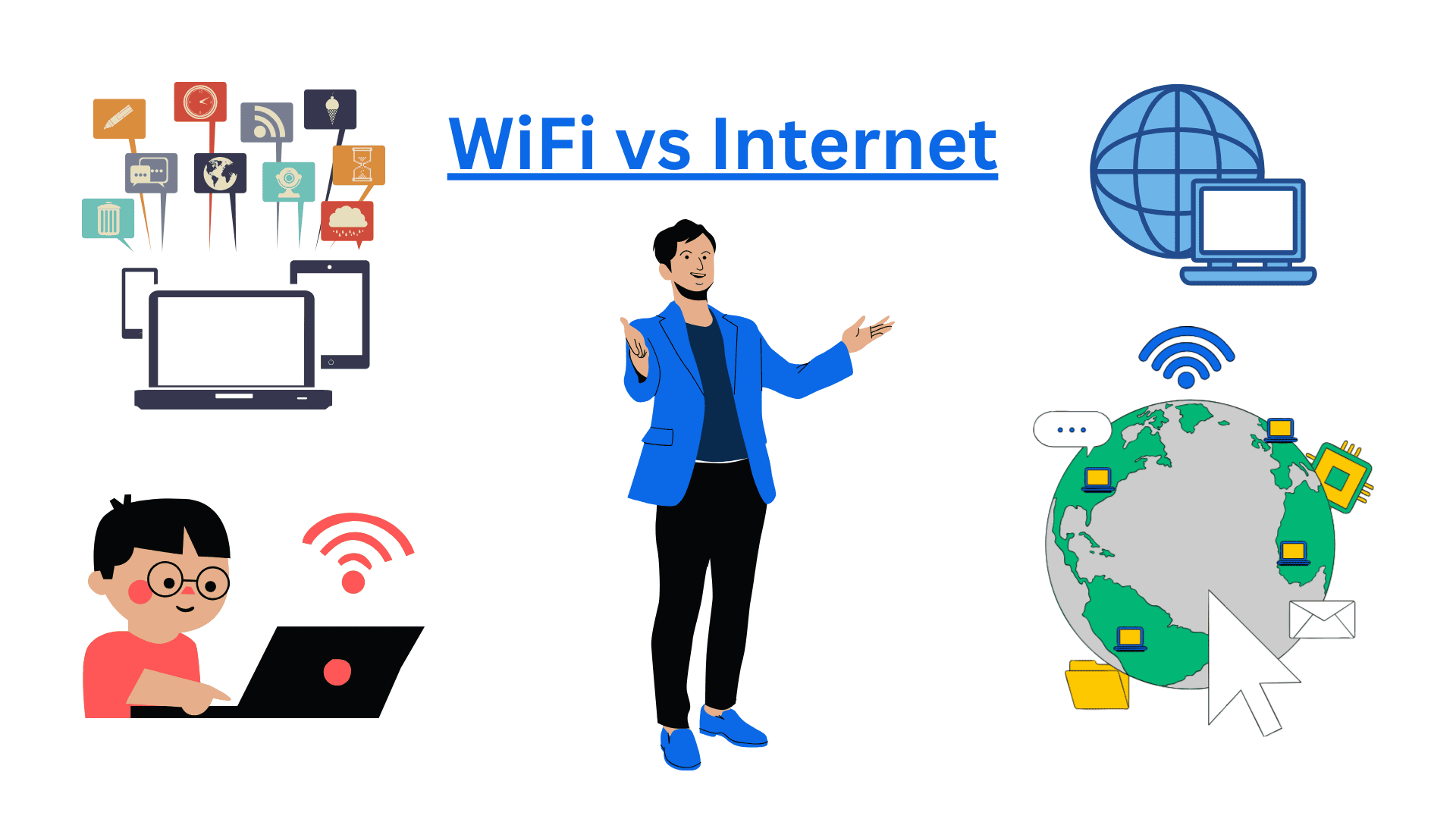
    Confused about the difference between WiFi vs Internet? You’re not alone. Many people use these terms interchangeably, which leads to misunderstandings about their functionality. WiFi is a wireless technology that allows devices to communicate within a local area network. The internet, however, is a global network connecting millions of computers worldwide.

    A majority of users mistakenly believe WiFi and Internet are the same. This guide clarifies their distinctions and how they interact. By understanding the difference between WiFi and the Internet, you can make informed decisions about your network setup. The complete guide is given in this article.

    What is WiFi?

    WiFi is a wireless network technology that allows devices to connect to the internet without cables. It uses radio waves to transmit data between a router and devices like smartphones, laptops, and tablets. This wireless connection provides convenience and flexibility in accessing the internet.

    A router and a modem create a WiFi network, working together to provide internet access. Homes, offices, and public spaces commonly have WiFi networks, enabling seamless connectivity for various devices.

    How WiFi Operates in a Home Network?

    WiFi operates in a home network by using a router to transmit data wirelessly to connected devices. The router is connected to a modem, which provides the internet connection from an internet service provider. Devices communicate with the router using radio waves, allowing them to access the internet without physical cables. The router assigns IP addresses to each device, enabling seamless communication within the network. WiFi signals can be affected by obstacles like walls, so optimal router placement is crucial for strong connectivity.

    Common Devices Connected to Wi-Fi:

    • Smartphones and tablets rely on Wi-Fi for internet access, streaming, and communication.
    • Laptops and desktop computers connect to Wi-Fi for browsing, work, and online activities.
    • Smart TVs and streaming devices use Wi-Fi to access content from various platforms.
    • Smart home devices, like security cameras and thermostats, require Wi-Fi to function efficiently.

    What is The Internet?

    The Internet is a vast network connecting millions of computers and devices globally. It allows users to access and share information, communicate, and perform various online activities. The Internet consists of interconnected networks using standardized communication protocols to transmit data.

    It provides access to websites, email, social media, and countless other services. Internet connections can be wired or wireless, with internet service providers offering various plans and speeds to meet user needs. To enhance security and protect privacy online, many users choose to download VPN, which encrypts their internet traffic and helps shield their personal data from potential threats.

    How Internet Connection Works:

    An internet connection works by transmitting data between devices and servers through a network. A modem connects to an internet service provider, receiving data over a cable or DSL line. The modem then connects to a router, which distributes the internet connection wirelessly or via ethernet cables. Devices access the internet by sending requests to the router, which forwards them to the modem and ISP. The ISP processes these requests, retrieves the requested data, and sends it back to the devices.

    Role of Internet Service Providers (ISPs):

    Internet service providers (ISPs) play a crucial role in delivering internet connectivity to users. They maintain the infrastructure, such as cables and satellites, that form the backbone of the Internet. ISPs offer various plans and speeds to meet different user needs, from basic browsing to high-speed streaming. They also provide technical support, ensuring users have reliable access. ISPs manage the distribution of IP addresses and handle data traffic, facilitating smooth communication between devices and the Internet.

    WiFi vs Internet: 5 Key Differences

    Key DifferencesWiFiInternet
    DefinitionWiFi is a wireless technology that connects devices to a local area network.Internet is a global network that connects millions of devices worldwide.
    Connection TypeWiFi uses radio waves to create a wireless network within a limited area.Internet relies on various physical connections, such as cables, satellites, and fiber optics.
    RoleWiFi enables devices to communicate within a local network without physical cables.Internet allows devices to access and share information globally, beyond local networks.
    InfrastructureWiFi networks require a router and modem to connect to the internet.Internet infrastructure involves extensive networking equipment and service providers.
    UsageWiFi connects devices within homes, offices, and public spaces to a local network.Internet provides access to online services, websites, and global communication.
    SpeedWiFi speed can vary based on the router, distance, and interference.Internet speed is influenced by service providers, type of connection, and plan chosen.
    ProviderWiFi services are set up and managed by individuals or organizations within a local area.Internet services are provided by ISPs that offer various plans and speeds.
    DependencyWiFi requires an internet connection to provide access to online resources and services.Internet can function through wired or wireless connections, including mobile data and satellite.

    The alternative of WiFi Without Traditional Internet

    WiFi without traditional internet can be achieved through mobile data and hotspots. A mobile hotspot device provides internet access by converting cellular data into a WiFi signal, allowing multiple devices to connect. Alternatively, WiFi routers with built-in SIM card slots offer a wireless connection without the need for a wired connection. Many users rely on Mobile Virtual Network Operators (MVNOs) to power these SIM-based internet solutions. MVNOs offer flexible and affordable data plans, making wireless connectivity more accessible, especially in remote areas lacking broadband infrastructure.

    This setup is ideal for remote areas lacking traditional broadband options. When setting up, ensure your internet plan supports sufficient data for all connected devices. For enhanced performance, place the WiFi router centrally in your home to ensure a strong signal.

    Conclusion

    Grasping the difference between WiFi vs Internet is crucial for efficient network usage. WiFi connects your devices locally, while the internet links them globally. A clear understanding ensures better troubleshooting and setup of your home network. Are you confident in distinguishing between WiFi and the internet now?

  • 10 Best Video Editing Software for Beginners in 2024

    10 Best Video Editing Software for Beginners in 2024

    Best Video Editing Software for Beginners

    Finding the best video editing software for beginners can be challenging. Many options overwhelm users, especially those new to video editing. Research indicates that beginners often seek tools that are easy to use yet powerful. They desire basic editing features and advanced tools. Solutions like Adobe Premiere Pro, iMovie, and Wondershare Filmora are highly recommended.

    These options cater to various needs, from simple video edits to professional video projects. This article provides a comprehensive guide. It highlights the 10 best video editing software for beginners in 2024. Each option offers unique features suitable for both new and advanced users.

    What to Look for in a Good Video Editing Software?

    When selecting a good video editing software, several factors should be considered. Look for an easy-to-use interface that caters to beginners, making the editing process smooth and intuitive. Basic editing features like trimming, cutting, and adding transitions are essential. Advanced options, such as multicam editing and drag-and-drop functionality, enhance the editing experience.

    The software should support video clips in various formats and offer export options for different platforms. Video effects, filters, and templates can significantly improve your videos. Ensure the software offers tutorials to help you start editing efficiently. Compatibility with the best laptops and creative cloud integration, like with Adobe products, can be beneficial.

    If you are looking for music production software read this article 5 Best Music Production Software for Beginners in 2024

    Best Video Editing Software for Beginners

    1. Adobe Premiere Pro:

    Adobe Premiere Pro is a powerful video editing tool suitable for beginners. Its intuitive interface and extensive features make it an excellent choice for new video editors. Key features include advanced color grading, seamless integration with other Adobe products, and support for multicam editing. The software offers a free version with basic editing tools, but the full version provides more advanced features.

    System Requirements:

    • Operating System: Windows 10 or macOS 10.15 and later
    • Processor: Intel 6th Gen or newer, or AMD equivalent
    • RAM: 8GB minimum, 16GB recommended
    • Graphics Card: GPU with at least 2GB VRAM

    2. Adobe Premiere Elements:

    Adobe Premiere Elements is designed for beginners seeking easy-to-use video editing software. It offers various templates, basic editing tools, and an intuitive drag-and-drop interface. Premiere Elements also includes features like guided edits and automatic video creation, making it suitable for users with minimal editing experience.

    System Requirements:

    • Operating System: Windows 10 or macOS 10.14 and later
    • Processor: 2 GHz or faster
    • RAM: 8GB minimum
    • Graphics Card: GPU with at least 1GB VRAM

    3. Apple iMovie:

    Apple iMovie is a user-friendly video editing app perfect for beginners. It provides a simple interface, various video effects, and seamless integration with other Apple products. Key features include easy-to-use filters, transitions, and the ability to edit videos on your phone or desktop. iMovie is ideal for Mac users looking for a free and powerful video editing tool.

    System Requirements:

    • Operating System: macOS 11.5.1 or later, iOS 15.2 or later
    • Processor: Any Mac released in the last five years
    • RAM: 4GB minimum

    4. Lumen5:

    Lumen5 is a web-based video editing software that transforms text into engaging video content. It’s perfect for beginners and those without editing experience. Key features include automatic video creation from blog posts, a vast media library, and a simple drag-and-drop interface. Lumen5 is great for creating video content quickly and easily.

    System Requirements:

    • Operating System: Web-based, compatible with major browsers
    • Processor: Any modern CPU
    • RAM: 4GB minimum

    5. FlexClip:

    FlexClip is an intuitive, browser-based AI video editor designed for creators of all skill levels. Its easy-to-use interface, extensive template library, and AI-powered features make it an excellent choice for producing marketing videos, social media content, presentations, tutorials, and more. Key features include AI Recreate and Auto Edit for faster editing, AI Video Generator for turning ideas into videos, AI PPT to Video for converting presentations into engaging videos, built-in text-to-speech, automatic subtitle generation, and access to millions of royalty-free stock assets. FlexClip offers a free plan with essential editing tools, while premium plans unlock higher export quality, additional AI credits, and advanced features.

    System Requirements:

    • Operating System: Any modern operating system (Windows, macOS, Linux, ChromeOS)
    • Browser: Latest version of Chrome, Edge, Firefox, or Safari
    • RAM: 4GB minimum, 8GB or more recommended for smoother editing
    • Internet Connection: Stable broadband connection required, as FlexClip is a cloud-based video editor

    6. Apple Final Cut Pro:

    Apple Final Cut Pro offers advanced editing features while maintaining user-friendliness. It supports multi-cam editing, 8K video, and advanced color grading. It’s ideal for beginners aiming to progress to more professional video editing. The software integrates seamlessly with other Apple products, making it a favorite among Mac users.

    System Requirements:

    • Operating System: macOS 10.15.6 or later
    • Processor: Any Mac with Apple silicon or Intel processor
    • RAM: 4GB minimum, 8GB recommended
    • Graphics Card: GPU with at least 4GB VRAM

    7. Wondershare Filmora:

    Wondershare Filmora offers an intuitive interface, making it ideal for beginners. This video editing software supports basic editing tools and advanced features, including drag-and-drop functionality, video effects, and templates. Users can edit videos effortlessly using various filters and transitions. Filmora’s free version provides a range of essential tools, but upgrading unlocks more professional options. Key features include a drag-and-drop interface, advanced video effects, built-in templates and transitions, multicam editing support

    System Requirements:

    • Windows: Windows 7 or later
    • Mac: macOS X 10.11 or later
    • CPU: Intel i5 or better, 2GHz+
    • RAM: 4GB (8GB for HD and 4K videos)
    • Storage: At least 10GB of free space

    8. DaVinci Resolve:

    DaVinci Resolve is known for its powerful video editing capabilities, suitable for both beginners and professional video editors. It offers an extensive set of advanced features like multicam editing, color correction, and audio and video track management. The software supports high-quality video exports, making it perfect for 8K video projects. Key features include advanced color correction, multicam editing, professional audio and video tracks, and high-quality export options.

    System Requirements:

    • Windows: Windows 10 or later
    • Mac: macOS 10.14.6 or later
    • CPU: Intel Core i7 or AMD Ryzen 7
    • RAM: 16GB (32GB recommended for 4K and 8K editing)
    • Storage: SSD for installation and media

    9. Corel VideoStudio Ultimate:

    Corel VideoStudio Ultimate provides an easy-to-use interface with powerful video editing tools. This software supports a variety of formats and offers features like video effects, transitions, and a comprehensive tutorial for beginners. It’s perfect for those seeking to start editing with professional-level tools. Key features include an easy-to-use interface, comprehensive tutorials, variety of video effects and transitions, and support for various video formats.

    System Requirements:

    • Windows: Windows 10 or later
    • CPU: Intel Core i3 or AMD A4 3.0 GHz or higher
    • RAM: 4GB (8GB or more recommended)
    • Storage: Minimum 6GB for full installation

    10. CyberLink PowerDirector:

    CyberLink PowerDirector combines advanced editing features with an easy-to-use interface, making it suitable for beginners and advanced users alike. The software offers tools like video effects, transitions, multi-cam editing, and the ability to edit videos in 8K resolution. Key features include an easy-to-use interface, advanced video effects and transitions, multi-cam editing, and 8K video editing support.

    System Requirements:

    • Windows: Windows 7 or later
    • CPU: Intel Core™ i-series or AMD Phenom® II and above
    • RAM: 4GB required (8GB recommended for 4K or above)
    • Storage: 10GB or more for installation and media

    11. Luxea Pro:

    Luxea Pro is a comprehensive video editing software designed for beginners. It offers a simple interface with advanced features such as drag-and-drop editing, various video effects, and seamless transitions. Luxea Pro allows users to create high-quality video content effortlessly. Key features include a simple drag-and-drop interface, variety of video effects and transitions, high-quality video export options, and support for beginners with comprehensive guides.

    System Requirements:

    • Windows: Windows 10 or later
    • CPU: Intel Core i3 or higher
    • RAM: 4GB minimum (8GB recommended)
    • Storage: 5GB for installation and media

    Conclusion

    Choosing the best video editing software for beginners can enhance your editing experience. The right tool simplifies creating high-quality videos. This guide covers various options, ensuring you find the perfect fit. Which video editing software do you prefer for your projects?

  • Firmware vs Software: What’s The Main Difference?

    Firmware vs Software: What’s The Main Difference?

    Firmware vs Software: What's The Main Difference?

    Many struggle to understand the difference between firmware and software. This confusion often leads to issues when updating or troubleshooting devices. Both firmware and software play crucial roles in device functionality, yet their purposes differ significantly. Firmware is low-level software embedded in hardware, controlling specific hardware components. It is stored in non-volatile memory, ensuring it persists through power cycles. On the other hand, software refers to applications and system software running on various platforms. This article provides a comprehensive guide to help understand firmware vs software, their roles, and how they interact with hardware.

    Firmware and Software Basics

    Firmware refers to permanent software programmed into a device’s read-only memory. It provides low-level control for specific hardware, ensuring proper functionality. Unlike application software, firmware cannot be easily modified or deleted by users. It is stored in the device’s non-volatile memory, meaning it remains even when the device is turned off.

    On the other hand, software encompasses a wide range of applications and operating systems that run on devices. These programs can be easily installed, updated, or removed by users. Software is stored on the device’s hard drive or other storage media and requires an operating system to function. The main difference between software and firmware lies in their modifiability and permanence within the device.

    Software and Firmware: Types and Examples

    Various types of software include application software, system software, and utility software. Application software, such as word processors and web browsers, helps users perform specific tasks. System software, like operating systems, manages hardware resources and provides a platform for running applications. Utility software includes antivirus programs and disk management tools.

    Firmware examples include the BIOS in computers, firmware in routers, and embedded firmware in smart appliances. These programs ensure the hardware operates correctly and efficiently. Unlike software, firmware is specifically designed to work closely with the device’s hardware, offering precise control and functionality.

    Firmware vs Software: 10 Key Differences

    1. Definition and Purpose:

    Firmware is a type of software embedded directly into hardware to control specific functions. It operates at a low level, ensuring the hardware performs its intended tasks. In contrast, software encompasses a wide range of programs, including application software and system software, designed to perform various functions on a computer or device. The primary difference lies in their roles: firmware manages hardware directly, while software provides user-level functionality.

    2. Storage Location:

    Non-volatile memory, such as ROM, EEPROM, or flash memory, stores firmware. This ensures it remains intact even when the device powers off. On the other hand, hard drives, SSDs, or other storage media store software can be easily modified or updated. This storage difference highlights the permanent nature of firmware compared to the more dynamic nature of software.

    3. Update Frequency:

    Firmware updates occur less frequently because they are critical for device stability and security. These updates often require specific procedures and tools. In contrast, software updates happen regularly, bringing new features, improvements, and bug fixes. The ease of updating software compared to firmware underscores their different roles in maintaining and enhancing device performance.

    4. User Interaction:

    Firmware operates behind the scenes with no direct user interaction, ensuring the device functions correctly. Software, especially application software, interacts directly with users, providing various functionalities and interfaces. This fundamental difference illustrates the invisible role of firmware in hardware management versus the visible, interactive nature of software.

    5. Examples of Use:

    Common examples of firmware include the BIOS in computers and the firmware in routers and smart appliances. Examples of software include word processors, web browsers, and operating systems. These examples demonstrate how firmware and software cater to different aspects of device operation and user interaction.

    6. Development and Specialization:

    Firmware development requires specialized knowledge of low-level programming and hardware integration. Firmware engineers focus on creating efficient, stable code that directly interfaces with hardware components. Software development, however, covers a broad spectrum, including application software and system software. This field requires diverse skills, depending on the software type and intended use.

    7. Embedded Systems:

    Embedded software often includes firmware, which provides essential control and functionality for specific tasks within a device. This integration allows for precise, efficient operation tailored to the device’s needs. Software in embedded systems can include both low-level and application-level code, enhancing the device’s capabilities beyond its basic functions.

    8. Hardware Dependence:

    Firmware is closely tied to the hardware it controls, with specific code for each device model. This dependence ensures optimal performance and compatibility. Software, while also needing compatibility, generally operates across a range of hardware configurations. This flexibility allows the software to be more versatile and widely applicable compared to the hardware-specific nature of firmware.

    9. Role in the Boot Process:

    During the boot process, firmware plays a crucial role by initializing hardware components and loading the operating system. This step is essential for the device to start correctly. Software, particularly the operating system, takes over after firmware initialization, managing hardware resources and providing a platform for applications to run. This sequential relationship highlights the foundational role of firmware in device startup.

    10. Security Implications:

    Firmware security is critical because vulnerabilities can compromise the entire device. Updates and patches are less frequent but crucial. Software security, although also important, relies on regular updates to address new threats and vulnerabilities. The approach to security in firmware and software reflects their different levels of exposure and potential impact on device operation.

    Roles and Careers

    Firmware Engineer:

    A firmware engineer specializes in developing software that directly controls hardware components. This role involves creating, testing, and updating firmware to ensure optimal performance of embedded systems. Firmware engineers work with specific hardware, often writing low-level code stored in non-volatile memory.

    Their tasks also include addressing firmware issues, updating firmware, and ensuring compatibility with hardware and the operating system. They play a crucial role in the seamless operation of devices, requiring expertise in both hardware and software.

    Software Developer:

    A software developer focuses on creating applications and system software that enhance user experience and device functionality. Their work involves designing, coding, and testing software that runs on various platforms. Software developers must understand how software interacts with hardware components to optimize performance. To meet specific business needs and unique user requirements, they often engage in custom software development, which involves tailoring applications to the specific functionalities and integrations needed by their clients.

    They also update software to fix bugs, add features, and improve security. This role requires knowledge of programming languages, software development tools, and user interface design. The average software developer salary in the US is approximately $126,741.

    Real-World Applications

    Software in Everyday Use:

    Software is any program running on a computer, ranging from operating systems to high-level applications. Examples of system software include Windows, macOS, and Linux, which manage hardware and software resources. Higher-level software includes web browsers, word processors, and media players, designed to facilitate specific tasks for users.

    These applications interact with the hardware through system software, providing a seamless user experience. Regular software updates enhance functionality, security, and performance, making software a vital component of everyday technology use.

    Firmware in Devices:

    Low-level software embedded in a device’s hardware controls its basic functions, known as firmware. The BIOS in computers, firmware in routers, and embedded firmware in smart appliances serve as examples. Non-volatile memory stores firmware, ensuring it remains intact even when the device powers off.

    Firmware updates are crucial for fixing bugs, improving performance, and adding new features. Devices like smartphones, cameras, and IoT gadgets rely on firmware to interface between the hardware and higher-level software, ensuring smooth and efficient operation.

    Conclusion

    Firmware vs software differences are essential for technology enthusiasts to understand. Firmware controls specific hardware functions and remains persistent in memory. Software, however, operates at a higher level and is frequently updated. Understanding these distinctions enhances device management and troubleshooting skills. How has understanding these differences improved your tech experience?

  • 5 Best Music Production Software for Beginners in 2024

    5 Best Music Production Software for Beginners in 2024

    best music production software

    Choosing the best music production software for beginners can be challenging due to the many options available. The right software can greatly impact the ease and quality of music production. Many beginners feel overwhelmed by the variety of software programs, each offering unique features. Fortunately, there are excellent, user-friendly music-making software options designed for beginners. This article provides a complete guide to the best music production software of 2024. It covers the top five choices, ensuring you find the right tools for starting out in music production.

    Evaluating Your Needs

    Determining your needs is crucial when selecting the best music production software for beginners. Assess your music style and genre to find software that caters to your specific requirements.

    For instance, if you produce electronic music, software like FL Studio or Ableton Live might be more suitable due to their robust loop and MIDI capabilities. Additionally, considering your budget is essential.

    Some digital audio workstations (DAWs) offer free versions or budget-friendly options, while others, like Logic Pro and Pro Tools, come with a higher price tag. Finding a balance between features and cost will help you make the right choice.

    System Requirements

    • Ensure the software is compatible with your computer’s operating system.
    • Check if your computer meets the minimum hardware specifications required by the DAW.
    • Look for software that supports various digital audio interfaces and MIDI devices.
    • Verify the amount of RAM needed for optimal performance, particularly when using plugins and virtual instruments.
    • Assess the available storage space, as some DAWs require significant disk space for installation.
    • Consider the processor speed to ensure smooth workflow and avoid latency issues.
    • Ensure your audio drivers are up-to-date and compatible with the DAW.
    • Check for support for external hardware, such as controllers and sound cards.
    • Review the DAW’s requirements for graphic cards, especially for video scoring features.
    • Confirm internet connectivity for downloading updates and accessing online tutorials.

    5 Best Music Production Software

    1. FL Studio:

    FL Studio, also known as Fruity Loops, is a highly intuitive digital audio workstation (DAW) popular among beginners. This software offers a user-friendly interface and a vast array of features suitable for music creation and sound design. It is a great option for those starting in electronic music production. With FL Studio, music producers can easily arrange, edit, and master their tracks. Its comprehensive set of plugins and virtual instruments provides a complete music-making experience. Additionally, the software supports MIDI tracks and offers extensive tutorials to guide new users through the production process.

    Key Features:

    • Intuitive interface
    • Extensive plugin support
    • Built-in virtual instruments
    • MIDI compatibility
    • Loop-based sequencing
    ProsCons
    Easy to learnLimited audio recording capabilities
    Regular updates with new featuresCan be overwhelming with too many features
    Strong online community supportRequires a good amount of CPU power
    High-quality sound librarySome advanced features can be complex
    Flexible workflow for various genresHigher cost for full version

    Basic System Requirements:

    • Windows 8.1/10 or macOS 10.13.6 or later
    • 4 GB of RAM (8 GB recommended)
    • 4 GB of free disk space
    • Dual-core processor (Intel or AMD)
    • ASIO-compatible audio interface recommended

    Pricing:

    • Fruity Edition: $99
    • Producer Edition: $199
    • Signature Bundle: $299
    • All Plugins Bundle: $499

    2. Logic Pro:

    Logic Pro, designed for Apple devices, provides everything you need for music production. It is often recommended for beginners due to its user-friendly interface and comprehensive sound libraries. With advanced production tools, Logic Pro offers several music-making features, making it a great option for beginners and professionals alike. Users can create, edit, and mix audio tracks efficiently.

    Key Features:

    • Wide range of virtual instruments and loops
    • Powerful mixing and mastering tools
    • Seamless integration with macOS
    • Advanced MIDI capabilities
    • Extensive sound libraries
    ProsCons
    Comprehensive sound librariesMac-only compatibility
    User-friendly interfaceHigher cost compared to some
    Advanced MIDI capabilitiesRequires a powerful computer
    High-quality audio recordingSteeper learning curve
    Regular updatesLarge installation size

    Basic System Requirements:

    • macOS 10.15.7 or later
    • 6GB for minimum installation
    • 72GB for full sound library

    Pricing:

    • $199.99 (one-time purchase)

    3. Ableton Live:

    Ableton Live is popular for its versatility and dynamic workflow. It is often recommended for beginners looking to produce electronic music due to its unique session view. This software provides a wide range of features for music production, making it ideal for both live performances and studio work. Ableton Live is relatively easy to use, with free tutorials available to help beginners.

    Key Features:

    • Unique session view for live performances
    • Extensive library of virtual instruments and loops
    • Powerful MIDI and audio effects
    • Integrated mixing and mastering tools
    • High-quality audio recording
    ProsCons
    Versatile and dynamicHigher cost
    Ideal for live performancesComplex interface at first
    Extensive sound libraryRequires a learning curve
    High-quality audio effectsCan be resource-intensive
    Regular updatesLimited by hardware specs

    Basic System Requirements:

    • Windows 10 (64-bit) or macOS 10.13 or later
    • 8GB RAM (16GB recommended)
    • 3GB disk space for basic installation

    Pricing:

    • Intro: $99
    • Standard: $449
    • Suite: $749

    4. Pro Tools:

    Pro Tools is an industry standard, often used by professional producers. This software offers advanced features for audio recording and mixing, making it suitable for beginners and experts alike. Pro Tools provides several music production tools, including advanced editing and high-quality audio tracks. It is a good option for beginners looking to transition into professional audio production.

    Key Features:

    • Advanced audio recording and editing
    • High-quality mixing and mastering tools
    • Support for a wide range of plugins
    • Powerful MIDI features
    • Extensive sound libraries
    ProsCons
    Industry-standard softwareHigher cost
    High-quality audio toolsSteep learning curve
    Extensive plugin supportRequires iLok for activation
    Advanced editing capabilitiesResource-intensive
    Regular updatesLimited free trial

    Basic System Requirements:

    • Windows 10 (64-bit) or macOS 10.13 or later
    • 16GB RAM (32GB recommended)
    • 15GB disk space for installation

    Pricing:

    • Free: Pro Tools First
    • Subscription: $29.99/month or $299.99/year
    • Perpetual license: $599.99

    5. Cubase:

    Cubase offers a comprehensive production suite for beginners and professionals. It provides a wide range of features for music production, including advanced mixing and mastering tools. Cubase is often recommended for beginners due to its user-friendly interface and extensive sound libraries. This software offers a simple interface, making it easy for those starting out in music production.

    Key Features:

    • Wide range of virtual instruments and loops
    • Advanced mixing and mastering tools
    • Comprehensive sound libraries
    • Powerful MIDI capabilities
    • Regular updates
    ProsCons
    Comprehensive sound librariesHigher cost
    User-friendly interfaceSteep learning curve
    Powerful MIDI capabilitiesResource-intensive
    High-quality audio recordingRequires a powerful computer
    Regular updatesLimited by hardware specs

    Basic System Requirements:

    • Windows 10 (64-bit) or macOS 10.14 or later
    • 8GB RAM (16GB recommended)
    • 30GB disk space for installation

    Pricing:

    • Elements: $99.99
    • Artist: $329.99
    • Pro: $579.99

    Best Practices for Using Music Production Software

    Starting with Basics:

    Learning the basics of music production software begins with understanding DAW functionalities. DAWs, or Digital Audio Workstations, are used by professional producers and beginners alike. It’s a good idea to try software programs that offer free trials to find what suits you best. Virtual instruments and loops can help when starting out in music production.

    Cakewalk is a free digital audio workstation that provides a simple interface. Additionally, many DAWs offer free tutorials to help you learn the basics of sound design. Avid Pro Tools and Apple Logic Pro are popular choices for beginners due to their user-friendly features.

    Experimenting with Features:

    Experimenting with features in music production software is essential for growth. Trying different plugins and effects can enhance your sound. Creating simple projects to practice can help you understand various production tools. Software like FL Studio 11 offers a wide range of features for music production. Mixing and mastering tools are crucial for refining your tracks.

    Even free music-making software offers audio recording and virtual instruments that can inspire creativity. Interestingly, music therapy programs also emphasize experimentation, encouraging participants to explore rhythm, melody, and sound as a form of emotional and cognitive development. 

    Riverside can also be useful for beginners who want to record high-quality vocals, instruments, or collaborative sessions alongside their main music production software. It records audio locally on each participant’s device, ensuring studio-quality sound even if the internet connection is unstable. With separate audio tracks and AI-powered tools like transcripts and clips, Riverside works well as a companion tool for clean recordings before importing them into a DAW for mixing and mastering.

    Free Music Production Software Options

    1. Cakewalk by BandLab:

    Cakewalk by BandLab offers professional-level features for music production, including advanced mixing and mastering tools. It is a free digital audio workstation available for Windows users. Beginners appreciate its user-friendly interface and comprehensive sound libraries. Cakewalk provides everything needed to start creating music without cost.

    2. Waveform Free:

    Waveform Free is a great option for beginners looking for versatile music production software. It supports Windows, macOS, and Linux, offering a simple interface and a wide range of features. Free tutorials and online resources make it relatively easy to use for those new to music production.

    3. GarageBand:

    GarageBand, often recommended for beginners, is a free music production software exclusive to Apple devices. It provides a user-friendly interface, virtual instruments, and loops. GarageBand is a popular choice for beginners due to its simplicity and integration with other Apple software programs, like Logic Pro.

    4. Audacity:

    Audacity is a free, open-source audio recording and editing software. It supports Windows, macOS, and Linux. Audacity is used by professional producers for its robust features and simplicity. It is ideal for beginners starting out in music production, offering audio recording, mixing, and mastering tools.

    Conclusion

    Selecting the best music production software for beginners in 2024 can significantly impact your music-making journey. Each software mentioned offers unique features and is relatively easy to use. By choosing the right tools, you can have fun and experiment with creating music. Which music production software will you try first?

  • What Does “Standing on Business” Mean?

    What Does “Standing on Business” Mean?

    Standing on Business

    Feeling out of touch with the latest slang terms can be frustrating. One phrase that has taken over social media is “standing on business.” This phrase, popularized by Drake’s newest album and his song “Daylight,” has evolved into a viral sensation among young people. It has transcended its origins and become a part of everyday vocabulary.

    DK Metcalf, the wide receiver for the Seattle Seahawks, and other notable personalities use this term. The phrase “standing on business” means to prioritize and uphold one’s personal matters and work ethic.

    For those wanting to learn the meaning and usage of this new slang, this guide provides everything you need to know. The article will explain its origins, how it’s used in text slang, and why it’s become so popular.

    Context of “Standing on Business”

    “Standing on Business” originated in African American Vernacular English (AAVE) and signifies taking responsibility and handling affairs seriously. This phrase has gained popularity in urban vernacular, especially through social media platforms like TikTok. 

    The term embodies a commitment to one’s grind and dedication to completing tasks. Platforms like Urban Dictionary define it as ‘To Take care of your business’. Handling matters with integrity and seriousness. The phrase has transcended its initial context. People now use it widely in various social and professional settings.

    “Standing on Business” in Text Slang

    In text slang, “Standing on Business” represents a commitment to personal responsibility and perseverance.

    For example, He always stands on business, handling his tasks with precision and dedication to achieve his goals.

    In this sentence, “stands on business” means he prioritizes his responsibilities and approaches them with a strong work ethic, ensuring that everything is done thoroughly and efficiently.

    The phrase is frequently used on social media, where trends and vernacular evolve rapidly. TikTok has played a significant role in popularizing this saying, with influencers like Druski incorporating it into their content.

    Users employ this phrase to convey a sense of duty and diligence in their actions. It highlights the importance of taking care of one’s responsibilities without delay. As a part of African American Vernacular English (AAVE), it reflects cultural nuances and the significance of hard work.

    How It Differ from Traditional Business Language?

    “Standing on business” differs from traditional business language by emphasizing personal responsibility and dedication. While traditional terms focus on formalities and processes, this phrase, rooted in African American Vernacular English, highlights the grind and commitment, often used in social media and popular culture.

    Where Did The Slang “Standing on Business” Come From

    The slang term “standing on business” has gained popularity recently, especially after being featured in Drake’s newest album. Drake’s song “Daylight” includes the phrase, which has since taken over social media streets. The exact words Drake said in the song are, “I’m standing on business, I’m fearless and ruthless.” This line has caught the attention of young people and has become a viral catchphrase.

    Drake "Standing on Business"

    Picture: @champagnepapi/Instagram

    The phrase “standing on business” ultimately symbolizes prioritizing and upholding one’s work ethic and personal matters. It means to stand strong and handle one’s business without hesitation. This phrase is part of African American Vernacular English (AAVE) and has transcended its origins, becoming a popular colloquialism. Influencers, musicians, athletes, and even entrepreneurs use it to convey determination and commitment.

    This catchy phrase has risen due to widespread use on platforms like Instagram and TikTok. Notable personalities like DK Metcalf, the wide receiver for the Seattle Seahawks, have used it, adding to its mainstream appeal. The expression has found its way into everyday vocabulary, making it a prominent part of modern slang.