HARO Builders – Header

Category: Marketing

  • From Cold Pitches to Headlines: Founders Reveal What Actually Worked

    From Cold Pitches to Headlines: Founders Reveal What Actually Worked

    From Cold Pitches to Headlines

    Introduction

    For many founders, moving from cold pitches to headlines feels like trying to crack an invisible code. You send carefully crafted emails, attach polished decks, and highlight your company’s growth, only to hear nothing back. The silence can be frustrating, especially when competitors appear in industry publications or land podcast interviews. From the outside, media coverage seems random, but those who’ve achieved it know there’s a pattern behind the visibility.

    The difference between being ignored and being featured rarely comes down to luck. It comes down to strategy, clarity, and understanding what journalists actually need. Founders who consistently earn press shift their mindset from promotion to contribution, focusing on measurable outcomes, practical insights, and stories that genuinely add value.

    Why Most Founder Pitches Fail Before They Are Even Opened

    One of the biggest mistakes founders make is assuming that passion and vision are enough to win media attention. Early-stage pitches often read like investor decks filled with jargon, feature lists, and bold claims about disrupting an industry. While that language may resonate in fundraising meetings, it rarely resonates in a newsroom where editors are scanning for clear, verifiable stories that serve their audience.

    Journalists are under pressure to produce content that is credible, relevant, and fact-based. If a pitch does not immediately communicate why the story matters, how it is measurable, and what makes it different, it will likely be ignored. Founders who succeed understand that media exposure is not about broadcasting ambition; it is about packaging proof in a way that makes a reporter’s job easier, ultimately turning cold outreach into real opportunities and moving from cold pitches to headlines.

    Understanding What Journalists Actually Want From Founders

    Journalists are not looking to be sold a product or persuaded by marketing language. As Scott Davis, founder and CEO at Outreacher.io, explains, the breakthrough came when he realized his early pitches sounded like an investor deck. He notes that “journalists don’t want your product, they want proof they can print.” That shift in perspective changes everything about how a founder approaches outreach.

    What reporters value most includes:

    • Verifiable data with clear before and after comparisons
    • Specific timeframes that make growth credible
    • Tangible outcomes such as revenue increases or cost reductions
    • Access to a methodology that allows them to sanity check claims

    When founders lead with outcomes rather than features, their pitches become scannable and immediately newsworthy. Clear proof builds trust, and trust opens doors to coverage.

    Leading With Results Instead of Features Changed Everything

    Scott Davis shared that his early outreach improved dramatically when he began leading with measurable outcomes as the headline. Instead of describing services or tools, he opened with a clear result: helping a local service business grow from 112 organic leads per month to 1,035 in 12 months. The difference was not subtle. By putting proof in the first two lines, the journalist’s email open rates increased from 17 percent to 41 percent, and media pickups roughly doubled within three months.

    This results-first approach works because it mirrors how journalists think. A clear before and after, a defined timeframe, and visible stakes create a story that can be quickly understood. Even if founders do not have massive top-line revenue numbers, they can highlight trusted deltas such as percent change, time saved, cost reduced, or conversion lift. Including one concise explanation of why the result happened without sliding into a feature list keeps the pitch sharp and credible.

    The Strategic Side of Media Outreach That Founders Underestimate

    Many founders believe that media exposure is purely about having something interesting to say. In reality, strategy plays an equally critical role. Danyon Togia, Founder of Expert SEO, emphasizes that success is not just about having something worth saying. It is about knowing who to talk to, how to approach them, where to contact them, and having a proper follow-up system in place.

    For his SEO marketing agency, the hardest part was not crafting a story but building a structured outreach process. There was no shortcut or hack that instantly unlocked media coverage. Instead, the team tested different approaches, learned which angles journalists responded to, refined their messaging, and consistently followed up. Over time, what once felt random began to feel repeatable because the system improved with practice.

    Building a Repeatable Outreach System Instead of Hoping for Luck

    Consistency transforms media exposure from a guessing game into a process. Founders who treat outreach like a campaign rather than a one-off email see better results because they refine their approach continuously. Experience reveals which subject lines drive opens, which story angles attract replies, and which publications align best with their niche.

    An effective outreach system often includes:

    • A curated list of journalists who cover relevant topics
    • Personalized pitch templates that highlight measurable outcomes
    • A structured follow-up schedule spaced over several days
    • A tracking system to monitor open rates, replies, and placements

    When founders document what works and adjust based on feedback, media coverage becomes less about chance and more about disciplined execution.

    Creating News When You Do Not Have a Big Announcement

    One of the most common frustrations founders face is the absence of a clear news moment. Not every company is launching a major funding round or releasing a groundbreaking product every quarter. Jon Kelly, owner of SEO link agency Hyperlinks.co, highlights that the hardest part is breaking through when you do not have a traditional news hook.

    What works instead is creating something reporters can reuse. Real data, a clear point of view, and fast, reliable responses make founders valuable even without a major announcement. Consistency beats cleverness. By contributing insights that journalists can incorporate into broader stories, founders stay visible and relevant without waiting for a headline-worthy milestone.

    Turning Everyday Insights Into Media Opportunities

    Founders can manufacture relevance by reframing internal data and experiences into broader industry insights. Instead of pitching a product update, they can share trend data, customer behavior shifts, or lessons learned from solving a specific problem. This positions them as subject matter experts rather than promoters.

    Examples of reusable assets include:

    • Original surveys conducted with customers
    • Aggregated performance data showing industry trends
    • Contrarian viewpoints backed by evidence
    • Quick expert commentary delivered within hours of a news event

    By consistently offering practical insights, founders increase the likelihood that journalists will reach out proactively for future stories.

    Simplicity in Messaging Wins More Coverage Than Long Pitches

    When founders struggle with media exposure, their instinct is often to explain more. They add context, background, product features, and company history. However, Keith Holloway, founder and CEO of PureSEM.com, observes that media exposure is tough when your story sounds like everyone else’s. The best results come when founders lead with one sharp insight, one proof point, and one helpful takeaway rather than a long pitch.

    Simplicity signals confidence and clarity. Journalists skim emails quickly, and a concise message that clearly outlines the value of the story stands out. A focused pitch respects the reporter’s time and makes it easier for them to envision how the story fits into their publication.

    Structuring a High-Impact Pitch in Three Clear Parts

    A practical framework many founders use involves narrowing the pitch to three elements:

    • One sharp insight that frames the story
    • One proof point with measurable data
    • One helpful takeaway readers can apply

    This structure keeps communication tight and actionable. It also prevents the pitch from drifting into feature descriptions or exaggerated claims. When each email delivers clarity instead of clutter, journalists are more likely to respond.

    Publishing Methodology to Build Credibility and Trust

    Trust is a recurring theme in successful media outreach. Founders who share not just results but also their methodology give reporters the confidence to cite them. Scott Davis noted that publishing validation steps allowed journalists to sanity check claims, which earned more trust over time.

    Transparency reduces skepticism. When founders explain how data was gathered, how results were measured, and what limitations exist, they move from sounding promotional to sounding professional. This credibility compounds. Journalists are far more likely to quote a source again if the first experience was accurate and well-documented.

    Following Up Without Becoming a Nuisance

    Follow-up is where many founders either give up too soon or push too aggressively. Effective follow-up is strategic rather than desperate. It adds value instead of repeating the same pitch. Danyon Togia’s emphasis on having a proper follow-up system reflects how important timing and persistence are in media outreach.

    A balanced follow-up approach includes:

    • Waiting several days before the first reminder
    • Adding a new data point or angle in each message
    • Keeping follow-ups shorter than the original pitch
    • Knowing when to stop after multiple attempts

    When follow-up feels helpful rather than pushy, it increases the chances of engagement without damaging relationships.

    Consistency Turns Media Exposure Into a Compounding Asset

    Founders who treat media exposure as a long-term strategy rather than a one-time win see exponential benefits. Each published feature builds credibility, which makes the next pitch stronger. Journalists begin recognizing names, and trust grows with every accurate quote and timely response.

    Over time, consistency changes perception. Media exposure stops feeling like a rare breakthrough and starts feeling like a predictable outcome of disciplined effort. As Jon Kelly noted, consistency beats cleverness. The founders who win are not necessarily the most charismatic or the loudest. They are the ones who repeatedly show up with value, proof, and clarity.

    Conclusion

    The journey from cold pitches to headlines is rarely instant. It involves reframing how founders think about storytelling, proof, and strategy. The founders featured in this article overcame rejection not by shouting louder but by becoming more precise. They shifted from feature-heavy decks to results-first messaging, from random outreach to structured systems, and from waiting for big announcements to creating reusable insights.

    Media exposure becomes achievable when founders align their goals with what journalists truly need. Clear outcomes, verifiable data, focused messaging, and consistent outreach form the foundation of repeatable success. By leading with proof, simplifying the story, and committing to a strategic process, founders can transform media coverage from a mystery into a measurable, scalable part of their growth strategy.


  • How to Avoid Making Negative Content Worse (Streisand-Proof Tactics)

    How to Avoid Making Negative Content Worse (Streisand-Proof Tactics)

    Avoid Making Negative Content Worse

    Learn how to respond to negative coverage strategically so you can correct issues, request removals properly, and avoid accidentally amplifying harmful content.

    Negative content does not usually explode because it exists. It gets worse when it is handled poorly.

    Many businesses and individuals unintentionally draw more attention to damaging articles, posts, or reviews by reacting too fast, too publicly, or without understanding how search engines and publishers work. This is commonly known as the Streisand Effect, when attempts to hide or remove information end up spreading it further.

    This guide walks through PR-forward, low-risk tactics that help you reduce visibility, protect credibility, and take action without making the situation worse.

    What Does it Mean to “Make Negative Content Worse”?

    Making negative content worse happens when your response increases visibility, engagement, or perceived legitimacy of the content.

    That can look like:

    • Publicly arguing with a publisher or reviewer
    • Sending aggressive takedown demands without legal standing
    • Posting emotional responses that get shared or quoted
    • Filing the wrong removal request and triggering platform review

    In many cases, the content itself stays the same, but your reaction gives it new life in search results and social feeds.

    Core factors that cause escalation

    • Increased clicks and shares
    • New backlinks created by controversy
    • Screenshots and reposts after attempted removal
    • Media outlets covering the reaction instead of the issue

    Why The Streisand Effect Happens Online?

    Search engines and social platforms reward attention, not intent.

    When you react publicly or push aggressively, you often:

    • Increase search demand for the topic
    • Trigger algorithmic signals like engagement and dwell time
    • Encourage third parties to copy or mirror the content
    • Create new indexed pages discussing the dispute

    Did You Know?
    Many viral reputation crises started with a response, not the original post.

    Understanding this dynamic is the first step to avoiding it.

    Common Mistakes That Amplify Negative Content

    Before looking at what works, it helps to know what not to do.

    • Public rebuttals: Arguing on social media or comment sections often boosts reach.
    • Threatening legal action prematurely: Empty threats invite scrutiny and reposting.
    • Mass reporting: Repeated reports without eligibility can flag your account, not the content.
    • Overcorrecting: Issuing statements for minor issues can turn them into “news.”

    Key Takeaway:
    Silence is not always the answer, but visibility should always be intentional.

    How to Respond Strategically Without Escalation

    A Streisand-proof response focuses on control, documentation, and timing.

    Assess before you act:

    Start by answering three questions:

    1. Is the content ranking or spreading?
    2. Is it factual, outdated, or policy-violating?
    3. Does it require a response now or can it be handled quietly?

    Many issues feel urgent but do not require immediate action.

    Document privately:

    Save URLs, screenshots, timestamps, and platform details. This protects you if the content changes or spreads later.

    Avoid contacting anyone publicly until you understand your options.

    How to Request Removals The Right Way

    Removal attempts often fail because they are rushed or misrouted.

    Effective requests:

    • Match the correct platform policy or legal category
    • Use neutral, factual language
    • Include only required documentation
    • Are submitted once, cleanly, and correctly

    This is especially important when dealing with Google, publishers, or hosts. Filing the wrong request can permanently associate your name with the issue through public logs or denial notices.

    A deeper look at why making negative content worse is so common can be found in this breakdown of removal requests that backfire and how to avoid them.

    When Not to Respond Publicly

    Public responses should be rare and calculated.

    Avoid public statements when:

    • The content has low visibility
    • The claim is minor or clearly false
    • Responding would legitimize the source
    • Legal or platform options are still available

    In many cases, suppression or quiet removal works better than rebuttal.

    Tip:
    If you would not want your response quoted in a headline, do not post it.

    How Suppression Helps Without Triggering Attention

    When removal is not possible, suppression is often the safest path.

    This includes:

    • Publishing accurate, neutral content on owned properties
    • Strengthening authoritative profiles and pages
    • Updating outdated assets you control
    • Improving brand search results organically

    Unlike confrontational tactics, suppression shifts attention rather than fighting it.

    Some companies in the suppression space that we recommend looking into if you’re looking for support are:

    • Erase
      A strong option to balance removal & suppression. Learn more at erase.com
    • Push It Down
      A suppression focused firm that uses SEO to push down negative results. Learn more at pushitdown.com
    • Reputation Defender
      A more well known option that is owned by Norton, probably the best option if you want to play it safe and have a very large budget. Learn more at reputationdefender.com

    Key Takeaway:
    The goal is not to erase history. It is to control what people see first.

    How to work with PR and legal teams together

    PR and legal strategies should support each other, not compete.

    • Legal teams focus on eligibility and compliance
    • PR teams focus on timing, tone, and exposure
    • Both should agree on when silence is stronger than response

    The worst outcomes often happen when one side acts without the other.

    FAQs

    1. Is it better to ignore negative content?

    Not always. It depends on visibility, accuracy, and risk. Many issues should be handled quietly rather than ignored or confronted.

    2. Can asking for removal really make things worse?

    Yes. Incorrect or aggressive requests can lead to reposting, public denial logs, or additional coverage.

    3. What if the content is false?

    False content may qualify for correction or removal, but proof and process matter. Public accusations without evidence often escalate the issue.

    4. How long should you wait before acting?

    There is no universal timeline. The key is acting deliberately, not emotionally.

    Wrapping Up

    Negative content becomes dangerous when reactions are rushed, emotional, or uninformed.

    By slowing down, choosing the right pathway, and focusing on visibility control rather than confrontation, you protect your reputation without amplifying the problem.

    If you are unsure which approach applies, the safest move is often to evaluate quietly, document thoroughly, and act only when the strategy reduces risk rather than creates it.

  • The Role of Online Quizzes in Content Marketing for Modern Content Teams

    The Role of Online Quizzes in Content Marketing for Modern Content Teams

    The Role of Online Quizzes in Content Marketing

    Online quizzes in content marketing are useful because they do two jobs at once. They pull people into an experience, and they tell you what those people actually want. That second part is the one most teams underuse.

    A lot of content marketing still runs on guesses. You publish an article, see traffic, and hope the right audience found it. But traffic rarely tells you intent. 

    A quiz can. It can show whether someone is looking for quick wins or a long-term strategy, whether they’re struggling with conversions or consistency, whether they’re a team of one or a team of twenty.

    If you build quizzes the right way, they stop being “interactive content” and start acting like a lightweight discovery call that runs at scale. 

    This blog breaks down how quizzes fit into a modern content strategy, what they’re best used for, and how to build them so they feel genuinely helpful.

    What Online Quizzes Are and Where They Fit in a Content Strategy

    A quiz is a short flow of questions that ends in a result. That result can be a score, a type, or a recommendation. In content marketing, the real asset is the outcome plus the path that gets someone there.

    Quizzes fit best in moments where your audience is uncertain. They’re not looking for a 40-minute deep dive. They want direction.

    Here are the most useful quiz styles for content teams:

    1. Diagnostic Quizzes (Where Do I Stand?)

    These help people assess a situation, like content distribution maturity, messaging clarity, lead gen readiness, or content workflow health. They work well because the result can include a clear explanation plus targeted next steps.

    2. Recommendation Quizzes (What Should I Do Next?)

    These guide choices. Examples include picking a content format, prioritizing channels, choosing a lead magnet type, or identifying the best content angle for a campaign.

    3. Knowledge Quizzes (Do I Understand This Well Enough to Apply It?)

    These work for education-heavy brands, training content, communities, and B2B audiences that want confidence before acting.

    If you only remember one thing: a quiz is not “content with questions.” It is a decision tool. If your quiz does not help the user decide something, it’s likely to perform like a novelty.

    Why Online Quizzes in Content Marketing Are Working Right Now

    Quizzes are not new. The reason they’re working now is that the internet is louder, audiences are pickier, and generic content blends into the background.

    Quizzes cut through because they change the visitor’s role. Instead of observing, they’re participating.

    1. They create a reason to stay.

    People don’t always finish articles, but they often finish quizzes because they want the result. The result becomes a finish line, and finish lines are motivating.

    2. They make personalization feel fair.

    Many marketing experiences try to personalize based on tracking. Quizzes personalize based on volunteered context. That difference matters, especially as people become more cautious about how their data is used.

    3. They turn interest into intent signals.

    A pageview tells you someone was curious. A quiz answer can tell you someone needs leads in 30 days, has a small team, and struggles with distribution. That’s not just curiosity. That’s direction.

    4. They offer feedback without demanding a big commitment.

    A consultation is great, but it is expensive in time and effort. A quiz sits between a blog post and a call. It gives the user a “mini consult” feeling without friction.

    The role of online quizzes is basically this: they can turn content into a two-way interaction, and that makes your marketing smarter.

    How Quizzes Create Engagement That Leads Somewhere

    Engagement is only useful when it moves people forward. Quizzes tend to create that “forward motion” because they’re built around small decisions.

    This is why quizzes keep attention without needing flashy language:

    1. They break the experience into small steps.

    A blog asks for continuous attention. A quiz asks for a sequence of quick answers. That’s easier in real life, especially on mobile.

    2. They reward completion.

    The result feels like closure. People like closure. It’s simple, but it works.

    3. They mirror how people think.

    When a quiz is written well, it feels like someone is asking smart questions, one at a time, in a logical order. That is very different from reading an article that tries to cover everything at once.

    4. They naturally encourage sharing.

    People share outcomes that feel specific: a score, a type, a category that sounds accurate. They don’t share vague fluff.

    An actionable takeaway here: if you want to create a quiz to drive real engagement, don’t optimize for “fun.” Optimize for “clarity.” Clarity makes people finish. Clarity makes people trust the result. Trust makes people take the next step.

    How Quizzes Support Lead Generation Without Feeling Pushy

    Quizzes can generate leads, but lead capture should never feel like the whole point. The moment a quiz feels like a trap, you lose completion rate and trust.

    The cleaner approach is to treat the email opt-in as an upgrade.

    Here’s a practical structure that works well:

    1. Let people see the result on-page first.

    Give them the payoff they earned. This alone improves trust and reduces drop-offs.

    2. Offer something extra by email.

    This can be a deeper breakdown, a checklist tied to their result, or a short “next 7 days” plan. The key is that it must match the result.

    3. Keep the opt-in minimal.

    Email is usually enough. If you need more fields, explain why, and make it worth it.

    4. Use quiz answers to improve lead quality.

    Quiz answers can reveal buying stage and urgency. That is more helpful than collecting a job title and guessing.

    If you want to make this actionable, here are intent-rich question angles you can use without making people uncomfortable:

    • Timeline questions: “When do you want to see results?” with options like “this month,” “this quarter,” “later.”
    • Resource questions: “What’s your current setup?” with options like “solo,” “small team,” “cross-functional team.”
    • Priority questions: “What are you trying to improve most?” with options tied to outcomes: traffic, engagement, conversions, retention.
    • Process questions: “How consistent is your content production?” with realistic options, not idealized ones.

    These questions help you segment leads by readiness and need, not by labels.

    Segmentation and Personalization With One Asset

    Most segmentation efforts are messy because they rely on assumptions. Quizzes reduce assumptions because the user tells you what bucket they belong to.

    The simplest segmentation models for quiz-based content marketing look like this:

    1. Segment by Goal: Lead generation, brand awareness, conversion improvements, retention.
    2. Segment by Bottleneck: Content ideas, writing bandwidth, distribution, messaging clarity, conversion.
    3. Segment by Maturity: Beginner, building, scaling.
    4. Segment by Urgency: Immediate need vs planning mode.

    Once you have these segments, you can personalize without doing anything fancy:

    • Personalized result pages that recommend the right next resource.
    • Email nurture sequences that match the bottleneck.
    • Retargeting that aligns with the result category, not generic “come back” ads.
    • Content hubs where the quiz acts like a router, directing users to the right path.

    Here’s a concrete example of how this becomes actionable:

    Say you run a quiz called “What’s Holding Back Your Content Growth?”

    • If someone lands in “Distribution Gap,” your result page points them to distribution frameworks, channel prioritization, and repurposing workflows.
    • If they land in “Messaging Gap,” you give positioning prompts, audience clarity exercises, and headline testing methods.
    • If they land in “Conversion Gap,” you provide CTA mapping, offer clarity, and landing page improvement tips.

    The same quiz becomes three different experiences. That is why it works.

    How to Build Quizzes That Feel Helpful (And Convert)

    Most online quizzes fail because the outcomes are weak, the questions feel generic, or the experience drags.

    Start with outcomes. Not questions.

    Write 3 to 5 outcomes that are genuinely different. Each outcome should have its own “what this means” plus a short action plan.

    Then reverse engineer questions that route people correctly.

    Here is a practical build checklist you can apply:

    1. Define one primary purpose.

    Is the quiz meant to qualify leads, recommend content, educate, or drive signups? Pick one as the anchor.

    2. Choose 3 to 5 outcomes you can defend.

    If outcomes are too similar, the quiz will feel fake. Make them distinct enough that users can recognize themselves in one.

    3. Write questions that change the result.

    If a question does not influence routing, cut it.

    4. Keep questions short and concrete.

    Avoid multi-part questions and jargon. Avoid “choose all that apply.”

    5. Write answer choices that sound like real people.

    Avoid options like “We always follow a documented strategy.” People do not talk like that. Use realistic ranges and honest phrasing.

    6. Keep the quiz length honest.

    Most marketing quizzes do well at 6 to 10 questions. If you need more, make sure each one earns its place.

    7. Make the result page the real asset.

    A result page should not be a label. It should be a mini guide:

    • what the result suggests
    • why it matters
    • two to three actions to take next
    • one focused CTA

    8. Make the CTA match the outcome.

    One CTA per outcome usually works best. If someone’s result is “Distribution Gap,” your CTA should not be “Book a demo.” It should be something aligned, like “Get the distribution checklist.”

    If your team is short on time, focus 70% of your effort on outcomes and result pages. That is what people remember. That is what converts.

    Measuring Quiz Success in a Way That Improves the Next Version

    Online Quizzes are easier to optimize than many content formats because the funnel is visible. You can see where the experience breaks.

    Here’s what to track, and what it tells you:

    1. View-to-Start Rate: Low start rate usually means the promise is unclear or the quiz does not feel relevant to the visitor.

    2. Completion Rate: Low completion rate usually means friction: confusing questions, unrealistic options, too many steps, or weak motivation.

    3. Drop-off by Question: The question where people quit is your first fix. Often it’s a wording issue, not the topic itself.

    4. Result Distribution: This is audience research. If one result dominates, that’s a signal about what your audience struggles with most.

    5. Result-Page Conversion: If people finish but don’t act, your outcomes may feel generic or your CTA may not match the result.

    6. Assisted Conversions: Many quiz-takers convert later. Track influence, not only last-click, especially in B2B.

    A practical optimization habit: every month, look at the top drop-off question and rewrite it. Small copy tweaks can improve completion without changing the quiz logic.

    Conclusion: What to Do Next With Quizzes in Your Strategy

    Quizzes are not a replacement for strong content. They are a way to make strong content more responsive. They help you earn attention, collect intent signals, and guide users toward the right next step without pushing too hard.

    If you want to integrate online quizzes in content marketing in a way that drives real outcomes, start with one quiz that solves one clear uncertainty. Build outcomes that feel honest and useful. Use the answers to personalize follow-up. Then iterate based on what the data tells you.

    That’s the role of online quizzes at its best: helping the audience get clarity, while helping your team stop guessing.

  • 100 Instagram Notes Ideas For 2026: Inspiring, Funny, Attitude

    100 Instagram Notes Ideas For 2026: Inspiring, Funny, Attitude

    Instagram Notes Ideas

    Many creators struggle with engagement because their audience scrolls past posts without stopping to notice anything new. Short messages in the Instagram inbox can spark replies and draw people into direct conversations. This is where Instagram notes ideas become powerful, boosting interaction with mutual followers or your close friends list in a fun way. Because Instagram notes appear in your inbox at the top right, they can connect with your followers instantly. In this complete guide, you’ll find inspiring, funny, and attitude-based notes to engage your audience well throughout 2026.

    What Are Instagram Notes?

    Instagram notes are short updates inside the Instagram app inbox, near your profile picture, daily for quick updates. Basically, the note on Instagram appears from the icon in the top right corner for sharing quick thoughts. These engaging Instagram notes are only available to mutual followers or close friends through direct messages. Moreover, Instagram notes are short, stay under 60 characters, and disappear after 24 hours. Overall, using notes provides a quick way to share thoughts without cluttering the main feed.

    Why Use Instagram Notes in 2026?

    Firstly, Instagram notes ideas for 2025 evolved into a strong trend continuing confidently in 2026 globally. Accordingly, brands and creators use Instagram notes to connect with their audience through engaging inbox updates. Because notes disappear after 24 hours, they keep your content fresh without pressure to delete manually. Moreover, Instagram notes ideas help spark DMs and encourage direct messages from followers or close friends. Ultimately, this quick way to share short thoughts strengthens relationships inside the Instagram app, while pairing well with strong Instagram Username Ideas for consistent branding.

    Inspiring Instagram Notes Ideas

    Inspiring Notes Ideas
    1. “Still learning, but never quitting.” — Oprah Winfrey
    2. “Dreams grow when effort stays consistent.” — James Clear
    3. “Progress beats perfection every single time.” — Brené Brown
    4. “Small steps still move you forward.” — Robin Sharma
    5. “Confidence comes after showing up daily.” — Mel Robbins
    6. “Focus quietly, results speak later.” — Tim Ferriss
    7. “Growth happens outside comfort zones.” — Tony Robbins
    8. “Discipline creates freedom eventually.” — Jocko Willink
    9. “Patience builds outcomes worth keeping.” — Naval Ravikant
    10. “Consistency turns effort into results.” — Darren Hardy
    11. “Do it scared, but do it.” — Susan Jeffers
    12. “Energy flows where attention goes.” — Deepak Chopra
    13. “Your pace still counts.” — Jay Shetty
    14. “Start before feeling ready.” — Marie Forleo
    15. “Quiet work creates loud success.” — Cal Newport
    16. “Your mindset sets the direction.” — Carol Dweck
    17. “Effort compounds over time.” — James Altucher
    18. “Clarity follows consistent action.” — Brian Tracy
    19. “Build habits, then trust them.” — BJ Fogg
    20. “Simple actions create powerful change.” — Leo Babauta
    21. “Your future listens to today.” — Simon Sinek
    22. “Intentional days shape strong lives.” — Ryan Holiday
    23. “Focus fuels momentum.” — Gary Vaynerchuk
    24. “Action creates motivation.” — Mark Manson
    25. “Do less, better.” — Greg McKeown

    Creative Instagram Notes Ideas

    Creative Instagram Notes Ideas
    1. “Currently overthinking tomorrow.” — Unknown
    2. “Inbox open, motivation loading.” — Unknown
    3. “Mentally still on airplane mode.” — Unknown
    4. “Energy low, ambition high.” — Unknown
    5. “Replying late, thinking deeply.” — Unknown
    6. “Coffee first, dms later.” — Unknown
    7. “Mood depends on playlist.” — Unknown
    8. “Close friends get the truth.” — Unknown
    9. “Notes > long captions.” — Unknown
    10. “Posting less, observing more.” — Unknown
    11. “Laughing through the chaos.” — Unknown
    12. “Bare minimum, maximum vibes.” — Unknown
    13. “Currently chasing calm.” — Unknown
    14. “If you see this, smile.” — Unknown
    15. “Overbooked, under-rested.” — Unknown
    16. “Inbox knows my secrets.” — Unknown
    17. “Silence, then clarity.” — Unknown
    18. “Thinking, then rethinking.” — Unknown
    19. “Low effort, high honesty.” — Unknown
    20. “Still here, still trying.” — Unknown
    21. “Mutuals only, real talk.” — Unknown
    22. “Quick update: still me.” — Unknown
    23. “Notes disappear, feelings don’t.” — Unknown
    24. “Sharing less, meaning more.” — Unknown
    25. “Short note, long thought.” — Unknown

    Funny Instagram Notes Ideas

    Funny Note Ideas
    1. “My brain said sleep, phone said scroll.” — Unknown
    2. “Mentally replying, physically offline.” — Unknown
    3. “Notes appear, motivation disappears.” — Unknown
    4. “Instagram notes are short, my thoughts aren’t.” — Unknown
    5. “Here for funny thoughts, not responsibilities.” — Unknown
    6. “This note lasts longer than my focus.” — Unknown
    7. “Using creative notes instead of replying.” — Unknown
    8. “My note in your inbox means boredom peaked.” — Unknown
    9. “I came, I scrolled, I forgot.” — Unknown
    10. “Posting this before I overthink again.” — Unknown
    11. “Notes in the dm inbox know my secrets.” — Unknown
    12. “Instagram home screen, same chaos daily.” — Unknown
    13. “Quick way to share thoughts, zero commitment.” — Unknown
    14. “If notes last, why don’t naps?” — Unknown
    15. “Making my note instead of decisions.” — Unknown
    16. “Followers in a fun mood today.” — Unknown
    17. “This note reflects procrastination perfectly.” — Unknown
    18. “Instagram inbox before coffee feels dangerous.” — Unknown
    19. “Short messages, long internal debates.” — Unknown
    20. “Easy way to share nonsense responsibly.” — Unknown
    21. “Notes work harder than I do.” — Unknown
    22. “My creativity peaks in the dm inbox.” — Unknown
    23. “Another creative note, zero productivity.” — Unknown
    24. “Instagram notes feature exposing my humor.” — Unknown
    25. “Laugh now, delete note later.” — Unknown

    Attitude Instagram Notes Ideas

    Attitude Instagram Notes Ideas
    1. “I move differently when I trust myself.” — Jay Shetty
    2. “Confidence stays quiet, results stay loud.” — Gary Vaynerchuk
    3. “I set my tone, not the algorithm.” — Simon Sinek
    4. “My Instagram presence mirrors discipline.” — Jocko Willink
    5. “Energy decides who stays around.” — Mel Robbins
    6. “I show up regardless of opinions.” — Tony Robbins
    7. “This note fits my brand perfectly.” — Marie Forleo
    8. “I create Instagram notes with intent.” — Ryan Holiday
    9. “My pace still outperforms excuses.” — Naval Ravikant
    10. “I leave a lasting impression silently.” — Cal Newport
    11. “I let results speak afterward.” — Brian Tracy
    12. “This attitude resonates with my audience.” — Gary Keller
    13. “I build presence before applause.” — Robin Sharma
    14. “My mindset shapes every short message.” — Carol Dweck
    15. “I post one that reflects my personality.” — Brené Brown
    16. “I engage my audience without forcing trends.” — Seth Godin
    17. “I use creative Instagram notes confidently.” — Chris Do
    18. “I share quick thoughts with purpose.” — James Clear
    19. “I focus on impact, not noise.” — Mark Manson
    20. “I appear at the top intentionally.” — Grant Cardone
    21. “My audience connects through authenticity.” — Oprah Winfrey
    22. “I shape engagement beyond analytics.” — Neil Patel
    23. “I choose growth over comfort.” — Eric Thomas
    24. “I influence quietly, consistently.” — Darren Hardy
    25. “I control my narrative daily.” — Simon Sinek

    Conclusion

    Now you know how the Instagram notes feature offers a quick way to share thoughts and spark replies from followers or your close friends. These engaging Instagram notes ideas help you create Instagram notes that reflect your personality and fit your brand voice. Because notes last only for 24 hours and appear in the Instagram inbox at the top, they keep your content fresh daily. Whether you want to use creative notes to boost engagement or add funny thoughts quickly, this guide supports you fully.

    What note will you share today?

    FAQs

    1. How many characters can a note have?

    Each note must stay under 60 characters in the Instagram inbox.

    2. Does Instagram notify followers about notes?

    No, followers don’t get alerts, but notes appear in the inbox for them to see.

    3. Can I delete a note after posting?

    Yes, you can select “delete note” if you need to remove it sooner.

    4. Do Instagram notes affect the algorithm?

    Engaging notes can boost engagement and interaction, which may positively affect your analytics.

    5. What are good note ideas for 2026?

    Funny thoughts, aesthetic Instagram notes, and attitude lines help you connect with your audience.

  • Local SEO for Contractors: Get Found by Homeowners

    Local SEO for Contractors: Get Found by Homeowners

    Local SEO for Contractors

    For contractors, builders, and home service professionals, online visibility is no longer optional. Homeowners now rely heavily on search engines to find local experts they can trust, often making decisions before ever picking up the phone. Investing in local search optimization helps ensure your business appears at the exact moment potential clients are searching for your services, and this is where SEO plays a vital role in building long-term online visibility. When done correctly, local SEO for contractors connects your expertise with homeowners who are actively ready to hire, turning high-intent searches into real leads and inquiries.

    Why Local SEO Matters for Contractors

    Local SEO focuses on improving your presence in location-based search results, especially when homeowners search for services near them. These searches often include phrases like near me or specific service areas, signaling high intent. Contractors who appear in these results are far more likely to receive calls and quote requests, and this is where SEO solutions play a critical role in helping businesses capture that demand effectively.

    Unlike broad national marketing, local SEO targets homeowners in your actual service area. This ensures your marketing budget works harder by focusing on people who can realistically become customers. Over time, strong local visibility builds credibility and trust within your community.

    Understanding How Homeowners Search Online

    Homeowners typically start their search with a problem, not a company name. They look for solutions like roof repair, kitchen remodeling, or driveway paving in their area. Search engines then prioritize businesses that appear relevant, trustworthy, and geographically close.

    To rank well, contractors need to align their website content with how homeowners search. This includes using clear service descriptions, location references that match the business address, and content that answers common customer questions. Search engines reward clarity and relevance, especially for local intent queries.

    Optimizing Your Google Business Profile

    A well-optimized Google Business Profile is one of the most powerful tools for local SEO for contractors. It helps your business appear in map results and regional listings, which often receive more clicks than standard website links. Accurate information such as your business name, address, phone number, and service area is essential.

    Beyond the basics, adding detailed service descriptions, photos of completed projects, and regular updates improves engagement. Reviews also play a significant role, as search engines view them as signals of trust and reliability. Contractors who actively manage their profile stand out in competitive local markets.

    Creating Location-Focused Website Content

    Your website should clearly communicate where you operate and what services you provide. Dedicated service pages that mention your service area naturally help search engines connect your business to local searches. This content should feel helpful rather than forced, focusing on how your services solve homeowner problems.

    Location-focused content also improves user experience. When visitors quickly see that you serve their area, they are more likely to stay on your site and contact you. Search engines track this behavior and often reward sites that provide a clear and relevant experience.

    Building Local Authority Through Online Signals

    Search engines evaluate more than just your website when determining local rankings. Mentions of your business across trusted directories, local publications, and industry websites strengthen your online authority. Consistency is key, especially with your business name and contact details.

    Local backlinks from relevant websites act as endorsements in the eyes of search engines. When reputable sources reference your business, it reinforces your credibility. Over time, these signals help your site outperform competitors who rely only on basic optimization.

    The Role of Reviews and Reputation Management

    Online reviews strongly influence both rankings and homeowner decisions. Positive reviews signal quality service and reliability, while consistent engagement shows that your business values customer feedback. Responding professionally to both positive and negative reviews demonstrates accountability.

    Reviews also provide fresh content for search engines to analyze. Businesses that regularly receive reviews appear more active and trustworthy. For contractors, this ongoing feedback loop supports steady improvements in local visibility.

    Tracking Local SEO Performance Over Time

    Local SEO is not a one-time task but an ongoing strategy. Monitoring website traffic, search visibility, and call inquiries helps measure success. Contractors who track these metrics can identify which services attract the most attention and adjust their marketing accordingly.

    Search trends and algorithms change over time, making regular optimization essential. By reviewing performance data, contractors can stay competitive and ensure their online presence continues to support business growth.

    Bringing It All Together for Sustainable Growth

    Local SEO works best when all elements support one another, from your website content to your online profiles and reputation. Contractors who take a structured approach benefit from consistent lead generation and stronger brand recognition within their service area. The goal is not just to appear in search results, but to become the trusted local option homeowners choose.

    By focusing on relevance, accuracy, and long-term optimization, contractors can build a digital foundation that supports steady growth. When homeowners can easily find and trust your business online, local SEO becomes a powerful driver of real-world success.

  • What Font Does Instagram Use?

    What Font Does Instagram Use?

    What Font Does Instagram Use

    Many users feel confused when text looks different across devices, asking questions like what font does Instagram use? Inconsistent font choices affect readability, brand trust, and the platform’s visual identity overall. Earlier, Instagram primarily used system fonts like San Francisco for iOS and Roboto on Android. However, a custom-designed font introduced in 2022 replaced them. This article answers what font does Instagram use by explaining font choices, font evolution, and font features clearly. Additionally, the complete guide clarifies captions and bios, stories text, logo font, and commercial use.

    Instagram Logo Font and Brand Identity

    Initially, the Instagram logo used a custom script, but later adopted cleaner typography to strengthen the brand identity. Previously, the logo referenced fonts like Helvetica, although consistency across different devices remained limited.

    In 2022, Instagram employs a custom-designed font to support a modern visual identity. Consequently, the updated Instagram logo font improves readability and recognition across different platforms. 

    Overall, typography now plays a central role in how many users perceive Instagram as a global brand.

    Why Instagram Created Its Own Typeface

    Instagram created its own typeface because system fonts limited expressive control and visual consistency. Previously, using system fonts like San Francisco on iOS devices and Roboto on Android caused variation. Therefore, Instagram’s current font unified typography across different devices while supporting brand identity. Additionally, a custom-designed font improved user experience through better font size and readability. Eventually, this decision strengthened Instagram’s aesthetic and ensured consistent text font usage within the app.

    What Font Does Instagram Use?

    Basically, the font Instagram uses today is Instagram Sans, introduced in 2022. Earlier, Instagram uses system fonts like Roboto on Android and San Francisco on iOS. However, captions, bio text, and text overlays now rely on a unified sans-serif font.

    Consequently, Instagram Sans replaced fonts like Proxima Nova across different interfaces. Altogether, this default font ensures consistent typography while using Instagram across different devices.

    Instagram Sans Explained:

    Instagram Sans is a sans-serif font designed to improve readability and overall user experience. Specifically, it supports captions, Instagram stories, stories, and reels, and bio text. Moreover, the typeface balances aesthetic appeal with clarity, even at a smaller font size. 

    Although users can access font generators, Instagram Sans remains the primary default font. Ultimately, using Instagram Sans reinforces visual identity while allowing different font options within the app.

    Instagram Font Used in Captions and Bio

    Instagram uses Instagram Sans for captions and bio text because it defines clarity and consistency. This sans font supports readability while maintaining Instagram’s visual identity across profiles. Accordingly, Instagram is used across Android and iOS without altering layout, ensuring captions and bios appear balanced.

    Fonts Used in Instagram Stories and Reels

    Instagram uses Instagram Sans for stories and reels text overlays to maintain consistent typography, even when sharing multiple photos on a story. Although system fonts appear during creation, the platform’s font choices prioritize uniform display. Consequently, the story’s text looks cohesive, and Instagram’s typography supports quick reading during continuous content viewing.

    What Is an Instagram Font Generator?

    • An Instagram font generator creates alternative text styles used in Instagram captions and bios.
    • However, these tools do not change Instagram’s font within the app interface or system-level typography.
    • Additionally, generators rely on symbols, not the official font or proprietary sans font.
    • Therefore, the text appears different visually but functions like standard characters.
    • Lastly, it allows such usage, although font appearance may vary across platforms and devices.

    How to Choose the Right Font Style for Instagram Content

    Instagram’s typography now feels consistent because Instagram Sans defines captions and bios clearly. The geometric sans-serif font supports readability, while the proprietary sans font strengthens brand recognition. Although Instagram also uses San Francisco for iOS and Roboto on Android, the font replaced confusion. Instagram doesn’t allow permanent font changer tools, yet it allows styled text, including captions. Overall, Instagram’s font choices prioritize visual identity across the platform’s interface and profiles. This clarity helps creators choose fonts like the Instagram logo font confidently online. 

    Now that you know what font that defines instagram uses across Android and iOS, which detail surprised you?

  • Best 5 Touchless Kiosk Check-In Platforms for Safe & Fast Entry

    Best 5 Touchless Kiosk Check-In Platforms for Safe & Fast Entry

    Check-In Platforms

    Touchless check-in has become a must for offices, clinics, and public service centers that want safe, fast, and organized visitor entry. Instead of tapping screens or crowding reception desks, visitors can check in through QR codes, mobile links, or motion-activated kiosks. This cuts physical contact, reduces bottlenecks, and gives staff real-time visibility into arrivals. The best touchless check-in platforms also support appointments, automatic alerts, and simple visitor tracking. 

    In this blog, we’ll look at the top tools that make touchless check-in smooth, reliable, and easy to manage.

    Top 5 Touchless Kiosk Check-In Platforms

    Choosing the right touchless kiosk platform can make visitor entry faster, safer, and far more organized. The tools below offer a mix of contactless check-in, real-time updates, and simple tracking so teams can manage foot traffic without crowding the front desk.

    1. Qminder

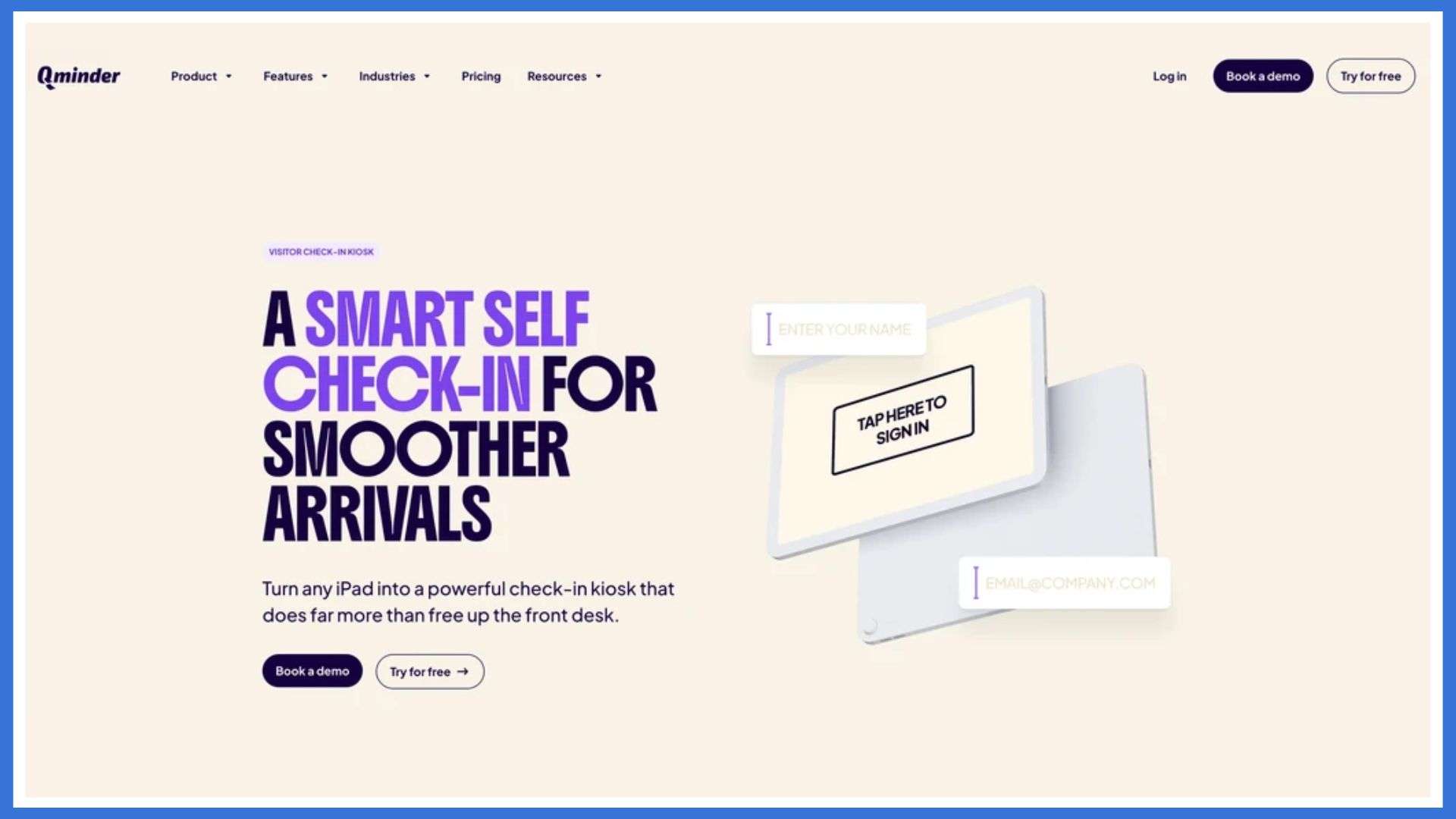
    Qminder Check-In Platform

    The Qminder is a touchless kiosk check-in system designed for clinics, offices, and public service centers that want to streamline entry without creating crowding or confusion. Qminder offers high-performance touchless kiosks that let visitors check in using a touchscreen, scan a QR code, or complete the process on their phone before arriving. After signing in, visitors receive real-time updates about their place in line, allowing them to wait comfortably without crowding the front desk.

    Staff get a unified dashboard showing who has checked in, how long each person has been waiting, and how traffic is building across locations. It’s a dependable way to improve service flow, reduce bottlenecks, and create a smoother visitor experience from start to finish.

    Key Features:

    • Touchless check-in through kiosk, QR code, mobile link, or browser, giving visitors multiple safe and convenient options.
    • Real-time SMS or app notifications that keep visitors updated on their queue status without needing to crowd the lobby.
    • A centralized dashboard that lets teams manage multiple locations and service counters from one place.
    • Detailed tracking of wait times, service duration, and visitor flow to help teams understand and improve their operations.
    • Custom reporting tools that highlight delays, peak hours, and recurring issues so managers can adjust staffing and processes.
    • Easy integration with existing systems, ensuring the kiosk works smoothly with tools already in use.

    Pros:

    • Very intuitive for both visitors and staff
    • Strong analytics for better planning
    • Scales well across multi-site organizations

    Cons:

    • May feel more advanced than what very small spaces require

    Pricing: Free 14-day trial; paid plans start at $389/month.

    2. Qtrac

    Qtrac Check-In Platform

    Qtrac is a cloud-based touchless check-in and queuing system built for large hospitals and multi-department healthcare facilities. It supports scheduled appointments, walk-ins, and virtual check-ins through kiosks, SMS, or QR codes. After checking in, patients can track their status from their phones, reducing overcrowded waiting rooms and improving safety.

    Where Qtrac stands out is in complex hospital environments. With tools for routing patients between departments and screening visitors at entry, staff can control traffic flow and keep wait times predictable.

    Key Features:

    • Queue re-routing that helps move patients between departments without confusion.
    • Automated alerts that notify staff when wait times pass set thresholds.
    • Greeter mode to pre-screen patients and assign them to the right queue at entry.
    • Offline mode that keeps basic queue operations running during network issues.
    • Centralized dashboard for hospitals with multiple entrances or service points.

    Pros:

    • Handles complex, multi-point hospital layouts
    • Staff can redirect patients quickly when needs change

    Cons:

    • Greeter mode requires proper staff training
    • Offline mode has limited functionality

    Pricing: Custom pricing available upon request.

    3. Nemo-Q

    Nemo-Q

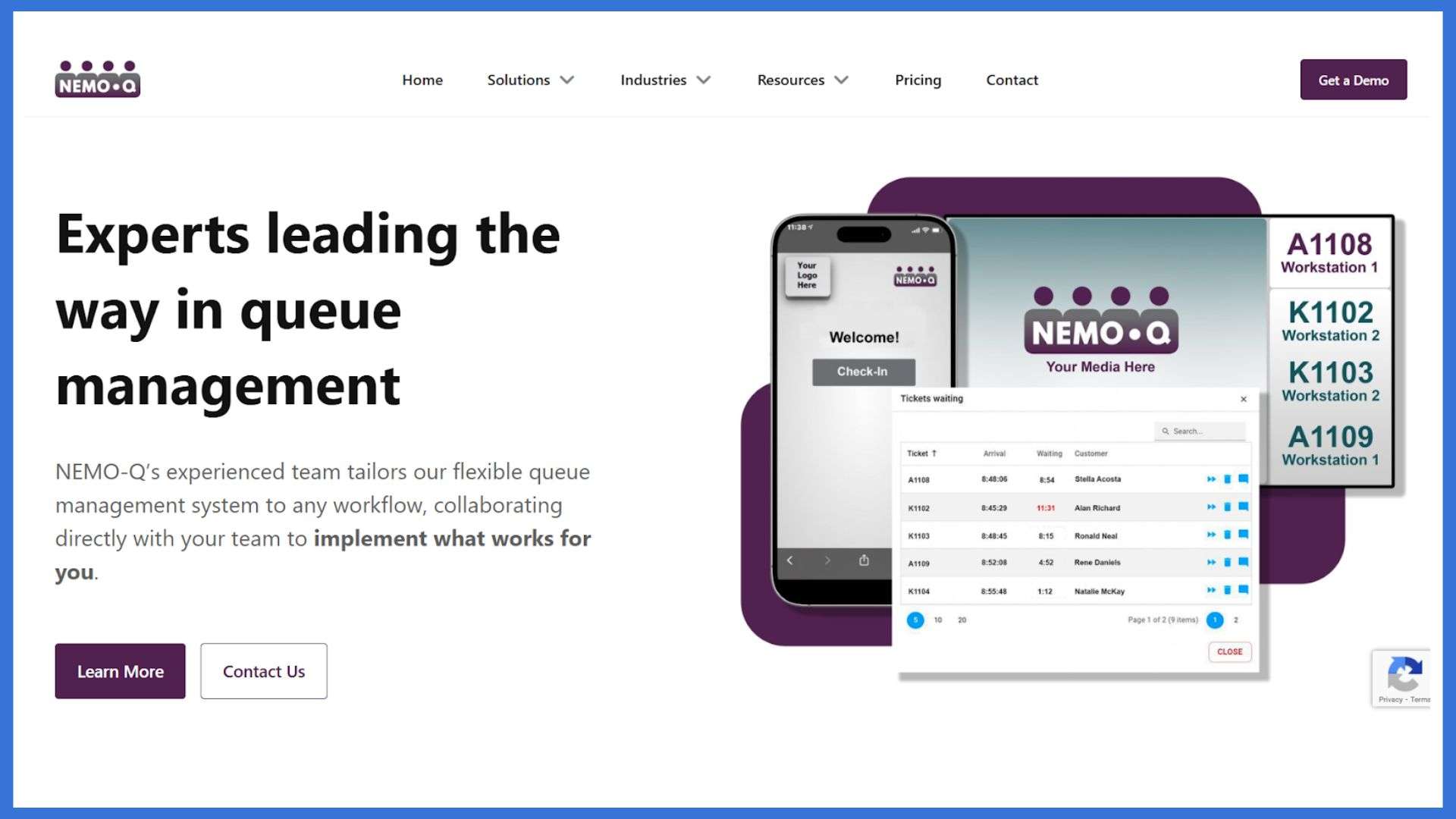
    Nemo-Q is a touchless kiosk and visitor management system designed for high-traffic locations such as hospitals, government offices, and university campuses. It supports walk-ins and scheduled appointments through kiosks, QR codes, or mobile links, helping visitors avoid crowded waiting areas while staying updated in real time. After checking in, guests receive instant alerts about their queue position, wait time, and where they need to go next.

    For staff, Nemo-Q provides a clear view of all active queues and service counters, making it easier to distribute workloads and prevent congestion across departments. It’s a dependable option for organizations with multiple entrances or complex visitor flows.

    Key Features:

    • QR code, kiosk, or mobile-based check-ins to suit different visitor needs.
    • Digital signage that displays ticket numbers, wait times, and directions.
    • Real-time SMS updates so visitors always know what’s happening next.
    • Appointment scheduling that syncs directly with live queues.
    • Built-in feedback tools to measure and improve service quality.

    Pros:

    • Supports both on-site and virtual check-ins
    • Works well for multi-counter or multi-department environments

    Cons:

    • Staff may need guidance to manage mixed walk-ins and appointments
    • Custom digital signage requires initial configuration time

    Pricing: Starts at $290 per month.

    4. Qmatic

    Qmatic

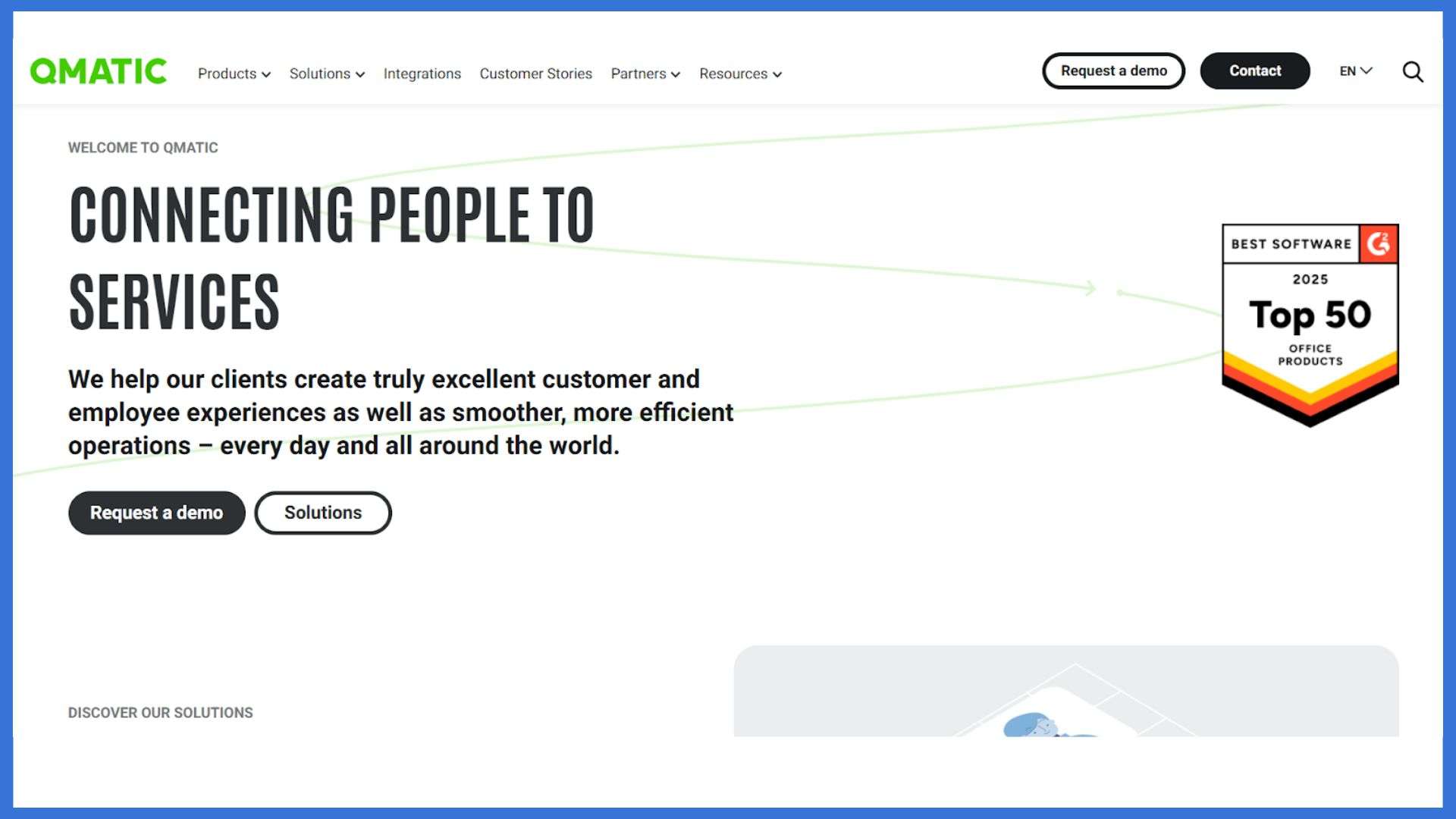
    Qmatic is a powerful cloud-based check-in and touchless kiosk system built for high-traffic government environments such as DMVs, licensing offices, and permit centers. Visitors check in through kiosks, QR codes, or web links, and receive live updates about their place in line through mobile notifications or digital screens. This keeps queues organized and reduces congestion during peak times.

    Its virtual queuing and priority routing help staff manage urgent cases, seniors, and accessibility needs more smoothly. With centralized dashboards and analytics, Qmatic gives teams a clear picture of wait times, service performance, and workload distribution across multiple locations.

    Key Features:

    • Web or kiosk check-in with instant virtual ticket creation.
    • Real-time queue tracking on phones or digital displays.
    • Priority routing to serve urgent or vulnerable visitors faster.
    • Centralized performance dashboards and analytics.
    • Integrates with DMV, municipal, and government systems.

    Pros:

    • Covers the full visitor journey from arrival to service completion
    • Strong analytics for improving wait times and resource planning

    Cons:

    • Setup requires technical support
    • Admin interface may feel complex for non-technical teams

    Pricing: Custom pricing available on request.

    5. Qwaiting

    Qwaiting

    Qwaiting is a flexible touchless kiosk and virtual queue system designed for DMVs and high-traffic public offices. Visitors can check in through kiosks, mobile links, or the web, then track their status through SMS, WhatsApp, or email. This keeps waiting areas clear, reduces confusion, and helps staff manage walk-ins and appointments without crowding.

    Its multi-branch support and multi-language options make it a solid fit for public organizations serving diverse communities across different locations.

    Key Features:

    • Appointment scheduling and virtual queue management.
    • Staff dashboard with call-forwarding and visitor handling tools.
    • Real-time queue status displayed on custom digital screens.
    • Multi-language support with branding options.
    • Cloud-based control for managing multiple branches.

    Pros:

    • Easy-to-use interface for both visitors and employees
    • Live queue reports that help improve service flow

    Cons:

    • Lower-tier plans limit customization
    • Mobile check-in can lag during peak hours

    Pricing: Available on request.

    Conclusion

    Choosing the right touchless kiosk check-in platforms can make a noticeable difference in how smoothly your entry process works. Each option in this list brings something different. 

    Qminder offers a reliable all-in-one system with strong queue visibility. Qtrac and Nemo-Q work well for complex healthcare and multi-department environments. Qmatic is ideal for government offices that need structured routing. Qwaiting helps public agencies streamline busy lobbies with simple mobile and kiosk check-ins.

    Review your foot traffic, service flow, and staffing needs, then choose the system that supports safer, faster, and more organized visitor handling every day.

    FAQs

    1. What is a “touchless kiosk check-in platform”?

    A touchless kiosk check-in platform is a system that lets people check in without physically touching a screen or device. It uses tools like QR codes, mobile links, facial recognition, or proximity sensors to complete the process safely and quickly.

    2. How does touchless check-in platforms process typically work?

    A visitor scans a QR code or receives a mobile link, enters basic details, verifies identity if needed, and completes the check-in. The system logs their entry, notifies staff, and may print a badge or update a dashboard.

    3. What are the main benefits of using a touchless kiosk check-in platforms versus traditional manual sign-in?

    It reduces physical contact, speeds up entry, prevents bottlenecks, improves accuracy, enhances visitor tracking, and offers a better overall experience. It also reduces staff workload and keeps the process consistent during busy periods.

    4. Are there any downsides or challenges in using touchless kiosk check-in platforms?

    Some visitors may not be familiar with QR codes or digital check-ins. A stable internet connection is required. Hardware setup and software updates can add costs. Staff may also need a short training period to manage the system smoothly.

  • When PacerMonitor Court Records Start Ranking For Your Brand

    When PacerMonitor Court Records Start Ranking For Your Brand

    PacerMonitor Court Records Ranking

    Learn how to spot PacerMonitor search issues early so you can protect your brand, calm stakeholders, and keep your digital PR strategy on track, especially when court records ranking starts affecting visibility.

    Introduction

    You expect your brand to show up in Google for your website, your social profiles, and your best press. What you do not expect is to see federal or bankruptcy court records near the top of page one.

    That is exactly what happens when PacerMonitor case pages start to rank for your brand name, your executives, or your company. A single result can raise questions with customers, investors, and partners who have no context about the case or its outcome.

    For digital PR and communications teams, this creates a quiet but serious risk. You might be doing everything right in your media strategy, yet one court record can shape the story people see first.

    This guide explains what PacerMonitor is, how its pages end up in search, and what you can do to limit or redirect that visibility without making the situation worse.

    What is PacerMonitor?

    PacerMonitor is a commercial service that provides easier access to U.S. federal court records. It pulls data from PACER, the official Public Access to Court Electronic Records system, and republishes dockets, filings, and case details in a more user friendly format.

    Unlike PACER, which often requires sign ups and fees to view documents, PacerMonitor creates public facing pages with case summaries, party names, and basic information that search engines can index.

    For your brand, that means:

    • Case captions that list your company or executives can appear in Google results
    • Old or minor matters can look new again because the listing feels current
    • People may see the existence of a case without any context about dismissal, settlement, or outcome

    PacerMonitor pages are built around:

    • Case summaries that show parties, court, and nature of suit
    • Docket lists with filing entries and dates
    • Party and attorney names that can match brand or personal name searches

    How PacerMonitor Court Records Show Up in Search

    From a search engine point of view, PacerMonitor is just another content site with structured pages, internal links, and consistent case data. Over time, its pages can gain enough authority to appear in brand-name or executive-name searches, especially when court records ranking becomes a strong relevance signal.

    Here is how it usually happens:

    • Branded queries match case captions
      Someone searches your company name. Google sees a PacerMonitor case page where your company appears as a party and treats it as a relevant result.
    • Name searches match party details
      An investor, customer, or journalist runs a background search on an executive. The PacerMonitor page that lists them as an individual party or officer appears near the top of the results.
    • Fresh media links increase visibility
      If reporters cite or link to a PacerMonitor case during a news cycle, those backlinks can help the case page gain more authority and visibility in search.
    • Low competition on legal terms
      In many niches there are not many pages that combine your brand name with specific legal terms. That makes it easier for a PacerMonitor page to stand out.

    Did You Know? Many stakeholders never click into the full case record. They form impressions based only on the snippet in Google, which can be misleading or incomplete.

    What PacerMonitor Related Services and Strategies Do?

    There is no simple switch that turns off a PacerMonitor listing in search. Instead, brands typically use a mix of legal, technical, and PR strategies to reduce how often those pages appear and how much weight they carry.

    Common tactics include:

    • Legal review and risk mapping:
      Counsel reviews what is in the record, whether it is accurate, and what parts are most sensitive from a reputation or disclosure standpoint. This helps communications teams avoid missteps.
    • Direct platform strategy:
      Some brands explore platform specific options, such as correcting errors, clarifying party names, or managing duplicate entries. Exact options depend on the platform policy and case status.
    • Search result suppression:
      PR and SEO teams build or improve high quality content that can outrank the court record over time. This might include thought leadership, press coverage, and strong profile pages.
    • Content consolidation and on page storytelling:
      Brands build clear, credible pages on their own site that address the event, settlement, or business change. These pages help frame the story if people search and find both your site and the court record.
    • Reputation monitoring for key names:
      Regular monitoring of priority names and brand terms helps teams see when a new PacerMonitor page starts rising in the results so they can respond early.

    For more detail on removal and mitigation options specific to this site, many brands review guides that focus on pacermonitor.

    Benefits of Managing PacerMonitor Visibility

    Taking control of how PacerMonitor pages show up in search is not just about removing something uncomfortable. It supports your broader digital PR strategy.

    Key benefits include:

    • Stronger first impressions:
      Prospects and partners see your best owned content and press first, not an out of context legal listing.
    • Reduced rumor and confusion:
      Clear, proactive communications reduce the chances that stakeholders will fill in the gaps with their own assumptions.
    • Better investor and lender conversations:
      When legal matters do come up, you can point to a thoughtful, consistent narrative instead of reacting to surprise search results.
    • Crisis readiness:
      If a new case is filed, your team already has a framework for handling court records in search, which shortens response time.
    • Internal confidence:
      Leadership, sales teams, and recruiting can move forward knowing the company has a plan for sensitive search results.

    Key Takeaway: Managing PacerMonitor visibility is about controlling the story around your brand, not hiding facts.

    How Much Does it Cost to Address PacerMonitor Court Records?

    Costs can vary widely based on the type of matter, how visible the record is, and which strategies you use. When court records ranking drives more attention to the issue, expenses may shift accordingly. Most brands see costs in three broad categories.

    • Internal time and resources
      • Legal counsel reviewing the case and potential statements
      • Communications and PR staff planning messaging and outreach
      • SEO teams or agencies adjusting content and search strategy
    • External professional services
      • Reputation management or content removal services that work on legal listings and suppression
      • Specialized PR counsel, especially if the case has media interest
      • Technical support for website updates, structured data, and monitoring tools
    • Legal fees for active or complex matters
      • Motions to seal or redact in rare situations where law and court rules allow
      • Ongoing counsel for high risk or regulatory matters

    As a rough guide:

    • Smaller issues addressed mainly through suppression might fit into a modest monthly PR or SEO budget.
    • Larger matters that require legal action, custom content, and tight monitoring can reach into more substantial, project based fees.

    Short contracts or pilot projects are common, especially when a brand needs to test how effective suppression or removal strategies are before committing to longer engagements.

    How to Choose Help for PacerMonitor Related Issues

    If PacerMonitor results are already ranking for brand or executive names, you may not want to tackle everything alone. Here is a simple process for choosing the right mix of advisors and services.

    1. Clarify the risk and your goals
      Before you contact anyone, get clear internally. Is the main risk customer perception, investor confidence, or regulatory concern. Are you hoping to reduce visibility, shape the narrative, or both. Knowing your goals will help you evaluate proposals.
    2. Loop in legal first
      Your legal team should confirm what you can say, what you must disclose, and where you need to be careful. They can also explain whether sealing, redaction, or other court based options are even possible in your situation.
    3. Evaluate reputation and PR partners
      Look for firms with proven experience in court record issues, not just social media cleanup. Ask for examples where they helped brands manage federal or bankruptcy cases in search, and how long results took.
    4. Review process, reporting, and boundaries
      A good partner will outline how they will balance legal accuracy with PR messaging, how often they will report progress, and what success will look like at 3, 6, or 12 months.
    5. Align budget and time frame
      Compare proposals based on realistic timelines and total cost rather than the most optimistic promise. Court records are persistent, and honest providers will say so.

    Tip When you compare services, treat anyone who guarantees complete removal on a fixed deadline with caution, especially if they are vague about methods.

    How to Find a Trustworthy PacerMonitor Reputation Service

    Not all reputation services are the same, and some can make your problem worse by using risky tactics or overpromising results. Watch for these red flags.

    • Guaranteed full deletion for any case
      Court records are often public by default. Absolute guarantees to erase them in all situations are a sign of unrealistic or misleading marketing.
    • No legal coordination
      If a provider does not want to involve your in house or external counsel at all, they may not understand the legal context or risks.
    • Opaque tactics
      A trustworthy firm will not reveal every detail, but they should explain in plain language whether they focus on suppression, outreach, legal processes, or a mix of these.
    • High pressure sales and long contracts
      Be wary of urgent pitches that push you into long, non cancelable agreements before you have time to review terms or talk with legal.
    • Lack of references or case examples
      If they cannot share anonymous case summaries or client references, they may not have real experience with court record issues.

    The Best Services For Managing PacerMonitor Court Records

    Below are four types of providers that often help brands with PacerMonitor and similar legal search results, especially when court records ranking begins affecting your online visibility. Always do your own research, since your situation will be unique.

    1. Erase.com
      A content removal and reputation management company that focuses on legal listings, search results, and news coverage. Often a fit for brands that want both removal attempts and long term suppression strategies.
    2. Push It Down
      A suppression focused service that emphasizes creating and promoting positive content so negative or sensitive results move lower in search. Useful when court records are accurate but no longer reflect where the business is today.
    3. Reputation Riot
      A reputation agency that often works with individuals and smaller brands facing public records, reviews, or viral content. Good for leaders who want more hands on storytelling support in addition to search work.
    4. Reputation Galaxy
      A broader online reputation management service that can help with review profiles, social media, and legal search results together. Useful if PacerMonitor is one part of a bigger digital footprint problem.

    Conclusion

    When PacerMonitor court records start ranking for your brand, it can feel like you have lost control of your search results. The reality is that you still have options. With the right mix of legal guidance, digital PR, and search strategy, you can reduce the impact of those listings and tell a fuller story about who you are today, even when court records ranking creates unexpected visibility challenges.

    Start by mapping the risk, aligning with your legal team, and deciding whether you need outside help. From there, focus on building a stronger, more accurate online presence that can stand alongside any public record, including improving your court records ranking. Over time, that steady work is what will protect your reputation and give your stakeholders confidence in your brand.

    PacerMonitor and Brand Search FAQs

    1. How long do PacerMonitor court records stay online?

    PacerMonitor records are tied to public court data, so they usually remain online indefinitely. Even if a case is closed, dismissed, or resolved, the listing can stay visible unless the underlying court record is sealed or removed under specific rules. This is why suppression and narrative control matter so much.

    2. Can we handle Pacer Monitor search issues ourselves?

    You can take several steps in house, such as monitoring branded search results, improving your owned content, and preparing clear public statements. For lower risk cases, that may be enough.

    For higher profile matters, many brands choose to bring in outside counsel, PR, and reputation specialists. This can prevent missteps and help you move faster during sensitive news cycles.

    3. Will asking about Pacer Monitor make the case more visible?

    Simply researching or discussing your own search results does not increase visibility. Problems arise when people respond in ways that attract new coverage, create public fights, or generate fresh links to the court record. A measured, strategic response helps avoid that.

    4. What if the information is wrong or incomplete?

    If there is a clear factual error, your legal team can evaluate options to correct the record at the source. In some cases, that may involve court filings, platform outreach, or both. If the information is technically accurate but lacks context, you may focus more on building clear explanations on your own channels.

    5. Do we need a long-term plan once the case is over?

    Yes. Even when a case ends, the search results often remain. A long-term plan for content, media, and search helps ensure that future customers and partners see your current strengths before they see an old docket entry.

  • Why Can’t I Go Live on Instagram? Quick Fix Live Broadcast

    Why Can’t I Go Live on Instagram? Quick Fix Live Broadcast

    why can't i go live on instagram

    If you’ve been asking, Why can’t I go live on Instagram?”, there are several potential causes. Whether it’s for a special announcement, a live Q&A, or simply connecting with followers in real time, the inability to go live can be frustrating. There are various reasons you might be experiencing this, from account eligibility issues to technical glitches. In some cases, Instagram might not have permission to access your camera, or your internet connection might not be stable enough for streaming. In this article, we’ll get into the potential causes and offer a complete guide to help you get back to live streaming in no time.

    Live Broadcast Feature on Instagram

    The live broadcast feature inside the Instagram app allows users to go live on Instagram and interact in real-time with their audience. The platform supports a smooth instagram live stream, albeit depending greatly on camera and microphone permissions. Users may broadcast through Android, desktop tools, or another device, because Instagram may support various setups. However, your account must follow community guidelines to maintain broadcasting access. Additionally, outdated app versions or weak mbps speeds can disrupt any live session unexpectedly during a critical stream.

    Why Can’t I Go Live on Instagram? Quick Fix Live Broadcast

    Many users gets frustated on Why Can’t I Go Live on Instagram??? This can happen through lots of issue like app glitches, device settings, outdated versions, or account restrictions can prevent a smooth live broadcast. The following are the quick 5 fixes designed to help restore your Instagram live stream and ensure successful real-time audience engagement.

    1: Enable Camera and Microphone Access

    Enable Camera and Microphone Access
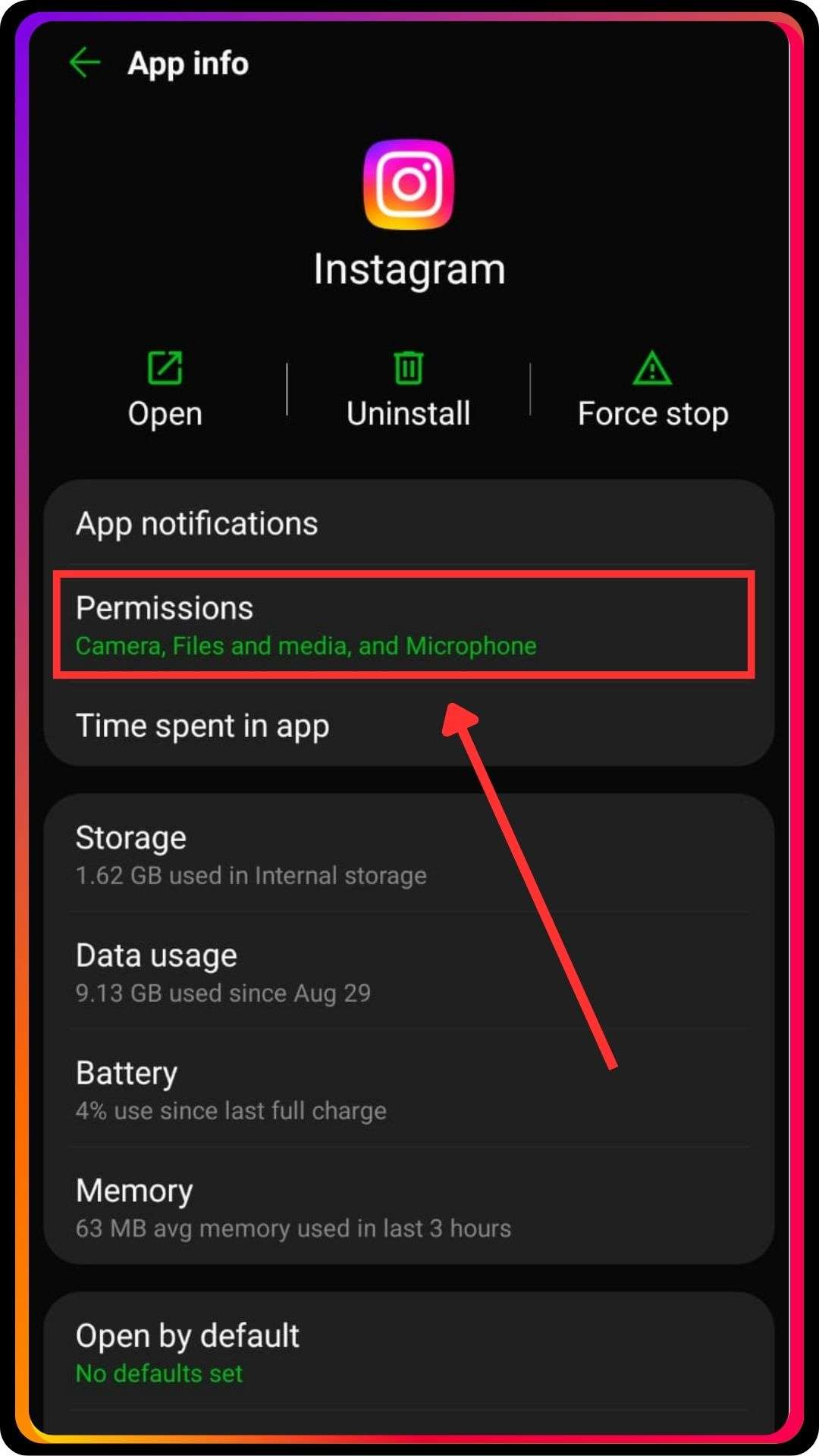
    • Open the Instagram app and check whether camera and microphone permissions remain disabled inadvertently.
    • Enable both permissions inside device settings because the live button requires full access.
    • Restart the app afterward to refresh real-time broadcasting features correctly.
    • Test your live stream on another device to verify permission reliability.
    • Contact Instagram support if permissions function correctly but the platform still blocks your live session.

    2: Update Outdated App Versions

    Update Outdated App Versions
    • Check whether you use an outdated app because updates fix live broadcast failures.
    • Install the newest version straightaway to restore stable live stream functionality overall.
    • Restart the device afterward to eliminate corrupted cache issues basically.
    • Login again and attempt to go live on Instagram once updates complete fully.
    • If errors continue, compare behavior on Android or desktop to isolate version-related problems.

    3: Meet Instagram Live Requirements

    Meet Instagram Live Requirements
    • Ensure your account must be at least 30 days old to access broadcasting tools.
    • Check whether any community guidelines violations flagged your profile recently.
    • Wait until restrictions expire, because Instagram may block live session features temporarily.
    • Remove third-party tools that modify stories or hashtags usage concurrently.
    • Review the help center for specific limitations and submit a report if restrictions appear incorrect.

    4: Improve Internet and Mbps Stability

    Improve Internet and Mbps Stability
    • Test your connection speed because low mbps often disrupts Instagram live streams significantly.
    • Switch to a stronger Wi-Fi network, or use another device with better signal strength.
    • Restart the router beforehand to clear network congestion issues entirely.
    • Close background apps that interfere with real-time broadcasting performance comparatively.
    • Attempt a live broadcast again afterward and monitor stability during the countdown phase.

    5: Use Desktop Tools Like OBS Studio

    • Try streaming using OBS Studio because desktop broadcasting sometimes works when mobile fails.
    • Connect a reliable webcam and grant camera and microphone permission forthwith.
    • Link your stream key correctly and test your live stream preview earlier.
    • Adjust bitrate settings to match recommended mbps for stable output comparatively.
    • Contact Instagram support if desktop broadcasting works, but mobile streaming fails repeatedly.

    Policies Affecting Your Instagram Live Stream Access

    Users often think, “Why can’t I go live on Instagram?” because Instagram’s community guidelines or account restrictions may block live streaming. Accounts must be at least 30 days old and eligible for live access before starting. Past infractions, copyrighted music, or technical glitches can prevent live sessions. Additionally, Instagram’s library and platform policies require a professional account to access desktop live streaming. Even if your account has followers, It doesn’t always grant live option access, and permissions for video and audio must be correctly enabled.

    Best Practices To Go Live on Instagram Smoothly

    • Ensure your account must meet eligibility for live access, including minimum age and follower requirements.
    • Test your mobile app or desktop live streaming setup beforehand to prevent technical glitches during your broadcast.
    • Use a professional webcam and check video and audio quality to achieve a successful live stream.
    • Maintain at least 5 mbps upload speed for real-time streaming without interruptions.
    • Connect Instagram live to social media platforms to promote in advance and boost audience engagement.
    • Use royalty-free music to avoid interruptions due to copyrighted music restrictions.
    • Share stories with countdown stickers to alert followers about your live session.
    • Enable comments to boost interaction and foster a sense of community with your followers.
    • Stream via Instagram Live Producer or Streamlabs for professional control and real-time monitoring.

    Conclusion

    If you’re wondering, “Why can’t I go live on Instagram?”, there are several factors to consider. First, make sure you’ve enabled camera and microphone access in your device settings. Next, check if your app is outdated and update it if necessary. Your account must also meet Instagram’s live streaming requirements, including follower count. A poor internet connection can also prevent you from streaming, so ensure your connection is stable. For those who want to enhance their stream, consider using desktop tools like OBS Studio. Have you faced any of these issues when trying to go live on Instagram, and how did you resolve them?

    For more troubleshooting tips, check out our guide on why you can’t go live on TikTok.

    FAQs

    1. Does poor internet connection affect going live?

    Yes, a weak or unstable connection can prevent you from streaming a live video on Instagram.

    2. Can I go live from a business account?

    Yes, business accounts can also go live, as long as they meet the eligibility criteria.

    3. Can I use Instagram live without followers?

    It generally requires a certain number of followers to access live streaming.

    4. What other platforms can I use for real-time streaming?

    You can try platforms like Facebook Live, YouTube Live, or TikTok for live streaming.

    5. What should I do if Insta live isn’t working?

    Check your internet connection, camera permissions, and Instagram’s server status.

  • 200+ Christmas Instagram Captions for the Perfect Holiday Vibe

    200+ Christmas Instagram Captions for the Perfect Holiday Vibe

    Christmas Instagram Captions

    Looking for some perfect Christmas Instagram captions can be a real challenge. With so many festive photos, Christmas tree pictures, and holiday moments, finding the right words can be overwhelming. Studies show that holiday-related posts with the right captions get more engagement and likes. Whether it’s a funny Christmas caption or a heartfelt message, your caption can make a huge difference in the holiday vibe you create. In this article, we’ve gathered 200+ Christmas Instagram captions that will help elevate your holiday posts and add that extra sparkle to your Instagram feed. From family photos to Christmas parties, we’ve got you covered!

    Christmas Instagram Captions to Spread the Cheer

    1. “Tis the season for love, laughter, and holiday cheer!”
    2. “Making spirits bright, one post at a time.”
    3. “Wrapped up in twinkling lights and festive vibes.”
    4. “Let the holiday magic begin!”
    5. “Sleighing it this season with love and light!”
    6. “Catching all the good vibes and festive joy!”
    7. “Snowflakes, hot cocoa, and all the good things that come with the season.”
    8. “Spreading cheer, love, and festive fun everywhere I go!”
    9. “Festive feels are in the air and on my feed!”
    10. “Jolly vibes only, let the holiday fun begin!”
    11. “Deck the halls and my feed with all the holiday cheer!”
    12. “Here’s to family, fun, and festive vibes this season!”
    13. “Season’s greetings filled with love, light, and everything festive!”
    14. “Home for the holidays, where the fun never ends.”
    15. “Let’s make this season sparkle with joy and laughter.”
    16. “Twinkling lights and cozy nights – the best combo for the season.”
    17. “Sharing the warmth of the season with all my loved ones.”
    18. “This season’s all about spreading love and joy, everywhere!”
    19. “Filling the feed with festive fun, cheer, and lots of sparkle.”
    20. “Wishing everyone a holiday season filled with happiness and light!”

    Christmas Tree Captions

    1. “O Christmas tree, you light up my feed and my heart.”
    2. “The tree is up, and the festive fun begins!”
    3. “Twinkling lights, ornaments, and holiday joy all wrapped up in one tree!”
    4. “Filling my home and feed with the beauty of the season.”
    5. “Lights, love, and everything festive – that’s what my tree is made of.”
    6. “The best part of the season? The magic of a decorated tree!”
    7. “Bringing the holiday spirit to life with this beautiful tree.”
    8. “A tree full of lights, love, and all the good things the season brings.”
    9. “My tree’s shining bright, spreading all the holiday cheer!”
    10. “O Tannenbaum, you bring all the magic of the season!”
    11. “Decking the halls with my favorite holiday tradition.”
    12. “Let’s light up the night with Christmas cheer, thanks to this tree!”
    13. “This tree is the heart of my holiday home.”
    14. “A Christmas tree that’s as bright as the joy it brings!”
    15. “The holidays wouldn’t be the same without this beautiful tree!”
    16. “Tis the season to gather around the tree and share the love.”
    17. “There’s something magical about a Christmas tree that fills my heart with joy.”
    18. “Christmas magic is in the air, and it shines through this tree.”
    19. “My favorite holiday tradition: decorating this tree with love and laughter.”
    20. “Christmas lights and joy fill my tree and my heart.”

    Cute Christmas Captions

    1. “Sugar, spice, and everything nice, that’s what this season is made of!”
    2. “Cuddle weather and Christmas cheer, what could be better?”
    3. “Tis the season for cozy moments, twinkling lights, and hot cocoa!”
    4. “Making my feed as cute and festive as the season itself!”
    5. “Wrapped in love, joy, and all the magic of the season.”
    6. “Holiday smiles and Christmas cheer, everywhere I go!”
    7. “The season for cuddles, cocoa, and all things festive.”
    8. “Bringing the magic of the holidays to life, one post at a time!”
    9. “Twinkling lights, sweet moments, and all the holiday feels!”
    10. “Fleece Navidad! Wishing you warmth and love this holiday season.”
    11. “Christmas magic is real, and it’s wrapped in holiday lights!”
    12. “The season for family, fun, and all things festive!”
    13. “Let the holiday magic sparkle and shine through every post!”
    14. “Good vibes, warm fires, and everything sweet this holiday season!”
    15. “Feelin’ festive, cozy, and all-around merry this time of year!”
    16. “Christmas joy, cute moments, and all the best vibes, that’s what it’s about!”
    17. “Holiday magic is in the air and on my feed!”
    18. “Tis the season for family moments, sweet treats, and Christmas cheer!”
    19. “All I want for Christmas is cozy vibes, love, and a good Instagram post.”
    20. “Making this season sparkle, one cute post at a time!”

    Family-Oriented Christmas Captions

    1. “Home for the holidays, where the heart is full of love and laughter.”
    2. “Family time, holiday magic, and memories that last a lifetime.”
    3. “The best part of the season? Spending time with the ones you love most.”
    4. “Holiday traditions are the best when shared with family by your side.”
    5. “Making memories, spreading cheer, and cherishing every moment with family.”
    6. “There’s no place like home, especially when surrounded by the ones you love.”
    7. “Gathering around the tree, sharing love, and making memories.”
    8. “Family, love, and laughter, that’s what this holiday season is all about.”
    9. “The magic of the season is best experienced with family by your side.”
    10. “Cherishing every moment with loved ones this holiday season.”
    11. “Spreading love and joy, one family gathering at a time!”
    12. “The heart of Christmas is found in the love shared with family.”
    13. “Holiday fun is at its best when spent with the people who matter most.”
    14. “Together is the best place to be this Christmas season.”
    15. “This season is all about family, joy, and creating lasting memories.”
    16. “Gathering with family to make this Christmas unforgettable.”
    17. “The holidays are brighter when spent with the people you love.”
    18. “Home is where the Christmas magic happens, especially with family by your side.”
    19. “Laughter, love, and family, the perfect combination for a wonderful holiday season.”
    20. “Every moment spent with family this season is a Christmas memory in the making.”

    Captions for Christmas Couple Photos

    1. “Walking in a winter wonderland with my favorite person by my side.”
    2. “Together is the best place to be this Christmas.”
    3. “My favorite holiday is better with you by my side.”
    4. “The best gift I ever got is you.”
    5. “Wishing for nothing more than this moment with you.”
    6. “Twinkling lights and cozy nights with my love.”
    7. “Feeling festive with my favorite person in the world.”
    8. “Wrapped up in love and holiday cheer.”
    9. “Nothing beats a holiday cuddle with my special someone.”
    10. “Our love is the perfect present this Christmas.”
    11. “Snowflakes, hot cocoa, and you – what more could I ask for?”
    12. “Christmas is sweeter when shared with the one you love.”
    13. “Under the mistletoe, everything feels right.”
    14. “Building memories together, one Christmas at a time.”
    15. “Love is in the air, and so is the Christmas spirit.”
    16. “You’re my favorite holiday tradition.”
    17. “Cozy moments and snowy nights with the love of my life.”
    18. “Here’s to love, laughter, and a Christmas full of joy.”
    19. “Wishing you a Christmas as wonderful as you are.”
    20. “Making every moment together magical this holiday season.”

    Holiday-Themed Captions for Christmas Posts

    1. “All I want this holiday season is love, laughter, and a cozy home.”
    2. “May your days be merry and bright, full of laughter and love.”
    3. “Tis the season to be jolly and celebrate with the ones who matter.”
    4. “Snowflakes, good food, and great company – the perfect holiday mix.”
    5. “It’s the most wonderful time of the year to spread love and cheer.”
    6. “Spreading holiday cheer, one smile at a time.”
    7. “Joy to the world, let the celebrations begin!”
    8. “Season’s greetings from our home to yours.”
    9. “Wishing you all the holiday magic and happiness.”
    10. “The holidays are about family, love, and making memories.”
    11. “It’s the little moments that make the holidays unforgettable.”
    12. “Cocoa, cookies, and Christmas cheer – what’s not to love?”
    13. “Let’s make this holiday season sparkle with joy and laughter.”
    14. “Gathering around the tree, making memories that last forever.”
    15. “Wrapped in warmth, love, and holiday spirit.”
    16. “Feeling the magic of the season, one moment at a time.”
    17. “The holidays are a time for love, laughter, and endless memories.”
    18. “Holiday fun begins with family, friends, and lots of laughter.”
    19. “Let the festivities begin with love and happiness all around.”
    20. “May your holidays be as sweet as your favorite Christmas treat.”

    Christmas Captions Inspired by Songs and Movies

    1. “I’ll be home for Christmas, as long as I’m with you.”
    2. “All I want for Christmas is you… and maybe some hot chocolate.”
    3. “Rockin’ around the Christmas tree with the ones I love.”
    4. “Christmas time is here, and it’s the best time of the year.”
    5. “There’s no place like home for the holidays.”
    6. “The snow is falling, and the magic is alive.”
    7. “Santa baby, bring me the best gift – more moments like this.”
    8. “The best way to spread Christmas cheer is singing loud for all to hear.”
    9. “Underneath the tree, I found the greatest gift of all.”
    10. “Jingle bells, jingle bells, jingle all the way!”
    11. “Sleigh bells ring, are you listening? In the lane, snow is glistening.”
    12. “Christmas just got a whole lot brighter with you by my side.”
    13. “Like a snowflake, every moment this Christmas is unique and special.”
    14. “If I could be anywhere this Christmas, it’s right here with you.”
    15. “I’m dreaming of a white Christmas, but a warm one with you would do.”
    16. “Let it snow, let it snow, let it snow… as long as we’re together.”
    17. “Feeling cozy like I’m in my favorite Christmas movie.”
    18. “Just like the Grinch, you make my heart grow three sizes this season.”
    19. “The best part of the season is being with you.”
    20. “The magic of Christmas never ends, and it’s all thanks to you.”

    Short Christmas Captions for Instagram

    1. “Happy hearts and merry moments.”
    2. “Let the magic begin!”
    3. “Deck the halls with love and cheer.”
    4. “Festive vibes only.”
    5. “Snowflakes, love, and joy.”
    6. “Wrapped in holiday cheer.”
    7. “A cozy Christmas with the ones I love.”
    8. “Celebrating love and joy this Christmas.”
    9. “Tis the season to be jolly.”
    10. “Cheers to holiday joy and festive fun.”
    11. “The most wonderful time of the year.”
    12. “It’s Christmas time – let’s celebrate!”
    13. “Smiles, snowflakes, and sweet moments.”
    14. “Here’s to good times and holiday cheer.”
    15. “Love, laughter, and Christmas lights.”
    16. “All is calm, all is bright.”
    17. “Jingle all the way.”
    18. “Making memories, one holiday moment at a time.”
    19. “Season of love and joy.”
    20. “Feeling festive and fabulous.”

    Captions to Celebrate the Christmas Lights

    1. “The lights are twinkling, and so is my heart.”
    2. “Shining bright, just like the Christmas lights.”
    3. “Let the Christmas lights light up your world.”
    4. “Twinkling lights, warm nights, and holiday delights.”
    5. “There’s something magical about Christmas lights.”
    6. “Decorating the season with a little sparkle and shine.”
    7. “Feeling the holiday glow with these twinkling lights.”
    8. “Let the lights lead the way to holiday magic.”
    9. “Christmas lights and cozy nights – perfect combo.”
    10. “When the lights shine bright, everything feels right.”
    11. “Wrapped in lights and love this holiday season.”
    12. “Everything is better when it’s illuminated by Christmas lights.”
    13. “Shine bright this season like a Christmas tree.”
    14. “The lights are dazzling, but your smile shines the brightest.”
    15. “Catching the holiday glow, one twinkling light at a time.”
    16. “The best part of the holidays – the sparkling lights.”
    17. “A glowing season filled with holiday joy.”
    18. “Christmas lights, good vibes, and great company.”
    19. “Let’s light up this season with joy and cheer.”
    20. “Dazzling lights, festive nights, and holiday magic.”

    Funny Christmas Captions for Instagram

    1. “I’m only a morning person on Christmas.”
    2. “Santa saw your Instagram. You’re getting clothes.”
    3. “Dear Santa, I can explain.”
    4. “I’m on the naughty list, and I’m okay with it.”
    5. “Fleece Navidad, everyone!”
    6. “Trying to stay off the naughty list, but it’s hard.”
    7. “You can’t spell ‘Christmas’ without ‘chill.’”
    8. “Christmas calories don’t count, right?”
    9. “Dear Santa, all I want is a nap.”
    10. “On the nice list… I swear.”
    11. “Feeling sleigh-tastic this holiday season.”
    12. “Naughty or nice? I’m both – I don’t discriminate.”
    13. “Can I exchange my gift for something more practical?”
    14. “The tree isn’t the only thing getting lit this season.”
    15. “The holiday season – where you can eat cookies for breakfast.”
    16. “I’m dreaming of a white Christmas… but a tan will do.”
    17. “I’m on the ‘good enough’ list for Santa.”
    18. “I think I’ve been good enough this year… maybe.”
    19. “All I want for Christmas is my bed and a blanket.”
    20. “Christmas shopping? I’d rather just eat cookies.”

    Final Touches: Perfect Captions for the Christmas Season

    Finding the right Christmas Instagram caption can take your holiday posts from good to great. The perfect caption adds warmth, fun, and charm to your festive photos, whether you’re sharing family gatherings, Christmas lights, or funny moments. From short Christmas captions to clever and festive ones, the right words can bring holiday cheer to your Instagram feed. With these 200+ Christmas Instagram captions, you’re sure to find the perfect words to spread holiday magic. Which of these captions are you excited to use for your holiday posts this year? Let us know!

    Also, if you wish to share multiple festive photos at once, such as Christmas tree decorations and fun family moments, you could even upload them together using a guide like How to Add Multiple Photos to Instagram Story.