Category: Tech

  • Types of RAM in Computer: SRAM, DRAM, DDR4, DDR5 & More

    Types of RAM in Computer: SRAM, DRAM, DDR4, DDR5 & More

    If you are researching the types of RAM in computer systems, you may come across terms such as SRAM, DRAM, SDRAM, DDR4, DDR5, LPDDR, GDDR, DIMM, and SO-DIMM. The confusing part is that these terms do not all describe RAM in the same way.

    The two fundamental RAM technologies are SRAM (Static Random Access Memory) and DRAM (Dynamic Random Access Memory). Modern desktop and laptop system memory is primarily based on DRAM, with DDR4 and DDR5 being important generations of DDR memory. Other memory families, such as LPDDR and GDDR, are designed for different computing needs.

    This guide explains the different types of RAM, how they work, how they differ, what the common RAM generations mean, and what you should check before upgrading a computer.

    Quick Answer: What Are the Different Types of RAM in a Computer?

    The main types of RAM can be understood in several layers:

    • SRAM: Fast memory commonly used for CPU cache.
    • DRAM: High-density memory commonly used as a computer’s main system memory.
    • SDRAM: DRAM synchronized with a system clock.
    • DDR SDRAM: A form of SDRAM that transfers data on both clock edges.
    • DDR2, DDR3, DDR4, and DDR5: Different generations of DDR memory.
    • LPDDR: Low-power DDR memory commonly used in thin laptops and mobile devices.
    • GDDR: High-bandwidth memory designed primarily for graphics processors.
    • HBM: High-bandwidth memory used in specialized applications such as high-performance computing and AI accelerators.
    • DIMM and SO-DIMM: Physical memory-module formats rather than separate memory technologies.

    So, there is no single universally correct number of “RAM types.” The answer depends on whether you are classifying RAM by memory technology, generation, application, or physical module format.

    What Is RAM in a Computer?

    RAM stands for Random Access Memory. It is volatile memory that temporarily holds data and instructions that a computer needs while it is running.

    When you open a browser, launch an application, edit a document, play a game, or work with a large project, the operating system and applications need fast access to working data. RAM provides a much faster working area than long-term storage.

    A simple way to understand the relationship is:

    Storage → RAM → CPU

    Your SSD or other storage keeps files when the computer is turned off. RAM holds the information currently needed by active software. The processor then accesses that working information while performing tasks.

    When the computer loses power, the contents of ordinary volatile RAM are lost.

    RAM vs Storage

    RAM and storage are not the same thing.

    RAMStorage
    Temporary working memoryLong-term data storage
    Usually volatileNon-volatile
    Used heavily by active programsStores files, applications and the operating system
    Lower capacity in typical systemsUsually much larger capacity
    Optimized for fast active accessOptimized for persistent storage

    For example, a computer might have a 1 TB SSD and 16 GB of RAM. The SSD can keep hundreds of gigabytes of files, while the RAM provides the temporary workspace for applications currently running.

    How Does RAM Work?

    When you start a program, the computer moves the information needed for active processing from storage into memory.

    For example, imagine opening a photo-editing application.

    1. The application is stored on your SSD.
    2. You launch the application.
    3. The operating system loads required program data into RAM.
    4. The CPU works with the active data.
    5. Changes and frequently accessed information remain available in memory while you work.
    6. When the application closes, the operating system can reclaim that memory.

    This is one reason having enough RAM matters for multitasking. If available memory becomes insufficient, the operating system may rely more heavily on storage as an extension of working memory, which is considerably slower than accessing physical RAM.


    Main Types of RAM

    At the highest level, RAM is commonly divided into:

    1. SRAM — Static Random Access Memory
    2. DRAM — Dynamic Random Access Memory

    Modern memory terminology then becomes more detailed because DRAM has evolved into multiple families and generations.

    👉SRAM — Static Random Access Memory

    SRAM stands for Static Random Access Memory.

    SRAM stores each bit using a circuit that maintains its state while power is supplied. Unlike DRAM, it does not need the same periodic refresh operation used to maintain a DRAM cell’s stored charge.

    SRAM is fast, but it requires more circuitry per bit than DRAM. That makes it more expensive and less suitable for building large amounts of inexpensive main memory.

    Where Is SRAM Used?

    SRAM is commonly associated with CPU cache memory.

    Modern processors use several levels of cache, such as:

    • L1 cache
    • L2 cache
    • L3 cache

    Cache memory sits much closer to the processor than ordinary system RAM and is designed to provide very fast access to frequently needed information.

    Advantages of SRAM

    • Very fast access
    • No periodic DRAM-style refresh
    • Useful for processor cache
    • Good for small, high-speed memory structures

    Disadvantages of SRAM

    • More expensive per bit
    • Requires more physical circuitry
    • Lower density than DRAM
    • Not practical as the main memory technology for most consumer computers

    👉DRAM — Dynamic Random Access Memory

    DRAM stands for Dynamic Random Access Memory.

    DRAM stores information using memory cells based on capacitive charge and requires periodic refreshing to maintain stored data while power is supplied.

    The design allows DRAM to achieve much greater density than SRAM, making it practical for large amounts of system memory.

    That is why the RAM installed as your computer’s main memory is generally DRAM-based.

    Why Is DRAM Used for Main Memory?

    DRAM provides a useful balance between:

    • capacity
    • cost
    • density
    • performance
    • power consumption

    SRAM is faster in its typical cache role, but building tens of gigabytes of main memory from SRAM would be impractical for ordinary consumer systems.

    DRAM makes large memory capacities economically feasible.


    SRAM vs DRAM: What Is the Difference?

    FeatureSRAMDRAM
    Full nameStatic Random Access MemoryDynamic Random Access Memory
    RefreshDoes not require periodic DRAM-style refreshRequires periodic refresh
    Typical speedVery fastSlower than SRAM
    DensityLowerHigher
    Cost per bitHigherLower
    Common useCPU cacheMain system memory
    Circuit complexity per bitHigherLower
    Typical capacitySmallLarge

    Which Is Better: SRAM or DRAM?

    Neither is universally “better.”

    SRAM is better for very fast, small memory structures such as CPU cache. DRAM is better for providing large amounts of affordable system memory.

    The technologies are designed for different jobs.


    What Is SDRAM?

    SDRAM stands for Synchronous Dynamic Random Access Memory.

    The key idea is synchronization. SDRAM operates in coordination with a memory/system clock, allowing memory operations to be organized around clock cycles.

    Older SDRAM is different from modern DDR generations, but it is an important part of the development of computer memory.

    The term SDRAM is also found inside the name of modern DDR memory:

    DDR SDRAM = Double Data Rate Synchronous Dynamic Random Access Memory


    What Is DDR RAM?

    DDR stands for Double Data Rate.

    DDR memory can transfer data on both the rising and falling edges of a clock signal. This allows it to achieve higher effective data-transfer rates than earlier single-data-rate memory designs without simply requiring the clock itself to run at the same effective transfer rate.

    Modern system RAM is largely based on DDR technology.

    The main generations include:

    • DDR
    • DDR2
    • DDR3
    • DDR4
    • DDR5

    Each generation introduced improvements in areas such as transfer rates, memory architecture, power characteristics and capacity support.


    DDR RAM Generations Explained

    DDR / DDR1

    The original DDR generation improved data-transfer capability over earlier SDRAM by transferring data twice per clock cycle.

    It is now obsolete for modern desktop and laptop upgrades.

    DDR2

    DDR2 followed the original DDR generation and increased transfer capabilities while improving the memory interface.

    Like original DDR, DDR2 is now legacy technology.

    DDR3

    DDR3 became widely used in PCs, laptops and servers before later generations replaced it.

    It offered higher transfer rates and lower operating voltage than earlier DDR generations.

    Modern systems generally use newer memory, but DDR3 remains relevant when upgrading older computers.

    DDR4

    DDR4 became a major mainstream memory generation for desktop computers, laptops and servers.

    Compared with DDR3, DDR4 supports higher data-transfer rates and operates at a lower nominal voltage.

    DDR4 remains widely encountered in existing computers.

    👉DDR5

    DDR5 is a newer generation of DDR memory designed to provide higher bandwidth and greater memory scalability than previous mainstream generations.

    DDR5 also introduces architectural changes intended to improve memory performance and efficiency.

    However, DDR5 is not backward-compatible with DDR4 motherboards simply because both are DDR memory.

    The motherboard and processor platform must support the appropriate memory generation.


    DDR4 vs DDR5

    One of the most common RAM questions is whether DDR5 is better than DDR4.

    For a compatible modern platform, DDR5 provides newer memory technology and higher potential bandwidth. But that does not mean every DDR5 upgrade will automatically make every computer dramatically faster.

    FeatureDDR4DDR5
    GenerationOlder mainstream generationNewer mainstream generation
    Bandwidth potentialLowerHigher
    Nominal operating voltageHigher than DDR5Lower
    Platform compatibilityDDR4-compatible platformDDR5-compatible platform
    Physical compatibilityDDR4 slot/moduleDDR5 slot/module
    Upgrade pathExisting DDR4 systemsNewer compatible systems
    Interchangeable?NoNo

    Can DDR4 RAM Work in a DDR5 Motherboard?

    No.

    DDR4 and DDR5 modules use different physical and electrical designs. A DDR4 module is not a drop-in replacement for DDR5 memory, and vice versa.

    If you are upgrading RAM, check the motherboard or laptop specifications before purchasing memory.


    What Is LPDDR?

    LPDDR stands for Low Power Double Data Rate.

    It is designed with power efficiency in mind and is widely associated with mobile and thin-and-light computing.

    LPDDR is commonly found in:

    • smartphones
    • tablets
    • thin laptops
    • ultraportable computers
    • other battery-powered devices

    The important distinction is that LPDDR is not simply “slower DDR.” It is a family designed around the requirements of low-power devices.

    In some modern laptops, LPDDR memory may be soldered to the motherboard. That can reduce upgradeability compared with systems that use replaceable memory modules.


    What Is GDDR?

    GDDR stands for Graphics Double Data Rate.

    It is designed primarily for graphics processing and is commonly used as dedicated memory associated with GPUs.

    Graphics workloads can require very high memory bandwidth because a GPU may process large quantities of image, video, texture and computational data simultaneously.

    GDDR therefore serves a different purpose from the DDR system memory installed on a typical desktop motherboard.

    GDDR vs DDR

    DDR system memory is primarily used as general-purpose system RAM.

    GDDR is designed for graphics-oriented workloads and is commonly used as dedicated GPU memory.

    They should not be treated as interchangeable versions of the same RAM module.


    What Is HBM?

    HBM stands for High Bandwidth Memory.

    HBM is a specialized high-bandwidth memory technology designed for demanding computing workloads.

    It is particularly relevant to areas such as:

    • high-performance computing
    • specialized accelerators
    • AI workloads
    • data-center computing
    • high-end graphics and compute systems

    HBM is fundamentally different from the DIMM-based RAM that most desktop users install themselves.

    JEDEC currently lists HBM among its main-memory technology areas, alongside DDR SDRAM and LPDDR.


    RAM Module Types: DIMM, SO-DIMM and More

    Another source of confusion is the difference between a memory technology and a memory module format.

    For example:

    DDR5 describes a memory generation.

    DIMM describes a physical module format.

    These are not competing categories.

    DIMM

    DIMM stands for Dual In-Line Memory Module.

    Standard DIMMs are commonly used in desktop computers and other systems that have room for full-size memory modules.

    SO-DIMM

    SO-DIMM stands for Small Outline DIMM.

    These smaller modules are commonly associated with:

    • laptops
    • compact PCs
    • small-form-factor systems

    A desktop DIMM and laptop SO-DIMM are not automatically interchangeable.

    UDIMM

    UDIMM means Unbuffered DIMM.

    These are commonly used in consumer and workstation systems.

    RDIMM

    RDIMM means Registered DIMM.

    Registered memory includes additional buffering between the memory controller and the memory modules and is commonly associated with servers and other systems designed for large memory configurations.

    A server platform that supports RDIMMs should be matched with the appropriate supported memory rather than assuming ordinary desktop RAM will work.

    LRDIMM

    LRDIMM stands for Load-Reduced DIMM.

    It is designed for systems that need to support large memory configurations while reducing electrical loading on the memory controller.

    Again, compatibility is platform-specific.


    RAM Technology vs RAM Generation vs RAM Module

    This distinction makes RAM terminology much easier to understand.

    TermWhat It DescribesExample
    SRAM/DRAMMemory technologyDRAM
    SDRAMSynchronous DRAM architectureSDRAM
    DDRData-transfer/interface familyDDR SDRAM
    DDR4/DDR5DDR generationsDDR5
    LPDDRLow-power memory familyLPDDR5
    GDDRGraphics-oriented memory familyGDDR6
    HBMHigh-bandwidth memory technologyHBM
    DIMMPhysical module formatDDR5 DIMM
    SO-DIMMSmaller module formatDDR5 SO-DIMM
    ECCError-detection/correction featureECC memory
    RDIMMRegistered module typeDDR5 RDIMM

    This is why asking “How many types of RAM are there?” does not have one simple numerical answer.

    Different classifications describe different characteristics.


    Important RAM Specifications to Understand

    Knowing the RAM type is only part of choosing memory.

    You should also understand capacity, transfer rate, latency and compatibility.

    RAM Capacity

    RAM capacity is normally measured in gigabytes (GB).

    Common capacities include:

    • 8 GB
    • 16 GB
    • 32 GB
    • 64 GB
    • 128 GB or more in systems designed to support larger configurations

    More RAM can help when your workload needs additional working memory.

    However, adding RAM beyond what your applications actually need does not automatically make every task faster.

    RAM Speed and Transfer Rate

    Memory specifications are often marketed using numbers such as:

    • DDR4-3200
    • DDR5-5600
    • DDR5-6000

    These numbers describe a memory’s data-transfer capability rather than simply meaning that the physical clock runs at that exact number of MHz.

    This is why MT/s is often a more precise way to describe DDR data-transfer rates.

    RAM Latency

    Latency describes how long the memory takes to respond to particular operations.

    Memory performance therefore should not be judged by one number alone.

    A useful evaluation considers:

    • transfer rate
    • timings
    • latency
    • memory architecture
    • platform
    • workload

    Memory Bandwidth

    Bandwidth describes how much data can potentially be transferred over a period of time.

    Higher bandwidth can be especially useful for workloads that move large amounts of data.

    But real-world performance depends on the entire system, not RAM bandwidth alone.


    How RAM Affects Computer Performance

    RAM affects performance most noticeably when the amount of available memory is limiting what the computer can keep readily available.

    For example, additional RAM can help with:

    Multitasking

    Running many applications and browser tabs can consume substantial memory.

    Content creation

    Photo editing, video editing, 3D applications and other professional software can benefit from sufficient RAM.

    Gaming

    Modern games can require significant system memory, especially when running alongside other applications.

    Programming

    Developers working with large IDEs, containers, virtual machines or multiple development tools can benefit from additional memory.

    Virtual machines

    Running several virtual machines simultaneously can create a large RAM requirement because each virtualized environment needs memory.

    The key principle is:

    Enough RAM matters more than simply having the maximum possible RAM.


    How Much RAM Do You Need?

    There is no single amount that is perfect for every computer.

    A practical starting point is:

    Use casePractical starting point
    Basic browsing and light tasks8 GB
    General productivity16 GB
    Gaming and heavier multitasking16–32 GB
    Photo/video creation32 GB or more
    Development with demanding tools32 GB or more
    Heavy professional workloads64 GB+ depending on workload

    These are general guidelines, not strict requirements.

    The right amount depends on the operating system, applications, workload, multitasking habits and platform.


    Which Type of RAM Is Best?

    There is no universally best type of RAM.

    The correct memory depends on the computer.

    For example:

    • A desktop may require DDR4 or DDR5 DIMMs.
    • A laptop may use DDR4 or DDR5 SO-DIMMs.
    • A thin laptop may use LPDDR memory.
    • A server may require ECC RDIMMs.
    • A graphics card uses dedicated graphics memory such as GDDR.
    • Specialized accelerators may use HBM.

    The best RAM is therefore the compatible memory that provides the capacity, performance and reliability your workload actually needs.


    How to Check Which RAM Your Computer Uses

    Before buying an upgrade, identify the memory already supported by your system.

    1. Check the computer or motherboard specifications

    The manufacturer’s specifications can tell you:

    • supported DDR generation
    • maximum RAM capacity
    • supported memory speeds
    • number of slots
    • module type
    • ECC support
    • channel configuration

    2. Check Windows

    Windows tools such as Task Manager can show installed memory and useful information such as speed and the number of slots being used.

    3. Check BIOS/UEFI

    The firmware interface may provide information about installed memory and configuration.

    4. Use a trusted hardware-information utility

    A reputable hardware-information tool can provide additional details about memory modules and their configuration.

    5. Check the exact model

    For laptops especially, search for the exact model number in the manufacturer’s documentation.

    This is important because two laptops with similar names can have different memory configurations.


    Common RAM Upgrade Mistakes

    Buying the wrong DDR generation

    DDR4 and DDR5 are not interchangeable.

    Always confirm the platform’s supported memory generation.

    Confusing RAM speed with capacity

    A 32 GB kit and a 16 GB kit answer different performance needs.

    Capacity and speed should be evaluated separately.

    Assuming more RAM always means more speed

    If your workload already fits comfortably in available memory, adding more capacity may produce little performance improvement.

    Ignoring module format

    A desktop DIMM is not the same physical format as a SO-DIMM used in many laptops.

    Ignoring soldered memory

    Some thin laptops use soldered memory, meaning a normal RAM-module upgrade may not be possible.

    Buying server memory for a desktop

    RDIMM and other server-oriented memory types require compatible platforms.

    Ignoring the motherboard’s maximum supported capacity

    Installing more RAM than the platform supports does not guarantee that the system will recognize or use it.

    Mixing incompatible memory

    Different memory specifications can create compatibility or stability problems.

    When upgrading, matching the supported memory type and following the motherboard or system manufacturer’s specifications is safer than choosing RAM based only on a speed number.


    RAM vs ROM: What’s the Difference?

    RAM and ROM serve different purposes.

    RAMROM
    Random Access MemoryRead-Only Memory
    Usually volatileNon-volatile
    Working memoryFirmware-related storage in many contexts
    Frequently read and written during normal operationTraditionally intended for persistent data
    Used heavily by active programsCommonly associated with firmware

    Modern systems can use many kinds of non-volatile storage and firmware technologies, so the traditional “ROM means permanently read-only memory” explanation is an oversimplification.


    👉RAM vs SSD: What’s the Difference?

    RAM and an SSD are both important, but they solve different problems.

    RAM provides temporary working space for active tasks.

    An SSD provides persistent storage for files, applications and the operating system.

    A computer can have:

    16 GB RAM + 1 TB SSD

    and both numbers are describing completely different resources.

    Increasing SSD capacity does not directly replace the need for sufficient RAM, and increasing RAM does not replace long-term storage.


    Key Takeaways

    • RAM is temporary working memory used by active computing tasks.
    • SRAM and DRAM are the two fundamental RAM technologies.
    • SRAM is commonly used for CPU cache because of its speed.
    • DRAM is commonly used for large-scale system memory.
    • SDRAM is synchronized with a clock.
    • DDR is a major family of SDRAM that transfers data on both clock edges.
    • DDR2, DDR3, DDR4 and DDR5 are different generations.
    • DDR4 and DDR5 are not interchangeable.
    • LPDDR is designed for low-power computing.
    • GDDR is primarily used for graphics memory.
    • HBM is designed for specialized high-bandwidth workloads.
    • DIMM and SO-DIMM describe physical module formats.
    • RAM capacity, transfer rate, latency and compatibility all matter.
    • More RAM is not automatically better if your workload does not need it.
    • Always verify platform compatibility before buying or upgrading RAM.

    Frequently Asked Questions About RAM

    What are the different types of RAM in a computer?

    The two fundamental types are SRAM and DRAM. Modern RAM can also be classified into families and generations such as SDRAM, DDR, DDR2, DDR3, DDR4, DDR5, LPDDR and GDDR. DIMM and SO-DIMM, meanwhile, describe physical module formats rather than separate RAM technologies.

    What are the two main types of RAM?

    The two fundamental types are SRAM (Static RAM) and DRAM (Dynamic RAM). SRAM is commonly used for high-speed cache memory, while DRAM is widely used as a computer’s main system memory.

    What is the difference between SRAM and DRAM?

    SRAM uses a memory-cell design that does not require periodic DRAM-style refreshing and is generally faster but more expensive and less dense. DRAM is denser and more economical for large capacities, which makes it suitable for main system memory.

    Which type of RAM is used in modern computers?

    Most modern desktop and laptop system memory is based on DRAM technology, particularly DDR-family memory. The exact generation and module format depend on the computer platform.

    What is DDR RAM?

    DDR stands for Double Data Rate. DDR memory transfers data on both edges of a clock signal, increasing data-transfer capability compared with earlier single-data-rate memory.

    What is the difference between DDR4 and DDR5?

    DDR5 is a newer generation of DDR memory with higher bandwidth potential and architectural improvements over DDR4. DDR4 and DDR5 require compatible platforms and are not interchangeable.

    Can I use DDR4 RAM in a DDR5 motherboard?

    No. DDR4 and DDR5 modules have different physical and electrical characteristics. The motherboard and processor platform must support the memory generation you install.

    Is LPDDR better than DDR5?

    Neither is universally better. LPDDR is optimized for low-power devices, while standard DDR5 is widely used as system memory in compatible desktop and laptop platforms. The appropriate choice depends on the device design.

    What is GDDR RAM?

    GDDR is a graphics-oriented memory family designed primarily for use with GPUs. It emphasizes high memory bandwidth for graphics and parallel workloads.

    What is HBM?

    HBM stands for High Bandwidth Memory. It is a specialized memory technology designed for very high-bandwidth computing workloads, including certain AI, accelerator and high-performance computing systems.

    How much RAM does a computer need?

    For many general-purpose computers, 16 GB is a practical starting point. Gaming, professional creative work, development, virtual machines and other demanding workloads may benefit from 32 GB or more. The correct amount depends on actual workload requirements.

    Is more RAM always better?

    No. More RAM helps when your workload needs it. Once you have enough memory for the applications you use, additional capacity may provide little improvement unless you start running more demanding workloads.

    How do I know which RAM my computer needs?

    Check the exact motherboard or computer model and verify the supported DDR generation, module type, maximum capacity, supported speeds and other requirements. For laptops, also check whether the memory is replaceable or soldered.

    What is the fastest type of RAM?

    There is no single “fastest RAM” for every use case. Different technologies are optimized for different workloads. SRAM is extremely fast and commonly used for cache, while GDDR and HBM are designed for high-bandwidth specialized workloads.


    Final Answer

    The easiest way to understand types of RAM in computer systems is to stop treating every RAM-related term as a separate category.

    Think of the hierarchy like this:

    RAM
    SRAM / DRAM
    SDRAM
    DDR SDRAM
    DDR generations such as DDR4 and DDR5

    Then consider specialized families:

    LPDDR → low-power devices

    GDDR → graphics

    HBM → specialized high-bandwidth computing

    And finally, consider physical implementations:

    DIMM / SO-DIMM / RDIMM / LRDIMM

    Once these categories are separated, RAM terminology becomes much easier to understand—and choosing compatible memory becomes much less confusing.

  • Physics Fundamentals: Principles, Concepts, and Methods

    Physics Fundamentals: Principles, Concepts, and Methods

    Physics Fundamentals

    Many learners find it difficult to learn physics fundamentals because concepts often appear abstract and confusing. Studies show students misunderstand core ideas when they lack clear connections between theory and real-world applications. This gap prevents them from using physics to understand the natural world effectively and confidently.

    This guide presents the principles, concepts, and methods of physics fundamentals through structured explanations and practical approaches. It simplifies key ideas, laws, and calculations so readers can build strong conceptual clarity. You will find a complete guide here that supports learning, application, and confident problem-solving.

    What is Physics?

    Physics studies matter, energy, and their interactions through measurable quantities and mathematical relationships. It forms the foundation of science and engineering by explaining natural phenomena using physical laws and equations. Additionally, physicists analyze motion, forces, and energy transfer to interpret real-world systems accurately. Physics fundamentals include concepts like acceleration, kinetic energy, and gravitational forces, which govern everyday experiences. Consequently, this field connects classical mechanics with modern physics, including quantum mechanics and relativity, thereby shaping technological progress and scientific advancements globally.

    Physics Fundamentals and Their Role in Science

    Physics fundamentals provide essential knowledge about matter, motion, and energy interactions across various scientific disciplines. These fundamentals of physics include principles such as conservation of energy, electromagnetic behavior, and gravitational forces. Additionally, scientists use mathematical models and equations to explain acceleration, rotational motion, and energy transfer accurately. Consequently, these concepts support advancements in science and engineering, enabling innovation in technology and research fields.

    Modern physics, including quantum physics and relativity, expands traditional ideas beyond classical mechanics significantly. Physicists apply special relativity and atomic theories to explain high-speed particles and microscopic systems effectively. Furthermore, concepts like magnetism, electromagnetic radiation, and optics contribute to communication and imaging technologies. Therefore, physics fundamentals remain essential for interpreting natural processes and developing scientific solutions across multiple industries.

    Branch of Physics and Their Scope

    BRANCH OF PHYSICSSCOPE AND APPLICATION
    Classical MechanicsStudies motion, forces, acceleration, and laws of motion in physical systems
    ThermodynamicsFocuses on energy transfer, heat, and law of thermodynamics in systems
    ElectromagnetismExamines magnetic fields, electromagnetic radiation, and electrical interactions
    Quantum MechanicsExplains atomic and subatomic behavior using quantum physics principles
    RelativityAnalyzes space, time, and motion through special relativity concepts
    OpticsStudies light behavior, reflection, and applications in imaging technologies
    CosmologyInvestigates the universe structure, expansion, and gravitational interactions

    Laws of Physics and Their Universal Importance

    Laws of Physics

    Physical laws describe consistent patterns governing matter, energy, and interactions across the universe. These laws of physics include conservation of energy, gravitational attraction, and electromagnetic principles affecting daily phenomena. Additionally, physicists use mathematical equations to represent physical laws precisely and predict outcomes accurately. Consequently, these principles in physics support progress in science and engineering worldwide. Therefore, universal laws ensure observational consistency, enabling scientists to explain processes and develop reliable technological systems efficiently.

    3 Laws of Physics:

    • Conservation of energy states that energy transfer occurs, but total energy remains constant.
    • Gravitational law explains attraction between masses, especially in cosmology and planetary systems.
    • Electromagnetic laws describe magnetism, magnetic fields, and interactions within electromagnetism systems.

    Laws of Motion and Their Practical Applications

    Laws of Motion

    Laws of motion explain object behavior under forces, forming the foundation of classical mechanics systems. Newton’s laws define acceleration, inertia, and action-reaction relationships in physical systems clearly. Additionally, these laws apply to vehicles, machinery, and gravitational interactions affecting planetary motion. Consequently, engineers use these principles to design efficient transportation and mechanical structures. Real examples include calculating kinetic energy, analyzing rotational systems, and improving performance through accurate motion predictions.

    3 Laws of Motion:

    • First law explains inertia, where objects remain at rest or in motion unless acted upon.
    • Second law relates acceleration to force and mass using a mathematical equation.
    • Third law states that action and reaction forces occur equally and oppositely in interactions.

    Thermodynamics and Energy Systems

    Thermodynamics

    Laws of Thermodynamics:

    Firstly, the laws of thermodynamics explain energy distribution within matter and energy systems in physics fundamentals. Secondly, these fundamental laws describe forms of energy conversion, including electrical energy and thermal processes. Consequently, principles of physics govern energy transfer, while the kinetic theory of gases supports temperature behavior. Therefore, thermodynamics remains essential across every branch of science and engineering.

    Role of Conservation of Energy in Physical Systems:

    Firstly, conservation of energy states that energy cannot vanish but transforms between different forms of energy. Consequently, this law supports understanding physics by linking potential energy and kinetic energy changes. Additionally, energy and momentum remain balanced during interactions, including air resistance effects. Therefore, physicists apply this concept in numerical calculations and real examples efficiently.

    Quantum Mechanics and Atomic Structure

    Quantum Mechanics

    Principles of Quantum Mechanics:

    Firstly, quantum mechanics and relativity explain microscopic behavior beyond classical Newtonian frameworks effectively. Additionally, these principles of physics describe matter and energy interactions using probabilities and wave interference patterns. Consequently, physicists apply fundamental laws to analyze electromagnetic waves and nuclear fusion processes. Therefore, this area of physics supports many technological advancements globally.

    Atomic Models and Subatomic Behavior:

    Initially, atomic models describe matter structure using quantum mechanics concepts and experimental observations. Furthermore, subatomic particles exhibit wave interference and amplitude variations similar to the behavior of transverse waves. Consequently, physicists explain dark matter theories and nuclear fusion using advanced concepts in physics. Therefore, atomic studies strengthen the understanding of the fundamentals of physics significantly.

    Relativity and the Nature of Space-Time

    Relativity and the Nature of Space-Time

    Special Relativity and Its Implications:

    Firstly, special relativity modifies classical mechanics by linking space and time within high-speed systems. Additionally, this theory explains energy and momentum relationships using advanced mathematical approaches. Consequently, physicists apply these laws and principles in space exploration and electromagnetic radiation studies. Therefore, relativity remains a vital part of physics fundamentals and modern physics research.

    Effects of Relativity on Time and Motion:

    Firstly, relativity affects time measurement when objects move near light speed significantly. Consequently, motion alters depending on reference frames, unlike traditional Newton’s laws of motion predictions. Additionally, these effects influence energy transfer and electromagnetic waves’ behavior. Therefore, this branch of physics enhances understanding of physics beyond classical limits in advanced scientific studies.

    Electromagnetic Phenomena and Radiation

    Electromagnetic Phenomena and Radiation

    Basics of Electromagnetic Theory:

    Firstly, electromagnetic theory explains electric and magnetic fields interacting through electromagnetic waves efficiently. Additionally, this area of physics studies electromagnetic radiation, sound waves, and wave interference patterns. Consequently, physicists apply these laws of physics to understand natural world processes accurately. Therefore, electromagnetism remains fundamental within physics fundamentals and science and engineering fields.

    Electromagnetic Radiation and Its Uses:

    Firstly, electromagnetic radiation includes visible light, radio waves, and X-rays used in daily applications. Additionally, these waves and optics principles support communication systems and medical imaging technologies. Consequently, physicists use amplitude and frequency calculations in numerical calculations for accurate results. Therefore, this concept drives many technological advancements in modern society.

    Use of Physics Fundamentals in Modern Technology

    Firstly, physics fundamentals support many technological advancements across science and engineering applications worldwide. Additionally, principles in physics guide the development of devices using electrical energy, electromagnetic waves, and energy transfer systems. Consequently, engineers apply Newton’s laws, conservation of momentum, and air resistance concepts in transportation safety systems like airbags. Furthermore, space exploration relies on laws of physics, gravitational forces, and energy calculations. Therefore, learning the basics of physics helps solve real-world examples and improve problem-solving skills efficiently.

  • How Mobile Connectivity is Transforming Home & On-Site Construction

    How Mobile Connectivity is Transforming Home & On-Site Construction

    How Mobile Connectivity is Transforming On-Site Construction

    In the last decade, the construction and home-improvement world has undergone a major shift. What was once an industry driven almost entirely by physical tools, paper plans, and face-to-face communication now relies heavily on smartphones, tablets, cloud platforms, and digital collaboration. Whether you’re a professional contractor juggling multiple job sites or a DIY homeowner tackling your first renovation project, mobile connectivity has become just as essential as a hammer or drill.

    From virtual design tools to remote project management apps, modern building workflows depend on being connected. And as more professionals work across cities, and even across borders, many are turning to new digital solutions such as eSIMs to stay online reliably. For example, travellers or remote contractors can easily get unlimited data with Holafly, simplifying connectivity on the move without relying on unstable Wi-Fi or costly roaming.

    Here’s how strong mobile connectivity is reshaping the construction and renovation industry, and why it matters whether you’re a builder, contractor, or homeowner.

    1. Digital Blueprints and On-Site Visualization Tools

    Gone are the days when contractors carried stacks of printed blueprints and risked damaging or losing documents. Today, most professionals use digital plans stored in the cloud.

    Mobile connectivity allows workers to:

    • download and update architectural drawings
    • access revised measurements in real time
    • use augmented-reality (AR) visualization tools
    • scan QR codes on materials
    • store plans in shared project drives

    With apps like AutoCAD, PlanGrid, Procore, and SketchUp, builders can now view highly detailed plans from their phone or tablet while standing directly on the job site.

    This level of instant access improves accuracy, reduces mistakes, and allows teams to solve problems faster.

    2. Project Management Across Multiple Sites

    Contractors and renovation professionals rarely work on just one project at a time. Staying organized across multiple job sites requires mobile tools, including:

    • Trello or Asana for task management
    • Google Drive or Dropbox for documents
    • Slack or Teams for team communication
    • Buildertrend or CoConstruct for project tracking
    • Time-tracking and invoicing apps

    These tools are only effective if workers have a strong mobile connection at all times.

    When travelling or working in areas where Wi-Fi is unreliable, remote neighbourhoods, new developments, or rural job sites, staying connected becomes even more important. Many contractors use eSIMs to overcome these gaps, allowing them to get unlimited data with Holafly and keep project communication on track.

    3. Remote Coordination With Suppliers and Clients

    Renovations move quickly, and small delays can cause expensive setbacks. Mobile connectivity allows contractors to communicate instantly with:

    • suppliers about deliveries
    • electricians and plumbers about scheduling
    • homeowners about design choices
    • inspectors about site approvals
    • subcontractors about last-minute changes

    Instead of waiting to return to the office, contractors can send photos, confirm measurements, approve orders, and adjust timelines directly from the job site. This efficiency keeps projects moving and reduces costly downtime.

    4. On-Demand Learning for DIY Homeowners

    The rise of DIY culture has been driven in large part by mobile access to tutorials, guides, and instructional videos. Whether it’s installing flooring, building a deck, rewiring a fixture, or learning how to use a new tool, homeowners rely on:

    • YouTube tutorials
    • step-by-step guides
    • DIY blogs and forums
    • live chat with tool experts
    • home-improvement apps

    Strong connectivity ensures that homeowners can troubleshoot issues in real time and complete projects safely and correctly.

    For travellers renovating a second home, digital data becomes even more important. Instead of hunting for local SIM cards or unreliable Wi-Fi, many simply use a digital travel eSIM to stay connected abroad.

    5. Smart-Home Installations and IoT Devices

    Home renovation is increasingly linked to smart technology, including:

    • security cameras
    • smart thermostats
    • lighting systems
    • digital locks
    • energy-monitoring tools
    • voice-controlled assistants

    These systems require initial setup using mobile apps and often need an active internet connection during configuration.

    Reliable mobile data helps installers:

    • update firmware
    • test device connectivity
    • diagnose Wi-Fi issues
    • connect smart hubs
    • help homeowners integrate new devices

    Without stable connectivity, installation times can double and smart-home features may not function properly.

    6. Safety, Compliance, and On-Site Reporting

    Construction sites rely heavily on safety protocols, and many of these are now digital:

    • mobile safety checklists
    • compliance photography
    • incident reporting apps
    • weather and hazard alerts
    • equipment tracking tags

    A reliable mobile connection ensures that workers can complete required documentation instantly, keeping projects compliant and protecting teams on site. For contractors who travel frequently, whether across states or internationally, using an eSIM solution helps maintain this reliability. Many choose to get unlimited data with Holafly, ensuring they stay connected even when moving between cities or countries.

    7. A More Efficient, Modern Approach to Building and Renovation

    Thanks to mobile technology, building and renovating homes is now faster, smarter, and more accurate than ever. Contractors can manage entire projects from their phone, communicate with teams instantly, and access real-time information that was previously unavailable on the job site.

    Homeowners benefit as well:

    • clearer project timelines
    • faster communication
    • fewer errors
    • more transparency
    • access to better DIY knowledge

    The result is a more streamlined industry where everyone, from builders to homeowners, can work more confidently.

    Final Thoughts

    Mobile connectivity has become a foundational part of modern construction and renovation. It powers digital tools, supports complex workflows, and ensures clear communication across teams, suppliers, and clients. As home-improvement trends continue to evolve, staying connected will remain a key part of building efficiently and responsibly. For travellers, remote contractors, or anyone working across multiple locations, digital tools like the Holafly travel eSIM offer an easy way to stay online anywhere. With instant activation and unlimited data, it ensures productivity never slows, no matter where the job takes you.

  • 5 Best SOAP Notes Software with Voice-to-Text and Automation Features

    5 Best SOAP Notes Software with Voice-to-Text and Automation Features

    Best SOAP Notes Software

    You finish with a patient. Then you spend 20 minutes charting. If this happens all day, by the time you leave, you’ve written more than you’ve treated. SOAP notes are non-negotiable. Insurance companies need them. Your legal records depend on them. But with the right soap notes software, they don’t have to eat up your entire day.

    Voice-to-text changes everything. Instead of hunting and pecking on a keyboard, you talk. The software listens. Your notes appear on screen. Some tools even structure the content into proper SOAP format automatically.

    5 SOAP Notes Tools with Voice-to-Text That Work

    Here are five tools that actually deliver on that promise.

    1. Noterro

    Noterro SOAP Notes (Image Source: Noterro.com)

    Why it stands out: Noterro is the top SOAP notes software built specifically for solo practitioners and small teams, not a hospital system trying to do everything.

    Noterro Scribe lets you record patient encounters or dictate notes directly into the app. The AI transcribes your words and organises them into a clinical note format. It identifies speakers, filters out small talk, and structures the content so you spend less time editing.

    This level of automation is especially powerful for clinics that rely on structured clinical documentation. Using SOAP notes software like Noterro ensures that subjective findings, objective observations, clinical assessments, and treatment plans are consistently captured in a compliant, easy-to-review format. Instead of manually formatting notes after each visit, practitioners can rely on AI-assisted workflows that align with professional documentation standards while reducing cognitive load and charting fatigue.

    Beyond voice, Noterro offers predictive charting that suggests text as you type. Snippets let you save phrases you use constantly. Noterro stands out as the Best Chiropractic Software with AI helping practitioners automate charting, reduce admin time, and improve clinical accuracy without extra setup or add-ons. And the mobile app means you can chart from your treatment room without being tied to a desktop.

    Key Features

    • Voice-to-chart transcription with speaker identification
    • Predictive charting that learns your patterns
    • Snippets for saving phrases you use constantly
    • Mobile app for charting from your treatment room
    • HIPAA, PIPEDA, and PHIDA compliant

    Pricing

    • Starts at $28.05 per month
    • Free trial: 14 days (no credit card required)

    Best For

    • Solo practitioners
    • Mobile therapists
    • Small clinics with tight budgets
    • Practitioners who need speed over bells and whistles

    Consider If You Need

    • Charting to take under 10 minutes per patient with AI
    • Mobile-first workflow
    • Affordable pricing that doesn’t break the bank

    2. Dragon Medical One

    Dragon Medical One Soap Notes (Image Source: Dragon Medical One)

    Why it stands out: Dragon Medical One by Nuance (now part of Microsoft) is a cloud-based speech recognition platform designed specifically for healthcare professionals. It allows you to dictate notes directly into most EMR systems.

    Unlike traditional desktop dictation solutions, Dragon Medical One is cloud-based. Your profile, preferences, and custom vocabulary come along with you wherever you’re working. Log in from any computer and pick up right where you left off.

    The software uses deep learning and neural network technologies. It delivers high accuracy out of the box with no upfront training required. The system adapts to your speaking patterns over time, which means fewer corrections the more you use it.

    Dragon has been around since the 1980s. Over 10,000 healthcare organisations use it globally. That track record means stability and proven performance.

    Key Features

    • PowerMic Mobile support turns your smartphone into a wireless microphone
    • Auto-formatting and smart punctuation for polished notes
    • Custom commands and templates for everyday phrases and workflows
    • Hands-free operation with voice commands like “wake up” or “go to next field”
    • HIPAA-compliant cloud security through Microsoft Azure

    Pricing

    • $99 per month (1-year license)
    • $89 per month (2-year license)
    • $79 per month (3-year license)
    • One-time implementation fee of $525

    Best For

    • Established practices with budget for premium tools
    • Clinicians who dictate across multiple workstations
    • Providers wanting proven, enterprise-grade accuracy

    Consider If You Need

    • Rock-solid speech recognition with decades of development
    • Mobile flexibility with smartphone microphone support
    • Integration with major EHR systems

    3.  Deepgram

    Deepgram (Image Source: Deepgram.com)

    Why it stands out: Deepgram offers an advanced speech-to-text API powered by deep learning and AI. It’s a strong choice for clinics and hospitals that need to connect health applications or build custom documentation workflows.

    The Nova-3 Medical Model has been trained to understand complicated medical terminology, medications, symptoms, and diagnoses. It handles the specialized vocabulary that general dictation tools miss.

    Smart formatting tools punctuate, paragraph, and auto-expand abbreviations and acronyms. Your notes come out readable without manual cleanup. Speaker identification makes it easy to differentiate who is speaking in a recording. That’s helpful for multi-party conversations.

    Deepgram supports multiple languages and accents. If you work with diverse patient populations, that flexibility matters.

    Key Features

    • Medical-grade accuracy trained on healthcare terminology
    • Smart formatting with automatic punctuation and paragraphing
    • Speaker identification for multi-party conversations
    • Multi-language support for diverse patient populations
    • Flexible API integration with EHR and other medical software

    Pricing

    • Free trial with $200 in credits (about 45,000 minutes of transcription)
    • Growth Plan: $4,000-$10,000 per year
    • Enterprise Plan: Custom pricing with dedicated support

    Best For

    • Tech-forward clinics building custom documentation workflows
    • Practices with developer resources for API integration
    • Multi-location healthcare systems needing scalable transcription

    Consider If You Need

    • High-volume transcription at scale
    • Custom integration with existing health software
    • Medical-specific vocabulary recognition

    4. SimplePractice

    Simple Practice (Image Source: SimplePractice.com)

    Why it stands out: SimplePractice added an AI tool called Note Taker that records sessions and generates draft progress notes. It works during telehealth appointments or through dictation after in-person visits.

    The tool converts your recordings into structured documentation using advanced soap notes software. You can choose SOAP, DAP, or BIRP formats based on your practice needs. As the AI learns from your edits over time, the notes begin to match your voice and style more closely.

    One thing to know. Note Taker currently works best with telehealth sessions. In-person recording through the mobile app is available but still newer. And dictation is only available on web browsers and iOS.

    SimplePractice connects scheduling, billing, and charting together. Your appointment details auto-populate into charts. Insurance verification is built in. If you want everything in one system and plan to grow your team, this platform scales well.

    The downside is price. You’re paying for a full practice management suite whether you use all the features or not.

    Key Features

    • Note Taker AI for session recording and dictation
    • Multiple note formats (SOAP, DAP, BIRP)
    • Self-learning AI that adapts to your style
    • Integrated scheduling and billing
    • Patient portal for online bookings and payments

    Pricing

    • $60 to $80 per month (depending on plan)
    • Note Taker included in subscription

    Best For

    • Therapists and mental health practitioners
    • Small clinics wanting full integration
    • Practices handling their own billing
    • Teams planning to grow beyond solo practice

    Consider If You Need

    • Everything connected in one place
    • Built-in scheduling and billing
    • A platform that scales with your clinic

    5. Freed

    Freed (Image Source: Freed.com)

    Why it stands out: Freed positions itself as an AI scribe built specifically for clinicians who hate charting. You press a button, have your patient conversation, and receive a structured SOAP note within minutes.

    The tool captures audio in real time during visits. It transcribes the conversation, identifies medical terminology, and organizes the content into clinical format. Processing usually takes under two minutes even for longer encounters.

    One feature that stands out in modern soap notes software is its self-learning capability. When you edit a note, Freed remembers. Over time, future notes align more closely with your preferences, so you spend far less time fixing the same details again and again.

    Freed works with any web-based EHR through copy and paste. A Chrome extension helps speed up the process. Direct integrations are still in development, so you’ll need to manually transfer notes for now.

    At $99 per month, Freed costs more than some competitors. But you get unlimited notes with no usage caps. For high-volume practices, that flat rate makes sense.

    Key Features

    • Real-time ambient listening during patient visits
    • SOAP notes generated in under 2 minutes
    • Self-learning AI that adapts to your style
    • Works across desktop, mobile, and tablet
    • HIPAA compliant with SOC 2 Type II certification

    Pricing

    • $99 per month (or ~$90 annually)
    • Unlimited notes included
    • 7-day free trial with 10 free visits

    Best For

    • Busy clinicians seeing high patient volumes
    • Practices wanting ambient AI rather than dictation
    • Providers who prefer flat-rate pricing

    Consider If You Need

    • AI that listens during visits, not after
    • Unlimited charting without usage caps
    • A tool that learns your documentation style

    Which One Actually Saves You Time

    All five tools work. The right choice depends on what matters most to you.

    If you’re watching every dollar, Noterro is among the top SOAP notes software for solo and small clinics. At $28.05 per month, it’s the most affordable option with built-in voice-to-text. You go from 30-minute charting sessions down to 10. That’s hours back every week from one tool.

    If you’re a therapist who needs everything connected, SimplePractice makes sense. The Note Taker feature works well for telehealth, and the platform scales as your practice grows.

    If you see high patient volumes and want ambient AI that listens during visits, Freed delivers. The $99 flat rate covers unlimited notes.

    The honest truth is, you won’t know which one fits until you try it. Most offer free trials. Spend a week with the top two that caught your eye. See which one feels natural. Charting shouldn’t feel like fighting the software.

  • How to Connect Your Phone to Your TV | Android & iPhone

    How to Connect Your Phone to Your TV | Android & iPhone

    How to Connect Your Phone to Your TV

    Connecting your phone or tablet to a TV often feels frustrating when content doesn’t show up on your larger screen properly. Many people in the US search for how to connect your phone to your TV using reliable methods across different devices. Research shows that both wireless connection options and physical links can influence playback success and overall compatibility significantly. Wireless screen mirroring and casting via apps, Chromecast, or AirPlay can display your phone’s screen on smart TVs easily. This complete guide explains how to connect your phone to your TV step by step using proven methods.

    How to Connect Your Phone to Your TV (Wireless Methods)

    Connecting an Android phone to your TV wirelessly enhances viewing experience on a bigger screen easily. Wireless options rely on Wi-Fi network connectivity, smart TVs, and built-in app features for flexibility.

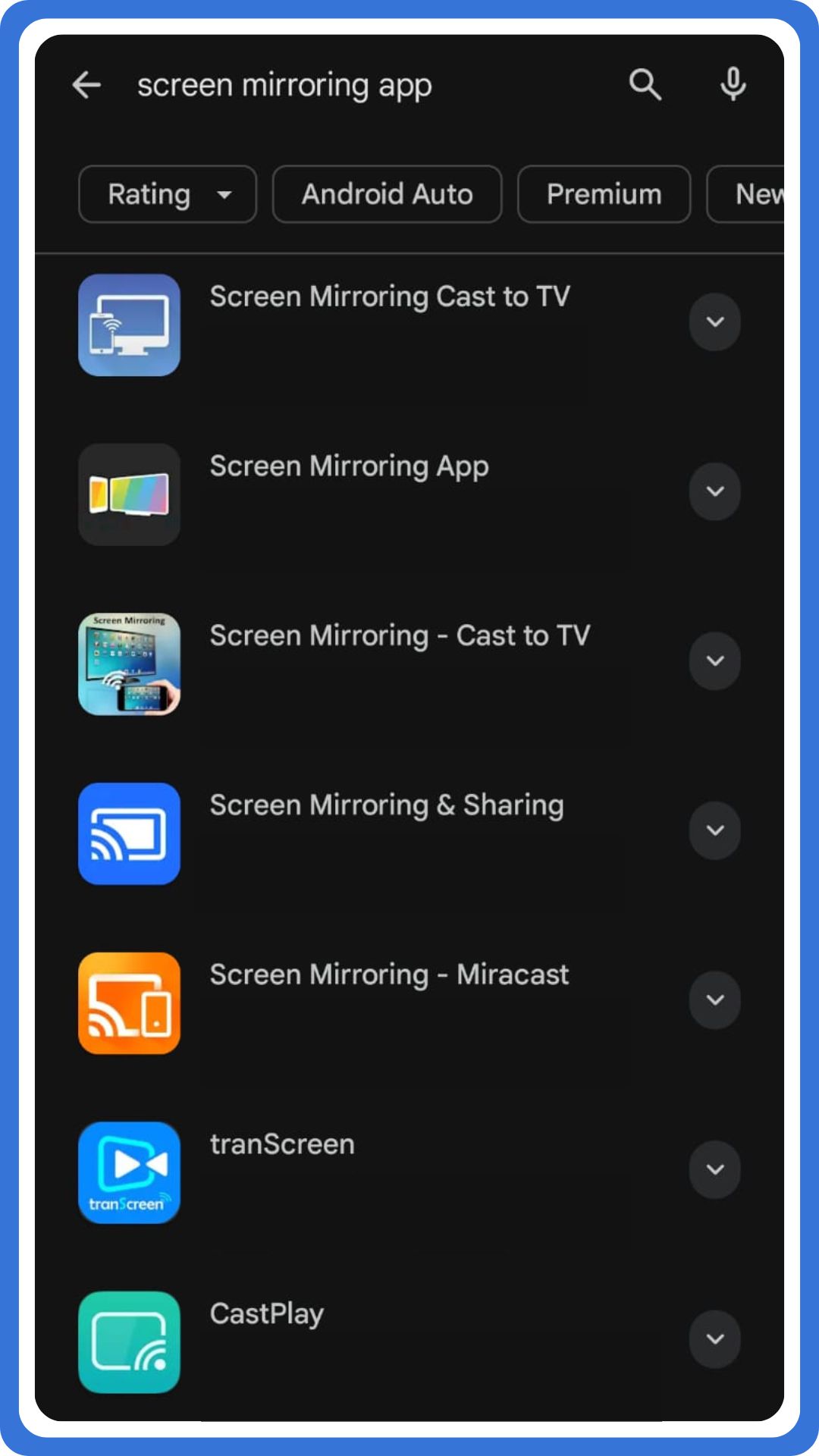
    Screen Mirroring:

    Screen mirroring allows an Android device to display the phone screen on a smart TV wirelessly. It supports streaming videos, browsing apps, and showing photos directly on a big screen. This method works well for quick sharing, although performance depends on Wi-Fi strength and device compatibility.

    Screen Mirroring
    • Swipe down from the top to open quick settings on your Android phone.
    • Tap the screen mirroring option, then select your TV from the available TVs list.
    • Confirm connection, and view the phone screen instantly on TV using a wireless link.
    • Disconnect afterward from the control center when sharing finishes or the connection weakens.

    Chromecast:

    Chromecast enables Android phone content to play on TVs through supported apps smoothly. It works especially well for streaming videos because casting sends content directly to the TV via a Wi-Fi network. This method keeps the phone usable while playback continues.

    • Connect the Android phone and Chromecast-enabled TV to the same Wi-Fi network.
    • Open a compatible app, then tap the cast icon on the phone screen interface.
    • Select your TV, and start streaming videos on a bigger screen immediately.
    • Stop casting afterward from app controls to disconnect the phone and TV connection.

    Smart Apps:

    Smart apps provided by smart TVs allow wireless connection without extra hardware. These apps help control your TV, mirror your phone screen, and manage settings easily. Performance varies by brand, but setup remains straightforward for most smartphones.

    Screen Sharing Smart Apps
    • Install the official smart TV app on your Android phone from the app store.
    • Ensure the phone and TV use the same Wi-Fi network connection.
    • Open the app, pair devices, and control your TV interface remotely.
    • Disconnect anytime through app settings when usage ends.

    How to Connect Your Phone to Your TV (Wired Methods)

    Wired connections connect an Android phone to your TV for stable, high-quality viewing.
    These options use HDMI cables or USB-C adapters, ensuring minimal lag and consistent output.

    HDMI:

    HDMI creates a direct wired connection between the phone and TV, offering reliable performance. This method suits gaming, presentations, and streaming videos because it avoids wireless interference entirely.

    • Connect the HDMI adapter to the Android phone port securely.
    • Attach the HDMI cable from the adapter to the TV HDMI port firmly.
    • Select the correct HDMI port on the TV using the input menu.
    • View the phone screen instantly on TV, and then disconnect the wire afterward.

    USB-C:

    USB-C supports video output on many Android smartphones using a USB-C to HDMI adapter. It delivers stable screen mirroring and works well for professional tasks and extended viewing sessions.

    • Plug the USB-C to HDMI adapter into the phone’s USB-C port.
    • Connect the HDMI cable from the adapter to the TV HDMI port carefully.
    • Choose the corresponding HDMI port on the TV via the settings menu.
    • The phone screen appears on the big screen, although device support may vary.

    Troubleshooting Common Smart TV and Android Phone Issues

    Firstly, reboot devices when connecting an Android phone to your TV wirelessly fails unexpectedly. This step refreshes the wireless connection and often restores seamless playback on the larger screen.

    Secondly, ensure devices are updated before you connect your Android phone to your TV.
    Updates improve compatibility with TVs or streaming devices like Roku, Apple TV, or Amazon Fire TV.

    Thirdly, use official cables and adapters, especially when using a USB-C port connection.
    Official accessories help display your phone’s screen properly and support casting without interruptions.

    Lastly, check for wireless interference when phone-to-TV connections drop during playback. Nearby Wi-Fi congestion can disrupt Miracast, screen mirroring, and other built-in casting features.

    FAQs

    1. Can I use my phone as a TV remote control?

    Yes, many smart TV apps let you control your TV using an app on your smartphone.

    2. What if my TV isn’t smart?

    Use an external device like Chromecast, Roku, or Amazon Fire TV Stick to enable wireless casting.

    3. How do I cast YouTube to my TV?

    Open YouTube, tap the cast icon, and select your compatible TV or streaming device.

    4. Does Chromecast work with both Android and iPhone?

    Yes, Chromecast works with both Android and iPhone using supported apps and Wi-Fi.

    5. What is the easiest way to mirror my phone to the TV?

    Using built-in casting or AirPlay features on a smart TV is the easiest method.

  • Stay Online Overseas: How-to Guide for First-time Travelers

    Stay Online Overseas: How-to Guide for First-time Travelers

    Stay Online Overseas Guide for First Time Travelers

    Going on an international adventure for the first time can be exhilarating and ‘a baptism by fire’ at the same time. Among the key components of a successful trip, the most important one is staying connected to the digital world. Whether you’ll want to share your experiences with friends back home or navigate unfamiliar streets, you must explore ways to stay online overseas. 

    Below, we’ll shed light on five major tips that, if taken proactively, will keep you online while exploring the world. 

    Let’s check them out to stay ahead of the curve.  

    1. Research Connectivity Options Before You Leave

    Let’s explore the various methods of internet access available at your destination. One of the top options is to choose the best eSIM for Europe and get it installed in your mobile phone. 

    Using it, you can enjoy steady video calls, quick uploads, and smooth social media scrolling, no matter which European state you’re in. 

    Another best option is portable Wi-Fi devices. Each option comes with its own set of benefits and limitations. Just go into their details ahead of time, and you will make a choice that best suits your needs. 

    2. Choose the Right Mobile Plan

      Do you prefer to keep your existing phone number while on the go? If so, investigate whether your current mobile provider offers international roaming plans. 

      Numerous companies offer daily or monthly packages at reasonable rates, which include: 

      • data, 
      • calls, and 
      • Texts

      To know what’s included and any potential charges that may arise, it’s vital to read the fine print. Once you have an all-inclusive plan, the financial burden of communication during travel will be significantly reduced. 

      3. Download Essential Apps and Offline Maps

        Before you set out on the journey, you should download essential travel apps that will help you in terms of: 

        • navigation, 
        • translation, and 
        • accommodation booking. 

        Additionally, consider pre-downloading maps for offline access. Google Maps is another excellent online tool that allows you to save areas for offline use. Therefore, you will be able to find your way even in the absence of a data connection. 

        4. Utilize Public Wi-Fi Wisely

          In most cafes, restaurants, and hotels, the complimentary Wi-Fi is now provided. This facility presents a golden opportunity to connect without incurring extra charges. 

          However, it’s strongly advisable to tread cautiously when using public networks. If you use a Virtual Private Network (VPN), your sensitive information remains protected from potential cyber threats, such as data breaches. 

          5. Be Mindful of Data Consumption

            When navigating exciting new travel destinations, be aware of your data usage. In this way, you will avoid overage charges. 

            Whether it’s streaming videos, downloading large files, or engaging in extensive social media browsing, all these activities can quickly deplete your data allowance. 

            The wise approach is to check your usage stats periodically. If it’s possible, switch to Wi-Fi whenever available to conserve your mobile data. This is especially helpful when you want to stay online overseas without burning through your data. The best part? While on your way, you can share your moments and stream adventures live without any interruption.

          1. The Role of AI Rewriting Tools in Scalable Link Building Campaigns

            The Role of AI Rewriting Tools in Scalable Link Building Campaigns

            Role of AI Rewriting Tools in Link Building Campaigns

            Many link building campaigns fail to scale effectively because content teams struggle to produce enough high-quality variations for outreach, guest posts, and digital PR. AI rewriting tools have emerged as a strategic solution, enabling marketers to generate content variations while maintaining quality standards and brand voice consistency. When used correctly, these tools accelerate content workflows, improve outreach response rates, and support sustainable link building strategies. This guide explores how AI rewriting tools transform scalable link building campaigns and deliver measurable SEO results.

            Understanding AI Rewriting Tools in Modern Link Building

            AI rewriting tools utilize natural language processing to transform existing content into fresh variations while preserving core meaning and context. These platforms analyze sentence structure, vocabulary, and tone to generate alternative versions that maintain readability and engagement. The AI market has experienced remarkable expansion, with growth reaching approximately 33% year-over-year, reflecting the increasing adoption of these technologies across marketing and SEO workflows.

            Advanced AI rewriting solutions help link building teams create personalized outreach emails, adapt guest post content for different publications, and develop unique variations of high-performing assets. Unlike basic spinning tools that produce low-quality output, modern AI rewriting platforms focus on maintaining content integrity while improving efficiency. Consequently, these tools enable SEO teams to scale their link building efforts without compromising quality or authenticity.

            How AI Rewriting Tools Support Scalable Campaigns

            Scalability remains a critical challenge for link building campaigns, particularly when targeting multiple industries, regions, or publication types. AI rewriting tools address this challenge by reducing the time required to produce content variations from hours to minutes. When outreach teams need to customize guest post pitches for different publications, AI rewriting accelerates the personalization process significantly. Additionally, these tools help maintain consistent messaging across multiple content pieces while adapting tone and style to match different audience expectations.

            However, maintaining authenticity becomes essential when using AI-generated content for link building outreach and guest posts. Many publishers and editors now use AI detection tools to evaluate submissions, which means content must pass these checks to secure placement opportunities. Teams looking to ensure their AI-rewritten content appears natural and human-written can try AIUndetect.com for free to verify and humanize their content before submission.

            This additional quality assurance step helps maintain the professional standards that editors expect while preserving the efficiency benefits of AI rewriting. Therefore, combining AI rewriting tools with detection-bypass solutions enables teams to produce more content variations while meeting editorial quality standards.

            Key Applications of AI Rewriting in Link Building Strategies

            Personalized Outreach Email Creation:

            Effective link building requires personalized outreach that demonstrates genuine understanding of each target publication. AI rewriting tools enable teams to create dozens of unique email variations from a single template, ensuring each message feels custom-written rather than mass-produced. Research indicates that 69% responded to personalized emails compared to only 50% for generic messages, demonstrating the substantial impact of customization.

            Furthermore, these tools help adjust tone, formality level, and messaging emphasis based on recipient profiles. Eventually, this increased efficiency allows teams to reach more prospects without sacrificing personalization quality. Teams implementing effective social media outreach strategy techniques can further enhance their personalization efforts across multiple channels.

            Guest Post Content Adaptation:

            Guest posting remains one of the most effective link building strategies, yet different publications require distinct content approaches. AI rewriting tools help adapt core content to match the style, depth, and audience expectations of various target sites. Teams can transform a single well-researched article into multiple unique versions suitable for different publication tiers and niches.

            Additionally, AI rewriting maintains factual accuracy while adjusting vocabulary, sentence structure, and examples to align with specific editorial guidelines. This capability significantly reduces content production costs while expanding guest posting opportunities across diverse platforms. Understanding the benefits of link building helps teams prioritize which guest posting opportunities deliver maximum SEO value.

            Digital PR Story Variations:

            Digital PR campaigns benefit substantially from AI rewriting tools when pitching stories to multiple journalists and media outlets simultaneously. These tools generate unique story angles, headline variations, and pitch descriptions that maintain core newsworthy elements while presenting fresh perspectives. Moreover, teams can quickly adapt PR content to match regional interests, industry focuses, or publication specializations. This flexibility improves media coverage rates and helps brands secure backlinks from authoritative news sources.

            Consequently, AI rewriting tools enhance the effectiveness and reach of digital PR link building initiatives. Professionals seeking journalist connections should explore HARO link building strategies to complement their AI-powered outreach efforts.

            Content Refresh for Link Reclamation:

            Link reclamation strategies often require updating outdated content that previously attracted backlinks. AI rewriting tools accelerate this process by refreshing existing articles with updated information, improved structure, and enhanced readability. Teams can modernize older content efficiently while preserving the elements that originally made it linkworthy. Additionally, refreshed content performs better in search rankings and attracts new backlinks from sites seeking current, relevant resources.

            Therefore, AI rewriting supports both link reclamation efforts and ongoing content maintenance strategies. Teams working in specific verticals can apply ecommerce link building strategies to maximize the impact of their refreshed content.

            Best Practices for Using AI Rewriting Tools Effectively

            Using AI Rewriting Tools

            1. Maintain Human Oversight Throughout the Process:

            AI rewriting tools should augment human expertise rather than replace editorial judgment entirely. Content teams must review all AI-generated variations to ensure accuracy, coherence, and brand alignment. Furthermore, human editors should verify that rewritten content maintains the intended meaning and meets publication quality standards. This oversight prevents potential issues with factual errors, awkward phrasing, or tone inconsistencies that could harm outreach effectiveness. Ultimately, combining AI efficiency with human quality control produces the best results for scalable link building campaigns.

            2. Establish Clear Brand Voice Guidelines:

            Successful AI rewriting requires well-defined brand voice guidelines that inform tool configuration and output evaluation. Teams should document preferred vocabulary, sentence structures, tone characteristics, and style preferences before implementing AI tools. Additionally, establishing quality benchmarks helps ensure AI-generated variations meet campaign standards consistently. Regular audits of AI-rewritten content allow teams to refine guidelines and improve output quality over time. This systematic approach maximizes the value of AI rewriting while maintaining brand consistency across all link building materials.

            3. Focus on Value-Driven Content Creation:

            AI rewriting tools work best when transforming high-quality source content that already provides genuine value to readers. Teams should prioritize creating strong foundational content before using AI to generate variations. Moreover, rewritten content must continue offering actionable insights, credible information, and relevant expertise that justifies backlink placement. Quality remains paramount regardless of production method, and AI tools should enhance rather than diminish content value. Therefore, link building success depends on maintaining editorial standards throughout the AI-assisted content creation process. Understanding link earning versus link building helps teams focus on creating content that naturally attracts backlinks.

            4. Test and Optimize Continuously:

            Effective use of AI rewriting tools requires ongoing testing and optimization based on campaign performance data. Teams should track metrics like outreach response rates, guest post acceptance rates, and backlink acquisition costs across different AI-generated content variations. Additionally, A/B testing helps identify which rewriting approaches produce the best results for specific campaign types and target audiences. This data-driven approach enables continuous improvement of AI tool usage and maximizes return on investment for link building initiatives.

            Haro Builder: Leading Link Building Agency

            Haro Builder is a link building agency that helps websites earn high-quality backlinks from authoritative publications through ethical, search engine-approved methods. The agency specializes in HARO (Help a Reporter Out) link building and connects brands with journalists seeking expert commentary. Additionally, Haro Builder provides comprehensive link building strategies designed to strengthen domain authority and improve search engine rankings. As an international SEO agency based in UAE, Dubai, the company serves clients worldwide with proven link building tactics that generate sustainable SEO growth and lasting online visibility.

            Final Thoughts on AI-Powered Link Building Success

            AI rewriting tools represent a valuable resource for scaling link building campaigns without sacrificing content quality or personalization. When combined with human expertise, strategic planning, and quality control processes, these tools significantly improve campaign efficiency and results. Moreover, AI-powered content creation enables teams to pursue more link opportunities, test varied approaches, and adapt quickly to changing market conditions. However, success requires thoughtful implementation, ongoing optimization, and commitment to maintaining editorial standards throughout the production process. Which AI rewriting strategies will you implement to enhance your link building campaigns? To explore more advanced link building techniques, read our guide on White Hat Link Building Strategies.

          2. Apple Maps vs Google Maps: Which One Is Better?

            Apple Maps vs Google Maps: Which One Is Better?

            apple maps vs google maps

            Many users feel stuck when choosing Apple Maps or Google Maps, and this confusion affects everyday decisions. Research shows that several map apps differ widely in navigation, live traffic, and guidance, and this contrast often makes simple choices harder. Apple fans claim Apple Maps has come a long way, but others argue Google Maps has become more reliable. Midway through these debates, the comparison of Apple Maps vs. Google Maps becomes unavoidable for most users. Each platform offers unique UI elements, local points of interest, and helpful reporting tools. This article provides a clear comparison and explains every essential point. The complete guide appears below for straightforward evaluation.

            Google Maps Features

            Google Maps remains widely used because many people prefer its balanced mix of accuracy and convenience; moreover, the app consistently improves performance through each major update. The platform handles every route request efficiently, and it adjusts traffic details accordingly to keep your navigation smooth. You can use Google Maps on any Android or iPhone phone, and it presents every city layout with minimal clutter, albeit with extensive information when required. You may also switch to satellite mode whenever needed, and the interface helps you tap important options quickly.

            Features:

            • Provides real-time traffic alerts for every route request
            • Offers detailed street information with handy points of interest
            • Supports offline viewing after you download selected regions
            • Gives accurate direction options for walking, driving, or cycling modes
            • Includes an effective menu for quick access to settings

            Apple Maps Features

            Apple Maps continues improving because many users prefer seamless integration with iOS, and it performs well on any iPhone; furthermore, you can use Apple Maps to check traffic flow, compare route choices, and manage navigation with minimal effort. The interface highlights each street clearly, and you may tap important controls without excess clutter, although some features appear simpler than competitors. You can switch views instantly, and the platform loads local restaurants and points of interest reliably. It also supports offline areas after you download selected regions.

            Features:

            • Shows refined street details with smoother navigation options
            • Provides smart direction prompts with timely traffic adjustments
            • Integrates restaurant suggestions and nearby points of interest
            • Allows offline map usage after regional downloads
            • Offers a clean menu layout suited for routine iphone use

            Apple Maps vs. Google Maps: 5 Key Differences

            CategoryApple MapsGoogle Maps
            User ExperienceApple Maps offers a cleaner UI, and many iPhones display smoother animations; moreover, several users say Apple Maps has come a long recently.Google Maps provides a familiar interface, and many users feel Google Maps has become easier to operate; however, some screens appear slightly harder to find during quick actions.
            Map Performance in Various RegionsApple Maps performs well in major cities, albeit some one-way roads still confuse users occasionally.Google Maps also handles wider regions effectively; furthermore, it supplies strong local data for long trips across multiple countries.
            Navigation FeaturesApple Maps gives clearer lane guidance, and its roundabout instructions sound more natural; additionally, CarPlay integration helps drivers significantly.Google Maps supports the use of Waze-style reporting tools, including hazard alerts and live traffic overlays for frequent travelers.
            Privacy and Data PracticesApple emphasizes privacy; consequently, Apple Maps doesn’t rely on personalized ad targeting for guidance decisions.Google uses activity signals; nevertheless, Google Maps also allows optional controls to reduce tracking and limit personalized ad use.
            Integration With Devices and EcosystemsApple Maps works seamlessly with Apple Watches, iPhones, and CarPlay, and the integration remains exceptionally stable.Google Maps supports Android, Spotify, and varied devices; correspondingly, its app ecosystem feels broader and more dynamic overall.

            How Each Platform Handles Accuracy And Consistency

            Apple Maps focuses on refined visualization, and many users who started using Apple Maps recently notice improved alignment with local points of interest; furthermore, updated transit layers enhance overall stability. Although minor errors appear occasionally, the service eventually corrects them because maps have improved considerably across core regions, especially within major cities worldwide.

            Google Maps maintains high consistency since its map apps gather massive global feedback; moreover, the platform updates air quality, destination details, and navigational accuracy continuously. Additionally, the arrow indicators respond quickly during movement, and its systems seldom issue an apology because the predictive routing remains reliable, even during complex traffic shifts.

            Final Thoughts on Apple Maps vs Google Maps

            Both platforms improved significantly, yet many users still debate Apple Maps vs Google Maps. Apple supporters argue that Apple Maps is better for CarPlay, iPhones, and smoother integration, although some features remain limited. Others prefer Google because Google Maps also offers broader coverage, stronger transit layers, and detailed long-trip support. Each service handles destination planning differently, and occasional issues like roundabout prompts or one-way errors still appear. Overall, both choices remain practical, but preferences depend on habits and devices. Which platform do you personally trust for your everyday routes?

            For more ways to customize navigation in Google, like adjusting voice guidance, check out how to change voice on Google Maps.

          3. How to Open a PDF in Word (Windows/Mac)

            How to Open a PDF in Word (Windows/Mac)

            How to Open PDF in Word

            Many people face unnecessary delays when they need to open an important PDF document but cannot edit the text directly. Many users still search for how to open a PDF in Word because different versions of Word handle PDFs differently, causing unexpected formatting issues. Additionally, several PDF files contain graphics or layouts that resist smooth editing, thereby making the process more time-consuming than expected.

            However, you can easily open a PDF and convert a PDF to a Word document using built-in MS Word features or reliable third-party PDF tools. Moreover, recent versions of Word allow you to effortlessly open the PDF file and start editing within Microsoft Word without requiring extra software. The complete step-by-step guide given in this article will show you exactly how to do it.

            How to Open a PDF in Word: 5 Simple Steps to Follow (Windows/Mac)

            Open PDF files in Word (Windows):

            1. Firstly, find and open the folder that holds the original PDF you need.
            2. Then double-click the PDF file because Word will straightaway start the conversion.
            3. Afterwards, open it in Word to create a new Word document automatically.
            4. Subsequently, check the file format since some graphics may shift slightly during conversion.
            5. Finally, edit the PDF in Microsoft Word and save the copy of the PDF in Word format.

            Open a PDF in Word (Mac):

            1. Initially, open the PDF from your desktop or folder and launch Microsoft Word.
            2. Afterwards, drag the PDF file into Word or choose File → Open the PDF manually.
            3. Consequently, Word will convert PDF to Word format albeit with occasional formatting differences.
            4. Then review the converted document because certain graphics may require quick adjustments.
            5. Lastly, save the Word document, thereby keeping an editable version of the PDF file in Microsoft Word.

            Edit PDFs in Word: Tips for Smooth Editing

            1. Open and Edit a PDF Using Word:

            You can easily open a PDF in Word because recent versions of Word convert most files accurately. Additionally, you only need to open the file directly to start editing, allowing you to work on the document just like you would with a normal Word file.

            2. Convert a PDF to a Word Document Smoothly:

            When you convert a PDF to Word format, Word creates a new document that retains most text and graphics. Moreover, the conversion is complete within seconds, although larger PDFs may take slightly longer. Afterwards, you can edit the text immediately.

            3. Fix Formatting After Opening the PDF File:

            Sometimes the PDF contains complex layouts, but Word still handles most conversions effectively. Consequently, you may adjust spacing, fonts, or graphics to better match the original. Furthermore, simple steps like checking margins and repositioning images improve the final document.

            4. Use Online Tools When Word Has Limitations:

            If recent versions of Word struggle with certain elements, you may use an online tool instead. Adobe Acrobat online or another word converter can help convert the PDF accurately. However, third-party PDF converters may not always preserve formatting identically.

            5. Save and Finalize the Converted Word Document:

            After editing the converted Word document, you should save the document as DOCX or export it again. Then your file remains fully editable whenever you need to open it again. Finally, storing it in your Documents folder ensures easy access later.

            Troubleshooting Common Issues

            Initially, some users may notice formatting shifts because the pdf contains graphics that convert imperfectly. Additionally, mismatched layouts occur when you convert the pdf using outdated versions of Word for editing.

            Consequently, open the file directly again since Word sometimes reloads elements more accurately during second attempts. Moreover, conversion delays appear depending on the size of the pdf document, noticeably affecting older systems.

            Subsequently, try another word converter or Adobe Acrobat online when Word struggles with heavy formatting. However, third-party options occasionally alter spacing, albeit still producing a workable new Word document.

            Finally, save the document afterward to prevent losing corrections, especially when working within Microsoft Office on Windows and Mac.

            Conclusion: Easy Ways To Open a PDF in Word

            Learning how to open a PDF in Word lets you convert the PDF and edit the text without complications. Moreover, you can open the file directly, use Word for editing, or rely on an online tool when older PDFs refuse to convert cleanly. Additionally, Word creates a converted Word document that you can save as DOCX and use effortlessly whenever revisions are required. Whether you want to edit a PDF for work, school, or personal needs, this process works smoothly across Windows and Mac. So, which method do you prefer when opening a PDF in Word?

            For a quick guide on managing unwanted pages, you can also check how to delete a page on Google Docs.

          4. Mastering Proper Understanding of Firewalls for Tech-driven Businesses

            Mastering Proper Understanding of Firewalls for Tech-driven Businesses

            Understanding of firewalls

            Tech-driven businesses rely heavily on secure networks to safeguard sensitive data and maintain operational efficiency. Firewalls play a pivotal role in creating a secure perimeter, protecting against cyber threats, and ensuring seamless communication across systems. Understanding the nuances of firewall technology is often overlooked, leading to vulnerabilities that can compromise security and business continuity. Mastering proper understanding of firewalls is important for IT teams and business leaders aiming to make informed decisions about network security. This guide will explore key aspects of firewalls, their importance, and how businesses can leverage them effectively.

            The Core Purpose of Firewalls

            Firewalls serve as the foundational defense in network security. They act as a barrier between trusted internal systems and potentially harmful external networks. Their main role is to monitor and control incoming and outgoing traffic. They ensure that only authorized data passes through while blocking malicious activity. For businesses navigating complex digital environments, understanding this function is critical. An introduction to firewall definition and use cases helps IT teams grasp how firewalls filter packets, enforce access rules, and segment networks to reduce exposure to threats. By recognizing these core purposes, organizations can build a security framework that protects sensitive information and maintains operational continuity without unnecessary complexity.

            Types of Firewalls and Their Applications

            Firewalls come in several types, each serving specific business needs. Packet-filtering firewalls inspect data packets based on predetermined rules, making them suitable for basic filtering. Stateful inspection go further, analyzing the state of active connections to make intelligent decisions about traffic flow. Proxy firewalls act as intermediaries between users and the internet, providing anonymity and content filtering. Tech-driven businesses must choose firewalls based on network complexity, compliance requirements, and performance needs. Understanding the strengths and limitations of each type allows businesses to deploy the most appropriate solution, ensuring security and efficiency without unnecessary bottlenecks in system performance.

            The Role of Firewalls in Regulatory Compliance

            Many industries face strict regulatory requirements related to data security, such as GDPR, HIPAA, and PCI DSS. Firewalls are crucial in achieving and maintaining compliance by enforcing access controls, logging network activity, and preventing data leaks. Properly managed firewalls provide an auditable record of network events, demonstrating a business’s commitment to protecting sensitive information. Tech-driven companies that fail to prioritize firewall configuration may face severe penalties and reputational damage. Understanding how they support regulatory compliance helps businesses create policies and procedures that align with legal obligations and best practices for cybersecurity management.

            Integrating Firewalls with Advanced Security Solutions

            Firewalls do not operate in isolation; they are most effective when integrated with other security tools. Such tools include intrusion detection systems (IDS), intrusion prevention systems (IPS), and advanced threat protection platforms. This layered approach allows businesses to identify and mitigate complex threats that might bypass basic firewall rules. For tech-driven organizations, understanding how they complement these advanced solutions is key to building a comprehensive security framework. By integrating firewalls with broader security monitoring, companies can achieve real-time threat detection, automated response mechanisms, and deeper insights into network behavior, reducing the risk of cyberattacks while maintaining business continuity.

            Common Firewall Misconfigurations and Their Risks

            Even the most sophisticated firewalls can fail if misconfigured. Common mistakes include overly permissive rules, outdated firmware, and neglecting to segment networks properly. Misconfigurations can create blind spots that attackers exploit, leading to data breaches, ransomware attacks, or service interruptions. Tech-driven businesses must invest in proper training for IT teams to avoid such vulnerabilities. Regular audits, penetration testing, and updates are crucial practices for ensuring firewalls remain effective. Understanding these risks encourages a proactive security culture, where potential threats are anticipated and mitigated rather than reacting only after incidents occur.

            Optimizing Firewall Performance for Business Efficiency

            Beyond security, firewalls must be optimized for network performance to avoid slowing down critical business operations. Tech-driven businesses often handle high volumes of traffic, cloud integrations, and remote workforce access, which can strain improperly configured firewalls. Understanding traffic patterns, setting appropriate rules, and monitoring resource usage are critical for maintaining speed and reliability. Businesses should consider scalable firewall solutions that adapt to growth without sacrificing security. Mastering firewall performance management ensures that security measures do not hinder productivity, creating a balance between protection and operational efficiency that supports long-term business success.

            Optimizing Firewall Performance

            Firewalls are a cornerstone of cybersecurity for tech-driven businesses, providing protection and operational insight. Mastering a proper understanding of it involves recognizing its purpose, selecting the right types, integrating them with advanced solutions, avoiding misconfigurations, and optimizing performance. Businesses that invest in knowledge, training, and strategic deployment of firewalls secure their digital assets and enhance efficiency and compliance. By taking a proactive approach to firewall management, tech-driven organizations can navigate the cybersecurity world with confidence, ensuring their networks remain resilient.