HARO Builders – Header

Category: Marketing

  • How to Do SEO Without Link Building in 2025

    How to Do SEO Without Link Building in 2025

    seo without link building

    Ever wondered why your website struggles in Google search results despite solid on-page SEO and content quality? SEO without link building is achievable when focusing on search engine optimization through technical SEO, internal linking, and content quality. Although quality backlinks remain a powerful ranking factor, you can still rank on Google without backlinks by optimizing meta descriptions, improving site speed, and targeting long-tail keywords. 

    This guide presents a complete framework covering keyword research, on-page SEO, internal linking, CTR optimization, UX, and content reoptimization. You’ll discover how to optimize every aspect that helps search engines understand your page on your website, ensuring strong visibility in the SERP, all without traditional link building.

    Is It Possible To Do SEO Without Link Building?

    The short answer: Yes, it is entirely possible to do SEO without link building, albeit with a strong focus on other SEO elements. While quality backlinks remain a significant ranking factor, websites can still rank on Google without backlinks by optimizing for on-page SEO, improving site speed, and delivering valuable content. Search engines like Google assess various signals, including user experience, content quality, and technical SEO performance.

    By focusing on keyword research, crafting effective meta descriptions, and using long-tail keywords, you can enhance your visibility in the search engine rankings. Additionally, internal linking helps search engines understand the structure and importance of each page on your website.

    Furthermore, creating new content regularly, optimizing for local SEO, and enhancing your click-through rate (CTR) can signal relevance to Google’s algorithm. Thus, it is undoubtedly possible to rank without external links if you strategically improve other core SEO strategies.

    Strategies To Do SEO Without Link Building

    1. Keyword Research:
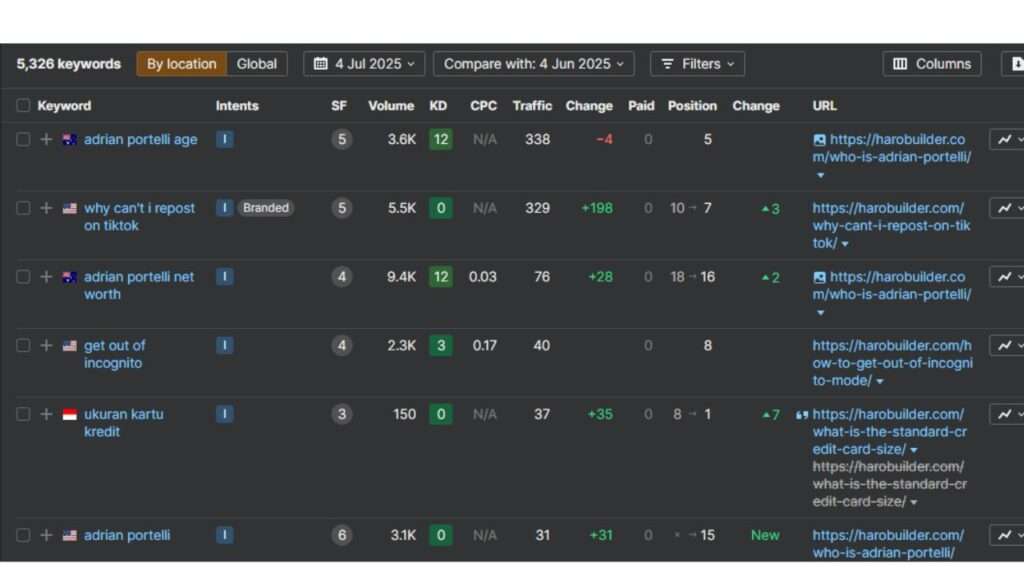
    Keyword Research

    Keyword research is vital for SEO without link building because it helps match intent with search behavior. Focus on long-tail keywords to improve SEO performance and avoid competitive battles for short, high-volume terms. Search engines like Google reward relevance, so choose terms that answer real user queries. Moreover, optimize content around those terms for better organic traffic and visibility. Content marketing built on research ensures you provide relevant information that users want. Insert keywords naturally in titles, headers, and body content. Targeting the right keyword can help your website without backlinks rank well in search engine rankings.

    2. Topical Authority:
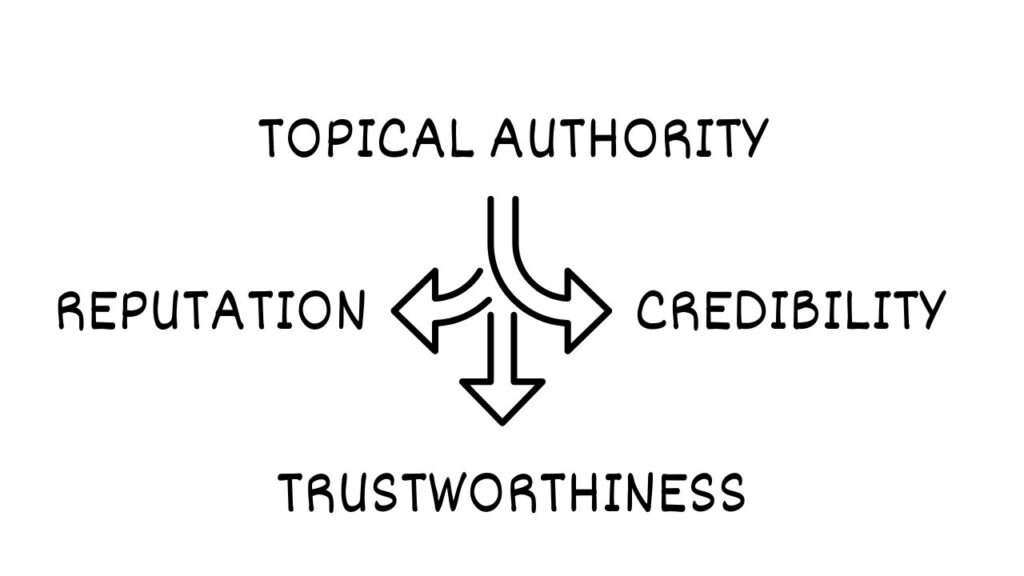
    Topical Authority

    Establishing topical authority is key when you’re pursuing ranking without backlinks. It shows search engines you’re a trusted source on specific topics. Publish content without fluff and focus on depth across related subtopics using targeted keywords. Google’s algorithm recognizes when your site thoroughly covers a niche and rewards it with a better ranking. Additionally, structure your content marketing to answer multiple queries from a single domain. Use consistent internal linking between those pages to signal subject strength. Your site’s visibility and trust improve over time. SEO without link building succeeds when search engines understand your topical depth and relevance.

    3. Internal Linking:
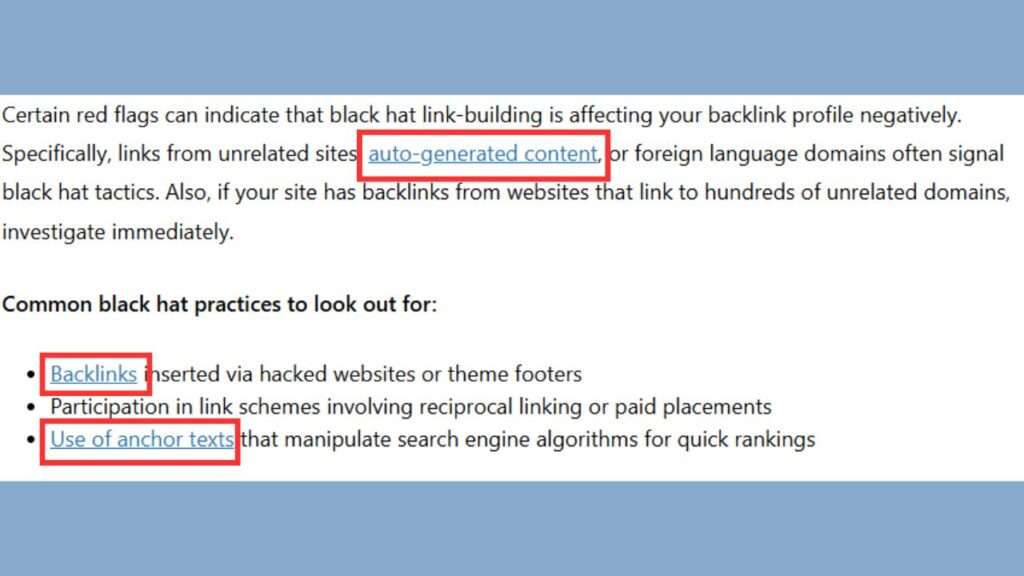
    Internal Linking

    Internal linking is a powerful way to transfer authority across your page on your website. It allows you to pass link equity internally, reducing dependency on quality backlinks. Moreover, well-structured internal links help search engines like Google crawl and index your site more effectively. Use descriptive anchor text with relevant keywords to signal context. Organize links hierarchically to enhance user experience and page relevance. This structure also improves your chances of ranking higher in search engine rankings. If done properly, internal linking increases session duration and SEO performance, helping your website without backlinks rank higher in search results.

    4. Click-Through Rate (CTR) Optimization:

    Optimizing click-through rate (CTR) improves visibility in search results and tells Google’s algorithm your content matches intent. A high percentage of people who click signal relevance and boost your position in the SERP. Use compelling meta descriptions and headlines with emotional triggers and relevant keywords. Add numbers, urgency, or value in titles like “10 Ways to Rank Without Backlinks.” Additionally, include infographics or review stars to visually stand out. The better your CTR, the more users and search engines trust your page. Therefore, CTR optimization is a direct signal that can help you rank well without building external links.

    5. Content Reoptimization:

    Content reoptimization allows you to improve SEO without constantly creating new content or earning quality backlinks. Update underperforming pages with relevant keywords, improved site speed, and better formatting. Compare against current search engine rankings and adjust for readability, depth, and value. Moreover, enhance meta descriptions and headlines to boost click-through rate. Add multimedia like infographics or FAQs to increase engagement and dwell time. Consequently, reoptimized content often performs better than fresh posts. Ensure your content without updates doesn’t stagnate or drop from the first page of Google. This simple tactic greatly boosts SEO performance without relying on external links.

    6. UX Optimization:

    Optimizing user experience (UX) helps you rank higher in search even without backlinks. A website that takes too long to load loses visitors and lowers ranking signals. Therefore, enhance site speed, responsive design, and intuitive navigation for better performance. Use clear CTAs, easy menus, and logical layout to improve user experience. Add visual content, such as infographics, to support reading flow. Search engines like Google monitor bounce rates and interaction metrics when evaluating SEO elements. Hence, great UX gives strong signals to search engines that users value your site. Better UX directly impacts your ability to rank without external efforts.

    Conclusion

    This article shows how strong SEO strategies can let you rank higher in search without link building. By combining technical SEO, purposeful keyword research, and internal linking, you signal relevance to search engines like Google. Optimize CTR, UX, and content quality to boost organic traffic and search engine rankings. Reusing and improving existing content also sustains performance on the first page of Google. Altogether, these SEO elements form a robust system that reduces dependency on quality backlinks. Are you ready to implement these techniques and observe your site’s enhanced visibility in search results?

    FAQs

    1. Can I do SEO without any backlinks at all?
    Yes, by using strong on-page SEO, technical SEO, and writing content without relying on external links.

    2. What helps my site rank if I don’t build links?
    Focus on keyword research, fast site speed, and providing valuable content that matches search intent.

    3. Do search engines care about internal links?
    Yes, internal linking helps search engines understand which pages are important and how they relate to each other.

    4. Is content more important than backlinks now?
    For many sites, yes. Content quality often outweighs link building in certain search engine rankings.

    5. How often should I publish content without links?
    Consistency matters. Creating new content regularly helps improve visibility in Google search results.


  • What No One Told Us: Startup Advice From Seasoned Founders

    What No One Told Us: Startup Advice From Seasoned Founders

    startup advice

    Starting a business is often portrayed as a thrilling leap into independence, freedom, and success. The stories we see on social media and in the media glamorize startup life, emphasizing breakthrough moments and big wins. But behind every successful entrepreneur is a series of hard-learned lessons, most of which never make it into highlight reels. The truth? Much of what it takes to succeed in business is only learned the hard way—through trial, error, and unexpected setbacks.

    In this in-depth article, we’ve gathered powerful insights from seasoned founders who’ve been through the trenches. From burnout and perfectionism to team-building and go-to-market failures, these entrepreneurs share what they wish they knew before they started. Their experiences, mistakes, and wake-up calls are packed with wisdom for anyone launching or growing a business today.

    Starting Without a Strategy Leads to Burnout

    When launching a business, many founders fall into the trap of believing that hard work alone guarantees success. Hustle culture celebrates waking up early, grinding all day, and sacrificing everything for the dream. But as Danyon Togia, founder of Expert SEO, discovered, effort without direction often results in burnout rather than breakthrough.

    In his early days, Danyon worked nonstop, waking up before dawn, skipping meals, and pushing himself into exhaustion. “I thought success came down to brute force,” he recalls. But over time, he realized this approach was unsustainable. His turning point came when he shifted focus to high-leverage, strategic actions, like targeted outreach and deep work. Slowing down allowed him to think more clearly and operate with purpose.

    Key Takeaways:

    • Work smarter, not harder. Focus on 1–2 high-impact tasks daily.
    • Burnout isn’t a badge of honor. Prioritize sustainable energy and mental clarity.
    • Strategic planning > relentless hustle.

    Outsourcing Key Functions Can Slow You Down

    Speed is a startup’s superpower. Yet too often, founders hand off critical components to outside agencies, thinking it will save time. Imad Ali, founder of Kitt, learned this the hard way during his earlier venture, Alley, where he outsourced all tech development.

    The decision created delays and a broken feedback loop. Every change required external coordination, slowing down releases and frustrating users. With Kitt, Imad built an in-house product team from day one. The difference was night and day: tighter iteration cycles, faster experimentation, and greater user satisfaction.

    Why In-House Teams Win:

    • You control speed, iteration, and feedback.
    • Direct communication enables real-time problem solving.
    • Core functions should stay close to the founder’s vision.

    Perfectionism Is a Business Killer

    Striving for excellence is admirable, but when perfection delays progress, it becomes toxic. Shamil Shamilov, CEO of dNOVO Group, openly admits that perfectionism nearly caused his startup to fail in year one. He obsessed over branding, processes, and internal polish before signing a single client.

    That delay cost him valuable momentum and market feedback. “Perfection is a moving target and the market doesn’t wait,” Shamil warns. Today, he prioritizes testing campaigns in the wild and iterating quickly based on real-world results.

    Mindset Shifts That Accelerate Growth:

    • Launch before you’re ready.
    • Feedback > Flawlessness.
    • Done is better than perfect.

    Marketing Is Just as Critical as the Product

    Many first-time founders fall for the “build it and they will come” fallacy. Jayson DeMers, founder of OutreachBloom, made this mistake with his first startup, focusing exclusively on product development and ignoring marketing until it was too late.

    The result? A great product nobody knew about. In his next venture, he did the opposite, prioritizing marketing from day one. Through aggressive content marketing, SEO, and advertising, Jayson built awareness early and drove results faster.

    Balance Between Product and Promotion:

    • Marketing should start before the product is finished.
    • A great product needs a loud voice.
    • Treat visibility as a core pillar, not a side task.

    Promoting Your Brand Should Never Be an Afterthought

    Even agencies that excel at marketing for clients often forget to apply those same principles to themselves. That was the case for Matthew Goulart, founder of Ignite Digital. Despite delivering top-tier strategies to clients, he undervalued his own agency’s visibility, and it nearly cost them long-term growth.

    The wake-up call came after losing a pitch to a competitor with a stronger online brand presence, not a better portfolio. Since then, Matthew’s team has treated their marketing with the same urgency and investment as they do for their highest-paying clients. “Self-promotion is not ego—it’s survival,” he asserts. By elevating their brand, they now rank nationally, attract larger clients, and operate with the scale and reputation they once only dreamed of.

    Actionable Shifts:

    • Build your personal and business brand with intention.
    • Treat your own business like your best client.
    • Visibility builds trust, authority, and deal flow.

    Conclusion

    Every entrepreneur enters the game hoping for a smoother path than the last. But no amount of reading, planning, or prep work replaces the wisdom gained from experience. The founders quoted in this article didn’t just survive mistakes—they used them as stepping stones to greater clarity, confidence, and results.

    From battling burnout to rediscovering the power of relationships, from letting go of perfection to embracing distribution as a priority, these lessons serve as a compass for new and seasoned founders alike. If you’re on the journey, take heart in knowing you don’t have to learn everything the hard way. The real secret? Listen to those who have already done.

  • Why Is My Business Not Showing on Google? How to Fix It

    Why Is My Business Not Showing on Google? How to Fix It

    why is my business not showing on google

    Ever searched for your business only to see nothing appear—frustrating, right? Nearly 90% of consumers check businesses on Google before deciding, so missing visibility can seriously hurt local reach. If you’ve ever asked yourself, “why is my business not showing on Google”, it could be due to a range of issues: lack of verification, outdated business information, poor website SEO, or stiff local competition. Thankfully, the solution involves simple yet effective steps.

    This complete guide explains how to verify your Google Business Profile, optimize your website, build online citations, encourage reviews, monitor performance, and seek expert help. Follow this comprehensive walkthrough to ensure your business appears prominently on Google Search and Maps, helping customers find your business online.

    Why Is My Business Not Showing on Google

    If you’re wondering why is my business not showing on Google, several factors could be responsible. Common reasons include an unverified Google Business Profile, incomplete or outdated business information, poor website SEO, or recent changes not yet reflected in search results. In some cases, Google may temporarily hide listings that violate guidelines or lack activity.

    High local competition and a newly created business profile can also delay visibility. To fix this, ensure your business is verified, update all details consistently, optimize your website, and encourage customer reviews. These steps help your business appear prominently on Google Search and Google Maps.

    Why Is My Business Not Showing on Google: Common Issues

    A business not showing up on Google can stem from a few key reasons, primarily related to Google Business Profile (GBP) setup and website optimization. The most common issues include an unverified or incomplete GBP, incorrect or inconsistent business information across the web (NAP – Name, Address, Phone Number), and lack of website optimization for search engines. 

    Here’s a more detailed breakdown:

    1. Google Business Profile (GBP) Issues:

    • Unverified Profile: A Google Business Profile needs to be claimed and verified for it to appear in search results and on Google Maps. 
    • Incomplete or Incorrect Information: Google prioritizes businesses with complete and accurate information. Ensure your business name, address, phone number, website, and other details are consistent and up-to-date. 
    • Suspended Profile: Google may suspend a GBP if it violates their guidelines, such as using inaccurate information or engaging in spammy practices. 
    • Recent Changes: If you’ve recently made changes to your GBP, it may take some time for Google to update and reflect those changes. 
    • Low Profile Strength: Google uses a profile strength indicator on the dashboard to encourage businesses to fill out as much information as possible. 

    If you’ve recently asked yourself why is my business not showing on Google, the answer may be hidden in one of these common GBP issues.

    2. Website Issues:

    • Not Indexed: If your website is new, Google may not have crawled and indexed it yet. This can take some time.
    • Poor Website Structure: A complex or confusing website structure can make it difficult for search engine crawlers to understand and index your site.
    • Thin or Duplicate Content: Websites with low-quality or duplicate content may struggle to rank well.
    • Poor Backlink Profile: Low-quality or spammy backlinks can negatively impact your website’s ranking. 
    • Slow Loading Speed: If your website loads slowly, Google may not rank your business well in search results. Speed impacts visibility on Google Search because it affects user experience and bounce rates. 

    3. Other Potential Problems:

    • High Competition: In highly competitive industries, it can be more challenging to rank well. 
    • Lack of Reviews: Google values reviews, so a lack of reviews or an inconsistent review profile can hurt your visibility. 
    • Violating Google’s Guidelines: Google has specific guidelines for businesses, and violating them can lead to penalties or suspensions.

    If you’re still thinking why is my business not showing on Google, the problem could be in any of these overlooked areas.

    How to Troubleshoot and Improve Visibility

    1. Verify and Optimize your GBP:

    Firstly, verify your business through your Google account to ensure your business appears on Google Maps. Until your Google Business Profile is verified, your business might not show in search results. Update your business information regularly to help Google understand what your business offers. Make your business stand out by uploading quality photos, selecting accurate categories, and updating business hours. Furthermore, ensuring your business address, name, and phone number are accurate builds trust with Google.

    Optimization tips:

    • Use keywords like “local business” and “business listing” in your profile description and updates.
    • Regularly post updates to improve visibility on Google and attract customers to find your business.
    • Link to your local business website directly from your Google business profile for stronger signals.
    • Verify your business location precisely to appear on Google Maps and Google search reliably.

    2. Improve Website SEO:

    Your website must support your local search efforts to help your business show up on Google. Ensure your business name and address on Google match the details on your website exactly. Use structured data to help Google understand your business type, hours, and location details. Also, ensure your business information is up to date across the site to avoid data mismatch.

    Use relevant search engine keywords naturally across titles, meta descriptions, and internal links. Altogether, optimizing your Google My Business listing and website increases visibility on Google.

    3. Build Online Citations:

    Online citations improve your local rankings and help your business appear on Google Maps and search. Ensure your business information remains consistent across directories like Google Business Profile and local listings. Also, enter your business name, address, and contact details the same everywhere. Verify your business on each directory to help Google trust your business and rank it better.

    The more accurate citations you have, the easier it is for customers to find your business. Directories boost credibility and increase the likelihood that your business appears in local search results.

    4. Encourage Reviews:

    Google reviews play a vital role in helping your business stand out and attract more visibility. Ask satisfied customers to leave honest feedback to help your business appear on Google Maps. Moreover, respond to reviews consistently to show that your business is active and engaged.

    High-quality reviews help Google understand that your business is trustworthy and worth ranking prominently. Update your Google business profile with review highlights and ratings to build a stronger online reputation. Customers find your business more credible when others leave authentic experiences and ratings.

    5. Monitor Performance:

    Monitor your business performance using Google Insights and other analytics tools within your Google account. Tracking how your business appears on Google Maps and search can uncover visibility issues quickly. Review how many users search for your business and how often your business listing is viewed.

    Additionally, analyze actions like website visits, direction requests, and phone calls through the Google dashboard. If performance drops, verify your business info and update your Google business profile immediately. Regularly monitoring helps ensure your business remains visible and appears prominently on Google.

    6. Seek Expert Help:

    If you’ve implemented changes and still wonder why is my business not showing on Google, seek professional assistance. Experts can help your business rank on Google by auditing listings, content, and technical SEO. They understand what your business needs to compete effectively in local search results. 

    Moreover, an expert can ensure your business appears on Google Maps and Google search consistently. They’ll also help optimize your Google business profile for better engagement and ranking. Altogether, getting support from specialists ensures your business remains visible and continues attracting local traffic.

    Conclusion

    By resolving common issues like unverified profiles, outdated business hours, or poor local SEO, you can reestablish visibility on Google. Keeping your business information up to date and engaging with customers consistently helps Google understand and rank your business. Implementing the strategies in this guide ensures more traffic to your business, better visibility on Google Maps, and improved local search results. Why is my business not showing on Google? now you know, and you can finally take action to fix it.


    FAQs

    1. How can I tell if my business is verified on Google?
    Log in to your Google account and check for the “verified” badge on your business profile.

    2. What happens if I have multiple locations?
    You must verify and manage each business location separately using a single Google Business Profile account.

    3. Can I still appear on Google without a physical address?
    Yes, service-area businesses can appear without showing an address if properly set up in their profile.

    4. How often should I update my Google Business Profile?
    Update it whenever business information changes — especially hours, services, and contact details.

    5. Does adding photos help my business show up?
    Yes, Google favors active listings with regular photo uploads and customer engagement.

    6. Can incorrect categories affect my visibility?
    Absolutely, using the wrong category can reduce your chances of appearing in relevant search results.

  • The Disruption Syndicate: Bold Business Leaders Shaping Growth in 2025

    The Disruption Syndicate: Bold Business Leaders Shaping Growth in 2025

    business leaders shaping growth in 2025

    Introduction

    The year 2025 has become a proving ground for business leaders navigating rapid transformation, technological acceleration, and customer expectations that shift by the minute. Unlike previous decades where growth was often driven by traditional metrics and aggressive scaling, today’s most effective leaders are those who embrace disruption, prioritize authenticity, and lead with strategic foresight. These leaders aren’t simply adapting to the future—they are engineering it.

    What distinguishes these bold business minds is not just their appetite for innovation but their operational courage to pivot, trim fat, and pursue real connections in a digital-first world. Whether leveraging AI to streamline processes or doubling down on human-driven brand narratives, the Disruption Syndicate of 2025 proves that sustained growth comes from daring choices, not safe bets.

    Rising Above the Noise with Authentic Brand Communication

    Modern audiences are overwhelmed by digital clutter, and the brands that cut through the chaos are those that lead with honesty, humanity, and value-driven storytelling. In 2025, authentic interactions are the killer application. Business leaders have realized that audiences crave depth, not just automation, and this is transforming how companies communicate across channels.

    As Paige Arnof-Fenn, Founder & CEO of Mavens & Moguls puts it:
    Who would have thought that the killer application in 2025 would be authentic interactions, not Artificial Intelligence?

    This insight speaks to the larger trend in branding—where personalized, thoughtful content outperforms polished, AI-generated blather. Companies are now investing in thought leadership, original storytelling, and consistent human connection. Whether through webinars, podcasts, or active LinkedIn profiles, the strategy is clear: showcase real experiences, share vulnerabilities, and create trust in a world skeptical of automation.

    Authenticity Is a Key SEO Driver in 2025:

    The search landscape has evolved, with Google emphasizing E-E-A-T (Experience, Expertise, Authority, and Trust). As AI-generated content floods the web, first-hand experience becomes the currency of credibility.

    • Tell your origin story.
    • Share both successes and failures.
    • Prioritize human tone over robotic perfection.

    As Paige highlights: The prevalence of AI-generated content and users’ search for authenticity have made those qualities critical for anyone trying to rank content now.”

    Scaling Smarter Not Bigger with Intelligent Automation

    The leaders shaping 2025 understand that growth doesn’t mean doing more—it means doing things better. Businesses are increasingly moving away from linear scaling models and toward intelligent automation that drives exponential efficiency.

    According to Eric Turney, President of The Monterey Company:
    Our biggest growth driver has been embracing automation and AI… By automating personalized emails and utilizing AI tools like ChatGPT with platforms like Zapier, we’ve reduced manual work while improving the customer experience.

    This reflects a deep shift in operational strategy. Growth is no longer tied to headcount—it’s about maximizing output per resource through intelligent tools. Whether it’s in sales follow-up, customer service, or marketing automation, companies that adopt lean, automated workflows can outpace even their larger competitors.

    Tools that Lead the Automation Charge in 2025:

    Here are some of the most effective tools powering smart automation this year:

    • Zapier – for connecting multiple platforms into seamless workflows.
    • ChatGPT & Claude – to generate email responses, content drafts, and support scripts.
    • CRM automation systems – for tracking sales touchpoints and lead progression without manual updates.
    • Personalization engines – for sending tailored offers and reminders at scale.

    The takeaway? Real growth comes from doing more with less—strategically.

    Navigating Uncertainty by Lowering the Barrier to Entry

    In a climate of economic unpredictability, the boldest leaders aren’t waiting for stability—they’re building resilience through flexibility. Many have abandoned legacy pricing models, replacing them with nimble frameworks that focus on value delivery and short-term results.

    As Rocky Pedden, CEO of RevenueZen notes:
    We are doing more shorter term sprint projects as opposed to annual contracts… and building more AI systems to support our team while trying to bring our pricing down.”

    These leaders understand that customer confidence is fragile, and commitment-phobia is real. By offering modular service packages, GEO/SEO-based optimization, and high-value deliverables, they reduce friction for new clients and open doors to long-term partnerships.

    Growth Agencies Are Reinventing Themselves:

    The smartest agencies of 2025 are not standing still. Instead, they’re:

    • Shifting from long-term retainers to flexible sprint packages
    • Integrating AI into content workflows to speed up production and testing
    • Specializing in high-intent channels like GEO-targeted ads and intent-rich SEO

    In this new model, efficiency and agility beat rigidity and scale.

    Pivoting with Purpose by Targeting New Market Segments

    Great leaders recognize when old markets can no longer fuel growth—and they make the tough call to pivot. Whether due to funding slowdowns, audience fatigue, or shifting buyer behavior, 2025’s strongest companies have leaned into strategic realignment.

    Cache Merrill, founder of Zibtek, shares:
    We hit a wall—our core startup clients started drying up… That meant rebuilding our sales process from the ground up.”

    Zibtek’s pivot toward mid-market and enterprise clients required more than a rebrand. It involved reimagining every stage of their customer lifecycle—from lead gen and sales operations to delivery models and team structure. That kind of shift demands leadership maturity, operational discipline, and a willingness to let go of what’s no longer working.

    From Founder-Led Sales to Scalable Systems:

    One major shift for Zibtek and other growing companies is moving from founder-led everything to structured, process-led growth:

    • Hiring experienced account executives
    • Building predictable CRM pipelines
    • Focusing on Client Lifetime Value (CLTV) over acquisition volume
    • Saying no to poor-fit projects and distractions

    Real growth, as Cache puts it, came not from expansion, but subtraction—by doing fewer things better.

    Scaling with Design-First Thinking and User-Centric Innovation

    In 2025, the most forward-thinking companies are scaling not just through product expansion but by prioritizing design, usability, and differentiated customer experiences. Brands are realizing that standing out in saturated markets requires more than competitive pricing—it demands strategic creativity and operational precision.

    As John Beaver, Founder of Desky, puts it:
    “We had to make changes to our strategy to differ from our competitors… Designing furniture with different desk size and color options separated us from other outlets.”

    Desky’s success came from more than great products—it came from creating an experience that customers genuinely preferred. Their expansion into North America leveraged not only ergonomic design but also a frictionless e-commerce journey that set them apart.

    “Choosing the right people in digital and design played a major role in our achievement,” Beaver adds. The takeaway? True growth comes from designing systems, experiences, and teams that scale smart, without compromising what made the brand valuable in the first place.

    Community-Driven Brands Are Becoming Market Leaders

    In 2025, one of the boldest strategies for growth is rooted in community building. Brands that treat their audience as collaborators—not just consumers—are winning the long game. These companies have created ecosystems of trust, where user feedback influences products, where content is co-created with audiences, and where loyalty is built through shared values and visibility.

    The modern buyer expects more than just transactions—they want connection, transparency, and shared mission. Communities built around a brand’s purpose lead to organic evangelism, higher lifetime value, and more authentic engagement. Business leaders who prioritize community growth alongside revenue growth are discovering that their strongest advocates come not from ad spend, but from invested relationships.

    B2B Brands Are Taking Lessons from Consumer Culture

    The traditional distinction between B2B and B2C branding is blurring. In 2025, leading B2B companies are adopting strategies historically reserved for consumer-focused businesses: emotional storytelling, purpose-driven messaging, and experience-first design. The result? B2B brands that feel human, accessible, and trustworthy—qualities once overlooked in corporate communication.

    Modern decision-makers—especially younger professionals—are driven by experience, not just efficiency. They respond to brands that speak to values, purpose, and culture just as much as technical capabilities. The boldest B2B leaders are infusing their messages with emotion and identity, understanding that even in high-stakes enterprise environments, people want to do business with people who get them.

    Sustainability and Social Impact Are Now Growth Accelerators

    Sustainability has evolved from a CSR checkbox to a central engine of business growth. In 2025, the companies that lead are those embedding environmental and social responsibility directly into their business model. Whether it’s reducing carbon footprints, investing in ethical supply chains, or launching initiatives aligned with the UN’s Sustainable Development Goals, purpose-led strategies are driving not only public favor but also profitability.

    Customers and investors alike are rewarding companies with a clear mission and measurable impact. Employees, too, are choosing to work for organizations aligned with their values. This shift has forced leadership teams to rethink everything—from sourcing and product design to hiring and marketing. For bold leaders in 2025, impact is no longer a differentiator—it’s an expectation.

    Conclusion:

    The bold business leaders of 2025 are writing a new playbook—one that rewards clarity, authenticity, and operational courage. They aren’t chasing vanity metrics, nor are they lost in AI hype. They are carving growth paths that are lean, human-centric, and purpose-driven.

    From Paige Arnof-Fenn’s call for authentic, experience-based storytelling, to Eric Turney’s use of AI-powered automation, to Cache Merrill’s lesson in pivoting and subtracting to scale—these leaders are proof that there’s no one-size-fits-all in modern growth. There is, however, one consistent theme: the willingness to challenge old assumptions and lead with clarity, not clutter.

    If you’re looking to drive real growth in 2025, don’t just follow the trends. Join the disruption.

  • How to Check Backlinks in Google: A Complete Step-by-Step Guide

    How to Check Backlinks in Google: A Complete Step-by-Step Guide

    how to check backlinks in google

    Struggling to keep track of backlinks that point to your website can hinder an effective SEO strategy. Surprisingly, the quantity and quality of backlinks still significantly influence ranking factors, as they pass authority and increase referral traffic. Many site owners fail to utilize their Google Search Console account effectively, often not knowing how to check backlinks in Google, and miss valuable insights from the console’s free tools that provide backlink data. A properly monitored link profile reveals the anchor text of a link, the number of backlinks pointing to your site, and specific details about your links.

    This guide explains how to find backlinks in Google search results and how to cross-check backlink reports in Google Analytics. The complete guide in the article covers direct URL search, using the site operator, cache checks, and using SEO tools.

    The Role of Backlinks in SEO

    Backlinks play a critical role in determining your website’s visibility in search engine results. Google and other search engines view every backlink as a signal of authority, trust, and content quality. When multiple websites link to your site, it improves your backlink profile and overall ranking.

    Google Search Console is a free tool that helps you monitor the number of backlinks pointing to your site. You can check backlinks in Google Search Console under the “Links” section, sorted by incoming links. Additionally, the anchor text of a link and the number of unique websites linking to your site are significant factors in determining your site’s ranking.

    Bad backlinks or unnatural links to your website can negatively impact your ranking factors and SEO strategy. Monitoring backlinks regularly helps identify the spammy links that should be removed or disavowed.

    How to Check Backlinks in Google Search?

    Direct URL Search:

    Direct URL Search

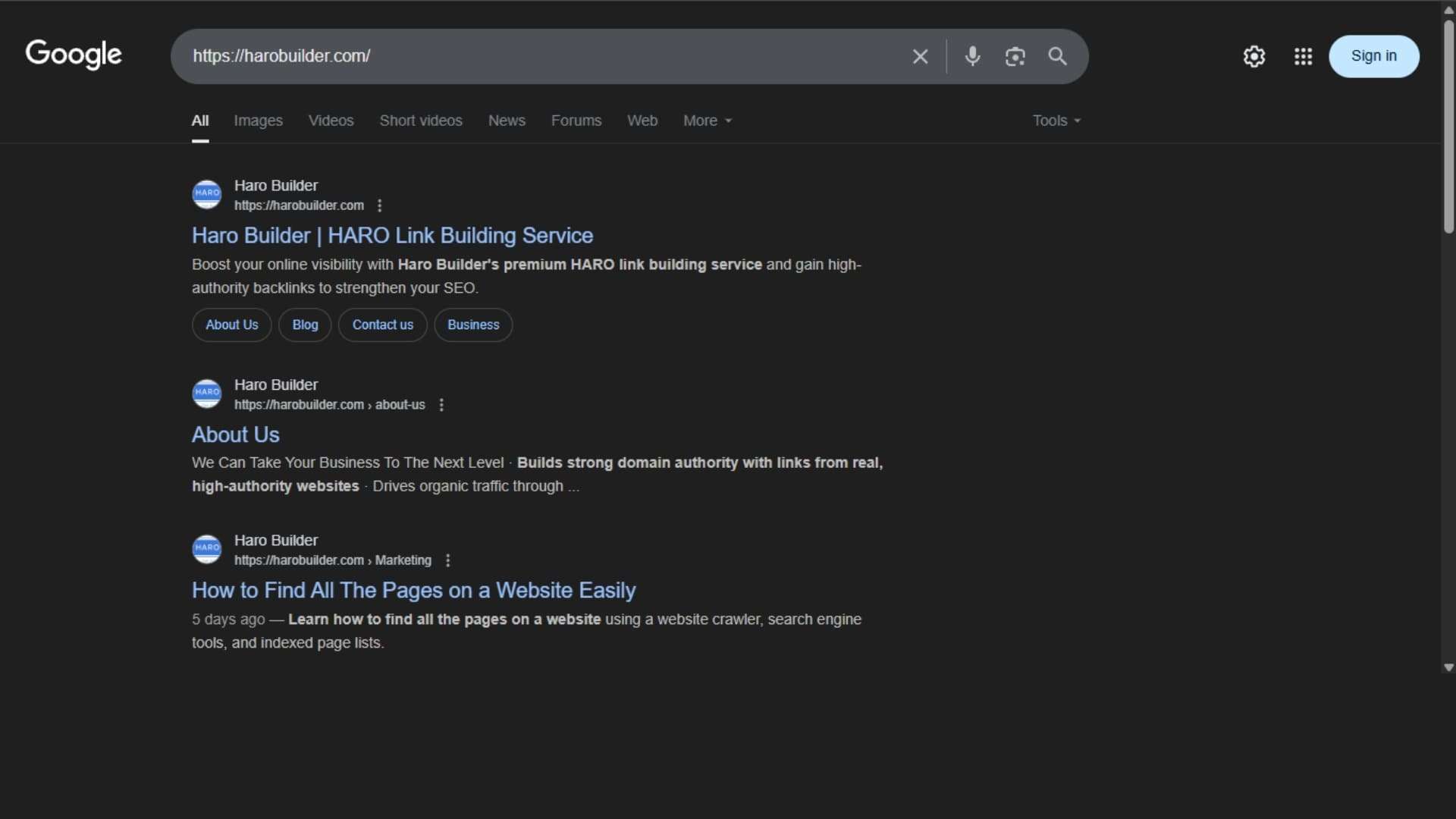
    You can check backlinks in Google Search by searching your full URL directly in the search engine. Type your web page’s exact URL to see which pages from the other site reference it. While this method doesn’t display every backlink, it highlights indexed links that point to your site. Furthermore, it provides a snapshot of how your website appears in Google search results. Although this method doesn’t show detailed backlink data, it’s quick for a basic check. Conversely, using the URL in quotes further refines the results. Hence, it helps spot recent link growth and mentions.
    Using the “site:” Operator:

    Using the site Operator

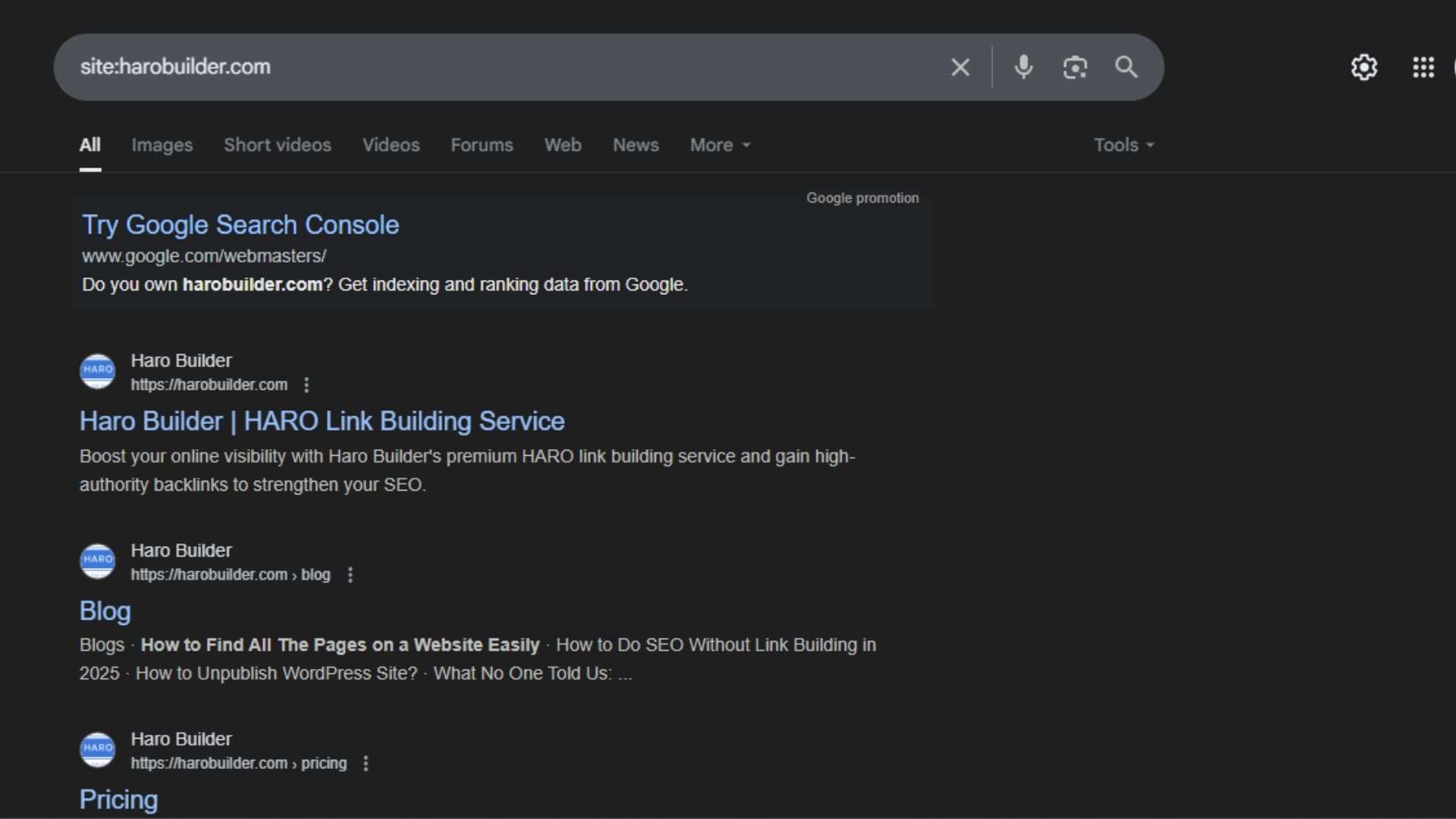
    Using the “site:” operator in Google Search helps identify indexed pages linking to your website. Type site:example.com with your domain or URL to locate web pages that Google has crawled. Although not designed solely for backlink analysis, this operator can help uncover pages linking to your site that are already indexed in Google’s search results. Additionally, it filters out unrelated domains and focuses on a specific website. You won’t get backlink reports, but this method reveals links from unique websites. Thus, it’s beneficial for spotting backlinks pointing to your site when used along with other tools.

    Checking with a Random Sentence:

    Checking with a Random Sentence

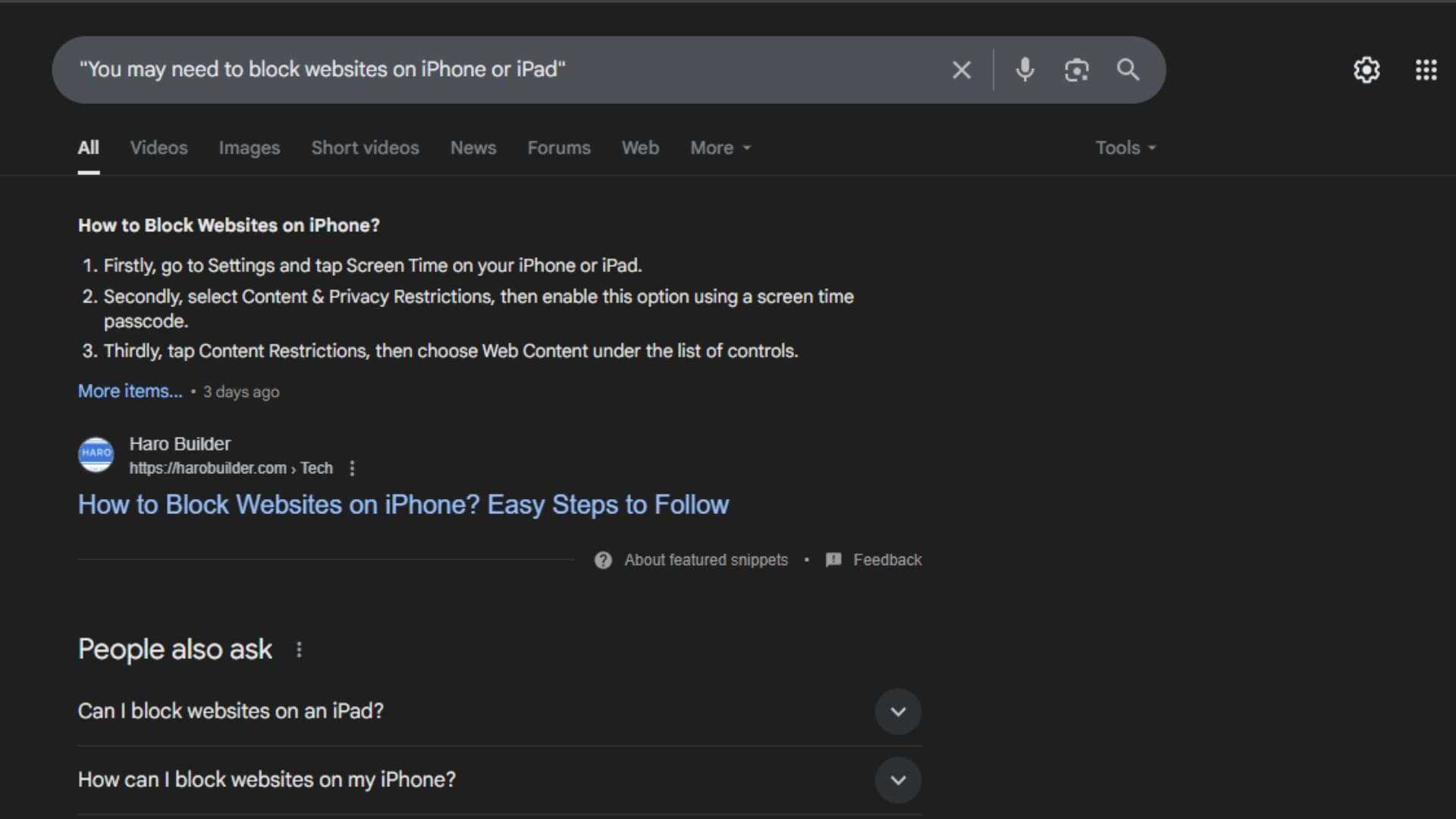
    Another practical method to find backlinks in Google Search is by pasting a random sentence from your article. Google may show websites linking to your content when they quote that sentence. This method, although informal, helps locate backlinks with matching anchor text or quoted text. Besides offering insight into link context, it identifies the specific pages that referenced your material. Comparatively, it can reveal backlinks pointing from forums, blogs, or scraped content. You’ll find this method useful when no tools are available. However, it’s not as comprehensive as a proper backlink report.

    Checking Google Cache:

    Checking Google Cache

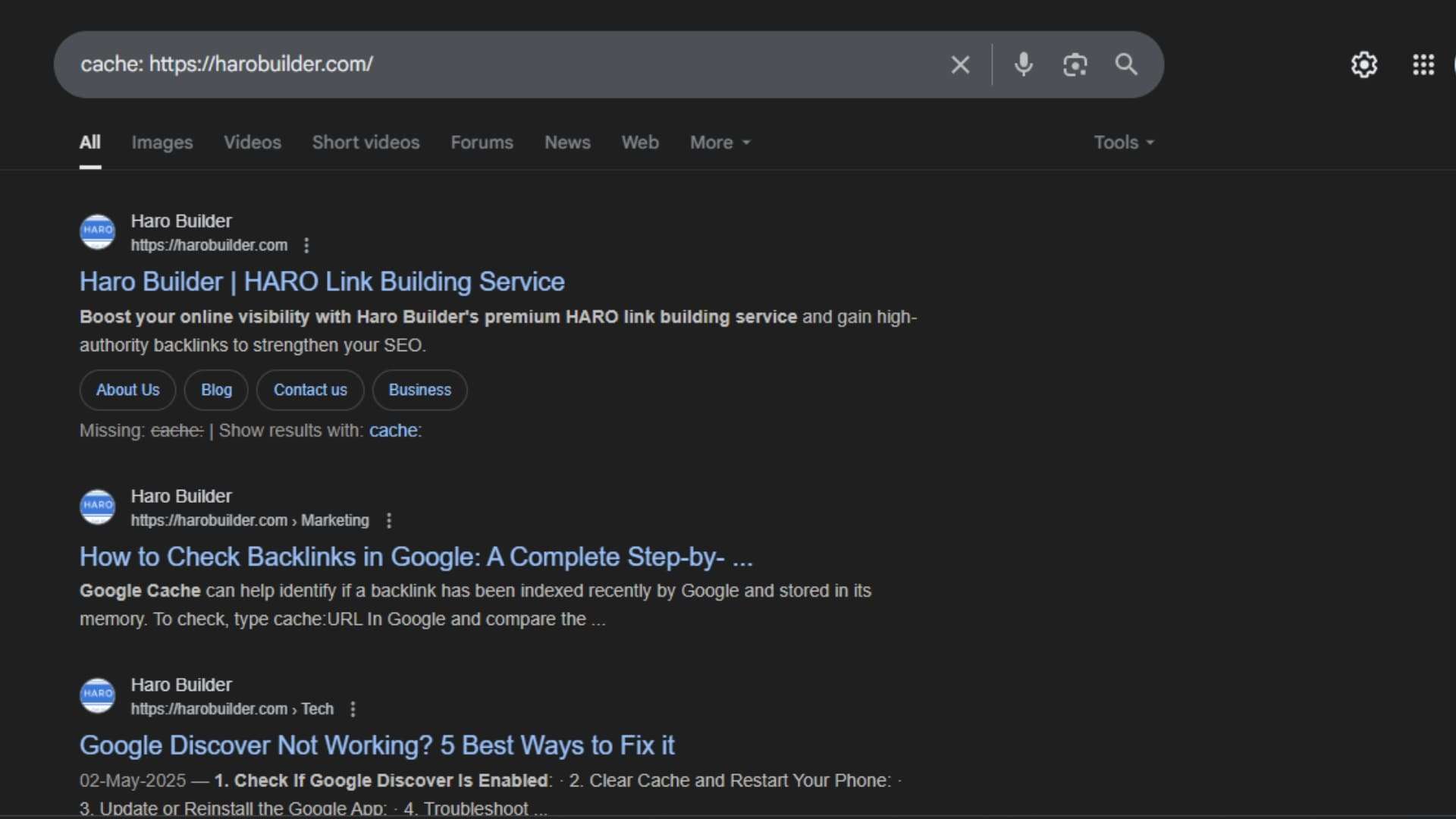
    Google Cache can help identify whether a backlink has been recently indexed by Google and stored in its cache. To check, type “cache: URL” in Google, and compare the cached content to your actual webpage. If the page contains links pointing to your site, they may also appear in the cache. While this isn’t a dedicated backlink checker, it provides information about when the page was last crawled. Thus, it helps monitor your backlinks when you’re checking Google search results manually. However, backlinks in cached versions might not always reflect the most recent link growth.

    Using Google Search Console:

    Using Google Search Console

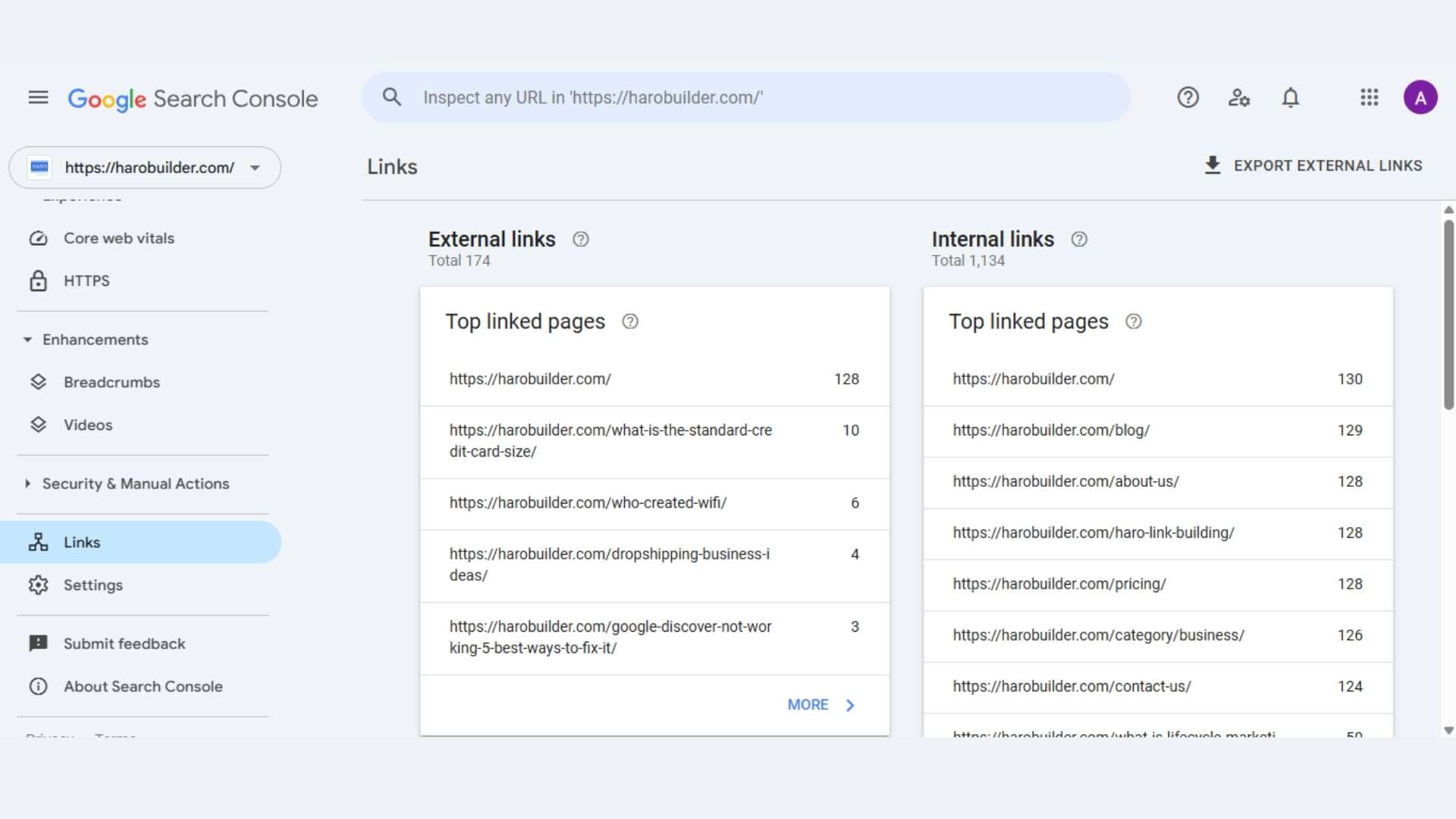
    To check backlinks in Google Search Console (GSC), navigate to the “Links” report within your property. This report provides insights into external links pointing to your site, including top linking sites and top linked pages. You can also export the backlink data for further analysis. 

    Here’s a step-by-step guide:

    1. Sign in to Google Search Console: Access your Google account and select the website property you want to analyze. 
    2. Locate the Links report: In the left-hand menu, find and click on the “Links” section. 
    3. Explore the report: The report is divided into sections, including “Top linking sites,” “Top linked pages,” and “External links.” 
    4. Analyze the data: Review the top linking sites, the pages on your site that receive the most links, and the anchor text used in those links. 
    5. Export the data: If needed, you can download the backlink data by clicking the “Export” button. 

    Using SEO Tools:

    Using SEO Tools

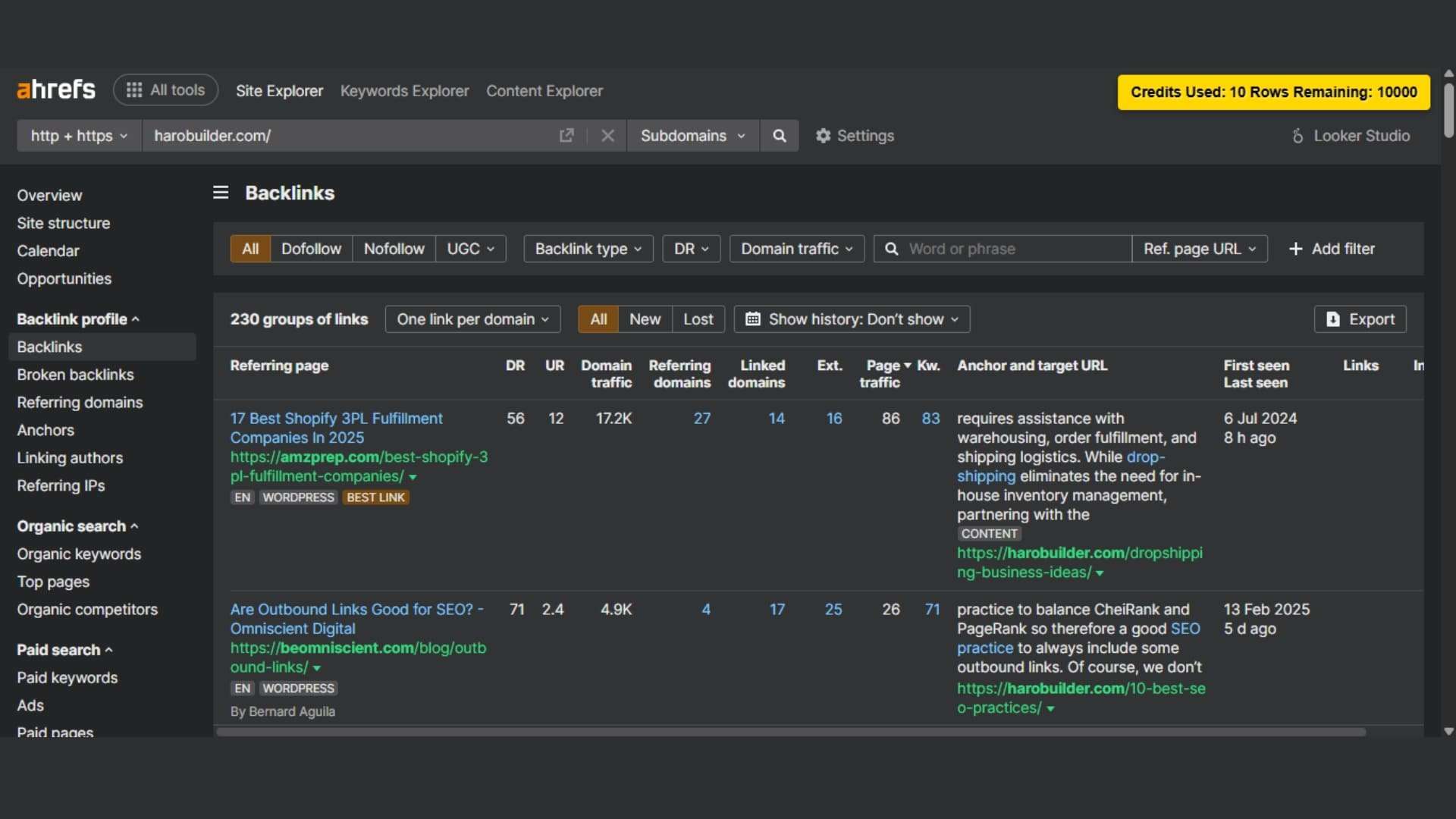
    To thoroughly check backlinks in Google, use third-party SEO tools like Ahrefs, Semrush, or Moz. These tools provide detailed backlink analysis, including link context, anchor text, and linking and target pages. Moreover, they display the number of backlinks and linking sites, helping to identify spammy or low-quality links. Unlike basic methods, these tools offer filtered reports sorted by incoming links and domains.

    Benefits of using SEO tools:

    • Monitor backlink profiles and the quality of your backlink profile
    • Identify backlink data to improve your SEO strategy and avoid bad backlinks

    Conclusion

    Maintaining accurate backlink profiles and monitoring links pointing to your website ensures healthier referral traffic and stronger search engine rankings. Tools like Google Search Console and Google Analytics 4 provide backlink reports to help you track your backlinks and identify spammy or unnatural links. Improving your site’s SEO involves regularly checking backlinks in Google search results, tracking link growth, and refining your link-building strategy to ensure optimal results. You’ll find that identifying the quality of backlinks is one of the most important tasks for your website’s SEO. So, which backlink method will you test first to enhance your backlink analysis? 

    FAQs

    1. What are backlinks in SEO?

    Backlinks are links from other websites that point to your site and impact search engine rankings.

    2. Why should I monitor my backlinks?

    Monitoring helps improve your SEO strategy and identify spammy or low-quality links harming your rankings.

    3. Is Google Search Console free to use?

    Yes, Google Search Console is a free tool that provides backlink data and site performance insights.

    4. How often should I check my backlinks?

    Check your backlinks monthly or after major campaigns to monitor link growth and quality.

    5. What is a backlink profile?

    A backlink profile encompasses all links pointing to your website, highlighting the quantity, quality, and anchor texts used.

  • Google Search Console vs Google Analytics: Which Delivers Better

    Google Search Console vs Google Analytics: Which Delivers Better

    google search console vs google analytics

    Struggling to know which tool better measures your website’s success? Google Search Console vs Google Analytics often report different numbers for clicks, sessions, and keywords. This disparity can frustrate marketers aiming to optimize search traffic and organic search performance. Google Search Console focuses on organic search traffic, search visibility, and search queries before users click your site. Google Analytics focuses on user behavior and post-click interactions, such as conversions and session duration.

    Accordingly, the complete guide below explains integration steps, comparison of search console data versus analytics data, and actionable insights from Google Analytics 4 combined with Search Console. You’ll learn how to use Google Search Console and Google Analytics together effectively to improve search engine optimization and enhance user experience.

    What is Google Analytics?

    Google Analytics is a powerful analytics platform that allows you to collect data on website user behavior. This tool focuses on user behavior and traffic data rather than search engine results pages performance. It helps businesses track how visitors interact with their content, which pages perform well, and where users drop off. Google Analytics tracks data on bounce rates, session durations, and real-time active users, making it highly effective for behavioral analysis and insights.

    Google Analytics 4 (GA4), the latest version, emphasizes cross-device tracking and data collection across multiple platforms. This version also provides data on app and web activity simultaneously. Analytics provides detailed visual dashboards that help decode trends and patterns over time. Unlike tools like Google Search Console, Google Analytics focuses on user behavior after a visitor arrives on your site. Analytics data becomes crucial when businesses aim to improve user experience and conversion paths.

    What is Google Search Console?

    Google Search Console provides data directly from Google’s index to help you assess search performance and visibility. This tool focuses specifically on Google search results and how your site performs in search results. It allows you to view clicks, impressions, and search queries users used to find your pages. Search console tracks how well content ranks and shows which pages appear on search engine results pages.

    Google Search Console offers insights into organic traffic, search ranking, and search visibility. It helps site owners monitor performance in Google Search and access data on search indexing and crawling. The platform also provides performance data such as click-through rates and average position. Additionally, you can use Google Search Console to identify and fix data validation errors and mobile usability issues.

    Unlike Google Analytics, the search console provides SEO-specific insights based on data from Google Search rather than user interaction. Google Search Console helps users improve search engine optimization and organic reach by aligning content with what people search.

    Similarities Between Google Search Console and Google Analytics

    google search console vs google analytics

    Website Traffic:

    Both Google Search Console and Google Analytics provide data related to organic traffic and overall search traffic. While Google Analytics tracks user sessions, Search Console tracks the number of clicks from search engine results pages. Additionally, both tools collect data from visitors and reflect how your site performs in search results. Search console data includes impressions and click rates, whereas analytics provides deeper insights on bounce rates and session time. Google Search Console helps analyze search-based visits; analytics focuses on user behavior during those visits. Use Google tools together to see a full picture of traffic data. Although their focus differs, analytics and Google Search Console show how people find and interact with your site.

    Page Performance:

    Both platforms assess how individual pages perform in search results and among site visitors.

    • Google Search Console provides data on impressions, average position, and total clicks per page.
    • Google Analytics tracks bounce rates, average session duration, and user paths on a page.
    • Search console focuses on SEO, helping understand where pages rank and how users find them.
    • Analytics focuses on user behavior, such as actions taken after arriving at a page.
    • Search Console offers a detailed performance report that pinpoints poorly performing URLs in search engine results pages.

    Use both tools to assess what content attracts users and what needs refinement.

    Traffic Sources:

    Both Google Analytics and Google Search Console offer a lens into how users reach your site. Google Analytics focuses on multi-channel attribution, including direct, referral, and Google Ads sources. Meanwhile, search console data emphasizes organic search traffic from search engines like Google. Analytics and Google Search Console differ in scope, but both provide data on inbound paths. Search Console provides detailed information on search engine results pages traffic. Google Analytics vs Google Search Console mainly differ in how each platform defines source and medium. Nevertheless, combining both reveals key differences between Google Search and other acquisition channels. Altogether, using both platforms concurrently ensures a comprehensive overview of all traffic sources.

    User Data:

    Google Analytics focuses on user activity and analytics uses sessions, users, and events to create meaningful metrics. Search console data, while more SEO-centric, still contributes to user data through query clicks and page-level engagement. Google Analytics tracks how users behave once they arrive, including interactions and conversions. Google Search Console focuses on how users reach the site, mainly via organic search. Analytics platform segmentation allows detailed breakdowns by demographics and devices. Use Google Analytics for post-click data; use Google Search Console to measure visibility. Additionally, analytics and Google Search Console together help correlate keyword traffic with on-page behavior. Each tool gathers data from both tools but presents different user insights.

    Tracking Goals:

    Both tools enable goal-setting indirectly, albeit with different data collection and measurement criteria. Google Analytics offers event-based tracking goals, ideal for form submissions, purchases, or time-based interactions. Meanwhile, Search Console provides data on search ranking and performance report metrics that indicate success in organic search traffic. Use Google Search Console to verify if ranking improvements align with content goals. Conversely, analytics provides actionable insights into how visitors convert post-click. Google Analytics vs Google Search Console becomes significant when defining KPIs. Although Search Console offers fewer goal metrics, it supports SEO-based target tracking. Search Console and Google Analytics integration help create comprehensive conversion funnels and compare engagement against visibility.

    Search Queries:

    Google Search Console provides data on specific search queries that generate impressions and clicks. This helps SEO professionals measure keyword alignment and search engine optimization effectiveness.

    • Search console to Google: Identify how people arrive from Google search results using precise queries.
    • Search console tracks impressions, CTR, and average ranking for each search query.
    • Google Search Console shows changes in search performance for newly optimized keywords.
    • Use Google Search Console to refine content that matches high-performing queries.
    • Google Search Console offers detailed visibility into what searchers type before visiting your site.

    This data is not available within Google Analytics, making the console crucial for keyword strategies.

    Differences Between Google Search Console vs Google Analytics 

    google search console vs google analytics

    Metrics:

    Google Analytics focuses on user interactions, including bounce rates, session durations, and pages per session metrics. Conversely, Google Search Console focuses on search visibility, search ranking, and search performance metrics. Google Analytics tracks user navigation, while Console tracks keyword impressions and organic search behavior. Search console data shows how a site performs in search, especially on search engine results pages. Meanwhile, analytics provides more detailed metrics on user behavior and conversion funnels. Use Google Analytics to assess campaign performance and use Google Search Console to optimize search traffic. Console vs Google Analytics 4 also differs in measurement models and data collection logic.

    Use:

    Google Search Console and Analytics have different purposes based on their data source and intended audience. Use Google Search Console to monitor how your website performs in Google search results using specific search queries. In contrast, use Google Analytics to understand what users do after landing on your site. Search Console offers insights for search engine optimization, while Google Analytics is a powerful analytics platform for behavioral analysis. Google Search Console to monitor crawling, indexing, and provides data for SEO adjustments. Conversely, analytics focuses on user behavior, funnel performance, and organic traffic patterns across devices and locations.

    Verification:

    Verifying ownership differs between Google Search Console vs Google Analytics, even though both offer data on search performance. Google Search Console accounts require site verification through DNS, HTML tag, or Google Tag Manager integration. Conversely, Google Analytics integrates seamlessly via embedded tracking codes and analytics platform setups. Analytics and Google Search Console can work together post-verification, but each must be validated independently. The console uses Pacific Daylight Time, which affects report synchronization unless properly aligned. Verification ensures secure access to search console data and analytics data, reducing data validation errors. Google to find verified access routes within each respective dashboard.

    Error Information:

    Google Search Console provides in-depth error alerts for technical SEO and indexing challenges.

    • Search Console helps detect crawl issues, indexing failures, and sitemap validation errors.
    • Google Search Console tracks mobile usability, Core Web Vitals, and HTTPS implementation errors.
    • Use Google Search Console to identify structured data errors and broken internal links.
    • Data validation errors and missing schema tags are shown clearly in the performance and enhancement tabs.
    • Unlike Google Analytics, error reporting in the console relates specifically to search engines and search ranking performance.

    Google Analytics and Search Console combined offer clearer insight into cause and effect.

    Reporting Features:

    Google Analytics vs Google Search Console differ sharply in how each platform presents performance data and reports. Google Analytics provides customizable dashboards and automated event tracking, especially useful for campaigns and e-commerce. Search Console offers performance reports related to search queries, impressions, and CTR data across multiple pages. Google Search Console data is segmented by devices, countries, and query terms. Conversely, Google Analytics tracks real-time traffic and user flow through funnels. Analytics uses visual tools like graphs and flowcharts, while Google Search Console shows tabulated reports focused on search visibility and keyword exposure. Search console, together with analytics, improves decision-making clarity.

    Daily Limits:

    Google Search Console and Analytics have different daily limits affecting data collection and export capabilities. Google Analytics 4 limits API queries and sampling thresholds for free users, especially with large datasets. Search Console to Google also has quota limits when connected to external tools like Data Studio. GSC data exports are limited to 1,000 rows via the interface but are extendable through APIs. Google Analytics tracks more dimensions per session, though heavy usage can trigger data validation errors. Search console uses Pacific Daylight Time, which can skew data alignment if not adjusted. Data from Google Search Console refreshes less frequently than analytics.

    How Do Google Search Console and Google Analytics Work Together?

    Google Search Console and Google Analytics work together by linking search performance data with user interaction metrics. Google Analytics focuses on behavioral insights, whereas Google Search Console focuses on visibility and organic search traffic from search engines. When integrated, these platforms collect data that reveals how users find a website and what they do afterward. Search Console provides data like search queries, impressions, and click volume from search engine results pages. Conversely, analytics tracks bounce rates, session durations, and navigation flow across the site.

    Use Google Search Console to see how your site performs in Google search and use Google Analytics to assess on-site behavior. Google Analytics and Search Console together help marketers correlate search performance data with post-click activity. Console and Google Analytics together enhance insights by joining traffic data with search console data. Google Tag Manager can facilitate smooth integration for improved data collection and clearer SEO measurement.

    Conclusion

    Both Google Search Console and Google Analytics play essential, yet distinct roles in a robust SEO strategy. Search Console monitors search engine results pages, tracking visibility, ranking, and specific search queries. Meanwhile, Analytics analyzes what visitors do on your site, from traffic data to conversions. Together, they offer a unified view, from finding to engagement. This guide showcased how Google Analytics and Google Search Console complement each other to inform smarter decisions. Did this comparison help you decide which tool delivers better value for your goals?

    FAQs

    Do I need both Google Search Console and Google Analytics?
    Yes, both tools serve different purposes and together provide a complete view of your website’s performance.

    Which tool is better for SEO monitoring?
    Google Search Console focuses specifically on SEO, tracking search queries, rankings, and crawl issues.

    Can Search Console replace Analytics for traffic data?
    No, Search Console provides search-related data only, while Analytics tracks full user behavior and traffic sources.

    Does Google Search Console track user engagement?
    No, it does not track engagement metrics like bounce rate, time on page, or conversions.

    How often should I check these tools?
    Check them weekly at minimum, but daily monitoring helps catch traffic drops and indexing issues quickly.

    What data does Google Analytics track that Search Console doesn’t?
    Google Analytics tracks page views, sessions, user flow, bounce rates, goals, and e-commerce events.

  • Effective Ways to Avoid Duplicate Content in Your Writing

    Effective Ways to Avoid Duplicate Content in Your Writing

    If your content sounds like everyone else’s, then what do you think is the charm that makes the reader choose you over the others? 

    Apparently, nothing. 

    If you are unable to make your writing unique and stand out, then no matter how strong or valuable the ideas are, they will lose their impact.

    That’s why originality isn’t optional, it’s essential. It helps you make your content credible and unique. Therefore, if you stick to always producing original content, you can build trust and authority with your audience.

    But the problem is, even if we try to produce original content, it still catches unintentional plagiarism. 

    So, what are the exact steps or strategies that help us keep our content original and credible?

    If you want to learn this, then just keep reading the article. 

    8 Key Strategies to Effectively Avoid Catching Duplication in Writing

    Here are some writing strategies that you need to adopt if you want to avoid catching plagiarism in your writing and maintain the integrity of your words. 

    1. Do Fresh Research Before Writing

    If you want to avoid catching plagiarism in your content, then rather than copying others, start with new research every time you write. Don’t rely on recycled content or old notes. 

    Take time, search for the facts online, gather data from the trusted sources, and then write them in your own words. 

    Trust me, this simple approach helps you a lot in forming unique thoughts and avoiding copying what’s already out there. 

    However, the notable point here is, while gathering the information, don’t just stick to one article, as it increases the chances of plagiarism. Search and explore diverse views and examples that you can use in your content to support your claims.

    2. Share Your Own Understanding

    If you are taking inspiration from other people’s content, then instead of directly copying and repeating how they present their ideas, look into the information and describe what you have extracted from it. 

    Break complex ideas into simple parts and explain them like you would to a friend. This helps you make your content comprehensive, unique, and natural. Remember, readers always appreciate the content that talks to them and shares information as if in a conversation.

    Whereas, copying others makes the content lose its spark and blends it in with the rest of the articles available online. Your voice and insights are what make the content yours. So, don’t just reword, rethink, and then write.

    3. Change How You Present Ideas

    In case you are covering a common topic, try to break the norms and describe the information in a more unique and fun way. Don’t just repeat what others have said. 

    Look for different angles to explore, use a new example, or simplify it further. Even if you don’t change ideas much, make sure your presentation feels different. 

    This keeps your writing original and useful. Readers want something that adds clarity or gives a new point of view.

    4. Use Short Summaries for References

    If you’re using information from a source, don’t copy the explanation. Instead, read it, understand the main idea, and write a short summary in your own words. Keep it simple and to the point. This helps you avoid duplication and makes your writing clearer. 

    A good summary shows that you understand the topic, not just that you can reword it. It also forces you to avoid copying sentence structure. Stay focused on the key point and move on. 

    This technique works well for facts, quotes, or examples from other materials.

    5. Check for Similarities Before Publishing

    Once you are done with writing the content, don’t hit the publish button immediately. Sometimes, even if we don’t deliberately copy content from others, our content still catches unintentional plagiarism. So, if you publish your writing without verifying its authenticity, it might affect your credibility. 

    Therefore, it’s best to conduct a plagiarism test to detect if your content contains any instances of duplication. This test can scan your text and match it with already published resources to find any potential matches. Therefore, it helps you catch potential issues in your content that you might otherwise miss. 

    6. Avoid Using the Same Structure Every Time

    Using the same format or template for every piece makes your content feel repetitive. Moreover, it may also lead to unintentional duplication in structure and flow. Therefore, instead of sticking to the same pattern, adjust how you present ideas based on the topic. 

    Try new ways to open, explain, and close your points. Moreover, use different tones, angles, or examples. Make sure your ideas are clear, refined, engaging, and truly reflect your voice and tone. 

    For this, if you effectively want to cut out the predictable patterns and make your content actually stand out, you can paraphrase text to avoid plagiarism. Paraphrasing gives your content a new, fresher, and refined look while keeping the core idea. This process can help you effortlessly produce original content every time. 

    7. Keep a Record of What You’ve Written

    If you want to avoid discussing the same content, try keeping a record of all your previous research and writings. You might have felt that when we repeatedly cover almost similar topics, we easily mix and match the information or even forget what we have already said. 

    Therefore, it’s best to save your content in an organized folder and use clear file names and notes to keep track of the key ideas and examples that you have already used in your content. 

    Trust me, this simple habit can save you a lot of time and effectively protect you from self-duplication. This simple approach helps you avoid repeating. 

    8. Use an Online Plagiarism Remover Tool

    Even after practicing all these tips, there is a very good chance that your content could have accidental similarities with another post written on the same topic or niche.To ensure 100% originality, it is important that you leverage an AI plagiarism remover tool by SEOmagnifier.

    Plagiarism remover tools rely on natural language processing and advanced machine learning models, which enable them to understand an existing piece of text and reword it differently without changing its intent.

    In case you have found excessive plagiarism in your drafts through an advanced plagiarism detector, you must spin it through a plagiarism remover tool. This would help you enhance originality and save a lot of your valuable time, which you might end up wasting in manual rewriting or editing.

    Final Words

    Original writing doesn’t happen by accident, but it is a choice that you deliberately make every time you sit down to create something. 

    Therefore, if you really want to stand out in this crowded market, then focus more on what you think than on what others have already said. Take time to build ideas that actually add value, and trust me, this simple shift in the mindset plays a major role in setting you apart from the crowd.

  • SEO Analyst Career Guide: What You Need to Know

    SEO Analyst Career Guide: What You Need to Know

    seo analyst

    Many aspiring digital marketers question whether the SEO analyst role offers financial stability and growth. Despite the increasing demand for online visibility, some remain uncertain about the career’s long-term viability. SEO analysts in the U.S. earn an average annual salary of $76,346, with potential earnings up to $111,712 for experienced professionals. This role not only provides competitive compensation but also offers diverse opportunities across various industries.

    In this comprehensive guide, we’ll delve into the salary expectations, job outlook, and career pathways for SEO analysts, equipping you with the insights needed to make informed career decisions.

    What is an SEO Analyst?

    An SEO Analyst is a digital marketing professional who focuses on improving website performance in search engines. They analyze website traffic, conduct keyword research, and implement SEO strategies to increase visibility in search engine results pages (SERPs). An SEO analyst may use tools like Google Analytics, SEMrush, Ahrefs, and Google Search Console to assess metrics such as click-through rates and ranking positions.

    The role of an SEO analyst involves optimizing websites for search engines like Google while collaborating with content writers to ensure content is optimized for search. SEO analysts must possess analytical skills and a clear grasp of technical SEO and SEO data.

    What Does an SEO Analyst Do?

    An SEO Analyst evaluates and improves a website’s search engine performance through strategic keyword placement and optimization. They conduct keyword research using SEO tools like SEMrush, Ahrefs, and Google Search Console to enhance content visibility.

    SEO analysts must be able to analyze website data with analytics tools such as Google Analytics and identify SEO elements needing improvement. They work closely with developers and content writers to ensure every page is optimized for search engines.

    Additionally, SEO analysts are primarily responsible for implementing technical SEO and maintaining structured data for better indexing. They monitor metrics such as organic traffic, conversion rates, and rankings on search engine results pages (SERPs).

    The SEO analyst role also includes conducting SEO audits, staying updated with search engine algorithms, and applying best practices accordingly. Moreover, they optimize web pages to rank higher in organic search and improve online presence. Their strategies to increase ranking support broader digital marketing goals.

    How to Become an SEO Analyst

    Education and Certification Requirements:

    To become an SEO analyst, candidates typically start with a degree in digital marketing, communications, or data analytics. However, many professionals succeed with certifications in SEO practices and relevant tools instead. SEO certifications from platforms like HubSpot, Moz, or Google are highly valued. Additionally, tools such as SEMrush, Ahrefs, and Google Analytics often require hands-on learning and proficiency.

    Certification courses help applicants learn the technical aspects of SEO, structured data, and keyword research. Furthermore, completing Google Search Console training improves one’s ability to analyze website data. Consequently, a combination of formal education and practical SEO tools training enhances job readiness.

    Essential Skills for Success in Search Engine Optimization:

    SEO analysts must possess analytical skills and communication skills to effectively interpret SEO data and collaborate with teams. They need to be skilled in conducting keyword research and using analytics tools like Google Analytics and Ahrefs. Additionally, they must understand search engine algorithms, technical SEO, and content for SEO optimization. Effective SEO analysts often work with structured data, optimize web pages, and track organic traffic.

    Moreover, SEO analysts must be able to apply strategies to increase visibility and ranking. Proficiency with SEO tools and familiarity with local SEO practices are also crucial. Therefore, mastering these essential skills supports long-term career success.

    Entry Points and Career Paths for Aspiring SEO Analysts:

    Aspiring SEO analysts may start in entry-level SEO positions or digital marketing internships, typically requiring up to two years of experience. Employers often seek candidates who can analyze website performance and optimize content for search engines. LinkedIn and Glassdoor list openings for SEO specialist roles, often leading to analyst roles afterward. Later, professionals can progress to senior SEO strategist or SEO manager positions, depending on SEO experience.

    The career path usually expands to digital marketing leadership or data analysts with SEO specialization. Therefore, starting small and consistently building SEO expertise through hands-on work and continued learning ensures upward career growth.

    Types of SEO Analysts

    SEO analysts specialize in various domains depending on website needs and SEO strategies. These include technical SEO analysts, content SEO analysts, link building analysts, local SEO experts, eCommerce SEO analysts, and SEO data analysts. Each SEO analyst role focuses on specific aspects of search engine optimization to improve online presence.

    Technical SEO Analyst:

    A technical SEO analyst ensures that websites are fully optimized for search engines like Google. This role involves fixing crawl errors, improving site speed, and implementing structured data. Technical SEO analysts must be able to identify issues affecting search engine algorithms and resolve them using advanced SEO tools. They also conduct regular SEO audits and monitor search engine results pages to maintain strong visibility. Furthermore, they work closely with developers to enhance website performance and ensure all web pages are accessible to search bots. Their role is critical in maintaining the foundation of a website’s search engine optimization success.

    Content SEO Analyst:

    A content SEO analyst focuses on optimizing website content for better search results and user engagement. They collaborate with content writers to ensure every article or page is optimized for search engines. This involves conducting keyword research, analyzing search intent, and applying SEO best practices to drive organic traffic. They frequently use tools like Google Analytics, Ahrefs, and SEMrush to track content performance and identify ranking opportunities. Besides creating SEO-friendly content, they ensure it aligns with the brand’s voice and digital marketing goals. Consequently, a content SEO analyst plays a vital role in increasing a site’s organic search visibility.

    Link Building SEO Analyst:

    A link-building SEO analyst primarily focuses on acquiring high-quality backlinks to improve domain authority and rankings. This role demands analytical skills to identify valuable link prospects and strategic outreach methods. SEO analysts usually research competitor backlinks using tools like Ahrefs or SEMrush and replicate successful strategies. Furthermore, they monitor anchor texts, domain relevance, and link diversity to follow effective SEO practices. Link-building SEO analysts also develop content assets that attract backlinks naturally. Their efforts directly impact the authority of a website and its positioning on search engine results pages. Therefore, their work is crucial to increasing organic traffic.

    Local SEO Analyst:

    A local SEO analyst helps businesses improve visibility in geographically targeted search results. They optimize Google Business Profiles, monitor local rankings, and manage location-specific keywords. Additionally, they focus on structured data and local citations to increase relevance in map packs and local search engine results pages. Local SEO analysts must understand regional SEO practices and analyze performance using tools like Google Search Console and Google Analytics. Moreover, they collaborate with content teams to create locally optimized landing pages. Hence, a local SEO analyst is essential for businesses looking to increase foot traffic and online engagement in targeted geographic areas.

    eCommerce SEO Analyst:

    An eCommerce SEO analyst specializes in optimizing product pages, category structures, and shopping experiences to increase conversion rates. They must analyze website traffic, apply keyword research, and implement e-commerce link-building strategies to increase organic search visibility. Additionally, they focus on technical aspects like crawl budget, faceted navigation, and schema markup for better ranking. Tools such as SEMrush, Google Analytics, and Google Search Console help them measure product performance. They work closely with developers and marketers to ensure content is optimized for search and aligned with customer search behavior. This role supports sales goals by improving ranking and enhancing user experience simultaneously.

    SEO Data Analyst:

    An SEO data analyst uses data analytics to extract insights that guide strategic SEO decisions. This role involves interpreting SEO data from tools like Google Analytics, Ahrefs, and SEMrush. SEO analysts often track metrics such as click-through rates, bounce rates, and keyword trends. They must analyze website structure, content performance, and backlink profiles to inform SEO strategies. Moreover, they provide reports that identify opportunities to optimize web pages and improve overall website performance. Their analytical skills are crucial in aligning SEO efforts with business objectives. Thus, an SEO data analyst plays a significant role in measuring and maximizing SEO effectiveness.

    Salary Expectations for SEO Analysts

    The average salary of an SEO analyst is $76,346, with potential earnings up to $111,712 per year, which may vary due to location, employer, experience, and other factors. Entry-level candidates with basic SEO experience often earn less than professionals with SEO certifications and advanced technical SEO knowledge. Additionally, professionals using SEO tools like Ahrefs, SEMrush, and Google Analytics command higher salaries. Employers often offer competitive pay to SEO analysts who consistently optimize websites and improve search engine ranking performance.

    Key factors influencing the salary range for an SEO analyst:

    • SEO experience and years in related SEO positions or digital marketing roles
    • Proficiency with SEO tools like Google Search Console, Ahrefs, and analytics tools
    • Ability to conduct SEO audits and apply comprehensive SEO strategies effectively
    • Certification in SEO practices or completion of relevant technical SEO training
    • Skills required to analyze website performance and increase organic traffic and conversion rates
    • Local SEO expertise and ability to rank higher in search engine results pages (SERPs)

    Job Prospects and Outlook for SEO Analysts

    SEO Analyst Job Outlook in the Current Market:

    The SEO analyst job outlook remains strong due to increasing competition for visibility on search engines like Google. Companies across sectors consistently invest in search engine optimization to drive organic traffic and increase website ranking. Furthermore, the demand for skilled SEO analysts continues to grow as digital marketing strategies depend on data-driven results. Businesses actively seek professionals who understand technical SEO, keyword research, and SEO strategies.

    SEO analysts must be able to optimize websites and analyze website performance using analytics tools. Consequently, SEO positions are frequently listed on platforms like LinkedIn and Glassdoor with diverse industry opportunities.

    Future Demand and Career Growth Opportunities:

    The career path for an SEO analyst offers considerable upward mobility in both agency and in-house roles. As long as companies aim to rank higher in search engine results pages, skilled analysts will remain essential. SEO analysts often advance to become SEO specialists, SEO managers, or digital marketing strategists. Moreover, professionals with two years of experience and SEO certifications gain access to higher-paying roles.

    The need for local SEO and structured data expertise further enhances job prospects. Therefore, mastering comprehensive SEO practices and keeping up to date with search engine algorithms ensures long-term career growth and relevance.

    Conclusion

    Pursuing a career as an SEO analyst in 2025 presents a promising path with competitive salaries and diverse opportunities. The role’s significance in enhancing online visibility ensures its continued relevance across industries. By acquiring essential skills and staying updated with industry trends, professionals can secure and excel in this dynamic field. Are you prepared to leverage your analytical skills and contribute to the digital landscape as an SEO analyst?

    FAQs

    What is SEO?
    SEO stands for search engine optimization, which improves website visibility online.

    Why is SEO important?
    SEO helps websites rank higher on search engines, attracting more visitors.

    How long does SEO take to show results?
    SEO results typically appear within a few months, depending on the competition.

    Can anyone learn SEO?
    Yes, SEO can be learned by anyone willing to study and practice.

    Is SEO free or paid?
    SEO itself is free, but may require paid tools or services for better results.

    What skills are needed for SEO?
    Important skills include keyword research, data analysis, and communication.

    Does SEO only involve content?
    No, SEO includes technical setup, content, and link-building strategies.

  • What is Link Popularity? The Role in SEO Rankings

    What is Link Popularity? The Role in SEO Rankings

    link popularity

    Imagine crafting exceptional content, yet your website remains buried in search engine results. This scenario often stems from low link popularity, a critical factor in SEO rankings. Research indicates that pages with numerous high-quality backlinks tend to rank higher in search results. Link popularity refers to the number and quality of external links pointing to your website, signaling its authority to search engines. Enhancing your site’s link popularity can significantly improve its visibility and ranking. This article provides a comprehensive guide on link popularity, its impact on SEO, and strategies to boost it effectively.

    What is Link Popularity?

    Link popularity refers to the number and quality of backlinks pointing to a web page or site. It serves as a vote of confidence from external sources, signaling content value to a search engine. A strong link profile includes high-quality backlinks, varied link sources, and contextual relevance. Search engine rankings rely significantly on the volume and quality of links a page receives. Both link quantity and authority matter, but quality outweighs numbers. A well-maintained profile demonstrates trust and credibility. Backlinks from reputable domains increase the chances of ranking higher in search results, improving overall SEO efforts.

    Why is Link Popularity Important in Search Engine Optimization (SEO)?

    Link popularity directly impacts SEO rankings by influencing how search engines evaluate content credibility. Inbound links from trusted websites enhance domain authority and pass link juice to target pages. High-quality and relevant backlinks signal that a web page offers useful information. Search engine algorithms analyze the number of backlinks and their link quality to determine rank positions.

    Consequently, earning backlinks from authoritative sources boosts visibility. A consistent link building effort strengthens SEO strategy and helps secure long-term traffic. Strong link popularity is crucial for staying competitive in organic search. It emphasizes trust, relevance, and authority in digital visibility.

    The Importance of Link Quality and Domain Popularity:

    Link quality and domain popularity significantly influence a site’s SEO ranking and overall performance. High-quality backlinks from reputable domains weigh more than numerous low-value links. Search engines evaluate the relevance and authority of domains linking to your site. A trusted backlink profile contributes to long-term SEO stability and improved rankings. While link quantity still matters, quality and contextual fit play a larger role.

    Building link relationships with respected websites elevates your domain’s reputation. Links pointing from related, authoritative sources add genuine value. Hence, prioritizing link quality enhances both trustworthiness and visibility across search engine results consistently and sustainably.

    5 Ways to Increase Link Popularity

    1. Create Relevant Content That Earns Natural Backlinks:

    Content that provides real value encourages other websites to link to your content naturally and consistently. When others link to your site, it strengthens your site’s credibility and improves domain trust. Content relevance and authority greatly influence your position in search engine optimization and overall visibility. Focus on clarity, usefulness, and topic alignment to attract meaningful links. Additionally, web pages with strong authority pass on more link equity. Consequently, producing high-quality content remains one of the most sustainable ways to improve your link popularity long-term.

    2. Use Guest Posting to Build Authoritative Links:

    Guest blogging remains an effective strategy to gain link popularity through contextual and editorial backlinks. It involves writing content for sites that link back to your site in exchange for visibility and trust signals. Choose high-authority domains to boost link popularity scores and avoid links from low-quality or irrelevant sources. Furthermore, guest posts should focus on audience relevance and topic alignment. Besides backlinks, this method also increases referral traffic and helps search engines understand your content’s authority. Link placement within the article body holds more weight than footer or sidebar placements.

    3. Leverage Broken Link Building Techniques:

    Broken link building involves finding outdated or dead links on other sites and suggesting your content as a replacement. This method not only replaces links pointing to a website that no longer exists but also builds strong link popularity. Use SEO tools like Ahrefs or SEMrush to identify broken links in your niche. Contact webmasters with a polite suggestion to replace the broken link with one that points to your website. Hence, this ethical approach adds value for site owners and boosts your site’s link popularity simultaneously without manipulative tactics.

    4. Avoid Link Farms and Focus on High-Quality Sources:

    Link farms and shady directories may offer quick backlinks but damage your website’s SEO and trustworthiness. Search engines penalize sites using excessive or irrelevant links, which can harm your site’s credibility. Links from the same website repeatedly also provide limited value. Instead, seek reputable domains within your niche that offer editorial, organic backlinks. Therefore, ethical outreach creates sustainable results and long-term benefits. Sites with a link from trusted sources receive more link juice, helping them rank higher in search engines compared to spammy sources.

    5. Promote Your Content Through Outreach and Digital PR Campaigns:

    Outreach to bloggers, influencers, or journalists encourages websites that link to your content to reference your work. This tactic helps build popularity by generating mentions and links pointing to a website from credible domains. Use tailored pitches, provide original insights, and include data to make your content link-worthy. Building link popularity through PR not only enhances brand awareness but also grows your backlink profile. Moreover, timely promotion during trending topics often results in links that pass on more link juice and elevate your SEO performance.

    Common Misconceptions About Link Popularity

    Many believe that it is only about collecting a large number of backlinks quickly. That’s false. Common misconceptions about link popularity include:

    • More links equal better rankings: However, link quality is more important than quantity in SEO.
    • Links from any site work: Links from a random site offer less value than those from authoritative, relevant domains.
    • All backlinks are equal: Link attribute (e.g., nofollow vs dofollow) affects how link equity is passed.
    • Link popularity isn’t necessary anymore: Conversely, it is still a crucial metric for ranking algorithms.
    • Repeated links from the same source help more: Links from the same website offer diminishing SEO returns over time.

    How to Monitor Link Popularity

    To effectively monitor your website’s link popularity, you should track backlinks, referring domains, and link equity. SEO tools like Ahrefs, Moz, and SEMrush allow users to analyze links pointing to a website and evaluate link quality. These platforms generate a link popularity score based on the number of links, anchor text, and domain popularity. You can also detect broken links that may hurt rankings and identify top-performing web pages with high link popularity. Monitoring your link profile regularly helps you maintain strong SEO performance and refine your link building strategies effectively.

    Conclusion

    Link popularity is a method that helps improve SEO rankings by signaling credibility and trustworthiness. Search engines evaluate links to a website based on quality, relevance, and source authority. This popularity is still a powerful factor in boosting rankings for those terms you target. Quality matters more in terms of SEO than popularity from low-quality or irrelevant sources. SEO tools like Ahrefs or Moz can track link popularity using accurate metrics and historical data. Page strength is often determined by the page rank and the diversity of backlinks. What strategies do you currently use to improve your site’s link popularity?

    For effective techniques to boost your site’s authority, check out this guide on ecommerce link building strategy.

    FAQs

    1. What is domain authority, and how is it related to backlinks?

    Domain authority is a metric indicating a website’s credibility. It’s influenced by the quality and quantity of backlinks.

    2. How can I check my website’s backlinks?

    Use SEO tools like Ahrefs, SEMrush, or Moz to analyze your backlink profile. These tools provide insights into link sources and quality.

    3. Can too many backlinks from the same domain hurt my SEO?

    Yes, multiple backlinks from a single domain have diminishing returns. Diversify your backlink sources for optimal SEO benefits.

    4. How do I remove harmful backlinks?

    Identify toxic backlinks using SEO tools and request their removal from webmasters. If unsuccessful, use Google’s Disavow Tool.

    5. What’s the role of anchor text in backlinks?

    Anchor text provides context about the linked content. Relevant and varied anchor texts enhance SEO, while over-optimization can be penalized.

  • Increase Google Business Profile Traffic With Smart Optimization

    Increase Google Business Profile Traffic With Smart Optimization

    increase google business profile traffic

    Many business owners notice their Google Business Profile receives minimal attention, despite its potential to attract local customers. Nearly half of all Google searches have local intent, yet many businesses fail to capitalize on this opportunity. An incomplete or outdated profile can result in missed connections with potential customers searching for services like yours. To increase Google Business Profile traffic, it’s essential to optimize your profile strategically.

    This involves ensuring accurate information, utilizing Google Posts, and engaging with customer reviews to enhance visibility on Google Search and Maps. In this guide, we’ll provide a comprehensive approach to optimizing your Google Business Profile effectively.

    Understanding the Importance of a Google Business Profile

    A Google Business Profile acts as your digital storefront, offering essential information to potential customers. When optimized correctly, it helps attract more customers who search for local services or products. Unlike traditional listings, it allows you to manage your presence across Google Search and Maps in real time. This feature becomes particularly useful when customers rely on mobile searches to make quick decisions.

    Strategies to increase Google Business Profile traffic undoubtedly start with presenting accurate business hours, contact details, and services offered. Moreover, customers tend to trust businesses that maintain an active and updated profile. Consequently, this builds credibility and drives more visitors to your Google Business page.

    Besides offering visibility, Google Business Profile optimization enhances local SEO rankings significantly. Whenever users search for relevant queries, an optimized profile is more likely to appear at the top. Overall, treating your Google listing as a marketing tool rather than a formality brings measurable results.

    Setting Up Your Google Business Profile

    To increase Google Business Profile traffic, make your profile stand out by completing all fields, optimizing for local search, and updating details regularly.

    Step 1: Claim Your Business

    Firstly, add your business on Google by logging into your Google account and locating your business name. If it appears in search results, claim the profile straightaway. Otherwise, create a new listing using accurate information about your business. This ensures Google understands your business is active and trustworthy to potential customers.

    Step 2: Verify Your Business

    To improve your local search visibility, verify your business through postcard, phone, email, or instant methods. Verification proves that your business has a physical location and is eligible to appear in local search results. Until verified, your Google business profile will not be publicly visible on Google Search and Maps.

    Step 3: Fill Out Your Profile

    Complete your Google business profile with accurate information, including your business hours, category, and location details. Additionally, include your phone number, website link, business offers, and online booking options if applicable. A fully optimized Google business profile improves local search rankings and attracts more visitors to your Google Business listing.

    Optimizing Your Google Business Profile

    To increase Google Business Profile traffic, make sure your profile looks active and fully optimized. Regularly updating your profile helps Google understand that your business is trustworthy and ready to attract more visitors to Google.

    1. Accurate and Consistent Information:

    Google prioritizes business listings that provide accurate information across every section of the profile. Include correct business hours, contact numbers, and your business location to help Google understand your relevance in local search results. Additionally, inconsistent details can negatively impact visibility on Google Maps and reduce trust among potential customers.

    Furthermore, ensure your business name matches what appears on signage and official documents. This consistency improves your profile strength and helps customers find your business during local searches. Your Google Business Profile audience will grow organically with time as people trust what they read.

    2. Optimize Your Business Description:

    Your business description plays a vital role in helping customers understand what your local business offers. Use this space to include relevant search terms and keywords that reflect what your business does best.

    Moreover, mention your primary services clearly to improve your local search visibility and increase traffic and engagement. Avoid stuffing the section with unnecessary phrases, but do include accurate information about your business. Additionally, keeping your profile fresh by updating the description seasonally can enhance your profile’s effectiveness over time.

    3. Choose the Right Categories:

    Choosing the right business category affects how easily people find your business in local search.

    • Select a primary category that closely reflects your business type (e.g., “Bakery” or “Plumbing Service”).
    • Use additional categories if you offer multiple services under the same business name.
    • Avoid overloading your profile with irrelevant categories that may confuse Google search results.
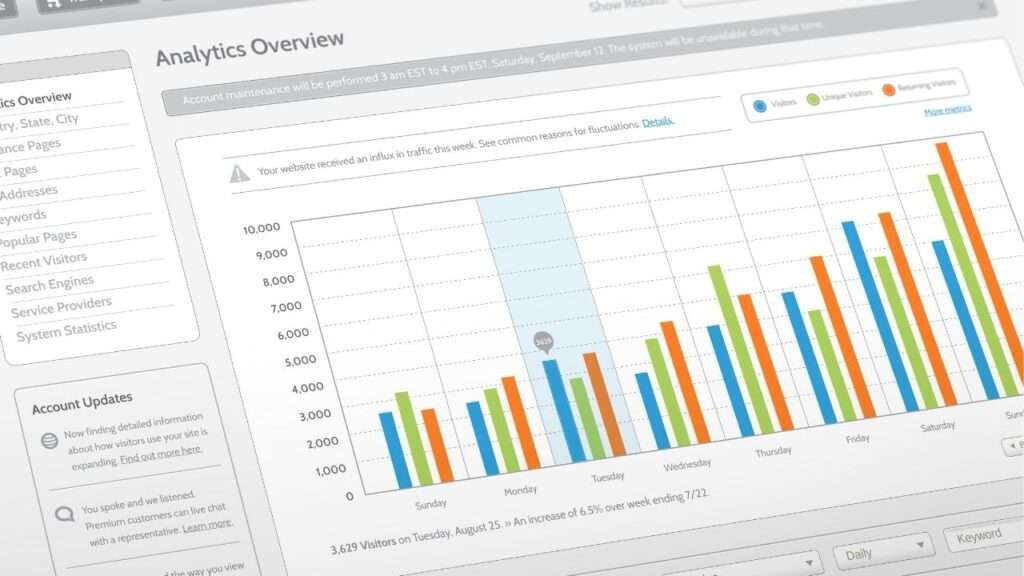
    • Categories help Google match your business to the right search terms and user intent.
    • A relevant business category significantly improves local SEO and drives more local traffic.

    4. High-Quality Photos:

    Uploading high-quality photos increases visibility and helps potential customers interact with your profile more confidently. Profiles with updated visuals generally rank higher in search engine results and perform better in conversion metrics.

    Moreover, photos of your storefront, interior, team, or services build trust and show that your business is active. Whenever you update your profile, add new photos to reflect current offerings or seasonal changes. Hence, maintaining a visually appealing Google Business Profile boosts engagement and builds credibility.

    5. Collect and Respond to Reviews:

    Google Business Profiles with positive reviews typically attract more customers than those with no feedback at all.

    • Ask happy customers to leave honest reviews directly from your profile or through a follow-up email.
    • Respond to every review—positive or negative—to show that your business values customer interaction.
    • Avoid deleting negative reviews; instead, reply respectfully and aim to resolve issues.
    • Engaging with reviews helps Google recognize that your business is trustworthy and active.
    • Customer reviews directly influence your search visibility and overall business reputation.

    6. Utilize Google Posts:

    Posting regular updates through Google Posts helps keep your profile fresh and increases profile strength. Use these posts to highlight business offers, events, product launches, or timely announcements to drive local traffic.

    Additionally, Google Posts appear directly in Google search and Maps, giving you more ways to attract more visitors. Whenever you share a post, include a call-to-action such as “Learn More,” “Call Now,” or “Book Online.” Consequently, a consistent posting schedule tells Google that your business is active and customer-focused.

    7. Add Products and Services:

    Showcasing products and services in your Google profile allows potential customers to preview your offerings instantly. List your main products with pricing, photos, and short descriptions to increase search visibility.

    Moreover, use this feature to explain how your services solve specific customer problems. Adding details helps Google connect your profile with relevant search queries and improve your local rankings. Particularly for service-based businesses, including this section may significantly increase local search rankings and engagement.

    Top Strategies to Attract More Visitors To Google Business Profile

    Create Engaging Content:

    Creating relevant content increases visibility on Google and keeps your profile fresh for potential customers. Update your Google Business Profile dashboard with local search-friendly posts that highlight services, business offers, or events. Additionally, videos on your profile can boost traffic and engagement, especially for service-based or visual businesses.

    Whenever possible, include positive reviews and showcase them as part of your regular post updates. Google posts appear directly in Google search and Maps, so use Google tools to maximize their reach effectively. Moreover, compelling content helps your profile stand out and signals to Google that your business is active.

    Implement Local SEO Strategies:

    Local SEO drives local traffic by connecting your profile to relevant search terms in your area. Use your Google Business Profile to improve your local search visibility by optimizing with proper business categories. Additionally, include location-based keywords in your business description, service listings, and posts for greater local search impact. Regularly updating your profile with accurate information helps Google understand your services and match them with search results. 

    A well-optimized Google Business Profile will rank higher in local search rankings and Maps placements. Consistent SEO efforts can significantly increase both online presence and conversions from local search results.

    Engage with Your Audience on Social Media:

    Sharing your Google Business Profile on social platforms helps attract more customers and boosts visibility on Google. Whenever users like your business on social media, they are more likely to interact with your profile. Include direct links to your Google profile in bio sections or posts to increase your local traffic. Share customer reviews and positive feedback from your Google Business Profile audience to build credibility. 

    This encourages others to visit your Google Business Profile and trust your services based on real testimonials. Social media engagement complements your local SEO strategy and broadens your business profile’s digital reach.

    Run Local Ads on Google:

    Running local ads on Google can significantly increase visitors to your Google Business Profile. Use Google Ads to target specific search terms that align with your business location and services. Link your ads to your business listing to boost conversion and visibility on Google search and maps. Advertise limited-time business offers or seasonal promotions to encourage new customer interactions with your profile. 

    Besides organic reach, paid ads help drive traffic during competitive periods or in highly saturated local markets. Altogether, local advertising enhances your profile and attracts more visitors to Google Business Profiles consistently.

    Keep Your Profile Active and Engaging:

    Regularly updating your profile strengthens its presence on Google and improves your profile strength score. Add new business information, fresh photos, and updates to reflect any changes or upcoming events. Moreover, frequently posting shows that your business is active and responsive to local market needs. Keeping your profile fresh helps Google prioritize your listing over inactive or outdated business profiles. 

    Additionally, active profiles perform better in local search and Google Maps due to higher engagement signals. Eventually, consistent profile activity will result in better rankings and more visitors to your Google business.

    Set up Online Booking and Appointment Scheduling:

    Online booking boosts conversion by allowing customers to schedule directly from your Google Business Profile. Add your business calendar or use third-party tools integrated with Google to simplify appointment management. This feature benefits service-based businesses, especially when customers are searching during peak business hours. It enhances the effectiveness of your profile by offering instant action without leaving Google search.

    Profiles with online booking options tend to receive more interaction and higher visibility on Google. Consequently, adding scheduling tools helps attract more customers and builds convenience into your business listing.

    Monitor and Adjust:

    Use Google Business Profile data to evaluate what attracts the most local traffic and engagement. Analyze which search terms or posts bring the most visibility and adjust your strategy accordingly. Moreover, respond to changes in traffic trends by updating business hours, offers, or photos as needed. Google offers insights in the dashboard to help businesses optimize performance based on user interactions. 

    Besides, tracking negative reviews or feedback lets you improve your local SEO and address customer concerns early. Eventually, monitoring ensures your profile remains relevant, appealing, and consistently attracts visitors to your Google profile.

    Conclusion

    By implementing smart optimization strategies, you can significantly increase traffic to your Google Business Profile. Regularly updating your profile with accurate information, engaging with customer reviews, and utilizing features like Google Posts can enhance your visibility in local search results. Remember, a well-optimized profile not only attracts more visitors but also builds trust with potential customers. Have you reviewed your Google Business Profile recently to ensure it’s fully optimized?

    FAQs

    1. What is a Google Business Profile?
    It’s a free tool from Google that lets businesses manage their online presence across Search and Maps.

    2. Why should I optimize my Google Business Profile?
    Optimizing helps your business appear in local searches and increases traffic from nearby potential customers.

    3. How do I get more views on my Google Business Profile?
    Use complete and accurate business information, add photos, post updates, and reply to customer reviews.

    4. Does posting regularly on Google help my business?
    Yes, posting updates and offers keeps your profile fresh and encourages more engagement from visitors.

    5. Can reviews improve my Google Business ranking?
    Absolutely. Positive reviews signal trust to Google and customers, helping your profile rank higher in search.

    6. How can I appear on Google Maps search results?
    Verify your profile, add your business location, and maintain consistent and accurate business information.