
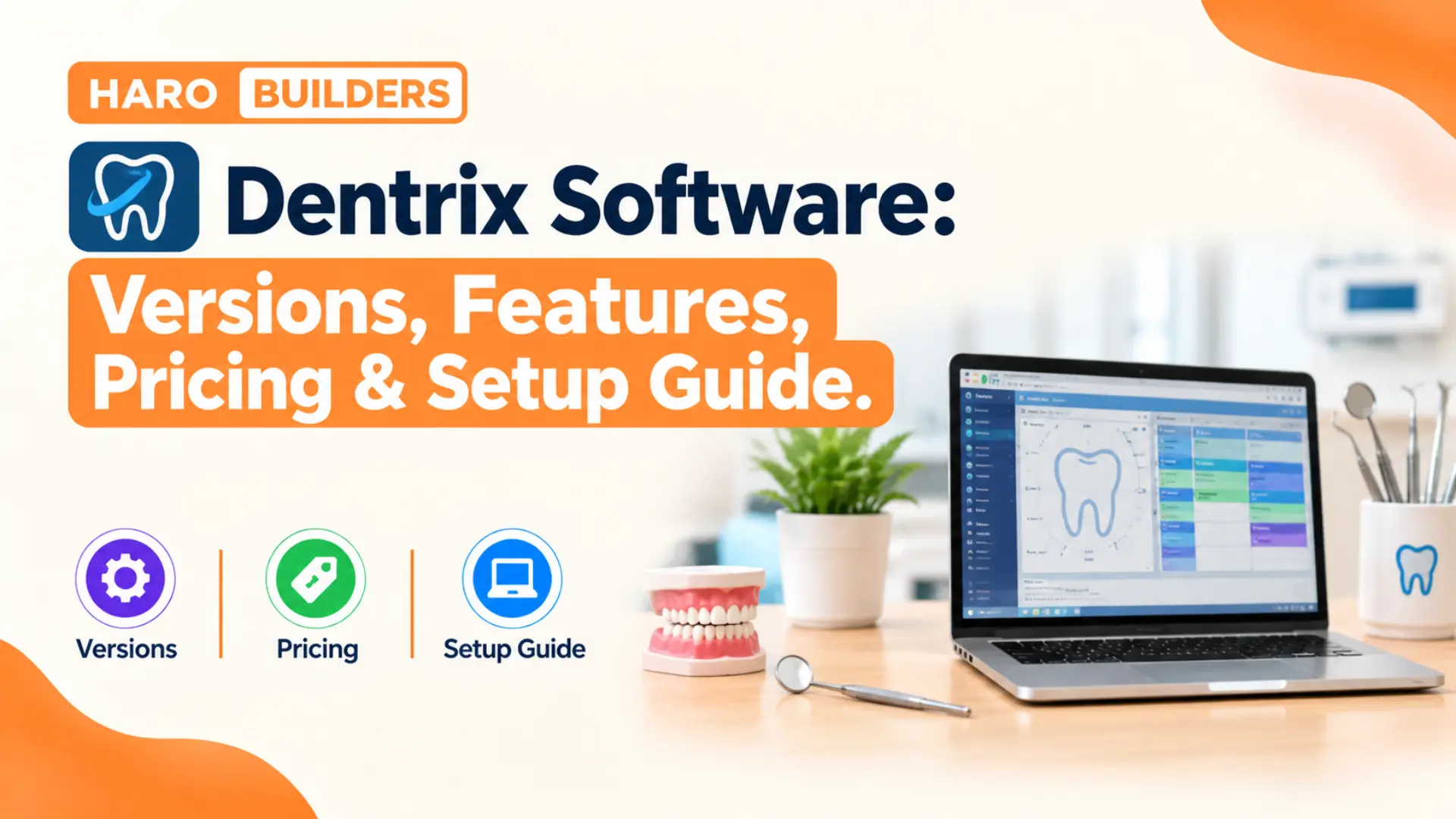
A front desk coordinator books a crown appointment while the dentist charts a cavity two rooms away. Both people often work inside the same program, and that program is usually Dentrix software. Dentrix keeps schedules, charts, ledgers, and insurance claims inside one shared database for the whole office.
Henry Schein One develops Dentrix, and review sites credit the desktop edition with over 35,000 practice installs. Readers who liked our breakdown of rhino software will find a similar structure in this guide.
This guide explains what Dentrix does, how its three editions differ, and what each one costs. It also covers system requirements, setup steps, AI tools, common mistakes, and a practical checklist.
Quick Answer: What Is Dentrix Software?
Dentrix software is a dental practice management system that runs scheduling, charting, billing, and insurance claims. Henry Schein One sells it in three editions: desktop Dentrix, cloud Dentrix Ascend, and Dentrix Enterprise. The desktop version runs on a Windows server inside the office, while Ascend runs in a browser. Pricing depends on edition, practice size, and extra modules, so each office receives a custom quote.
Dentrix Software at a Glance
Here is a compact snapshot of the product before the deeper sections below.
| Item | Detail |
|---|---|
| Developer | Henry Schein One |
| Original company | Dentrix Dental Systems, founded 1985 |
| First Windows release | 1989 |
| Headquarters | American Fork, Utah |
| Editions | Dentrix, Dentrix Ascend, Dentrix Enterprise |
| Desktop platform | Windows server plus Windows workstations |
| Cloud platform | Browser based Dentrix Ascend |
| Pricing model | Custom quote from Henry Schein One |
| Current desktop releases | Year based versions such as Dentrix 26.10 |
The table shows a mature product with three editions that share one brand but run differently.
In simple words, Dentrix is the digital filing cabinet, calendar, and cash register of a dental office.
How Dentrix Software Works
Desktop Dentrix follows a client and server model that most small offices already know from file sharing. One computer acts as the database server, and every other computer runs Dentrix as a workstation. The 2025 system requirements document lists Windows Server 2016, 2019, 2022, and 2025 for the server. Workstations run Windows 10 or Windows 11, though Microsoft ended Windows 10 support in October 2025.
The Shared Database
Every module reads from and writes to the same patient database on the server. So a procedure the dentist completes in the chart appears on the ledger within seconds. That same entry feeds the insurance claim, the daily production report, and the patient statement.
Appointment → Clinical chart → Completed procedure → Ledger entry → Insurance claim → Payment posted
The flow above explains why clean data entry at the front desk matters for billing later.
Workstations and User Roles
Dentrix assigns each user a login, and administrators control which modules each role can open. A hygienist might see the perio chart, while a billing coordinator sees ledgers and claim queues. Password rules and audit trails help offices meet HIPAA privacy expectations for patient records.
Desktop Versus Cloud Delivery
Dentrix Ascend removes the office server entirely and runs inside a web browser on most devices. Henry Schein One hosts the data, applies updates, and handles backups for Ascend customers. The trade is a steady internet dependency, because an outage stops access to schedules and charts.
Why Dentrix Software Matters for Dental Offices
A dental office juggles patients, insurers, labs, and imaging devices, and each source creates its own paperwork. Without connected software, staff retype the same details into separate systems several times each day. Dentrix reduces that retyping, because one completed procedure feeds the chart, ledger, claim, and report.
Insurance work explains much of the demand, since dental claims often need codes, narratives, and radiographs. A rejected claim delays payment for weeks, so cleaner submissions protect practice cash flow directly. Henry Schein One reportedly serves about 100,000 locations across its product lines.
A Short History of Dentrix
Larry M. Gibson founded Dentrix Dental Systems in American Fork, Utah, in 1985. The company released Dentrix in 1989 as the first dental practice management program for Windows. Henry Schein bought Dentrix Dental Systems in 1997 and kept developing the product under its practice solutions unit. In 2018, Henry Schein and Internet Brands formed a joint venture called Henry Schein One.
| Year | Milestone |
|---|---|
| 1985 | Dentrix Dental Systems founded in Utah |
| 1989 | First Windows dental practice management release |
| 1997 | Henry Schein acquires the company |
| 2018 | Henry Schein One forms and Dentrix G7 launches |
| 2022 | Detect AI arrives through a VideaHealth partnership |
| 2025 | LinkIt lab case workflow launches inside Dentrix |
| 2026 | Image Verify and Claims Manager reach Dentrix customers |
Each milestone added automation, and the recent releases lean heavily on artificial intelligence features.
From G Versions to Year Based Releases
Older releases carried letter and number names such as Dentrix G5, G6, and G7. Henry Schein One launched Dentrix G7 in September 2018 with Smart Image imaging integration. Later builds switched to year based numbers, so current offices see versions like 25.13 and 26.10. The Dentrix 2026 Release Guide covers nine updates, from version 26.1 through version 26.10.
The Dentrix Product Family Explained
Henry Schein One sells three products under the Dentrix name, and each one serves a different practice size. The names sound similar, so buyers often confuse them during early sales conversations.
Dentrix (Desktop Edition)
The desktop edition suits single location practices that prefer local control over their data and hardware. It offers the deepest feature set, because developers have built on it since 1989. Multiple locations can share one desktop database, but that setup usually needs a terminal server.
Dentrix Ascend (Cloud Edition)
Dentrix Ascend is the cloud edition, and it runs in modern browsers on Windows, Mac, Chromebook, and iPad. Henry Schein One positions Ascend for growing groups and dental service organizations, often called DSOs. Reviewers note that Ascend still lacks a few advanced reports and integrations found in the desktop edition.
Dentrix Enterprise
Dentrix Enterprise targets large organizations, community health centers, and public health clinics with many sites. It runs on Microsoft SQL Server, which gives administrators central control across every connected location. The Indian Health Service, for example, publishes Enterprise installation and requirement documents for its dental programs. Federally qualified health centers often pick Enterprise because it records the reporting data those programs require.
| Edition | Delivery | Best fit |
|---|---|---|
| Dentrix | On premise Windows server | Single location private practices |
| Dentrix Ascend | Cloud, browser based | Growing groups and DSOs |
| Dentrix Enterprise | SQL Server, central database | Large groups and public health |
Pick the edition by location count and IT capacity first, and by feature lists second.
Key Characteristics of Dentrix Software
These key characteristics separate Dentrix from lighter scheduling tools and basic billing apps:
- Dentrix stores clinical, financial, and scheduling data in one database that every workstation shares.
- The desktop edition runs on a local Windows server, so the practice controls its own hardware.
- A graphical odontogram lets dentists chart existing conditions and planned treatment directly on each tooth.
- The Dentrix Connected program lets imaging and software vendors plug their tools into the system.
- Built in eServices send claims, statements, reminders, and text messages without separate web portals.
- Role based permissions limit each team member to the screens that match their daily duties.
- Henry Schein One ships several updates a year, adding AI tools and workflow changes regularly.
Core Modules of Dentrix Software
Dentrix splits daily work into modules, and each module opens in its own window or tab.
Appointment Book
The Appointment Book shows every operatory as a column and every time slot as a row. Schedulers drag appointments between chairs, flag ASAP lists, and color code procedures by type. Perfect Day scheduling lets offices reserve blocks for high value procedures such as crowns and implants.
Patient Chart and Perio Chart
The Patient Chart displays an odontogram, and clinicians click teeth to record conditions and procedures. The Perio Chart records pocket depths, bleeding points, and recession, and it compares visits side by side. Clinical note templates let providers document visits quickly without typing the same paragraph every time.
Treatment Planner
The Treatment Planner groups procedures into cases, shows estimated insurance portions, and prints patient consent forms. Case acceptance usually improves when patients see their own costs on paper before agreeing to treatment.
Ledger and Billing
The Ledger tracks every charge, payment, and adjustment for a patient or an entire family account. Dentrix Pay stores card details securely and runs recurring payment agreements for patients on payment plans. Billing statements go out electronically through eServices, which cuts printing and postage time for staff.
Insurance Claims and Eligibility
Dentrix builds claims from completed procedures and sends them electronically through its eClaims service. Henry Schein One added two eligibility products that check patient insurance coverage before scheduled visits. In 2026, Dentrix customers also gained Claims Manager, a central hub for reviewing and tracking claims.
Imaging and Smart Image
Dentrix does not replace imaging software, but it connects to it through Smart Image and bridges. Smart Image links 2D radiographs, 3D scans, and CAD/CAM files from third party vendors to the chart. Practices running DEXIS or similar sensors usually see images attached to the matching procedure automatically.
Reports and Analytics
The Office Manager window runs day sheets, aging reports, production summaries, and referral reports. Since G7, offices can schedule month end tasks and reports to run automatically each period. Henry Schein One also sells Jarvis Analytics for practices that want deeper dashboards across locations.
Patient Communication
Dentrix sends appointment reminders, recall notices, and custom text messages through its communication tools. Health history forms reach patients before visits, so the front desk spends less time on clipboards.
| Module | Main job | Typical user |
|---|---|---|
| Appointment Book | Booking and chair scheduling | Front desk |
| Patient Chart | Conditions and procedures | Dentist |
| Perio Chart | Periodontal measurements | Hygienist |
| Treatment Planner | Case estimates and consent | Treatment coordinator |
| Ledger | Charges, payments, adjustments | Billing staff |
| Office Manager | Reports and month end tasks | Office manager |
Each role touches two or three modules daily, so training should follow job duties, not menus.
Dentrix Integrations and the Dentrix Connected Program
Dentrix Connected is an open platform that lets outside vendors plug their apps directly into Dentrix. Imaging companies, payment processors, and patient communication tools join through its developer program. In August 2025, Henry Schein One launched LinkIt, a lab case workflow that runs inside Dentrix.
LinkIt lets teams send digital lab cases without leaving the practice management screen they already use. DDX lab and referral case management also gained single sign on access for Dentrix workstations in 2026. Integrations often carry separate fees, so practices should ask each vendor about Dentrix connection costs.
AI Features in Dentrix Software
Henry Schein One now places artificial intelligence inside imaging, claims, and clinical workflows across its products. The newest features arrive first in Ascend, though desktop Dentrix receives several of them too.
Detect AI
Henry Schein One partnered with VideaHealth in November 2022 to launch Dentrix Detect AI. Detect AI scans radiographs automatically and flags possible caries inside the Dentrix imaging workflow. It also draws color coded interproximal bone level measurements directly on each radiograph image. VideaHealth’s detection device holds FDA clearance, but the dentist still makes every final diagnosis.
Do not treat AI findings as a diagnosis, because the software supports clinical judgment and never replaces it.
Image Verify
Image Verify launched in February 2026 as an AI check built into Dentrix and Dentrix Ascend. It reviews image quality at the moment of acquisition, which cuts claim rejections caused by unusable radiographs. Fewer rejected claims mean faster insurance payments and less rework for billing coordinators each week.
Voice and Agent Features in Ascend
Henry Schein One introduced a voice driven clinical workflow inside Dentrix Ascend during late 2025. In April 2026, the company announced Model Context Protocol support, letting AI agents query Ascend data. These features currently favor the cloud edition, so desktop users should check availability with their representative.
Benefits of Dentrix Software for Dental Practices
Practices that run Dentrix well usually report these benefits across clinical and business work:
- One shared database removes double entry between the front desk, the operatory, and billing.
- Electronic claims and eligibility checks shorten the gap between treatment and insurance payment.
- Automated reminders and recall notices keep hygiene schedules fuller with less phone work from staff.
- Integrated imaging places radiographs beside the chart, so dentists explain treatment with visual evidence.
- Scheduled month end reports save office managers several hours of manual work each period.
- A large user base means trained staff, consultants, and online tutorials are easy to find.
- Decades of development give the desktop edition deep reporting that newer cloud systems may lack.
Who Should Use Dentrix Software?
Dentrix fits established general practices that want deep reporting and a large pool of trained staff. Specialty offices such as pediatric and periodontal practices also use it, thanks to flexible charting tools. Startups with tight budgets may prefer lighter cloud systems, because Dentrix carries premium pricing and setup work. Groups planning several acquisitions usually look at Ascend or Enterprise for central control across locations.
| Practice type | Likely edition |
|---|---|
| Single office, unstable internet | Dentrix desktop |
| Single office, wants no server | Dentrix Ascend |
| Growing group or DSO | Dentrix Ascend |
| Community health center | Dentrix Enterprise |
| Large multisite organization | Dentrix Enterprise or Ascend |
This fit table offers a starting point, and a vendor demo should confirm the final choice.
Dentrix vs Dentrix Ascend: Which Edition Fits?
Practices choosing between the two editions usually weigh control against convenience and upfront cost against subscriptions.
| Factor | Dentrix (desktop) | Dentrix Ascend |
|---|---|---|
| Hosting | Office Windows server | Henry Schein One cloud |
| Access | Office workstations, remote tools | Any modern browser |
| Updates | Installed by the practice | Applied automatically |
| Backups | Practice responsibility | Handled by vendor |
| Internet outage | Local work continues | Access stops |
| Feature depth | Deepest reporting and integrations | Growing, not full parity |
| Cost style | License plus monthly support | Recurring subscription |
Offices with weak internet should favor desktop Dentrix, while multisite groups usually lean toward Ascend.
Migration between editions takes planning, because ledgers, images, and clinical notes must move cleanly. Henry Schein One usually offers conversion help, but offices should test balances on sample accounts after moving.
Dentrix vs Open Dental vs Eaglesoft
Dentrix competes most often with Open Dental and Eaglesoft in North American private practices. Open Dental is open source software, so its license costs nothing, though support contracts cost money. Patterson Dental sells Eaglesoft, which also runs on a local server like desktop Dentrix.
| Factor | Dentrix | Open Dental | Eaglesoft |
|---|---|---|---|
| Vendor | Henry Schein One | Open Dental Software | Patterson Dental |
| License | Paid, quote based | Free, open source | Paid, quote based |
| Hosting | Server or cloud through Ascend | Self hosted server | Local server |
| Main strength | Deep reporting, large partner network | Low license cost, flexibility | Ties to Patterson equipment |
The best choice depends on budget, IT comfort, and the imaging hardware already in the office.
How Much Does Dentrix Software Cost?
Henry Schein One does not publish a Dentrix price list, so every practice must request a quote. Third party review sites post estimates, but their figures disagree and often mix different editions together.
One review site listed a G7 license at $6,995 with support near $139 per month. Another estimate places first year costs between $20,000 and $30,000, including hardware, installation, and training. Treat these numbers as rough guides, because negotiated bundles change the final invoice for each office.
| Cost item | Desktop Dentrix | Dentrix Ascend |
|---|---|---|
| Upfront license | Usually yes | Usually no |
| Monthly fee | Support and updates plan | Recurring subscription |
| Server hardware | Practice buys and maintains | Not needed |
| eServices | Bundled or extra | Varies by package |
| AI tools | Paid add on | Varies by package |
Total cost of ownership matters more than the license line, especially for desktop installations needing servers.
Ask the sales representative for a written quote that separates license, support, eServices, and conversion fees. Hidden costs usually appear in third party integration fees, extra workstations, and IT support contracts.
Dentrix System Requirements
Desktop Dentrix runs best on a dedicated server, though a server can double as a workstation. Henry Schein One warns that doubling up requires checks on memory, disk space, and network throughput.
| Component | Server | Workstation |
|---|---|---|
| Operating system | Windows Server 2016, 2019, 2022, 2025 | Windows 10 or 11 |
| Language setting | English regional settings | English regional settings |
| Memory (older G7 guidance) | 8 GB up to 10 workstations, 16 GB above | Check current guide |
| Processor (older G7 guidance) | Four cores at 2.4 GHz | Check current guide |
| Storage (older G7 guidance) | About 40 GB total space | Check current guide |
Hardware guidance changes with every release, so download the current requirements document before buying servers.
Version numbers, operating system support, and hardware minimums all move together across yearly releases. Professional desktop programs share this upgrade discipline, and our guide on pro tools software shows the same pattern. Windows 10 workstations now carry security risk, because Microsoft ended support in October 2025.
Security and Data Protection in Dentrix
Patient records hold names, birth dates, insurance numbers, and health histories, which attract ransomware attackers. Desktop Dentrix offices carry the security burden themselves, including firewalls, antivirus, and offsite backups. Ascend moves server security to Henry Schein One, though office computers still need protection.
Strong passwords, automatic screen locks, and limited user rights block many common internal privacy mistakes. Practices should also sign a business associate agreement with every vendor that touches patient data.
How to Set Up Dentrix Software
The steps below follow a typical desktop installation, and Ascend customers can skip the server steps.
Step 1: Confirm the Edition and Quote
Confirm whether the practice needs desktop Dentrix, Ascend, or Enterprise before any hardware purchase. Get the quote in writing, and list every module, eService, and integration the team expects.
Step 2: Prepare the Server and Network
Install a supported Windows Server edition, apply updates, and set English regional settings before installation. Wire workstations to a reliable switch, because wireless drops can interrupt database saves during busy clinic hours.
Step 3: Back Up Existing Data
Back up the old practice management database and any image folders before running the installer.
Never install or upgrade Dentrix without a verified backup stored off the server.
Step 4: Install Dentrix on the Server
Run the server installer first, because every workstation installation points back to that database. Upgrades from older versions must pass through G7 or later first, according to the 2023 installation guide.
Step 5: Install Workstations and Connect Devices
Install Dentrix on each workstation, point it to the server, and test login for every user. Connect sensors, intraoral cameras, signature pads, and printers, and confirm each bridge opens the right patient.
Step 6: Configure Practice Settings
Enter providers, operatories, fee schedules, insurance carriers, and procedure codes before booking any real appointments. Build procedure buttons and clinical note templates so clinicians chart common visits in a few clicks. Set user rights carefully, giving each role access only to the modules it needs daily.
Step 7: Train the Team and Verify Data
Schedule role based training, and let staff practice in the Dentrix Learning Edition before going live. After conversion, compare ten patient balances, five insurance plans, and one full day sheet against old records.
Real World Example: A Three Chair Practice Switches to Dentrix
Consider a hypothetical three chair practice that runs paper charts and a basic scheduling app today. The owner dentist picks desktop Dentrix, because the office internet drops several times each month. The office manager orders a small server, wires four workstations, and books a conversion date.
During the first week, the team runs half schedules so staff can learn without rushing patients. The hygienist records perio charts digitally, and the dentist reviews radiographs beside each chart. By the second month, electronic claims replace paper forms, and the billing backlog shrinks noticeably. This scenario shows how edition choice, network planning, and gradual rollout decide early success.
Tips for Getting More From Dentrix Software
These tips help teams turn a working installation into a smooth daily routine:
- Run the daily backup check every morning before the first patient arrives at the office.
- Post completed procedures the same day so ledgers, claims, and reports stay accurate.
- Use the Continuing Care module to track recall dates instead of keeping separate spreadsheets.
- Review the aging report weekly, and call accounts before they pass ninety days overdue.
- Create procedure buttons for the ten most common visits that clinicians chart each week.
- Install each Dentrix update within a month, after reading the release guide for workflow changes.
- Assign one team member as the internal Dentrix champion who answers quick questions from colleagues.
Common Mistakes With Dentrix Software
1. Skipping Verified Backups
Many offices assume backups run correctly until a server failure proves otherwise during a busy week. Test a restore every quarter, because an untested backup offers no real protection for patient records.
2. Running Dentrix on Unsupported Windows Versions
Older Windows builds lose security patches, and Dentrix updates eventually stop supporting them altogether. Plan hardware refreshes around the requirements document instead of waiting for workstations to fail.
3. Giving Every User Full Rights
Full administrator rights let any employee delete transactions or change fee schedules without oversight. Limit rights by role, and require passwords for adjustments, deletions, and ledger changes.
4. Leaving Procedures Unposted
Treatment that stays in a pending state never reaches the ledger, the claim, or the production report. Run an unposted procedures check at day end so nothing slips into next month.
5. Ignoring Training After Go Live
Staff often learn only the screens they used during week one and miss time saving features. Book a refresher session after ninety days, when the team knows enough to ask sharper questions.
6. Treating AI Flags as Final Answers
Detect AI highlights possible decay, but radiographs still need a trained clinician to confirm findings. Document the clinical exam alongside each AI flag so the chart supports every treatment recommendation.
Dentrix Training and Interview Questions
Dental offices often test applicants on Dentrix knowledge, so job seekers benefit from practicing common questions. Hiring managers usually ask candidates to explain how they would post a payment to a family account. Other frequent questions cover creating a treatment plan, sending an electronic claim, and running a day sheet. Candidates should also explain the difference between a charge, an adjustment, and a credit on the ledger.
| Interview question | What a strong answer shows |
|---|---|
| How does a coordinator post an insurance payment? | Ledger and claim knowledge |
| How does staff schedule a recall visit? | Continuing Care familiarity |
| What does a day sheet report? | Daily production awareness |
| How does staff attach a radiograph to a claim? | Imaging and eClaims skills |
Hands on practice with these four tasks covers most entry level Dentrix interview questions.
Henry Schein One offers online courses, and the Learning Edition lets students practice without touching live data. Dental assisting programs often teach Dentrix basics inside their front office and billing courses.
Dentrix Software Checklist
Use this checklist before signing a contract or upgrading an existing Dentrix installation:
- Confirm the edition matches the practice location count, internet quality, and in house IT skills.
- Get a written quote listing license, support, eServices, AI tools, and conversion fees separately.
- Download the current system requirements document and compare it against every server and workstation.
- Verify that imaging sensors, cameras, and other devices support Dentrix bridges or Smart Image.
- Create a full backup of old data and store one copy away from the office.
- Schedule role based training and give staff Learning Edition practice time before going live.
- Check converted balances, insurance plans, and recall dates against the old system after migration.
- Set a monthly calendar reminder to review release guides and install pending Dentrix updates.
Frequently Asked Questions
What Is Dentrix Software Used For?
Dentrix software is a dental practice management system that handles scheduling, charting, billing, and insurance claims. Dental offices use it to run front desk, clinical, and financial work from one shared database.
Who Makes Dentrix Software?
Henry Schein One develops and sells Dentrix software from its base in American Fork, Utah. Henry Schein One is a joint venture between Henry Schein and Internet Brands, formed in 2018.
Is Dentrix Software Cloud Based?
The standard Dentrix software runs on a local Windows server, so it is not cloud based. Henry Schein One sells a separate cloud edition called Dentrix Ascend that runs in web browsers.
How Much Does Dentrix Software Cost?
Henry Schein One prices Dentrix software through custom quotes and does not publish a public price list. One review site estimates first year desktop costs between $20,000 and $30,000 including hardware and training.
What Is the Latest Version of Dentrix?
Dentrix software now uses year based version numbers instead of the older G7 naming style. The Dentrix 2026 Release Guide covers versions 26.1 through 26.10, so offices should check for newer builds.
What Is the Difference Between Dentrix and Dentrix Ascend?
Dentrix software installs on an office server, while Dentrix Ascend runs in the cloud through a browser. The desktop edition offers deeper reporting, and Ascend removes server maintenance and manual updates.
Does Dentrix Software Work on a Mac?
Desktop Dentrix software requires Windows, so Mac users usually need a Windows workstation or remote access to one. Dentrix Ascend works on Mac computers because it runs inside a standard web browser.
Does Dentrix Software Use Artificial Intelligence?
Yes, Dentrix software offers Detect AI, which flags possible caries and bone level changes on radiographs. Image Verify, launched in 2026, uses AI to check image quality before claims go out.
Is Dentrix Software HIPAA Compliant?
Dentrix software provides passwords, user rights, and audit tools that support HIPAA privacy and security rules. Compliance still depends on the practice, because policies, backups, and staff habits matter as much as software.
How Long Does It Take to Learn Dentrix Software?
Most front desk staff usually handle basic Dentrix software tasks within two to four weeks of daily use. Advanced reporting, insurance setup, and Office Manager tasks usually take several months to learn well.
Key Takeaways
The main points from this Dentrix guide fit neatly into these short statements:
- Dentrix software manages scheduling, charting, billing, and insurance claims for dental practices in one database.
- Henry Schein One develops Dentrix, and the product traces back to a Utah company founded in 1985.
- Three editions exist: desktop Dentrix, cloud based Dentrix Ascend, and Dentrix Enterprise for large organizations.
- Desktop Dentrix needs a Windows server, while Ascend runs in browsers on most modern devices.
- Current desktop releases use year based numbers, with the 2026 guide covering versions 26.1 through 26.10.
- Pricing comes through custom quotes, so practices should request itemized figures for every module and service.
- Detect AI and Image Verify bring artificial intelligence into radiograph review and claim preparation.
- Verified backups, supported Windows versions, and role based user rights prevent the costliest Dentrix problems.
- Daily posting of completed procedures keeps ledgers, claims, and production reports accurate and complete.
- Role based training and Learning Edition practice shorten the adjustment period for new staff.
- Open Dental and Eaglesoft remain frequent alternatives for practices comparing Dentrix options.
Final Thoughts
Dentrix software has run dental offices since 1989, and its current releases still add new features each year. The right edition depends on location count, internet reliability, IT support, and long term budget. Practices that plan hardware, backups, and training carefully usually get the full value from their investment.
Explore more software and technology guides on Haro Builders, where new explainers appear every week.

💬 Comments 0
No comments yet. Be the first to share your thoughts! 💬
✍️ Leave a Comment