
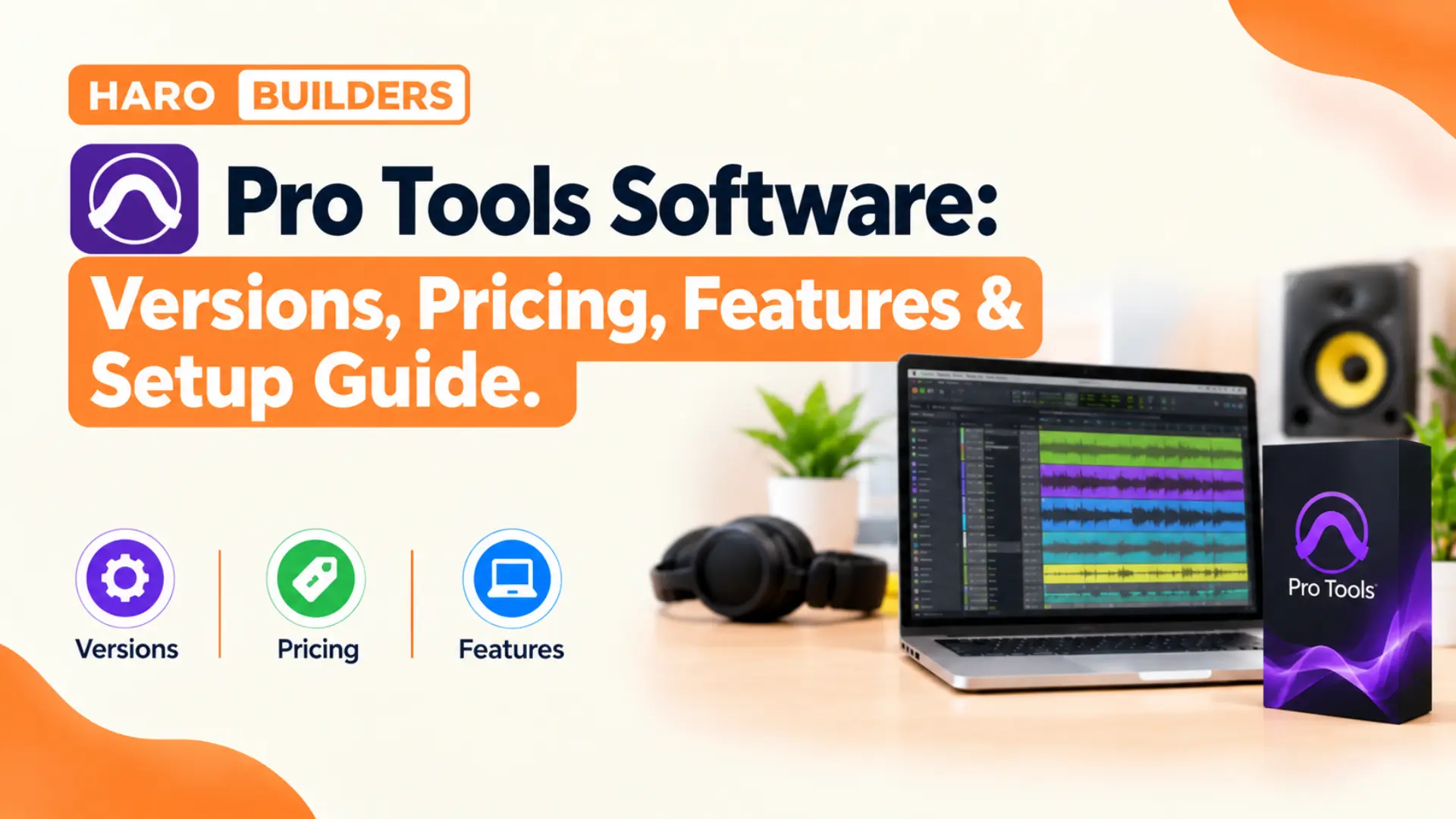
A singer records a vocal in a bedroom while a film mixer balances dialogue on a dubbing stage. Both people often open the same program, and that program is Pro Tools software from Avid. The tool records, edits, mixes, and delivers audio for music, podcasts, film, television, and games.
Designers lean on rhino software for 3D models, and audio engineers lean on Pro Tools. Each program sits at the center of its industry and sets the file format teams share.
This guide explains what Pro Tools does, how its four versions differ, and what each tier costs. It also covers the 2026 updates, system needs, setup steps, common mistakes, and interview questions. Readers will finish with a clear picture of which version fits their work and budget.
Quick Answer: What Is Pro Tools Software?
Pro Tools software is a digital audio workstation from Avid that records, edits, mixes, and delivers audio. Avid offers four tiers: a free Intro version, plus paid Artist, Studio, and Ultimate subscriptions. Paid plans start near $9.99 per month, and Ultimate runs about $599 per year. Prices and features change with each release, so confirm details on the Avid store before buying.
Pro Tools Software at a Glance
The table below sums up the core facts about Pro Tools before the deeper sections begin.
| Detail | Pro Tools fact |
|---|---|
| Developer | Avid Technology (originally Digidesign) |
| Product type | Digital audio workstation (DAW) |
| Platforms | macOS and Windows |
| Plugin format | AAX |
| Versions | Intro, Artist, Studio, Ultimate |
| Release naming | Year and month, e.g. 2026.4 |
| Recent release | 2026.4.1 (July 2026) |
| Free option | Pro Tools Intro |
Pro Tools runs on both major desktop systems, which helps studios swap sessions without format trouble.
In simple words, Pro Tools software turns a computer into a full recording studio for any audio project.
What Is a Digital Audio Workstation?
A digital audio workstation, or DAW, is software that records, arranges, edits, and mixes sound on a computer. Before DAWs, studios recorded onto tape machines and mixed through large analog consoles. Pro Tools moved that whole chain into a computer and replaced razor blade tape edits with mouse clicks. Today, the DAW sits at the center of nearly every studio, home setup, and post facility.
Every DAW shares the same basic parts: a timeline, a mixer, plugin slots, and an export function. The differences come from workflow, track limits, plugin formats, and how well each program handles audio editing. Pro Tools built its name on fast, precise editing, which explains its grip on professional studios.
How Does Pro Tools Software Work?
Pro Tools stores every project inside a session file that points to audio files on a drive. The session holds tracks, edits, plugin settings, automation, and routing, while audio stays in separate folders. This structure lets engineers move a whole project between studios by copying one session folder.
The Edit Window
The Edit window shows tracks as horizontal lanes with clips laid out along a timeline. Editors cut, trim, fade, and move clips here, and they line up takes against a grid. Elastic Audio lets users stretch timing without changing pitch, which helps fix a rushed drum fill.
The Mix Window
The Mix window looks like a hardware console, with one vertical channel strip for each track. Each strip carries inserts for plugins, sends for effects, a pan control, and a volume fader. Engineers who learned on analog desks recognize this layout within minutes of opening a session.
Signal Flow Inside a Session
Audio moves through a fixed path, and knowing that path solves most routing problems quickly.
Input → Audio Track → Inserts → Sends → Aux Track → Master Fader → Output
Each stage can change the sound, so trace this chain whenever a track sounds wrong or silent. A muted send or a wrong output assignment explains most silent tracks that new users report.
AAX Plugins
Pro Tools runs plugins in the AAX format, which Avid created for its own platform. Users cannot load VST plugins directly, so they must buy or download AAX versions of their tools. Most major developers ship AAX builds, but some free plugins only come in VST or AU.
Why Do Studios Treat Pro Tools as the Industry Standard?
Pro Tools earned its reputation over three decades of professional use in studios around the world. Digidesign launched the first version in 1991, and Avid bought Digidesign in 1995. Since then, the program has grown from a simple editor into a full production and post system.
Session Compatibility
Studios share Pro Tools sessions the way offices share Word documents, with few conversion steps. A producer can track drums in Los Angeles and send the session to a mixer in London. That mixer opens the same file and hears every edit, fade, and plugin setting intact.
Post Production Workflows
Film and television teams lean on Pro Tools for dialogue editing, sound effects, and final mixes. Ultimate supports up to 64 video tracks, which lets editors cut sound directly against picture. Field recorder workflows and Dolby Atmos tools also keep post houses loyal to the platform.
Hardware Integration
Avid builds HDX cards, control surfaces, and interfaces that work tightly with the software. Large facilities pair HDX hardware with Ultimate to run huge sessions at low latency. Pro Tools 9 dropped the old Avid hardware requirement, so most Core Audio and ASIO interfaces now work.
Who Uses Pro Tools Software?
Pro Tools serves a wide range of audio jobs, from bedroom demos to blockbuster film mixes. Each group leans on different features, which explains why Avid splits the product into tiers.
Musicians and Producers
Songwriters record vocals and guitars, and producers arrange beats with virtual instruments and MIDI. The Avid plugin bundle includes synths, drum machines, and effects for full song production. Artists often track at home in Artist and finish in a commercial studio running Studio or Ultimate.
Podcasters and Voiceover Artists
Podcasters edit conversations, remove breaths, and balance levels between hosts with clip gain. Voiceover artists record auditions in Intro and deliver clean WAV files to casting agents. The new transcript tools let editors find a spoken phrase without scrubbing through the timeline.
Film, Television, and Game Audio Teams
Post production editors cut dialogue, effects, and music against picture inside Pro Tools Ultimate. Game audio designers build sound effect libraries and export batches of files for game engines. Broadcast teams mix live shows and deliver loudness compliant files to networks and streaming services.
What Are the Four Versions of Pro Tools Software?
Avid splits Pro Tools into four tiers, and each tier raises track counts, tools, and price. The right tier depends on session size, input count, and whether the work involves video or surround.
Pro Tools Intro
Pro Tools Intro costs nothing and gives beginners eight audio, eight instrument, and eight MIDI tracks. It records up to four inputs at once, which suits podcasts, voiceovers, and simple song demos. Sessions made in Intro open in paid versions, so early projects carry forward after an upgrade.
Pro Tools Artist
Pro Tools Artist targets home producers and songwriters who need more room than Intro offers. It allows 32 audio tracks, 32 instrument tracks, 64 MIDI tracks, and 16 channels of I/O. Artist mixes in stereo only, so surround and Dolby Atmos projects need a higher tier.
Pro Tools Studio
Pro Tools Studio serves professional engineers, producers, and small studios with demanding sessions. It raises limits to 512 audio tracks, 1,024 MIDI tracks, and 64 simultaneous recording channels. Studio adds surround, Ambisonics, and Dolby Atmos mixing, plus one video track for picture reference.
Pro Tools Ultimate
Pro Tools Ultimate sits at the top and serves large studios, broadcasters, and film post houses. It supports up to 2,048 audio tracks, 256 channels of I/O, and HDX hardware systems. Ultimate also unlocks advanced video editing and the full set of post production workflows.
| Tier | Audio tracks | MIDI tracks | Simultaneous inputs |
|---|---|---|---|
| Intro | 8 | 8 | 4 |
| Artist | 32 | 64 | 16 |
| Studio | 512 | 1,024 | 64 |
| Ultimate | 2,048 | 1,024 | 256 |
A song demo usually stays under 32 tracks, so Artist covers more work than its price suggests.
How Much Does Pro Tools Software Cost in 2026?
Avid sells Pro Tools through monthly subscriptions, annual subscriptions, and one time perpetual licenses. The figures below come from Avid list prices reported in 2026, before taxes and seasonal sales.
| Tier | Monthly | Annual | Perpetual |
|---|---|---|---|
| Intro | Free | Free | Free |
| Artist | $9.99 | $99 | $199 |
| Studio | $34.99 | $299 | $599 |
| Ultimate | $99 | $599 | $1,499 |
Annual billing saves money for anyone who works in Pro Tools every month of the year.
Education Pricing
Students and teachers pay about $99 per year for Studio and $299 per year for Ultimate. Avid checks eligibility, so buyers need proof of enrollment or employment at a school. This discount makes Studio cheaper for students than the standard Artist plan with monthly billing.
Seasonal Sales
Avid and its resellers run sales several times a year, often around back to school season. A late summer 2026 promotion cut first year subscription prices for new Artist, Studio, and Ultimate buyers. Those discounts apply only to the first year, and renewals return to standard pricing afterward.
Pro Tools Subscription vs Perpetual License: Which Makes Sense?
A perpetual license lets owners keep their purchased version forever, even after the support plan ends. Owners pay yearly upgrade plans to receive new releases, bug fixes, and support. Those plans cost about $69 for Artist, $199 for Studio, and $499 for Ultimate each year.
| Factor | Subscription | Perpetual |
|---|---|---|
| Upfront cost | Low | High |
| Updates | Included | Need upgrade plan |
| After payments stop | Software stops working | Last version keeps working |
| Best fit | Short projects, students | Long term owners |
Freelancers with uneven income often prefer subscriptions because they can pause during quiet months. Sound On Sound calculated that a Studio subscription beats a perpetual license after about four years. Long term owners who skip some upgrades can still save money with the perpetual route.
What Is New in Pro Tools 2026.4 and 2026.4.1?
Avid names releases by year and month, a system the company introduced in 2018. Version 2026.4 arrived in April 2026, and version 2026.4.1 followed in July 2026. Newer builds may appear after this guide, so check Avid Link for the current release.
Track Pin
Track Pin locks chosen tracks in place in the Edit window while the session scrolls. Dialogue editors pin a reference track and keep it visible while they move through hundreds of lanes. Music mixers pin the lead vocal so they can compare it against every other part quickly.
Speech to Text Upgrades
The 2026.4 release lets editors select timeline clips by word, sentence, or speaker from a transcript. Users also choose which tracks show transcription lanes and pick CPU or GPU processing for analysis. Podcast editors save hours because they find and cut spoken mistakes straight from the text.
Immersive and Headphone Mixing
The update added Dolby Headphone Personalization, which helps engineers check Atmos mixes on headphones. Studio and Ultimate users also received new immersive delivery options for broadcast work. These tools let small studios produce immersive mixes without a full speaker array in the room.
M5 Mac Support
Version 2026.4.1 added support for Apple Macs with M5 chips, plus stability fixes and bug repairs. Owners of new MacBook Pro models needed this release before Pro Tools would run on their machines.
Key Characteristics of the Pro Tools Workflow
Six traits set Pro Tools apart from rival DAWs and explain its long hold on studios:
- Nondestructive editing keeps original audio files untouched, so editors can undo any cut or fade later.
- Playlists store multiple takes on one track, which makes building a composite vocal fast and tidy.
- Automatic plugin delay compensation keeps tracks in time even when plugins add processing latency.
- Keyboard shortcuts cover almost every command, so experienced editors rarely reach for the mouse.
- Cloud collaboration lets remote partners add tracks to a shared session from another city.
- Ableton Link support syncs tempo with other apps and devices on the same local network.
Is a Free Pro Tools Download Safe?
Search results for free Pro Tools often lead to cracked installers on file sharing sites. Shady download pages often bundle malware, a risk our graphic design software gfxrobotection guide also explains. Do not install Pro Tools from any source other than Avid or an authorized reseller.
The legal free option is Pro Tools Intro, which Avid offers through its own website and Avid Link. Cracked copies also break iLok authorization, so they crash, lose sessions, and miss every update. A free and legal Intro license beats a pirated Ultimate copy that fails during a client session.
Real World Example: Recording a Podcast in Pro Tools Intro
Consider a two host interview podcast that a producer records with a small interface and two microphones. The producer creates a session with two mono audio tracks and one stereo track for music. Both hosts speak at once, and Intro records both inputs because it allows four simultaneous inputs.
After recording, the editor removes long pauses, trims crosstalk, and fades the intro music under speech. A light compressor and EQ on each voice track even out levels before the final bounce. The whole show fits inside eight tracks, so the producer never pays for a license.
Growth changes the picture once the show adds remote guests, sound effects, and sponsor reads. Those extra tracks push past the Intro limit, and the team usually moves up to Artist. The existing sessions open in Artist without changes, so the upgrade costs no editing time.
Pro Tools vs Logic Pro: Which DAW Fits Better?
Logic Pro is the closest rival for Mac users, so buyers often weigh the two directly. Logic runs only on macOS, while Pro Tools runs on both macOS and Windows machines. Logic comes as a single purchase from Apple, whereas Pro Tools leans on subscriptions.
| Factor | Pro Tools | Logic Pro |
|---|---|---|
| Platforms | macOS, Windows | macOS only |
| Pricing model | Subscription or perpetual | One time purchase |
| Plugin format | AAX | AU |
| Main strength | Editing, post production | Composing, virtual instruments |
| Studio presence | Wide in commercial studios | Common in home studios |
Composers who write with virtual instruments often prefer Logic, while engineers who edit audio prefer Pro Tools.
Pro Tools vs Ableton Live: Different Strengths
Ableton Live serves electronic producers and live performers more than recording engineers. Its Session View triggers clips in real time, which suits stage sets and loop based writing. Pro Tools focuses on linear recording, precise editing, and mixing large multitrack sessions.
| Factor | Pro Tools | Ableton Live |
|---|---|---|
| Main use | Recording, editing, mixing | Production, live performance |
| Workflow | Linear timeline | Clip launching plus timeline |
| Plugin formats | AAX | VST, AU |
| Typical user | Engineers, post editors | Beatmakers, DJs |
A common workflow writes ideas in Ableton and moves stems into Pro Tools for mixing.
Pro Tools Studio vs Ultimate: When Does the Upgrade Pay Off?
Studio covers most professional music work, so the Ultimate upgrade mainly benefits post and large facilities. The extra cost buys more tracks, more inputs, HDX support, and deeper video tools.
| Factor | Studio | Ultimate |
|---|---|---|
| Audio tracks | 512 | 2,048 |
| Simultaneous I/O | 64 | 256 |
| Video tracks | 1 | 64 |
| HDX hardware | Not supported | Supported |
| Annual price | About $299 | About $599 |
A music producer rarely needs Ultimate, but a film dialogue editor often cannot work without it.
System Requirements and Hardware for Pro Tools Software
Pro Tools needs a qualified computer, a supported operating system, and an iLok account for licensing. The 2026.4 Windows release supports Windows 11 versions 24H2 and 25H2, according to Avid’s ReadMe notes. Apple silicon Macs, including the new M5 models, run the current Pro Tools releases without trouble. Avid publishes a compatibility page, so check it before upgrading the operating system or the software.
Audio Interfaces
Any interface with Core Audio drivers on Mac or ASIO drivers on Windows works with Pro Tools. Tier limits still apply, so Artist records only the first 16 inputs on a larger interface. Intro records only the first four inputs, even when the interface offers far more channels.
Storage and RAM
Sessions with many tracks read audio from disk constantly, so a fast SSD prevents playback errors. Large sessions with sample libraries usually need 16 GB of RAM or more for smooth playback. A second drive for backups protects weeks of work from a single hardware failure.
How to Get Started With Pro Tools Software
The steps below take a new user from purchase to a first finished bounce in one afternoon.
Step 1: Pick the Right Tier
Count the tracks and inputs a typical project needs, and match those numbers to a tier. Beginners can start with Intro and upgrade later without losing any session work.
Step 2: Create an Avid Account
Create a free Avid account, which also gives access to an iLok account for licenses. The account stores purchases, downloads, and support plans in one place called MyAvid.
Step 3: Install Avid Link
Download Avid Link from Avid’s website, since the app handles installs, updates, and license activation. Avid also lists installers in MyAvid and the Avid Download Center for manual downloads.
Step 4: Activate the License
Sign in to iLok License Manager and confirm the Pro Tools license sits on the computer or dongle. Licenses can live on a machine or an iLok USB key, which helps engineers who travel.
Step 5: Set Up the Playback Engine
Open Pro Tools, go to Setup, and choose the audio interface inside the Playback Engine window. Set the buffer size low for recording and high for mixing to balance latency and stability.
Step 6: Create the First Session
Choose a sample rate, bit depth, and save location on a fast drive before creating tracks. Most music sessions run at 48 kHz and 24 bit, which matches video and streaming standards.
Step 7: Record, Edit, and Bounce
Arm a track, press record, and save often with incremental session copies for safety. When the mix sounds right, use Bounce Mix to export a WAV or MP3 file.
Best Practices for Mixing in Pro Tools
Gain staging comes first, so set clip gain until each track peaks around minus 18 dBFS. This headroom keeps analog modeled plugins in their sweet spot and prevents clipping on the master.
Route similar tracks to aux buses, e.g. all drums to one drum bus. Bus processing glues parts together and cuts the number of plugins the computer must run.
Use VCA faders in Studio or Ultimate to ride whole sections without changing internal bus balances. Automation in Latch or Touch mode records fader moves as the song plays back.
Check the mix on headphones, small speakers, and a phone before the final bounce. Reference a commercial track in a similar genre to compare tone, width, and loudness.
Common Mistakes New Pro Tools Users Make
New users repeat the same errors, and each one costs time, audio quality, or whole sessions.
1. Recording With a High Buffer Size
A high buffer adds delay between playing and hearing, which throws singers and players off time. Drop the buffer to 128 samples or lower during tracking, and raise it again for mixing.
2. Saving Audio to the System Drive
The system drive also runs the operating system, so heavy sessions cause disk errors and dropouts. Store sessions on a separate SSD to keep playback smooth during large edits.
3. Ignoring Plugin Compatibility
Pro Tools loads AAX plugins only, so a favorite VST effect will not appear in the menu. Check each developer’s site for AAX support before building a workflow around a plugin.
4. Updating the Operating System Too Early
A new macOS or Windows update can break Pro Tools until Avid qualifies the release. Do not click install on a major system update before Avid publishes a compatibility notice.
5. Letting a Subscription Lapse Mid Project
An expired subscription stops the software from opening, which can stall a client deadline. Turn on automatic renewal or set a calendar reminder a week before the renewal date.
6. Skipping Session Backups
A corrupted session file can erase days of edits if no backup copy exists. Use Save Copy In regularly and keep one copy on an external or cloud drive.
Tips for Faster Pro Tools Sessions
These tips cut wasted time and keep large sessions responsive on modest computers:
- Learn the Smart Tool, since it trims, selects, and fades clips without switching tools.
- Color code tracks by instrument group so the eye finds drums, vocals, and keys instantly.
- Use Track Freeze on heavy virtual instruments to free processing capacity during mixing.
- Build a session template with routing, buses, and favorite plugins already loaded and labeled.
- Commit finished effects with Track Commit, which prints the processing to a new audio file.
- Save memory locations for verse, chorus, and bridge so jumps around the song take one keystroke.
Benefits of Learning Pro Tools Software
Pro Tools skills pay off in five ways for musicians, editors, and audio students:
- Commercial studios run Pro Tools, so trained engineers step into sessions without retraining time.
- Avid offers formal certification, which gives job seekers proof of skill on a resume.
- Session files move between studios easily, which helps freelancers accept remote work worldwide.
- Post production jobs in film and television often list Pro Tools as a required skill.
- The free Intro tier lets students practice the real workflow before paying for any license.
Pro Tools Interview Questions for Audio Roles
Studios often test applicants on Pro Tools basics, and these questions come up in many interviews.
What Is the Difference Between a Playlist and a Track?
A track is a channel in the session, while a playlist stores one version of its audio. Editors keep several playlists on one track to compare takes and build a composite performance.
How Does Delay Compensation Work?
Delay compensation measures latency from each plugin and moves other tracks to keep everything in time. Without it, a heavy limiter on the drum bus would push drums late against the bass.
What Does Track Commit Do?
Track Commit renders a track’s plugins into a new audio file and frees the processing load. Engineers use it before sending sessions to studios that lack the same plugins.
Why Would an Engineer Choose 48 kHz Over 44.1 kHz?
Video and broadcast projects use 48 kHz, so engineers match that rate to avoid conversion later. Music for streaming works at either rate, but many studios now default to 48 kHz.
Next Steps After Learning the Basics
Avid offers certification courses through its learning partners for users who want formal credentials. Practice sessions, free stem packs, and remix contests give new engineers real material to mix. Once comfortable, engineers can move into Dolby Atmos mixing with Studio or Ultimate. Immersive skills open doors in music, film, and television work that stereo mixers cannot reach.
Pro Tools Software Checklist
Run through this checklist before buying, installing, or starting a first real Pro Tools project:
- Confirm the computer and operating system appear on Avid’s current compatibility list for Pro Tools.
- Count the tracks and inputs a normal session needs and pick a tier that covers them.
- Compare monthly, annual, and perpetual prices to find the cheapest option for planned usage.
- Create an Avid account and an iLok account before downloading anything from Avid Link.
- Download installers only from Avid or an authorized reseller to avoid malware and broken licenses.
- Check that every important plugin offers an AAX version that works with the current release.
- Set up a fast external SSD for session files and keep a second drive for backups.
- Build a session template so each new project opens with routing and plugins ready to go.
Frequently Asked Questions
What Is Pro Tools Software Used For?
Pro Tools software is a digital audio workstation that records, edits, mixes, and delivers audio. Musicians, podcasters, film editors, and game audio teams use it for professional sound production.
Is Pro Tools Software Free?
Pro Tools software has a free tier called Pro Tools Intro, which Avid offers at no cost. Intro allows eight audio tracks, eight instrument tracks, and eight MIDI tracks per session.
How Much Does Pro Tools Cost Per Month?
Pro Tools Artist costs about $9.99 per month, and Studio costs about $34.99 per month. Ultimate runs about $99 monthly or $599 yearly, though sales and regional pricing change these figures.
Can Pro Tools Software Run on Windows?
Yes, Pro Tools software runs on Windows 11 and macOS, with the same sessions working on both. Avid’s 2026.4 notes list Windows 11 versions 24H2 and 25H2 as supported systems.
Which Pro Tools Version Should a Beginner Choose?
Beginners usually start with Pro Tools Intro, the free version of Pro Tools software from Avid. Once projects pass eight tracks, Artist offers 32 audio tracks for about $99 per year.
Does Pro Tools Support VST Plugins?
No, Pro Tools software loads only AAX plugins, which use Avid’s own plugin format. Users need AAX versions from developers, and most major plugin companies provide them.
What Is the Latest Version of Pro Tools?
As of late 2026, the most recent confirmed release is Pro Tools 2026.4.1 from July 2026. Avid names each Pro Tools software release by year and month, so newer builds may follow.
Is Pro Tools Better Than Logic Pro?
Pro Tools software leads in audio editing and studio compatibility, while Logic Pro leads in composition tools. The better choice depends on the platform, budget, and type of work a creator does.
Does Pro Tools Support Dolby Atmos?
Pro Tools Studio and Ultimate include an internal Dolby Atmos renderer for immersive music and film mixes. Artist and Intro mix in stereo only, so Atmos projects require Studio or Ultimate.
Do Pro Tools Sessions Open in Every Version?
Pro Tools software sessions open across all tiers, but lower tiers deactivate tracks beyond their limits. Intro, e.g., keeps the first eight tracks of each type and leaves extra tracks inactive.
Key Takeaways
- Pro Tools software is Avid’s digital audio workstation for recording, editing, mixing, and delivering audio.
- Avid offers four tiers: Intro, Artist, Studio, and Ultimate, each with higher limits and prices.
- Pro Tools Intro costs nothing and allows eight audio, instrument, and MIDI tracks per session.
- Artist suits home producers with 32 audio tracks, 16 inputs, and stereo mixing for about $99 yearly.
- Studio adds 512 audio tracks, 64 inputs, and Dolby Atmos mixing for about $299 per year.
- Ultimate supports 2,048 audio tracks, HDX hardware, and advanced video editing for about $599 yearly.
- Perpetual licenses remain available, but owners pay yearly upgrade plans to receive new releases.
- Pro Tools 2026.4 added Track Pin, Speech to Text upgrades, and Dolby Headphone Personalization.
- Version 2026.4.1 brought support for Apple Macs with M5 chips plus stability fixes.
- Pro Tools loads only AAX plugins, so buyers should confirm plugin support before committing.
- Download Pro Tools only from Avid or authorized resellers, since cracked copies carry malware risks.
- Low buffer sizes during tracking and fast SSD storage prevent the most common session problems.
Final Thoughts
Pro Tools software remains the default choice for commercial studios, post houses, and serious audio freelancers. Its four tiers let a beginner start free and grow into a full professional system later. Match the tier to real track counts, and avoid paying for limits a project never reaches.
Start with Intro if the budget is tight, and upgrade once sessions outgrow eight tracks. Check Avid’s compatibility notes before each update, and keep backups of every important session.
Explore more software, SEO, and tech guides from the team at Haro Builders.

💬 Comments 0
No comments yet. Be the first to share your thoughts! 💬
✍️ Leave a Comment