
Many users search why can’t I repost on TikTok after the repost button stops responding. A user taps the repost button on a video, but nothing happens on screen. Reposting looks simple, yet the feature often vanishes from the share menu.
TikTok does not let users repost every video, because its system controls sharing options. A similar pattern appears when creators ask why they can’t go live on TikTok. Both features depend on the same account standing and content eligibility checks.
Account restrictions also block reposting, whether from privacy settings or flagged activity. Blocked interactions can mimic a repost glitch, so read how to know if someone blocked you on TikTok. The yellow repost button on TikTok may not appear if the new TikTok algorithm restricts content sharing. The steps below explain how to fix the issue and turn reposting back on.
Quick Answer: Why Can’t I Repost on TikTok?
TikTok hides the repost button when the video, your account, or your app blocks reposting. Private videos, account restrictions, regional rollouts, and outdated app versions usually cause most missing repost buttons. Updating the app, checking account status, and choosing a public video usually restores reposting on TikTok.
Repost Feature on TikTok
The Repost feature on TikTok allows users to share videos they enjoy with their friends and community through the For You feed. Instead of downloading and uploading a video again, users can tap Share and select Repost, or press and hold a video and choose Repost. Reposted videos are labeled with the reposter’s profile photo and nickname and can also appear in the Repost tab on the reposter’s profile. TikTok also lets users remove a repost at any time. For private accounts, reposted content is only visible to approved followers. However, the Repost option may not appear for every video or account, which can lead to common TikTok repost issues such as not seeing the Repost button.
Further guidance: For the latest information on how TikTok Repost works, including how to repost or remove a repost and how reposts are displayed, check TikTok’s official Help Center.
Why Can’t I Repost on TikTok? 6 Quick Ways to Fix It
Many users wonder, why can’t I repost on TikTok, as certain restrictions imposed by TikTok’s algorithm prevent them from sharing videos. The most common reason is that the repost button on TikTok does not appear if the video you want to share is not from the For You Page.
Additionally, account restrictions may prevent users from accessing the repost tab, particularly if the TikTok account is flagged or limited. Ensuring your TikTok app is updated is crucial for fixing this problem.
Following are a few quick and easy ways to fix the issue and restore the ability to repost TikTok videos:
1. Update the TikTok App
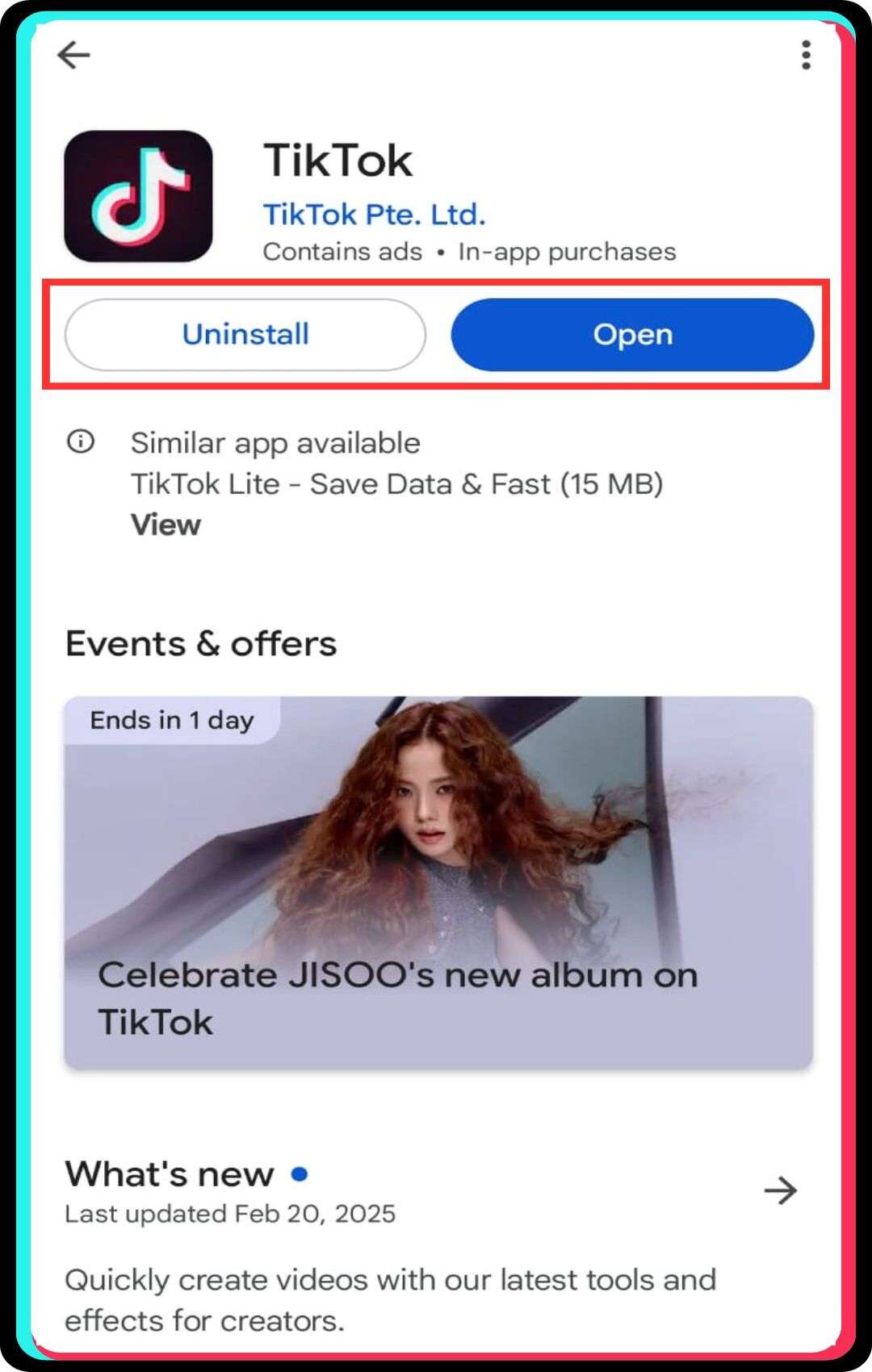
Ensuring your TikTok app is updated is the first step to fixing the repost not showing problem. TikTok’s repost feature may not work if the app is outdated, as updates frequently introduce new features.
Steps to update the TikTok app:
- Go to the App Store or Google Play Store.
- Search for TikTok using the search bar.
- Tap the “Update” button if an update is available.
- Wait for the installation process to complete.
- Open TikTok and check if the repost feature is available.
2. Clear TikTok’s Cache
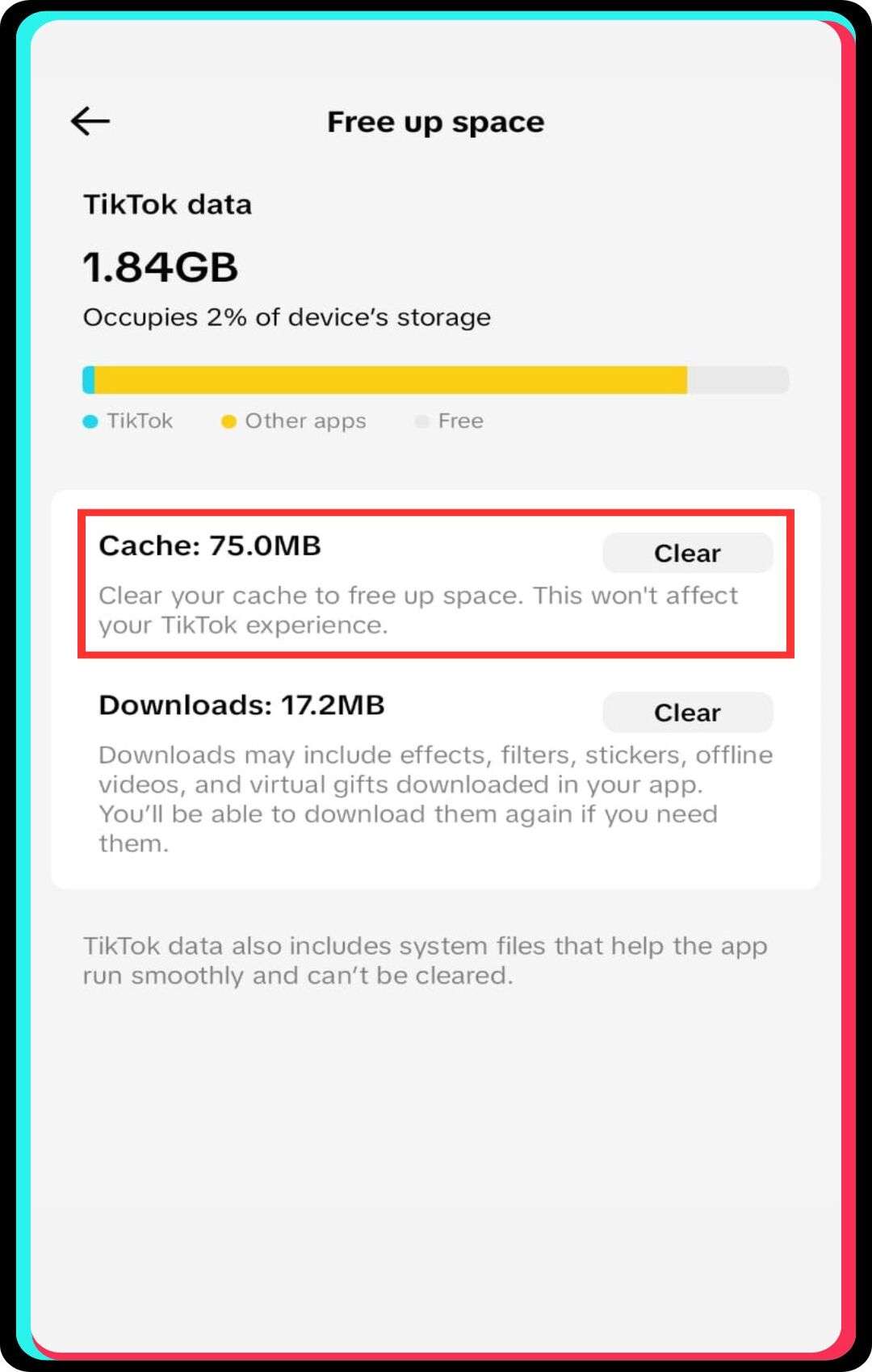
Deleting the TikTok app cache can fix issues related to reposts on TikTok. Cached data sometimes prevents features from working correctly, including the share button and repost tab.
Steps to clear TikTok’s cache:
- Open the TikTok app and go to your profile.
- Tap the three-line menu in the top-right corner.
- Select “Settings and Privacy” from the menu.
- Scroll down and tap “Clear Cache.”
- Restart the app and check if the repost option is available.
3. Verify the Video’s Source
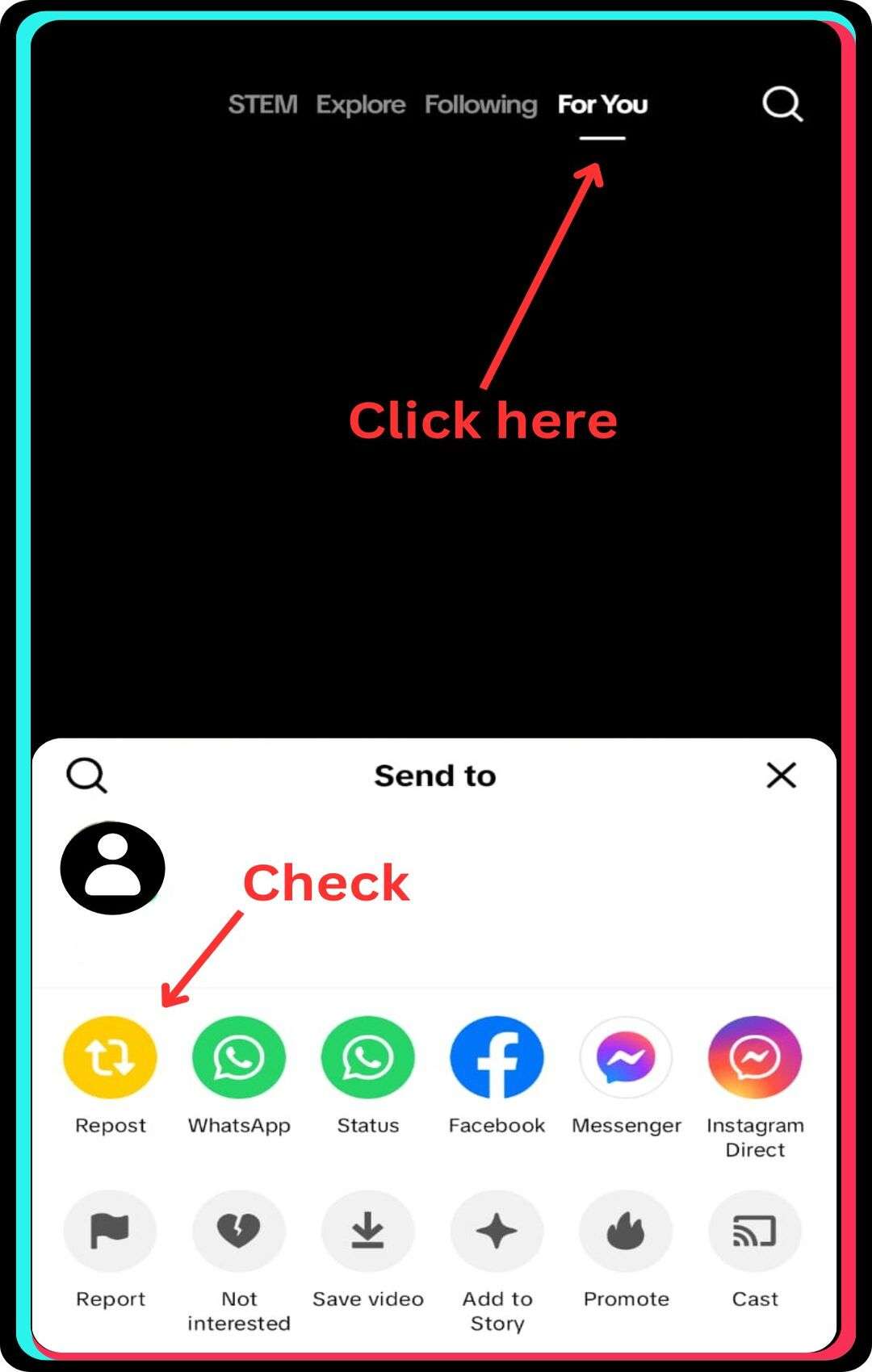
Not all videos on TikTok can be reposted. Some content with your followers might not be available for reposting due to creator restrictions or TikTok’s privacy settings.
Steps to verify the video source:
- Ensure the video is from the For You Page.
- Check if the creator has disabled reposts.
- Tap the share button to see if the yellow repost button appears.
- Try reposting another video to check if the issue is video-specific.
- If multiple videos have the same issue, consider TikTok’s account restrictions.
4. Repost from the For You Page
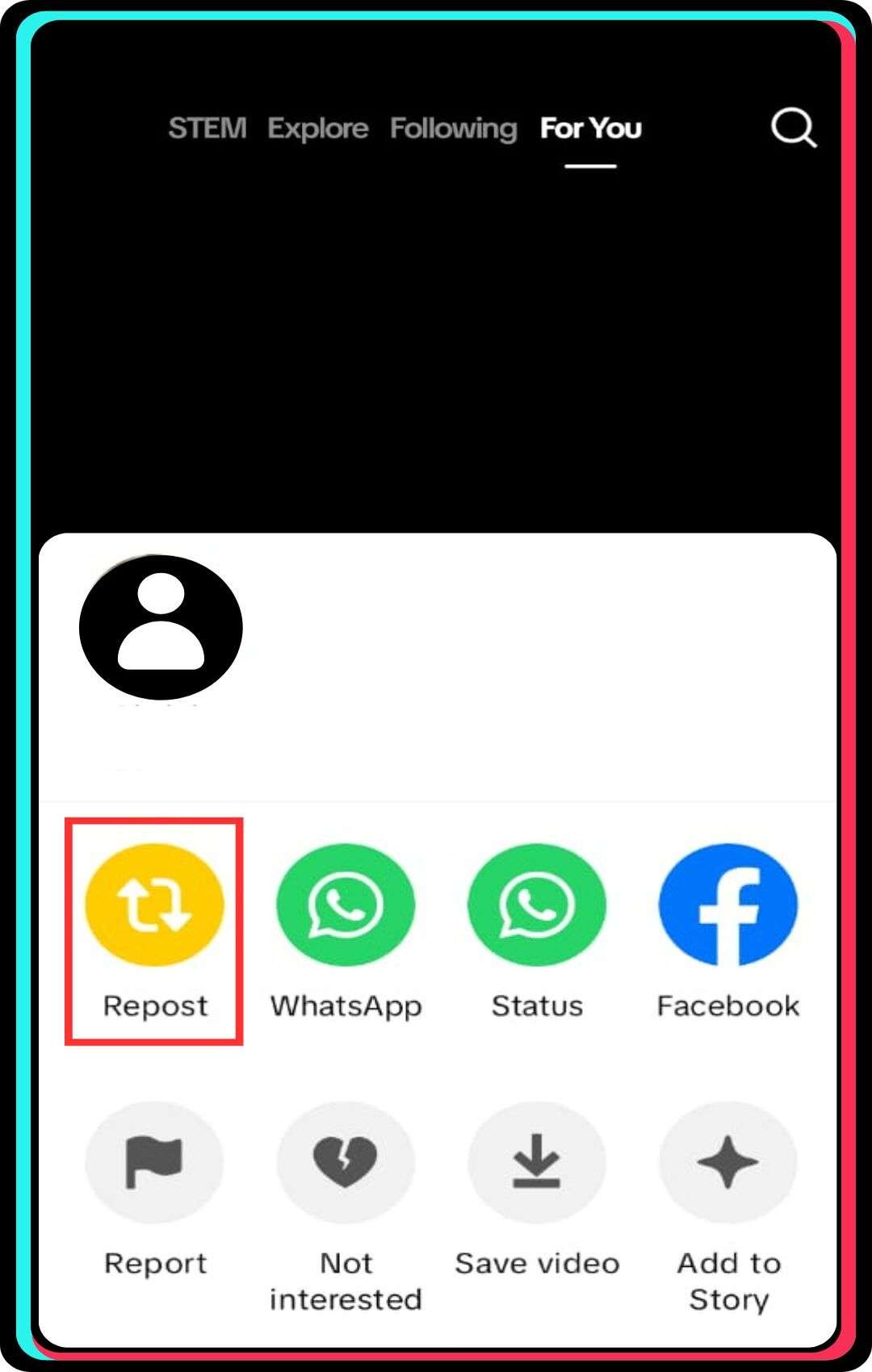
The repost feature on TikTok is mainly designed for videos appearing on the For You Page, not from personal profiles or other sections. Reposting videos from different areas may not be supported.
Steps to repost a video from the For You Page:
- Scroll through the For You Page and find a video you want to repost.
- Tap the share button at the bottom right corner.
- If the yellow repost button appears, tap it to share the video.
- Check your profile under the repost tab to confirm successful reposting.
- If the repost option is still missing, try the troubleshooting methods mentioned earlier.
5. Check Your Internet Connection
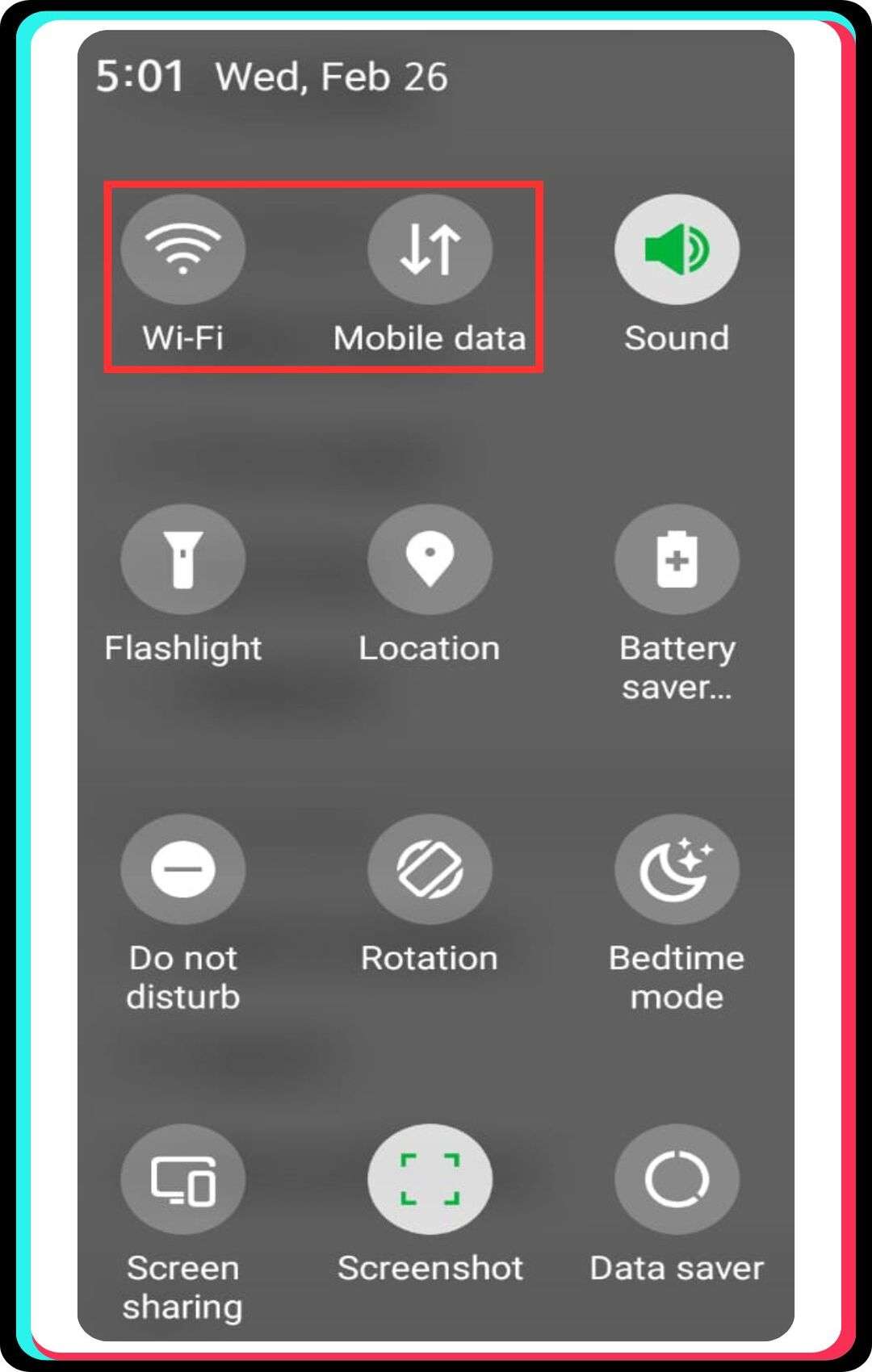
A slow or unstable internet connection may cause the repost button on TikTok to not appear. Checking your network status ensures that TikTok’s app cache loads properly.
Steps to check your internet connection:
- Switch between Wi-Fi and mobile data to test connectivity.
- Restart your router if using a home Wi-Fi network.
- Run an internet speed test to check for slow speeds.
- Turn on and off airplane mode to refresh your network.
- Try using TikTok on another device to see if the issue persists.
6. Reinstall TikTok
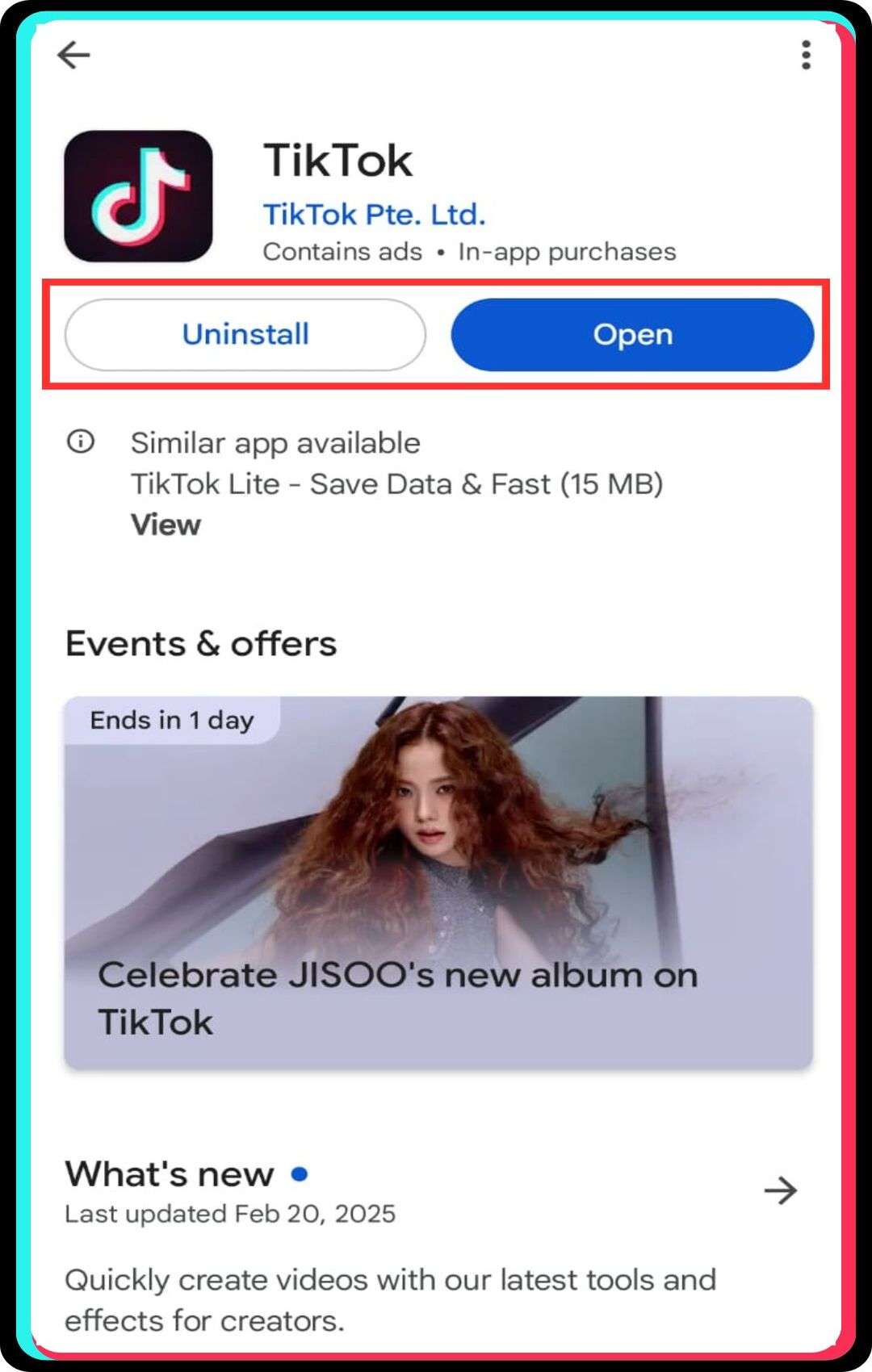
If all else fails, reinstalling the TikTok app can resolve reposting issues. This ensures a fresh installation, removing corrupted data that might cause TikTok’s repost issues.
Steps to reinstall TikTok:
- Press and hold the TikTok app icon on your device.
- Tap “Uninstall” or “Remove App” to delete it.
- Restart your device to clear temporary files.
- Go to the App Store or Google Play Store.
- Search for TikTok and reinstall the latest version.
- Log in and check if the repost button is available.
Why Some Videos on TikTok Cannot Be Reposted?
Some videos on TikTok cannot be reposted due to content restrictions set by creators, privacy settings, or account types. Creators may disable the TikTok repost option, preventing others from resharing their content. Additionally, privacy settings that prevent sharing content restrict reposting for videos marked as private or meant for specific audiences.
Differences between personal and business accounts in reposting also impact repost availability, as business accounts on TikTok have different rules for content distribution, limiting the ability to repost TikTok videos.
Removing a Repost on TikTok
Users can delete a reposted TikTok video if they shared it unintentionally. To find and delete a reposted video, tap the Share button, then select Remove Repost from the menu. After removing a repost, it no longer appears in the reposts tab or on followers’ feeds. However, limitations on undoing a repost after a certain time exist, meaning TikTok’s algorithm might retain engagement metrics even if the reposted content is deleted, impacting video visibility.
How AI Influences the Repost Feature
TikTok’s AI system decides which videos gain visibility and which reposts get approved. The algorithm blocks reposts of videos flagged for guideline violations or inappropriate material. This AI also builds each person’s For You feed from individual viewing patterns and interactions. TikTok’s AI now scans every video for synthetic content before allowing a repost.
TikTok has applied AI-generated labels to more than 1.3 billion videos across the platform. The system reads embedded content credentials and detects AI-made video, audio, or images automatically. Creators who skip the AI label risk an automatic tag marking their content as synthetic. TikTok treats an automatic AI label as a warning sign, not a simple tag. Videos carrying this AI label often see repost limits and reduced audience reach. Accounts that repost low-quality content repeatedly also face reduced visibility from the algorithm.
Contacting TikTok Support for Repost Issues
If users cannot repost on TikTok, they can report concerns about reposting problems through the TikTok please fix option in settings. Using the feedback and TikTok Help Center for troubleshooting, users can check FAQs or submit a request detailing TikTok repost issues. If the problem persists, reaching out for account-specific restrictions is necessary, especially if TikTok’s algorithm has flagged the account. Users should contact support if they suspect a technical glitch affecting the TikTok repost button, ensuring a swift resolution.
Best Practices for Reposting on Social Media Platforms
- Check platform policies before reposting any video to avoid account restrictions or content violations. TikTok’s 2026 guidelines apply four penalty tiers, and repeated violations can disable your repost button entirely.
- Credit the original creator whenever you repost a video to maintain honest, ethical content sharing practices. Confirm the video allows reshares before posting it, since disclosure rules tightened again in 2026.
- Space out your reposts across the day instead of resharing multiple videos within a short window. TikTok’s 2026 shadowban penalties run 3 to 5 days for minor spam-like violations.
- Avoid reposting patterns that resemble bot activity, since TikTok trained its algorithm to detect engagement manipulation in 2026. Moderate violations now trigger reduced visibility for 7 to 14 days.
- Update the TikTok app on a regular schedule to keep the repost feature working without glitches. Outdated app versions cause repost failures for many users, so updates prevent this problem.
- Track engagement data on your reposted videos to measure how each share performs with your audience. Analytics reveal which reposts drive real engagement, so use that data to guide future posts.
Conclusion
The TikTok update occasionally removes or limits features, causing users to wonder, “Why can’t I repost on TikTok?” If you’re trying to grow your account, reposting can be essential for engagement, but TikTok’s algorithm sometimes prevents it. Issues may stem from the repost tab missing, account restrictions, or an outdated app. Clearing the TikTok app cache, reinstalling TikTok, or ensuring your app is updated can often fix the problem. If none of these methods work, search for TikTok support options and report the issue. Have you ever tried to repost a video on TikTok and faced this problem?
FAQs
1. Does deleting and reinstalling TikTok help with repost issues?
Yes, reinstalling the app can resolve glitches, including problems with the repost feature.
2. Why can’t I repost videos from a user’s profile?
TikTok’s repost function is primarily available for videos on the For You Page, not directly from profiles.
3. How do I report a problem with TikTok’s repost feature?
Use the ‘Report a Problem’ option in TikTok’s settings to inform support about repost issues.
4. Will the original creator know if I repost their video?
Yes, TikTok notifies creators when their content is reposted by another user.
5. Can I undo a repost on TikTok?
Yes, you can remove a repost by tapping the share button on the video and selecting ‘Remove Repost’.

💬 Comments 0
No comments yet. Be the first to share your thoughts! 💬
✍️ Leave a Comment