
A freelance designer opens a renewal email and sees another full year of Illustrator charges on the card. The vector work still matters, but paying every month for one app no longer fits the budget.
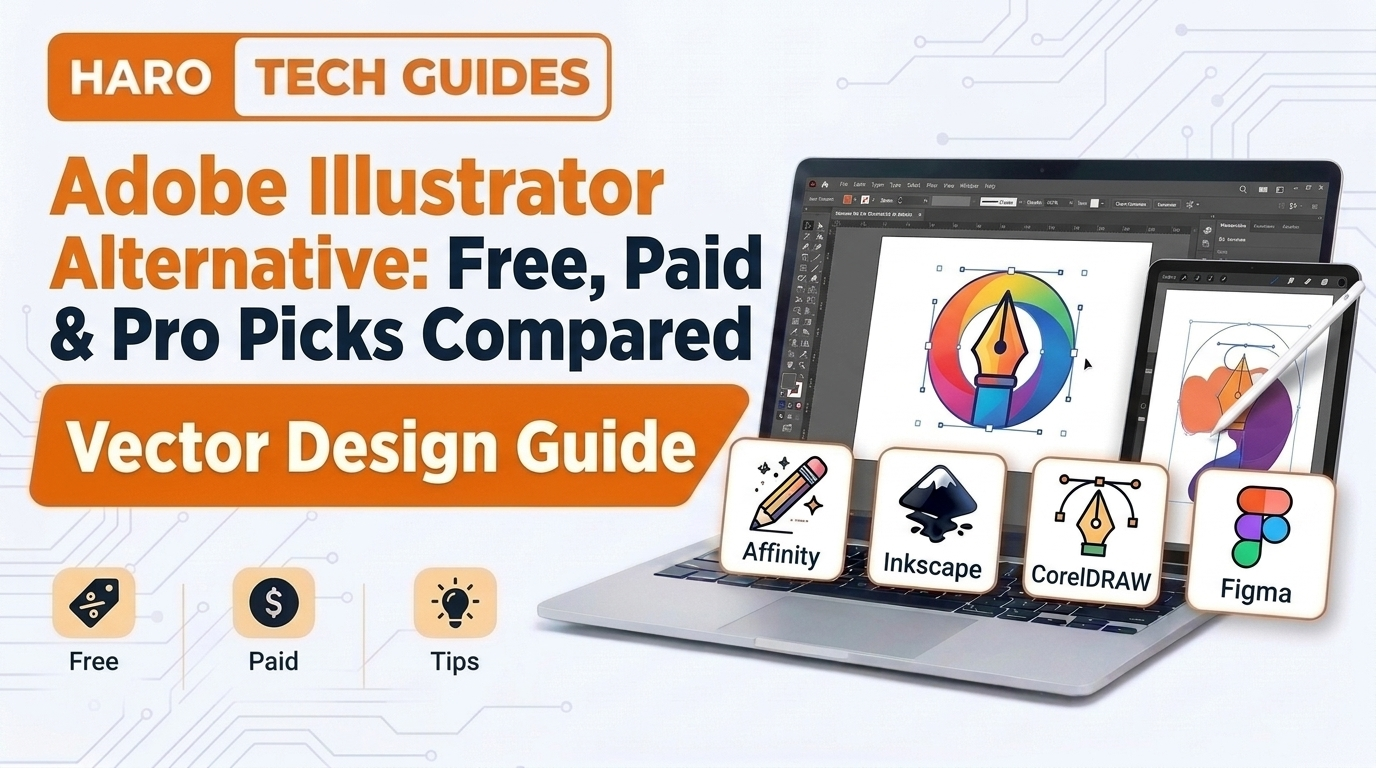
That moment sends thousands of people searching for an adobe illustrator alternative for logos and print files. This guide compares free and paid vector editors, explains file support, and walks through a safe switch.
Readers who need quick graphics can check our guide on which graphic design software is free gfxtek before choosing. The sections below focus on true vector editors that can replace Illustrator for daily client design work.
Quick Answer: What Is the Best Adobe Illustrator Alternative?
Affinity by Canva is the strongest free Adobe Illustrator alternative for most designers in 2026. It runs on Mac and Windows, opens PDF compatible AI files, and covers vector, photo, and layout work. Inkscape suits people who want open source software, while Figma fits interface designers best. The right pick still depends on your file workflow and your printer requirements.
Adobe Illustrator Alternatives at a Glance
An Illustrator alternative is any vector graphics editor that builds artwork from paths instead of pixels. Vector paths scale to any size without blurring, which makes them the standard format for logos and print.
| Tool | Price model | Platforms | Best for |
|---|---|---|---|
| Affinity by Canva | Free core app | Mac, Windows | All round vector and print work |
| Inkscape | Free, open source | Windows, Mac, Linux | SVG work and budget studios |
| CorelDRAW Graphics Suite | Paid | Windows, Mac | Sign making and print shops |
| Linearity Curve | Free plan plus Pro | Mac, iPad | Illustration on Apple devices |
| Figma | Free Starter plan plus paid tiers | Browser, desktop | Interface and icon design |
| Penpot | Free, open source | Browser, self hosted | Team interface design |
| Boxy SVG | Low cost | Browser, desktop | Clean SVG files for websites |
The table shows that free options now cover most daily vector tasks without any monthly software charge.
Why Do Designers Look for an Adobe Illustrator Alternative?
Price drives most switches, because Illustrator runs on a subscription with no permanent license option today. Adobe lists the Illustrator single app plan at about $22.99 monthly on an annual United States commitment.
That figure adds up to roughly $276 every year, and month to month billing costs even more. A student, hobbyist, or small business owner might design only a handful of logos each year.
Subscription Fatigue
Many creators already pay monthly for hosting, stock photos, fonts, email tools, and several other services. One more recurring bill becomes hard to justify when the software sits unused for several weeks.
A free or one time purchase editor removes that recurring pressure from the monthly business budget. The designer keeps every working file forever, even after canceling other paid plans and trials.
Hardware and Platform Limits
Illustrator runs on Windows and macOS, but Adobe offers no native version for Linux desktops at all. Linux users usually choose Inkscape, which ships official builds for that system and receives regular updates.
Older laptops also struggle with heavy Creative Cloud background services running alongside the main design app. Lighter editors start faster and leave more system memory free for large, detailed artboards and exports.
Different Kinds of Vector Work
Illustrator covers a huge range of tasks, from packaging and typography to maps and technical drawings. Most people touch only a small slice of those tools during their normal daily client projects.
An interface designer may need shared components and prototypes far more than detailed print color controls. A sign maker may need cutting paths and plotter support more than modern web export presets.
In simple words: the best Illustrator replacement matches your daily tasks, not the longest feature list.
Who Should Stay With Adobe Illustrator?
Some professionals still gain more from Illustrator than they spend on the monthly subscription each year. Large agencies that share files with dozens of Adobe based partners usually belong in this group.
Packaging designers who depend on advanced plugins, dielines, and printer presets often stay put as well. Their workflows connect tightly with other Adobe apps, so switching would create costly delays and file errors.
Illustrators who rely on complex brushes, gradient meshes, and image tracing presets may also prefer staying. Every other designer should compare the options below before renewing for another expensive year.
How Vector Editors Work
Every vector editor stores artwork as mathematical paths, anchor points, and simple fill and stroke instructions. The screen redraws those instructions at every zoom level, so curved edges always stay perfectly sharp.
Anchor points -> Paths -> Fills and strokes -> Groups and layers -> Exported file
A pen tool places anchor points, and small handles on each point bend the connecting curve segments. Shape tools create rectangles, ellipses, stars, and polygons that remain fully editable throughout the whole project.
Raster Versus Vector Files
Raster images store a fixed grid of colored pixels, while vector files store drawing instructions. Enlarging a raster logo makes the edges blocky, but a vector logo stays crisp on a billboard.
| Feature | Raster | Vector |
|---|---|---|
| Built from | Pixels | Paths and points |
| Scaling | Loses quality | Stays sharp |
| Common formats | JPG, PNG, WEBP | SVG, AI, EPS, PDF |
| Best use | Photos | Logos, icons, print |
This difference explains why a pure photo editor cannot fully replace Illustrator for professional logo work.
Common Vector File Formats
The SVG format works directly on websites and opens in almost every modern vector editor available today. The PDF format carries vector data reliably between different programs, operating systems, and commercial print shops.
The EPS format remains common with older printers, stock image sites, and some sign making equipment. The native AI format belongs to Adobe, but many AI files open elsewhere because they include PDF data.
The Best Free Adobe Illustrator Alternatives
Free vector editors improved dramatically over the last few years, and several now match paid tools. Two of them handle professional client logo work without any serious compromise for most typical projects.
Affinity by Canva
Canva bought Serif, the original Affinity developer, in 2024 and relaunched Affinity as one free app. The October 2025 release merged the old Designer, Photo, and Publisher tools into a single workspace.
Vector work happens inside a dedicated vector studio with pen, pencil, shape, and boolean editing tools. Pixel editing and page layout sit in neighboring studios, so one document can hold every production stage.
Affinity runs on Mac and Windows, and Canva also announced plans for a future iPad version. Canva AI features inside Affinity require a paid Canva plan, but the core design tools stay free.
Affinity opens PDF compatible AI files, EPS, SVG, and PSD files with good accuracy in most cases. Complex Illustrator effects sometimes flatten during import, so designers should check each layer before editing anything.
Inkscape
Inkscape is a free and open source vector editor maintained by volunteers for more than twenty years. It uses SVG as its native format, which makes it a natural fit for websites and web graphics.
The program runs on Windows, macOS, and Linux with nearly the same feature set on each system. Its extension system adds helpful tools for plotters, laser cutters, embroidery machines, and generative pattern creation.
The interface looks different from Illustrator, so new users usually need a few days of steady practice. Print work needs extra care, because Inkscape still lacks a full native CMYK color management workflow.
Figma Free Starter Plan
Figma runs in a web browser or desktop app and offers a free Starter plan with some limits. Its vector network pen tool draws paths that branch in several directions from one single anchor point.
The tool performs best for icons, app screens, and website mockups built with shared reusable components. It handles print color poorly, so logo designers should export finished marks elsewhere before sending them to printers.
Penpot
Penpot is an open source design platform that runs in any browser or on a private company server. It stores designs in open SVG based formats instead of locking projects inside a closed proprietary file type.
Teams that care about data ownership and privacy appreciate the option to host Penpot on their own servers. The vector tools cover interface design well, though advanced illustration features remain fairly basic for now.
The Best Paid Adobe Illustrator Alternatives
Paid tools still earn their price in specific trades, especially sign making, engraving, and Apple focused illustration. Buyers should confirm current pricing on each official developer website before entering any payment details at checkout.
CorelDRAW Graphics Suite
CorelDRAW has served print shops, sign makers, and engravers since the early 1990s across many different countries. Its layout tools, color management controls, and output settings suit demanding commercial production work with confidence.
Corel sells the suite through subscription and has offered permanent licenses in many regions over the years. The package bundles photo editing and font management tools alongside the main CorelDRAW vector editing application.
Many vinyl cutters, laser engravers, and embroidery machines accept CorelDRAW files directly without any conversion step. That direct compatibility keeps the program popular among small manufacturing businesses and custom merchandise shops worldwide.
Linearity Curve
Linearity Curve began life as Vectornator and later took its current name after a full brand refresh. It runs on Mac and iPad, with smooth Apple Pencil support that makes freehand drawing natural and precise.
A free plan covers basic projects, while the Pro subscription opens larger exports and several extra features. Illustrators who sketch on an iPad and finish artwork on a Mac find the device handoff smooth and quick.
Boxy SVG
Boxy SVG focuses on producing clean, standards based SVG files that load quickly on modern websites. Front end developers like it because the exported code stays small, readable, and easy to edit by hand.
It suits icon sets, simple illustrations, and lightweight web animations far more than complex printed brochures. The low price makes it an easy addition to any web developer’s regular software toolkit.
Adobe Illustrator Alternative Comparison by Feature
Feature lists help narrow the shortlist after you have already checked budget and operating system support. The table below rates the most common professional requirements across the four most popular vector editors.
| Feature | Affinity | Inkscape | CorelDRAW | Figma |
|---|---|---|---|---|
| Pen and shape tools | Strong | Strong | Strong | Strong |
| CMYK print output | Yes | Limited | Yes | No |
| Opens AI files | Usually | Usually | Usually | No |
| Offline use | Yes | Yes | Yes | Partial |
| Team collaboration | Basic | Basic | Basic | Strong |
The comparison shows Affinity and CorelDRAW leading for print, while Figma leads for shared screen design work.
Affinity vs Inkscape: Which Free Tool Wins?
Both programs cost nothing, so the final choice depends on workflow, operating system, and print requirements. Affinity behaves much closer to Illustrator, while Inkscape offers deeper control over raw SVG code and attributes.
| Point | Affinity by Canva | Inkscape |
|---|---|---|
| License | Free, closed source | Free, open source |
| Linux support | No | Yes |
| Native format | AF files | SVG |
| CMYK workflow | Full | Limited |
| Learning curve for Illustrator users | Gentle | Steeper |
Choose Affinity for print heavy client work, and choose Inkscape for Linux machines or SVG focused projects.
Affinity vs CorelDRAW: Free Versus Paid
CorelDRAW costs money, but it brings decades of proven print shop workflows and direct machine support. Affinity now costs nothing and covers most of the same daily design tasks for typical freelance designers.
| Point | Affinity by Canva | CorelDRAW Graphics Suite |
|---|---|---|
| Price | Free core app | Paid license or subscription |
| Platforms | Mac, Windows | Windows, Mac |
| Cutter and engraver support | Through export | Strong direct support |
| Page layout | Built in | Built in |
The free option suits most designers, while production shops with cutting machines often stay with CorelDRAW.
Illustrator vs Figma for Logo and Icon Work
Figma wins clearly on collaboration, version history, live comments, and shared libraries across large product teams. Illustrator still wins on print color handling, complex artistic brushes, and highly detailed editorial illustration work.
Icon designers who ship artwork only to apps and websites rarely need any CMYK print output at all. For those designers, Figma replaces Illustrator fully and adds live team commenting on every shared file.
Canva vs a True Vector Editor
Canva helps beginners create social posts, presentations, and simple flyers from ready made templates in minutes. It does not offer full pen tool control, so it cannot replace Illustrator for original logo creation.
Business owners often start in Canva and later move to Affinity once they need custom vector artwork. Both tools now belong to the same company, which makes moving between them a little smoother.
How to Pick the Right Adobe Illustrator Alternative
A simple decision path prevents wasted hours learning the wrong program for your specific type of work. Start with your operating system, move to your output needs, and finish with your available budget.
Linux user? -> Inkscape
Print and CMYK work? -> Affinity or CorelDRAW
Interface and app design? -> Figma or Penpot
iPad drawing? -> Linearity Curve
Web SVG output? -> Boxy SVG or Inkscape
Match the Tool to the Client Deliverable
Clients usually ask for a print ready PDF, an editable vector master file, and several web PNG exports. Pick an editor that exports all three formats directly without needing extra converter tools or online services.
Printers often still request EPS or PDF files with every line of text converted to outlines. Affinity, Inkscape, and CorelDRAW all handle those exports correctly after a few minor export setting changes.
Check Collaboration Requirements
Solo freelancers rarely need real time editing with other designers working inside the same document at once. Agencies with five or more designers often need shared asset libraries, comment threads, and detailed version history.
Figma and Penpot lead in team settings because every project file lives online and updates for everyone instantly. Desktop editors work well for teams only when everyone follows strict shared folder and file naming rules.
Benefits of Choosing a Free Vector Editor
A free editor offers clear advantages for students, freelancers, and small businesses watching every software expense:
- Free editors remove a recurring monthly cost that often reaches several hundred dollars every year.
- Designers keep full access to every saved project without worrying about a lapsed subscription.
- Open source tools like Inkscape publish their code, so anyone can review how they handle files.
- Students can practice professional vector skills without asking parents or schools for software budgets.
- Small agencies can install the same editor on every machine without counting expensive license seats.
Real World Example: Switching a Small Studio
A two person branding studio paid for two separate Illustrator seats and wanted to reduce yearly software costs. The partners tested Affinity on three active client projects before canceling either of their Adobe subscriptions.
The designers rebuilt one logo from scratch and opened two older AI files for client requested edits. Both imports kept paths and colors intact, but one gradient mesh flattened into a single raster layer.
The team recreated that gradient mesh with simple linear gradients in under one hour of focused work. After six weeks, they canceled both Illustrator seats and saved more than $550 in yearly software costs.
Step by Step: Switching From Illustrator Safely
A careful switch protects old client files and avoids missed deadlines during the first few busy weeks. Follow these five steps in order before you cancel any active Adobe subscription or annual plan.
Step 1: Export Your Existing Library
Open every important Illustrator file while your subscription still works and the files open without any problems. Save each one as a PDF compatible AI file and also as a separate standard PDF backup copy.
Export every client logo as SVG and EPS files to create extra backups in widely supported formats. Store everything in a clearly named archive folder with dated subfolders for each client and each project.
Step 2: Install Two Candidate Editors
Download two alternatives from their official developer websites only, never from random file sharing or download sites. Testing two tools side by side reveals real differences in workflow within a single afternoon of focused work.
Most designers test Affinity against Inkscape, or Affinity against CorelDRAW when they run a print shop. Interface designers usually compare Figma against Penpot instead, since both focus on screens and components.
Step 3: Test Real Client Files
Open five of your most complex AI files in each candidate editor and inspect every layer carefully. Check paths, text, gradients, clipping masks, symbols, and color swatches for any visible or hidden changes.
Write down every problem in a short spreadsheet that lists the file name and the specific import issue. This simple record shows which editor handles your own particular style of artwork with the fewest errors.
Step 4: Rebuild Your Shortcuts and Templates
Muscle memory slows experienced designers far more than missing features during the first month in any new editor. Most editors let users remap keyboard shortcuts so that old Illustrator habits keep working without constant interruptions.
Recreate your common artboard sizes, brand color palettes, and favorite export presets inside the new program right away. These saved templates remove several minutes of repetitive setup from every new client project you start.
Step 5: Run One Live Project
Complete one real paid client job entirely inside the new editor, from first sketch to final delivery. Send proofs through your normal review process and request feedback from the printer on the final files.
A successful live job proves the new workflow holds up under real deadline pressure and client expectations. Only after that test should you end the Illustrator subscription and remove the Creative Cloud app.
Common Mistakes When Choosing an Adobe Illustrator Alternative
Most failed switches come from rushed decisions and poor planning instead of weak software or missing features. Avoid the following six errors to keep client work moving smoothly during the whole transition period.
1. Canceling Before Exporting Old Files
Designers who cancel first often lose easy access to native AI features, effects, and editable appearance settings. Export every active project in several formats while Illustrator still opens each file correctly and in full.
2. Ignoring Printer Requirements
Some commercial print shops require CMYK PDFs with specific color profiles, crop marks, and bleed settings attached. Confirm those exact requirements before choosing an editor that offers only limited CMYK support for printed work.
3. Judging a Tool on Day One
Every new interface seems awkward and slow during the first few sessions, even when the software is strong. Give each candidate editor at least one full week of real projects before making any final decision.
4. Downloading From Unofficial Sources
Cracked or repackaged installers often carry malware, adware, and hidden cryptocurrency miners that slow your computer badly. Do not install design software from anywhere except the official developer website or an official app store.
5. Forgetting Font Licenses
Fonts activated through Adobe Fonts stop working inside other apps soon after the subscription officially ends. Replace them with licensed desktop fonts or free open license font families before you start the switch.
6. Picking a Raster Editor by Mistake
Photo editors such as GIMP or Photoshop paint individual pixels instead of creating editable and scalable vector paths. They cannot produce the scalable logo files that professional printers, sign makers, and embroiderers usually require.
Tips for a Smooth Move Away From Illustrator
These practical habits shorten the learning period and protect your client relationships during the whole switch:
- Keep one archived copy of every client logo in PDF, SVG, and EPS formats at all times.
- Watch the official beginner tutorials from your new editor during your first week of daily use.
- Remap the five keyboard shortcuts you use most so your old working habits keep running smoothly.
- Convert all text to outlines before sending final files to printers, sign makers, or clients.
- Print one paper proof at home before delivering any brand new identity package to a client.
- Join the official user forum for your chosen editor to find quick answers from experienced users.
Best Practices for Long Term File Safety
Open formats protect your work from future licensing changes at any software company, including Adobe and Canva. Save every master file in the native format and keep a PDF or SVG copy beside it.
Name every file with the client, project, and date in one consistent order across your whole archive. Back up that archive to two separate locations, including at least one offline external drive kept at home.
Adobe Illustrator Alternative Checklist
Run through this checklist before committing your studio or freelance business to a new vector editor:
- Confirm the editor runs natively on every computer your team uses for daily client design work.
- Test at least five real AI files and record every import problem inside a simple spreadsheet.
- Check CMYK export, bleed settings, and color profiles directly with your main commercial print partner.
- Export SVG, PDF, EPS, and PNG files to confirm that every required delivery format works correctly.
- Replace every subscription font with licensed desktop fonts that you can keep using without restrictions.
- Recreate your common templates, swatches, and keyboard shortcuts inside the new editor before switching fully.
- Archive every old Illustrator project in several formats before the Adobe subscription officially ends.
- Complete one paid live client project in the new editor before canceling your Adobe plan.
Testing Questions to Check Your Skills
These practice questions help confirm your readiness after a few weeks of daily work in a new editor. Try answering each one without opening tutorials, forum threads, or any written help guides.
Can You Rebuild a Logo From a Sketch?
Scan a hand drawn logo and trace it with the pen tool using the fewest anchor points possible. Clean curves built from few points show solid control over your new vector editor’s drawing tools.
Can You Prepare a Print Ready File?
Set up a CMYK document, add three millimeters of bleed on every edge, and outline all text. Export a press ready PDF and confirm that your printer accepts the file without requesting any changes.
Can You Export a Clean SVG Icon?
Draw a simple icon on a pixel grid and export the finished artwork as a clean SVG file. Open the file in a browser and confirm that every edge stays sharp at several different zoom levels.
Frequently Asked Questions
What is the best free Adobe Illustrator alternative?
Affinity by Canva is the best free Adobe Illustrator alternative for most designers working in 2026. It runs on Mac and Windows and handles vector, photo, and layout work inside one app.
Is Inkscape as good as Illustrator?
Inkscape handles logos, icons, and SVG graphics well for a free and open source program. It lacks a full CMYK workflow, so heavy print work usually suits Affinity or CorelDRAW better.
Can an Adobe Illustrator alternative open AI files?
Many alternatives open AI files saved with PDF compatibility, which Illustrator enables by default for every save. Complex effects such as gradient meshes sometimes flatten, so check every imported layer before editing it.
Is Affinity actually free now?
Canva relaunched Affinity as a free unified app in October 2025 for both Mac and Windows users. Canva AI features inside the app still require a paid Canva plan, but core tools cost nothing.
Which Illustrator alternative works on Linux?
Inkscape is the leading Adobe Illustrator alternative for Linux, with official builds and a complete feature set. Browser based tools like Figma and Penpot also run on Linux through any modern web browser.
Can Figma replace Illustrator for logo design?
Figma works well for simple logos and icons that appear only on screens, apps, and websites. It lacks print color controls, so printed brand materials usually need a second vector editor for production.
What Illustrator alternative works on iPad?
Linearity Curve runs smoothly on iPad and supports Apple Pencil for natural freehand drawing and illustration. Canva also announced an iPad version of Affinity, so check its current release status before planning around it.
Is CorelDRAW better than Illustrator?
CorelDRAW suits sign makers, engravers, and print shops better because many cutting machines accept its files directly. Illustrator stays stronger for detailed illustration and close integration with other Adobe apps in large agencies.
Do professional designers use Illustrator alternatives?
Many professional designers now use Affinity, CorelDRAW, or Figma for paid client work on a daily basis. Clients care about the final file quality and format, not the software brand that produced it.
How long does switching from Illustrator take?
Most designers work comfortably in a new vector editor after two to four weeks of daily practice. Remapped shortcuts and saved templates shorten that learning period for every experienced Illustrator user considerably.
Next Step: Build Your Free Design Toolkit
A vector editor covers logos and illustrations, but most creators also need dependable video and photo tools. Pair your new Illustrator alternative with free editors for each media type you publish regularly.
Readers building a content toolkit can compare our guide to the best video editing software for beginners. Matching free tools across every task keeps your total monthly software spending close to zero dollars.
Key Takeaways
- Affinity by Canva became a free unified design app in October 2025 for Mac and Windows.
- Inkscape remains the leading open source Adobe Illustrator alternative for Linux users and SVG work.
- CorelDRAW suits sign makers and print shops because many cutting machines accept its files directly.
- Figma and Penpot replace Illustrator for interface design, icon sets, and shared team component libraries.
- Linearity Curve gives Apple users smooth iPad drawing with Apple Pencil and a simple Mac handoff.
- Illustrator costs about $22.99 per month on an annual plan for buyers in the United States.
- Many alternatives open PDF compatible AI files, though complex effects sometimes flatten during the import.
- Printers often require CMYK PDFs, so confirm color support carefully before switching to any editor.
- Export every old project to PDF, SVG, and EPS formats before canceling your Adobe subscription.
- Adobe Fonts stop working after cancellation, so replace them with licensed desktop fonts beforehand.
- Download design software only from official developer websites to avoid malware and adware infections.
- Complete one paid live client project in the new editor before ending your Illustrator plan.
Final Thoughts
The search for an adobe illustrator alternative ends with a tool that matches your real daily projects. Affinity covers most designers for free, while Inkscape, CorelDRAW, and Figma each serve more specific needs.
Test real client files first, protect your archive, and switch only after one successful paid live job. That careful method saves money every year without risking your deadlines, your files, or client trust.
Explore more design software, branding, and growth guides on Haro Builder.


💬 Comments 0
No comments yet. Be the first to share your thoughts! 💬
✍️ Leave a Comment