
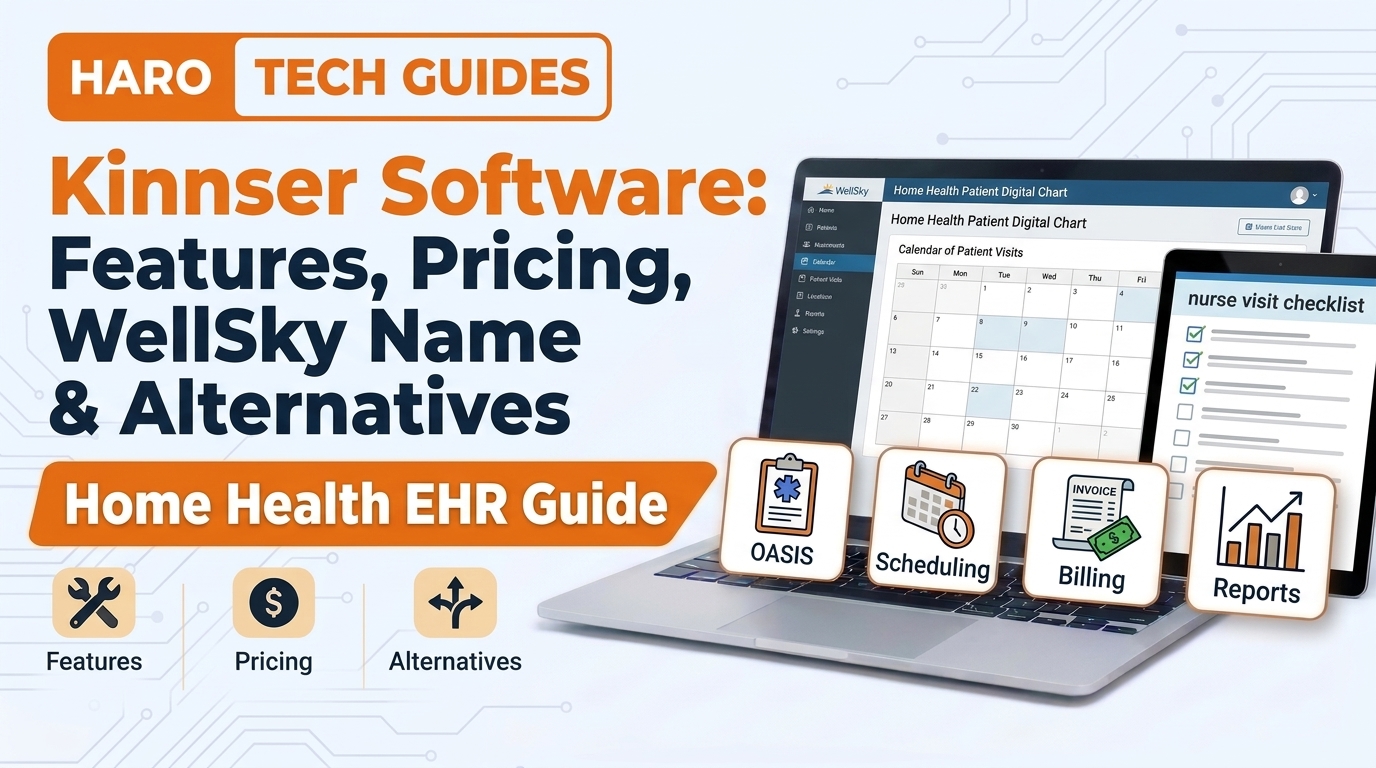
A home health nurse finishes a wound care visit and closes the chart from her car. That small moment explains why kinnser software earned loyal fans among American home health agencies. This guide explains what the platform is, how the brand changed, and what agencies should check before buying.
Many readers still search the old name because coworkers, job ads, and training notes keep using it. The product now sits under the WellSky brand, but the daily workflow stays familiar to long time users. Readers who study vertical software growth can compare this story with our guide on b2b saas models.
The sections below cover features, pricing logic, alternatives, setup steps, common mistakes, and a buying checklist. Each part uses plain language so agency owners, clinicians, and office staff can follow along easily.
Quick Answer: What Is Kinnser Software?
Kinnser software is a cloud platform for home health charting, scheduling, and Medicare billing. The original Kinnser Agency Manager now operates as WellSky Home Health after the Kinnser and Mediware merger. Features and pricing depend on agency type, size, and modules, so buyers should request quotes.
What Does Kinnser Software Mean at a Glance?
The name Kinnser refers to an Austin, Texas, software company focused on care delivered at home. Its flagship product helped agencies document visits, manage referrals, and send claims through one browser based system. The table below summarizes the main facts about the platform in one place.
| Item | Detail |
|---|---|
| Original company | Kinnser Software, Austin, Texas |
| Main product | Kinnser Agency Manager |
| Current name | WellSky Home Health |
| Parent company | WellSky, formed with Mediware |
| Core users | Home health, hospice, therapy agencies |
| Delivery model | Cloud, browser, and mobile apps |
This snapshot shows that the product never disappeared, because it moved under a larger brand umbrella.
In simple words, Kinnser is the old name, and WellSky Home Health is the same product family today.
How Did Kinnser Software Become WellSky Home Health?
Kinnser Software served post acute providers for well over a decade before a major merger changed its name. Mediware Information Systems joined forces with Kinnser, and the combined company took the name WellSky. Kinnser Agency Manager became WellSky Home Health, and Kinnser Therapy Manager became WellSky Home Health Therapy.
The rebrand mattered because agencies wanted one vendor for home health, hospice, private duty, and related services. WellSky used the merger to offer a wider product catalog under a single contract and support team. Long time customers mostly kept their logins, data, and workflows while the logos and invoices changed.
Many clinicians still say “Kinnser” daily, much like people use one brand name for a category. Job postings often list “Kinnser experience” because hiring managers learned the name years ago. Readers should treat both names as references to the same core home health system.
Why Does the Old Name Still Appear in Searches?
Search volume for the old name stays steady because training manuals, payroll systems, and résumés still mention it. Nurses who switch agencies often ask whether their old Kinnser skills transfer to WellSky Home Health. In most cases those skills carry over, because the documentation screens follow a similar layout.
Older login pages and bookmarked links also redirect users from the Kinnser domain to WellSky pages. That redirect confuses some staff members, who assume the agency switched vendors without telling them. A short internal memo usually clears up that confusion within one staff meeting.
Who Uses Kinnser Software Today?
The platform serves organizations that deliver care inside patient homes instead of hospitals or clinics. These groups share heavy paperwork, strict Medicare rules, and staff who work far from the main office. The table below matches each user group with its main daily software need.
| User group | Main need |
|---|---|
| Home health agencies | OASIS, visit notes, Medicare claims |
| Hospice providers | Care plans, IDG notes, benefit periods |
| Private duty agencies | Caregiver scheduling and billing |
| Therapy staffing firms | Therapy notes, contractor tracking |
| Field clinicians | Mobile charting at the bedside |
| Office staff | Intake, authorizations, payroll exports |
The common thread across these groups is distance, because every visit happens away from a central desk.
Small agencies often choose the system because it runs in a browser and needs no local server. Larger agencies value its reporting tools and multi branch controls for regional managers. Both groups rely on frequent regulatory updates that the vendor pushes without extra installation work.
What Are the Key Characteristics of Kinnser Software?
The platform earned its reputation through a few clear traits that field staff noticed quickly. These key characteristics explain why many agencies stayed with the product through the WellSky rebrand:
- The system runs in a standard web browser, so agencies avoid buying and maintaining local servers.
- Clinicians complete OASIS assessments inside guided screens that flag missing answers before submission.
- Schedulers assign visits on a visual calendar that shows clinician availability and patient locations.
- Billing staff send Medicare claims from the same system that stores the clinical visit records.
- Managers review quality reports that compare agency outcomes against national benchmarks and star ratings.
- The vendor releases regulatory updates centrally, so agencies receive rule changes without manual installs.
These traits work together, because a clean clinical record usually leads to a cleaner claim later.
How Does Kinnser Software Work Day to Day?
The daily workflow follows the patient from referral to final payment in one connected record. Each department touches the same chart, which reduces retyping and lost paperwork between teams. The flow below shows the usual path a patient record takes through the system.
Referral -> Intake -> Scheduling -> Visit Note -> QA Review -> Claim -> PaymentThis sequence explains why agencies treat the platform as their operational backbone instead of a simple charting tool.
Step One in Practice: Referral and Intake
Intake staff enter physician orders, insurance details, and demographics when a hospital or doctor sends a referral. The system checks eligibility fields and flags missing authorizations before the first visit gets scheduled. That early check prevents unpaid visits, which hurt small agencies the most.
Visit Documentation in the Field
Clinicians open the visit on a tablet or laptop and follow structured templates for each discipline. Nurses, therapists, and aides each see screens built for their own scope of practice. An offline mobile app lets staff document visits in rural areas without a cellular signal.
Quality Review and Billing
Quality assurance staff review completed notes and send corrections back to clinicians inside the system. Once a chart passes review, billing staff release the claim to Medicare or another payer. Payment posting closes the loop and updates the agency’s financial reports automatically.
What Features Does Kinnser Software Include?
Feature lists vary by product line, but home health buyers usually see a similar core package. The table below groups the main features by department so readers can match them to daily jobs.
| Department | Feature | Purpose |
|---|---|---|
| Clinical | OASIS assessments | Federal outcome reporting |
| Clinical | Plan of care builder | Physician orders and goals |
| Scheduling | Visit calendar | Staff and patient matching |
| Scheduling | EVV support | Visit time verification |
| Billing | Claim scrubber | Error checks before submission |
| Billing | Remittance posting | Payment tracking |
| Management | Quality dashboards | Star ratings and outcomes |
| Management | Payroll exports | Pay per visit records |
Each feature saves time alone, but the biggest gain comes from one shared patient record.
OASIS and Clinical Documentation
OASIS stands for Outcome and Assessment Information Set, a federal data set for Medicare home health patients. The platform guides nurses through each OASIS item and checks answers for internal conflicts. Those checks matter because OASIS answers influence both quality scores and payment levels.
PDGM and Medicare Billing Support
Medicare pays home health agencies through the Patient Driven Groupings Model, usually shortened to PDGM. The software assigns diagnosis codes and visit data to the correct payment groups before claims go out. Billing teams then use a scrubber that catches common errors before Medicare rejects the claim.
Electronic Visit Verification
Many state Medicaid programs require electronic visit verification for certain home care services. EVV records the time, location, and caregiver identity for each visit through a phone or tablet. The platform supports EVV workflows, though exact state integrations depend on the agency’s location.
Reporting and Analytics
Agency owners track census, revenue, visit counts, and clinician productivity through built in reports. Some report packages compare agency outcomes against national data, which helps leaders spot weak areas early. These reports also prepare agencies for surveys from state and accreditation bodies.
What Are the Benefits of Kinnser Software for Agencies?
Agencies usually describe gains in time, accuracy, and compliance after a careful rollout. These benefits show up in both the field and the back office:
- Field clinicians finish charts faster because templates match each discipline and visit type closely.
- Office teams retype less information because intake data flows straight into scheduling and billing screens.
- Billing staff catch claim errors earlier, which shortens the time between a visit and its payment.
- Managers see agency performance in dashboards instead of building spreadsheets by hand every month.
- Regulatory updates arrive centrally, so agencies spend fewer hours tracking new Medicare rule changes.
- Cloud access lets regional managers review several branches without driving between office locations.
These gains depend on good training, because a strong system cannot fix poor data entry habits alone.
How Much Does Kinnser Software Cost?
WellSky does not publish a fixed public price list for its home health products. Pricing usually depends on agency size, patient census, selected modules, and contract length. Some software review directories have listed starting figures, but those numbers can change without notice.
| Cost factor | How it affects price |
|---|---|
| Patient census | Higher census usually raises fees |
| Product lines | Hospice or private duty add cost |
| Add on modules | Analytics and coding services cost extra |
| Implementation | Setup and data migration fees |
| Training | Onsite sessions often cost more |
| Contract length | Longer terms may lower monthly rates |
The safest budgeting method treats any published number as a rough starting point, not a final quote.
Agencies should request a written quote that separates subscription fees, setup costs, and optional services. Buyers should also ask about price increases at renewal, since many software contracts include annual escalators. A clear quote prevents surprise charges during the first year of use.
Kinnser Software vs WellSky Home Health: Is There a Difference?
Many buyers ask whether Kinnser and WellSky Home Health are separate products with separate features. The short answer is no, because WellSky Home Health continues the original Kinnser Agency Manager platform. The table below shows how the old names line up with the current names.
| Old Kinnser name | Current WellSky name |
|---|---|
| Kinnser Software (company) | WellSky |
| Kinnser Agency Manager | WellSky Home Health |
| Kinnser Therapy Manager | WellSky Home Health Therapy |
| Kinnser Hospice | WellSky Hospice |
This mapping helps staff read old training documents without assuming they describe a different system.
Newer features, such as the WellSky point of care app, arrived after the rebrand under the new name. So older Kinnser guides may miss recent screens, although the core workflow still matches. Agencies should pair old notes with current vendor training before onboarding new staff.
Kinnser Software vs Other Home Health EHR Systems
Agencies rarely buy software without comparing at least three vendors in the same category. Common names in the home health space include Axxess, HomeCare HomeBase, MatrixCare, KanTime, and Alora. The table below compares broad traits instead of exact features, which change often.
| System | Known strength | Common buyer |
|---|---|---|
| WellSky Home Health (Kinnser) | Long field history, wide product family | Small to large agencies |
| Axxess | Broad home care suite | Growing agencies |
| HomeCare HomeBase | Enterprise scale tools | Large networks |
| MatrixCare | Post acute and senior living links | Mixed care groups |
| Alora | Simpler setup for small teams | Small agencies |
Each system has loyal users, so the best choice depends on agency size, services, and budget.
Buyers should request live demos that follow a real patient from referral to payment. Scripted demos often hide slow screens or missing steps that frustrate staff after launch. A real workflow test reveals those gaps before the contract gets signed. Do not sign a contract before a live workflow test with real patient data.
How Does Kinnser Software Support Compliance?
Home health agencies face audits, surveys, and payment reviews from several government bodies. The Centers for Medicare and Medicaid Services sets most federal rules for home health billing and quality. State health departments and accreditation groups add their own survey standards on top.
The platform supports compliance through required fields, audit trails, and electronic signatures on clinical records. Each change to a chart records the user, date, and time, which helps during record reviews. HIPAA rules also require access controls, so administrators assign permissions by job role.
Compliance still depends on people, because software cannot stop a clinician from entering inaccurate visit details. Agencies should run regular internal chart audits instead of trusting automated checks alone. A monthly audit sample of ten charts per clinician catches patterns before surveyors find them.
Healthcare leaders who want compliant growth can read our guide on top marketing strategies elevating healthcare practices and improving patient care for ideas. Strong marketing brings referrals, while strong software keeps those referrals profitable and compliant.
Real World Example: A Small Agency Switches to Kinnser Software
Consider a fictional agency in Ohio with forty patients, twelve clinicians, and two office staff members. Before the switch, nurses wrote paper notes and faxed them back to the office every evening. Billing took three weeks per cycle because staff retyped every visit into a separate claims program.
After moving to the cloud system, nurses charted at the bedside and synced notes the same day. The billing clerk released claims within one week because visit data already lived in the record. The owner also spotted two clinicians with late notes through a simple productivity report.
The switch was not painless, because training consumed two full weeks and slowed visits during the first month. Still, the agency recovered that lost time within one quarter through faster payments. This example shows a typical pattern, though actual results depend on each agency’s habits and patient mix.
Best Practices for Using Kinnser Software
Agencies get better results when they treat the rollout as a process change, not a software install. These tips come from common patterns seen across many home health technology projects:
- Map every current workflow on paper before configuring the new system or importing patient data.
- Name one internal super user per department who answers daily questions from coworkers.
- Train field clinicians on mobile charting before go live instead of during their first patient visits.
- Run billing in parallel for one cycle so staff can compare old and new claim results.
- Review user permissions every quarter and remove access for staff who left the agency.
- Schedule a monthly report review so managers act on data instead of collecting unused dashboards.
These tips cost little money, yet they prevent the most common rollout problems agencies report.
How to Set Up Kinnser Software: Step by Step
A careful setup saves months of cleanup later, especially for agencies moving from paper or another EHR. The steps below follow a typical implementation order that vendors and consultants recommend.
Step 1: Define Agency Needs
List the services the agency offers, including home health, hospice, private duty, or therapy. Note the payers, states, and EVV rules that apply to each service line. This list shapes the modules and pricing that the vendor will propose later.
Step 2: Request Demos and Quotes
Ask WellSky and at least two other vendors for live demos using real agency scenarios. Request written quotes with setup fees, monthly fees, and renewal terms listed separately. Compare those quotes side by side before any serious contract discussion starts.
Step 3: Plan Data Migration
Decide which patient records, referral sources, and staff profiles will move into the new system. Clean old data first, because errors in the old system will follow patients into the new one. Keep a read only copy of old records for audits and legal holds.
Step 4: Configure Users and Permissions
Create user accounts for every clinician, scheduler, biller, and manager with role based permissions. Limit billing access to billing staff and limit clinical edits to licensed clinicians. Test each role with a sample login before the go live date arrives.
Step 5: Train Staff in Small Groups
Group training by role, so nurses learn charting while billers learn claims and remittance posting. Short sessions of ninety minutes usually work better than full day lectures. Record each session so new hires can watch the training later at home.
Step 6: Go Live and Monitor
Launch on a quiet week, not during a survey window or a holiday staffing shortage. Track late notes, rejected claims, and support tickets daily for the first month. Fix error patterns quickly before they become habits across the whole agency team.
Common Mistakes Agencies Make With Kinnser Software
Even strong software fails when agencies skip important planning or training steps. The mistakes below appear often in home health technology rollouts across the country.
1. Skipping Workflow Mapping
Agencies that skip workflow mapping often copy broken paper habits into the new digital system. Those habits slow staff down and create duplicate records within the first few weeks.
2. Training Clinicians Too Late
Some agencies train field staff after go live, which forces nurses to learn during patient visits. That delay produces late notes, frustrated clinicians, and higher turnover during the first quarter.
3. Ignoring the Claim Scrubber
Billing teams sometimes override scrubber warnings to send claims faster at the end of the month. Those overrides often lead to denials that take longer to fix than the original warning. Do not override scrubber warnings without reading the stated rejection reason first.
4. Treating Reports as Optional
Managers who never open dashboards miss early warnings about late visits and falling quality scores. Reports only help when someone reviews them on a fixed schedule and acts on findings.
5. Signing Without Reading Renewal Terms
Agencies focused on launch dates sometimes skip renewal clauses, price escalators, and data export terms. Those clauses decide future costs and how easily the agency could leave the vendor later.
6. Assuming Software Equals Compliance
Some owners believe the system alone keeps the agency compliant with Medicare and state rules. Compliance still needs internal audits, honest documentation, and staff training on current regulations.
Kinnser Software Buying Checklist
Use this checklist before signing any home health software contract with WellSky or another vendor:
- Confirm the system supports every service line, payer, and state where the agency operates today.
- Request a written quote that separates setup fees, monthly fees, and optional add on services.
- Test the mobile app offline in a rural area before accepting any claims about field reliability.
- Ask how the vendor handles OASIS, PDGM, and EVV updates when federal or state rules change.
- Review data export terms so the agency can retrieve its records if it changes vendors later.
- Check support hours, response times, and escalation paths for urgent billing or charting problems.
- Speak with two current customers of similar size before trusting sales demo performance alone.
- Plan training time and budget before the contract, not after the go live date arrives.
Following this list protects agencies from the most expensive surprises in home health software purchases.
Interview and Training Questions About Kinnser Software
Hiring managers often test candidates on Kinnser or WellSky skills during home health job interviews. These questions help both managers and job seekers prepare for that conversation.
How Would a Clinician Complete an OASIS Visit in the System?
A strong answer describes opening the scheduled visit, completing each OASIS section, and resolving system warnings. The candidate should mention signing the note and syncing it the same day.
How Does a Biller Handle a Rejected Claim?
A good answer explains reading the rejection reason, correcting the claim data, and resubmitting through the system. The candidate should also mention tracking patterns so the same error does not repeat.
What Would a Scheduler Do When a Clinician Calls Out Sick?
The scheduler should find qualified clinicians nearby using the calendar view and reassign the visit. The scheduler should also notify the patient and document the change for the care team.
Frequently Asked Questions
What is kinnser software used for?
Kinnser software helps home health, hospice, and therapy agencies manage clinical documentation, scheduling, and billing in one system. Agencies use it to complete OASIS assessments, schedule field visits, and send Medicare claims. The product now operates under the WellSky Home Health name for most agencies.
Is Kinnser the same as WellSky?
Yes, WellSky formed after Kinnser Software and Mediware combined their businesses under one new brand. Kinnser Agency Manager became WellSky Home Health, while the core home health workflow stayed familiar. Most clinicians use both names to describe the same home health product.
Does kinnser software work offline?
WellSky offers an offline mobile app that lets clinicians document visits without web access or cellular signal. The app syncs notes once the device reconnects to the internet later that day. Agencies should test offline mode in their own service areas before relying on it.
How much does kinnser software cost per month?
WellSky does not publish a fixed monthly price for its home health software on its website. Costs usually depend on patient census, chosen modules, implementation services, and contract length. Agencies should request a written quote that lists every single fee separately.
Is kinnser software good for small agencies?
Many small agencies use the platform because it runs in a browser and needs no local servers. Small teams benefit from guided OASIS screens and built in claim checks that reduce billing errors. Pricing and training time still deserve careful review before any agency signs.
Does kinnser software handle hospice care?
WellSky offers hospice software within the same product family that grew from the Kinnser platform. Hospice tools usually cover care plans, interdisciplinary group notes, and benefit period tracking. Agencies offering both services should ask how the two products share patient data.
Can nurses with Kinnser experience use WellSky Home Health?
Yes, nurses with Kinnser experience usually adjust to WellSky Home Health within a few workdays. The documentation screens and visit workflow follow the same core design as the older platform. Newer features may need brief training from the hiring agency during onboarding.
Does kinnser software support PDGM billing?
The platform supports Medicare billing under the Patient Driven Groupings Model used for home health payments. It groups diagnosis codes and visit data before agencies send claims to Medicare. Billing staff should still review scrubber warnings before each claim submission to Medicare.
What are alternatives to kinnser software?
Common alternatives include Axxess, HomeCare HomeBase, MatrixCare, KanTime, and Alora for home health agencies. Each system offers similar core features with differences in pricing, support, and scale. Agencies should compare live demos using real patient scenarios before choosing a vendor.
Is kinnser software HIPAA compliant?
WellSky provides security features such as role based access, audit trails, and electronic signatures for patient records. HIPAA compliance also depends on how each agency trains staff and manages user permissions. Agencies should sign a business associate agreement with the vendor before go live.
Key Takeaways
- Kinnser software is a cloud platform for home health, hospice, and therapy agency operations.
- Kinnser Agency Manager now operates under the WellSky Home Health name after a major merger.
- Clinicians use guided screens for OASIS assessments, visit notes, and plans of care in the field.
- Billing teams send Medicare claims under PDGM rules from the same record that stores visit notes.
- An offline mobile app lets clinicians chart in rural areas without a reliable cellular signal.
- WellSky does not publish fixed prices, so agencies need written quotes listing every separate fee.
- Common alternatives include Axxess, HomeCare HomeBase, MatrixCare, KanTime, and Alora for comparison.
- Strong rollouts depend on workflow mapping, early clinician training, and parallel billing tests.
- Software supports compliance, but agencies still need internal audits and honest documentation habits.
- Nurses with older Kinnser skills usually adjust to WellSky Home Health within a few workdays.
- Buyers should review renewal terms and data export rights before signing any software contract.
Final Thoughts
Kinnser software remains a familiar name in home health, although the product now carries the WellSky brand. Its value comes from connecting intake, field visits, quality review, and billing inside one shared patient record. Agencies that plan carefully, train early, and review reports monthly usually see the strongest results.
Before choosing any platform, agencies should compare demos, read contracts closely, and speak with similar customers. That preparation turns a large software purchase into a clear operational upgrade for clinicians and office staff. Explore more software guides and business resources on Harobuilder today.


💬 Comments 0
No comments yet. Be the first to share your thoughts! 💬
✍️ Leave a Comment